




2 Pack Controller for Switch from DISWOE

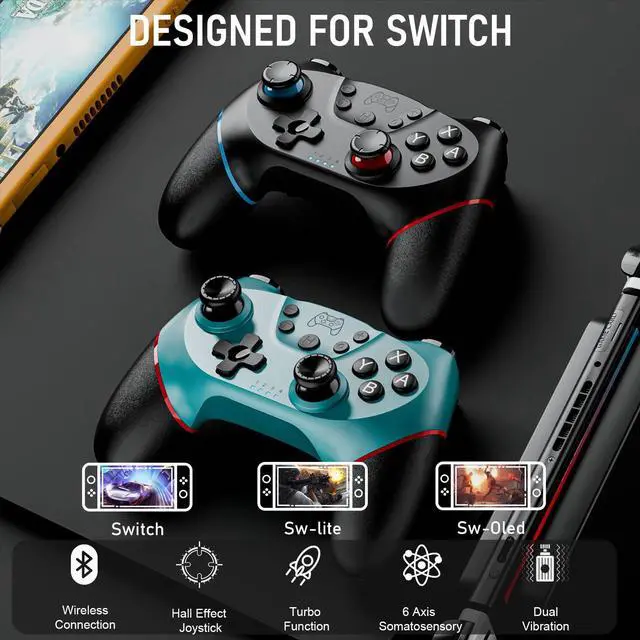
WIRELESS CONTROLLER DESIGNED FOR SWITCH/LITE/OLED
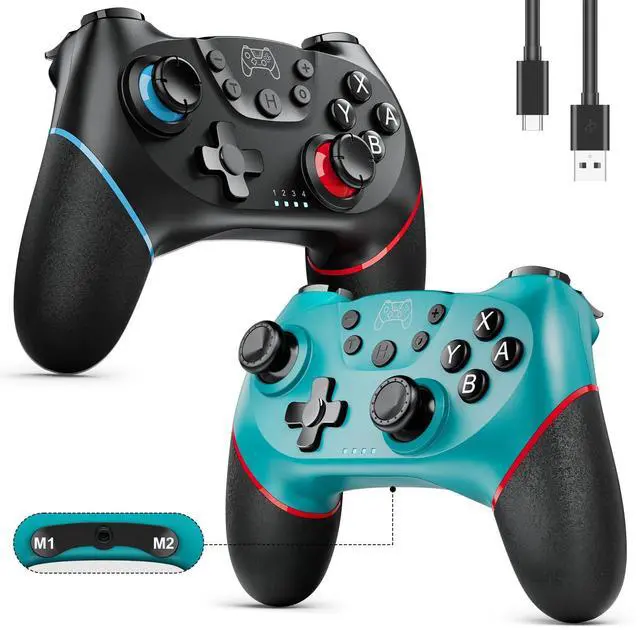
Package Included:
- Wireless Switch Controller*2
- USB-C Charging Cable*2
- User Manual*2
2 Pack Wireless Controllers for Switch/Lite/OLED

ENHANCED FEATURES FOR IMMERSIVE GAMING
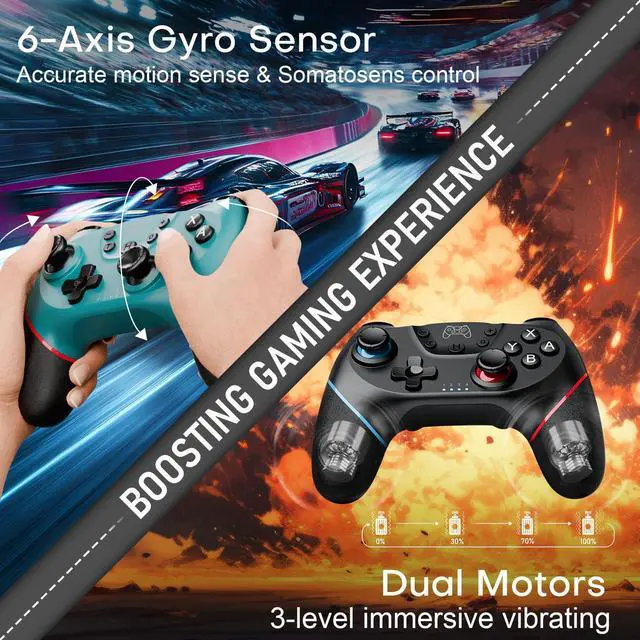
6-Gyro Sensor
- Swiftly sense the tiny tilts of the controller and respond with somatosensory aiming and accurate manipulation, perfect for motion-sensing games especially like racing.
Dual Motors
- 3-level vibrations(weak/medium/strong) support strong shock on scenes like collision and explosion;
- You can set the vibrating intensity on the console(the default intensity is medium-70%):
- Hold the T key and push the LEFT stick up/down to increase/decrease the intensity(once for one level).
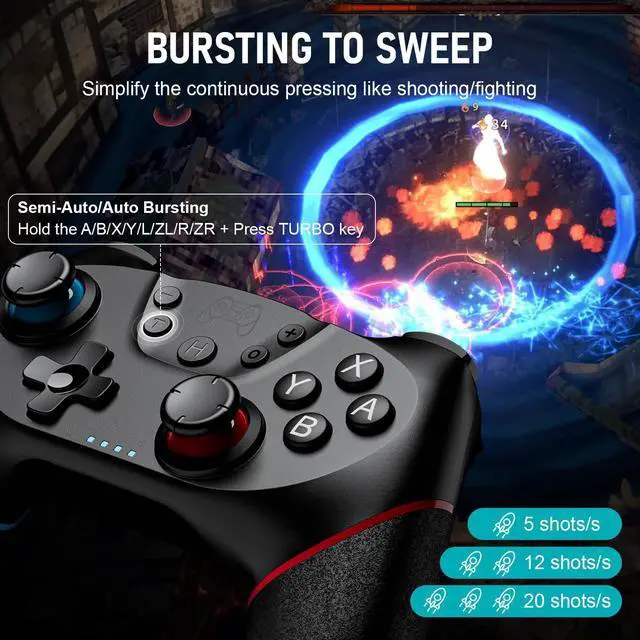
Bursting Turbo
- Semi-/Auto Turbo functions with 3 optional speed (5/12/20shots/s) provide continuous shooting, simplifying repetitive pressings and reducing the buttons' abrasion;
- Hold the A/B/X/Y/L/ZL/R/ZR + Press T key to set(the default speed is 12times/s).;
- Adjust the speed: Hold the T key and push the RIGHT stick up/down to speed up/down.
Pro Controllers for Switch/Switch Lite/Switch OLED/PC/Android Phone with 2 Mappable Buttons

COMEBINE ALL INTO ONE
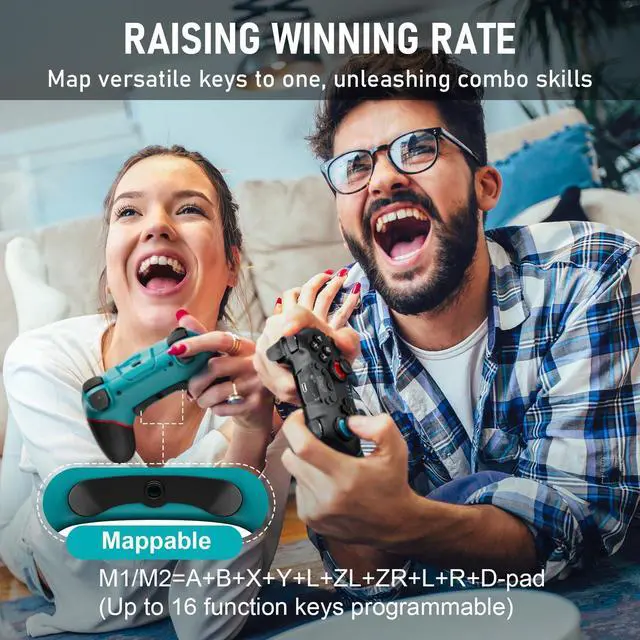
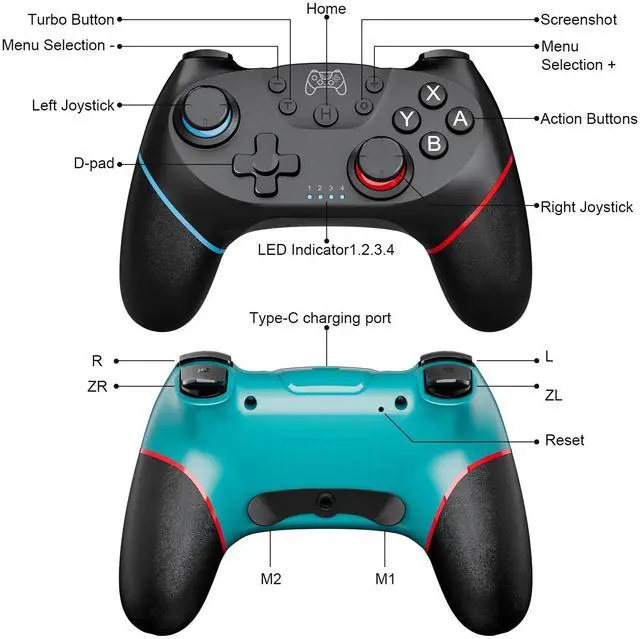
Map Buttons to M1/M2 Key
- Hold the M1/M2 and press "+"/"-" > the controller vibrates for 0.5s > the LED lights flash SLOWLY = being on the mapping state;
- Press the function keys you want to map, such as joystick(up/down/left/right), D-pad, A/B/X/Y and L/R/ZL/ZR/L3/R3 > the LED lights flash RAPIDLY= the function keys’ input succeeds;
- ( A total of 16 function keys can be mapped. When it’s more than 16, the input won’t succeed. )
- Press the M1/M2 again > the controller vibrates for 0.5s > the LED lights will be back to the original state = the mapping is ended.
Clear the Mapping Function
- Hold the M1/M2 and press "+"/"-" = enter the programming state of M1/M2;
- Press the M1/M2 again = successfully clear the setting.
2 Pack Pro Controller Compatible with SWITCH/LITE/OLED/PC

VERSATILE DEVICES AVAILABLE
Pairing with Switch
- on the console: Home Screen > System Settings > Airplane Modes > Controllers > Change grip/order
- on the controller: Long press the Home button for 3 seconds > LED lights flash + the controller vibrates > success
Pairing with PC - Wired Mode
- Use a USB cable to connect the controller to the PC;
- Long press “+” and “-” for 3 seconds > Controller vibrates for 0.5s > LED light 1 flashes then LED light 2 flashes> enter N-S PRO mode(Default to Windows X-input mode);
- “XBOX 360 controller” shows up on the PC > Hold "H" button for about 3 seconds > the LED light 2 will be always on > PC mode entering succeed( from X-input to D-input mode).
Steam Mode
- After connecting to PC, open the steam;
- LED light 1 will be on;
- The steam mode will be recognized automatically.
Pro Controller for Switch Game - EASY START, EXTENDED JOY

One Press for Wake-up
- After the initial successful pairing, press the HOME Key once to wake up your console and start the relaxing journey.
- Wireless Range: 10m/32.8feet

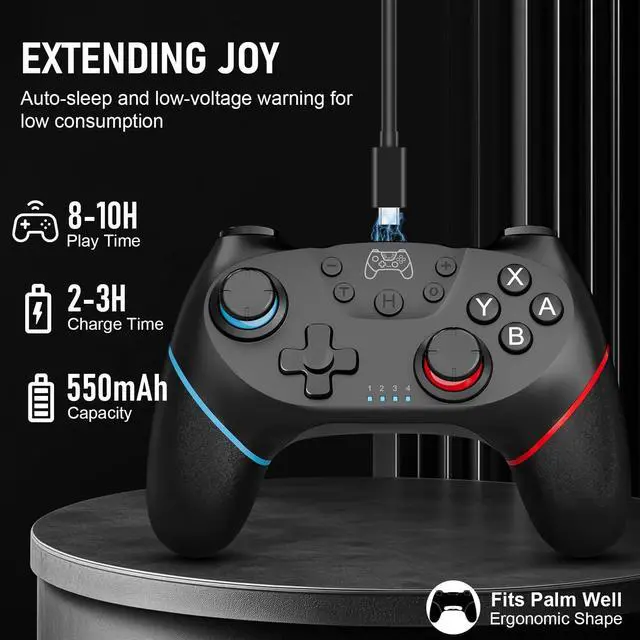
Rechargeable 550mAh Battery
- This controller from DISWOE features auto-sleep and low-voltage warning for low consumption and long powering life. Sustains a 8-10H gaming after a single full charge(2-3H).
- (USB-Type C cable included)

Ergonomic Design
- The grip part is made of anti-slip&sweat-proof soft rubber, lightweight with perfect shape, fitting the palm well to alleviate the gripping fatigue.
DISWOE Wireless Controller with Quality Buttons for Switch/Switch Lite/Switch OLED

QUALITY BUTTONS, COMFORTABLE HAND FEELING
Hall Effect Joystick
- Electromagnetic-induction-based Hall Effect Joystick responds sensitively and accurately to the motions. It does an outstanding job of avoiding the sensor abrasion issue and the drift hassle.
Responsive Linear Trigger
- Improve the extent of accuracy and comfort in the game, bringing superior experience.
Precise D-pad
- Smooth control of the direction.
Screenshot
- Just one click to share highlights in the game.
2 Pack Controller for Switch from DISWOE
WIRELESS CONTROLLER DESIGNED FOR SWITCH/LITE/OLED
Package Included:
- Wireless Switch Controller*2
- USB-C Charging Cable*2
- User Manual*2
2 Pack Wireless Controllers for Switch/Lite/OLED
ENHANCED FEATURES FOR IMMERSIVE GAMING
6-Gyro Sensor
- Swiftly sense the tiny tilts of the controller and respond with somatosensory aiming and accurate manipulation, perfect for motion-sensing games especially like racing.
Dual Motors
- 3-level vibrations(weak/medium/strong) support strong shock on scenes like collision and explosion;
- You can set the vibrating intensity on the console(the default intensity is medium-70%):
- Hold the T key and push the LEFT stick up/down to increase/decrease the intensity(once for one level).
Bursting Turbo
- Semi-/Auto Turbo functions with 3 optional speed (5/12/20shots/s) provide continuous shooting, simplifying repetitive pressings and reducing the buttons' abrasion;
- Hold the A/B/X/Y/L/ZL/R/ZR + Press T key to set(the default speed is 12times/s).;
- Adjust the speed: Hold the T key and push the RIGHT stick up/down to speed up/down.
Pro Controllers for Switch/Switch Lite/Switch OLED/PC/Android Phone with 2 Mappable Buttons
COMEBINE ALL INTO ONE
Map Buttons to M1/M2 Key
- Hold the M1/M2 and press "+"/"-" > the controller vibrates for 0.5s > the LED lights flash SLOWLY = being on the mapping state;
- Press the function keys you want to map, such as joystick(up/down/left/right), D-pad, A/B/X/Y and L/R/ZL/ZR/L3/R3 > the LED lights flash RAPIDLY= the function keys’ input succeeds;
- ( A total of 16 function keys can be mapped. When it’s more than 16, the input won’t succeed. )
- Press the M1/M2 again > the controller vibrates for 0.5s > the LED lights will be back to the original state = the mapping is ended.
Clear the Mapping Function
- Hold the M1/M2 and press "+"/"-" = enter the programming state of M1/M2;
- Press the M1/M2 again = successfully clear the setting.
2 Pack Pro Controller Compatible with SWITCH/LITE/OLED/PC
VERSATILE DEVICES AVAILABLE
Pairing with Switch
- on the console: Home Screen > System Settings > Airplane Modes > Controllers > Change grip/order
- on the controller: Long press the Home button for 3 seconds > LED lights flash + the controller vibrates > success
Pairing with PC - Wired Mode
- Use a USB cable to connect the controller to the PC;
- Long press “+” and “-” for 3 seconds > Controller vibrates for 0.5s > LED light 1 flashes then LED light 2 flashes> enter N-S PRO mode(Default to Windows X-input mode);
- “XBOX 360 controller” shows up on the PC > Hold "H" button for about 3 seconds > the LED light 2 will be always on > PC mode entering succeed( from X-input to D-input mode).
Steam Mode
- After connecting to PC, open the steam;
- LED light 1 will be on;
- The steam mode will be recognized automatically.
Pro Controller for Switch Game - EASY START, EXTENDED JOY
One Press for Wake-up
- After the initial successful pairing, press the HOME Key once to wake up your console and start the relaxing journey.
- Wireless Range: 10m/32.8feet
Rechargeable 550mAh Battery
- This controller from DISWOE features auto-sleep and low-voltage warning for low consumption and long powering life. Sustains a 8-10H gaming after a single full charge(2-3H).
- (USB-Type C cable included)
Ergonomic Design
- The grip part is made of anti-slip&sweat-proof soft rubber, lightweight with perfect shape, fitting the palm well to alleviate the gripping fatigue.
DISWOE Wireless Controller with Quality Buttons for Switch/Switch Lite/Switch OLED
QUALITY BUTTONS, COMFORTABLE HAND FEELING
Hall Effect Joystick
- Electromagnetic-induction-based Hall Effect Joystick responds sensitively and accurately to the motions. It does an outstanding job of avoiding the sensor abrasion issue and the drift hassle.
Responsive Linear Trigger
- Improve the extent of accuracy and comfort in the game, bringing superior experience.
Precise D-pad
- Smooth control of the direction.
Screenshot
- Just one click to share highlights in the game.