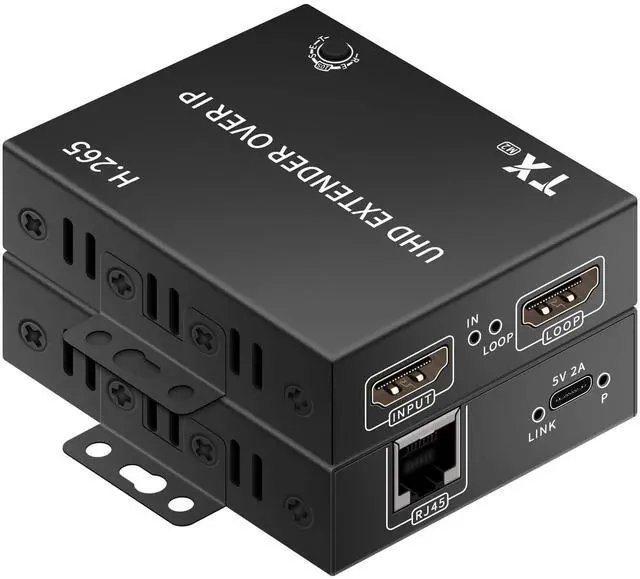
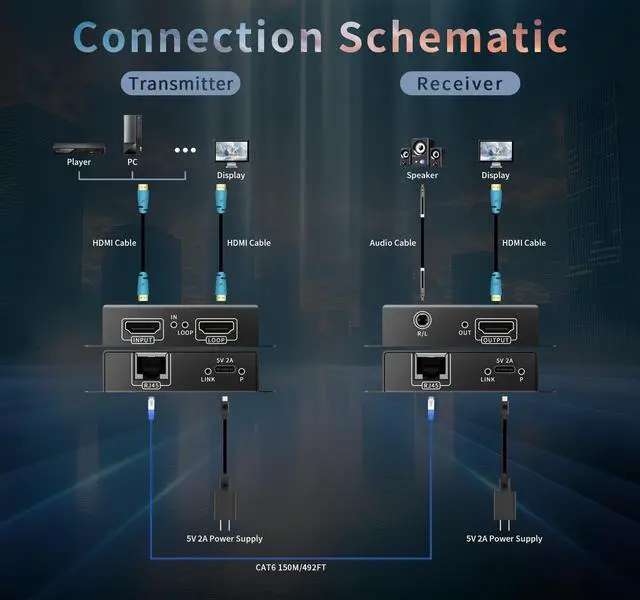
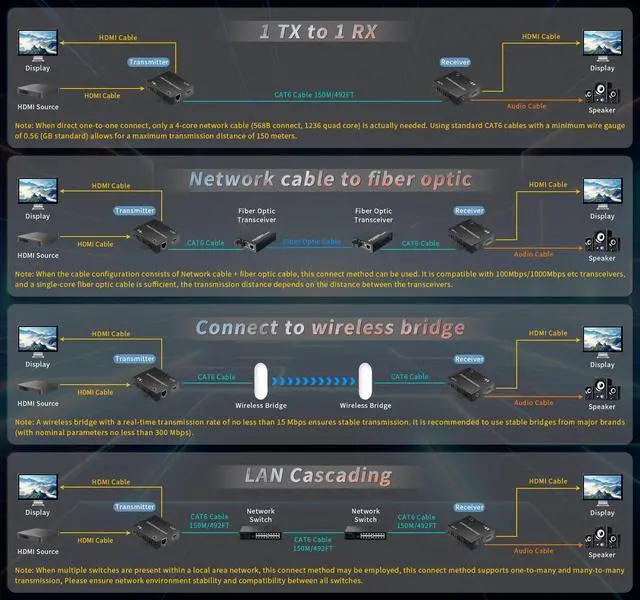
4K HD+Local Loopout+audioTransmitter and ReceiverH. 265 TCP/IP 4K HDMI Network Extender 1TX and 1RX Kit enables transmission of one HDMI signal source over Ethernet cable to a display up to 490FT away. Also supports connection to LAN/fiber/wireless bridge devices for transmission. Input/output resolution supports up to 4K@30Hz, along with 25601440@60Hz, 19201200@60Hz, 19201080@60Hz, 16001200@60Hz, and 720P@60Hz. The TX unit features a built-in HDMI OUT port for connecting to a local display. The receiver includes HDMI output and a 3.5 mm audio output for connecting to speakers. ^^ WEB Backend Settings and Ethernet TransmissionThe H.
265 4K HDMI Network Extender features a TCP/IP IPV4-based WEB backend. Each device has a fixed
IP address with default settings:
TX: 192.168.
1.166 / RX: 192.168. 1.167. Access the web interface via the IP address to modify settings such as IP address, configure TX LOOP resolution, or adjust HDMI/DVI signal formats. The 4K HDMI Network Extender can operate alongside other network devices within the same local area network. ^^ Fixed IP and Ultra-Low BandwidthEach H. 265 4K HDMI Network Extender device features a fixed IP address, which can be modified via the web interface. Leveraging advanced H. 265 encoding technology, the 4K HDMI Network Extender requires only approximately 10M of network bandwidth for LAN transmission, making it compatible with 100M/1000M/10G network environments. It also prevents network storms. ^^ LAN Transmission PrecautionsWhen transmitting H. 265 4K HDMI network extenders and other network devices over the same LAN, ensure that no two devices within the LAN share the same IP address. Verify the IP addresses of all network devices. The IP address of the H. 265 4K HDMI network extender can be flexibly modified.
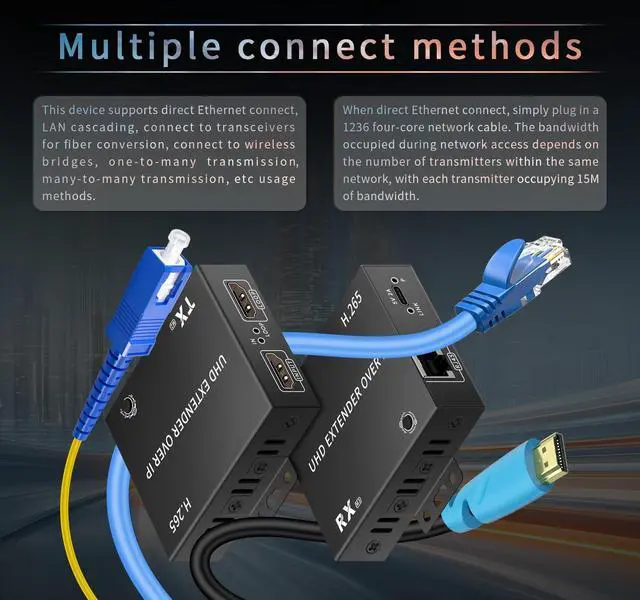
Note: The transmitter and receiver of the H. 265 4K HDMI network extender must operate within the same subnet; cross-subnet operation is not supported. ^^ Multiple Transmission Methods A. Use a single dedicated Ethernet cable for extension, up to 492FT; B. Connect to a local area network (LAN) for transmission; transmitter and receiver must operate within the same subnet; C. One transmitter connects to multiple receivers via a network switch for transmission; D. Connect to a network fiber optic transceiver for transmission via fiber optic cable; E. Connect to a wireless bridge for wireless transmission. ^^ RESET Resolution AdjustmentPress and hold the RESET button on the receiver for 2 seconds to cycle through the three resolutions displayed: 4K@30Hz/1080P@60Hz/720P@60Hz, adapting to different monitors. When one transmitter connects to multiple receivers, each receiver can display a different resolution through adjustment.
Note: Pressing and holding for 10 seconds or longer will unpair the wireless transmitter and receiver. Please exercise caution when performing this operation. ^^ Power Supply Precautions and Mounting BracketsThe H. 265 4K HDMI Network Extender uses a Type-C interface for power supply and comes with a USB power cable and a 5V 2A USB charger. Please connect the USB charger for power. Never use a USB 2.0 / 3.0 port directly for power, as insufficient power may cause no signal or instability. It also supports power supply from a power bank; note that the power bank's operating current must not be less than 2A. It also supports the use of mounting brackets, allowing for easy installation in various environments. ^^ Potential Image Quality DifferencesThe H. 265 4K HDMI Network Extender utilizes TCP/IP LAN technology, which involves a certain degree of compression affecting image quality. Compared to direct HDMI signal output or products using technologies, the image quality may be slightly inferior. Users with exceptionally high image quality requirements should exercise caution when purchasing. However, it delivers significantly better image quality than comparable 1080P or other LAN-based HDMI network extenders.
^^ Not Suitable for Touchscreens and Gaming ConsolesThe