




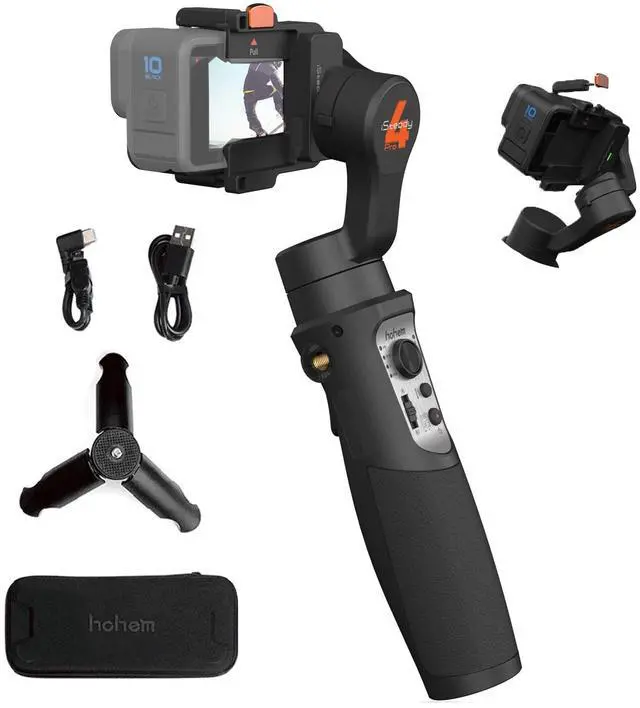


3-Axis Gimbal Stabilizer Compatible with GoPro 13/12/11/10/9/8 Action Camera

The iSteady Pro 4 gimbal is compatible with GoPro 13/12/11/10/9/8 perfectly.
List of models that can be installed:
- Compatible with GoPro Hero 13/12/11/10/9/8/7/6/5/4/3(Does not support GoPro 7 white & silver version)
- (If you are ready to use the GoPro 13/12, Please update the firmware of the gimbal to the Newest version)
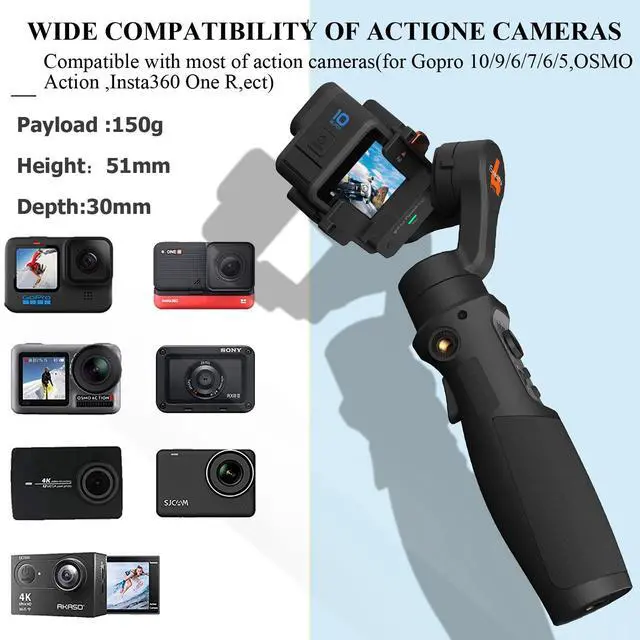
- Other action cameras with similar dimensions and weight: Payload:150g; Height: 51 mm, Thickness: 30mm
- the DJI OSMO Action 4 CAN'T be paired with the Isteady Pro4.


Wide Compatibility
iSteady Pro 4 gimbal is compatible with GoPro Hero 13/12/11/10/9/8/7/6/5/4/3, DJI OSMO Action, Insta360 one R, SONY RX0, YI cam, Xiaomi Mijia, SJCAM and other action cameras with similar size and weight.

One Step Mounting
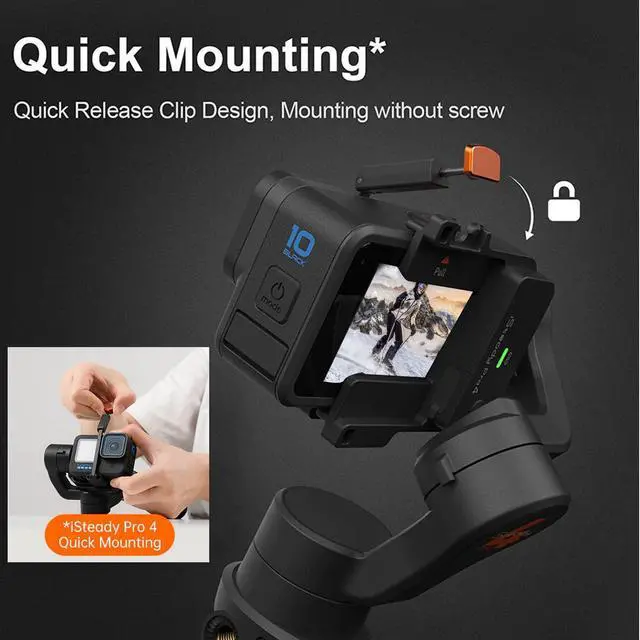
Awhole new design of action camera mounting, quick release clip with spring buckle. It replaces the itallation of tightening screws, so no more struggling with installation.

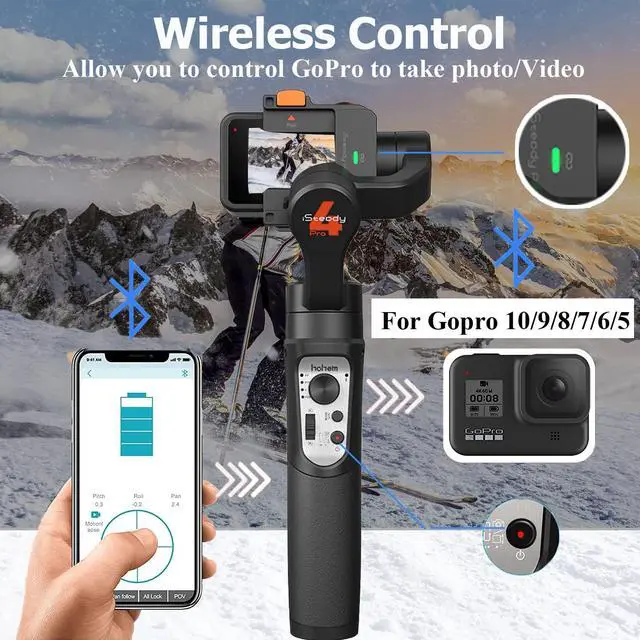
Wireless Camera Control
iSteady Pro 4 can control the camera's shutter button to take a photo or video, and the low-energy consumption of Bluetooth makes gimbal with longer battery life by 50% compared to the previous WiFi connection.
NOTE: Connect Function only for gopro 12/11/10/9/8/7/6/5 Series

Water Splash-Proof
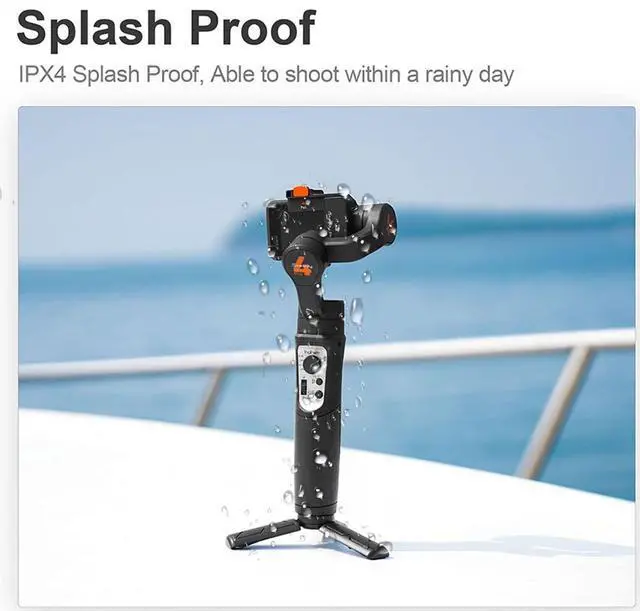
iSteady Pro 4 3 Axis gimbal is IPX4 splash-proof designed, it allows you to take for hiking, travel even at the rainy day.

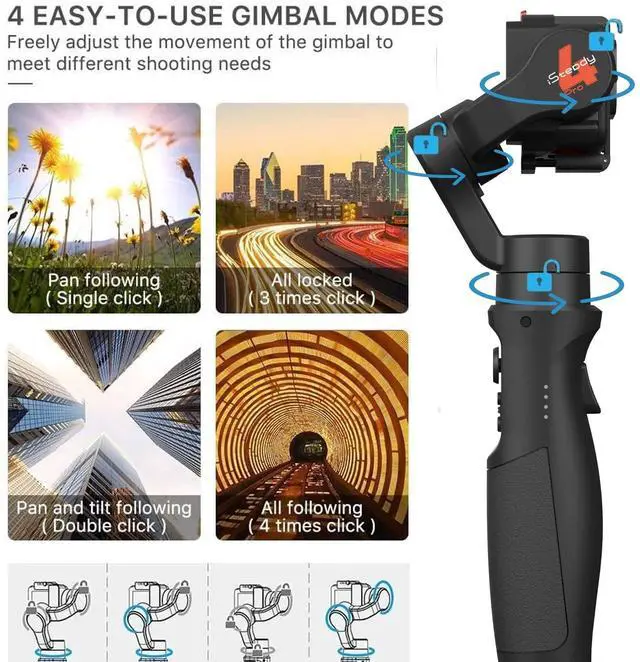
Pan 600° Rotation -Inception Mode
Pan motor is able to rotate a complete 360° to make an incredible inception effect. 600°Inception/Three-dimensional dreamland, easily create a dreamlike pictures.

Motion Timelapse
Motion Timelapse of iSteady Pro 4 gimbal, allows you to set the track with custom rotating angle, to record heavy traffic on the street, cloud in the sky moving in seconds, times fly but fantastic life moment.

Trigger Button-Sport Mode
Press and hold the trigger button, is able to activate the motors instantly with much more power to follow along with rotation, no worry to lost any fast moving subject.

POV Mode
Pan Motor, Tilt Motor, Roll motors are all available to follow along with axis rotating movement, allowing a real fantastic first person point of view created as you are involved in the footage.

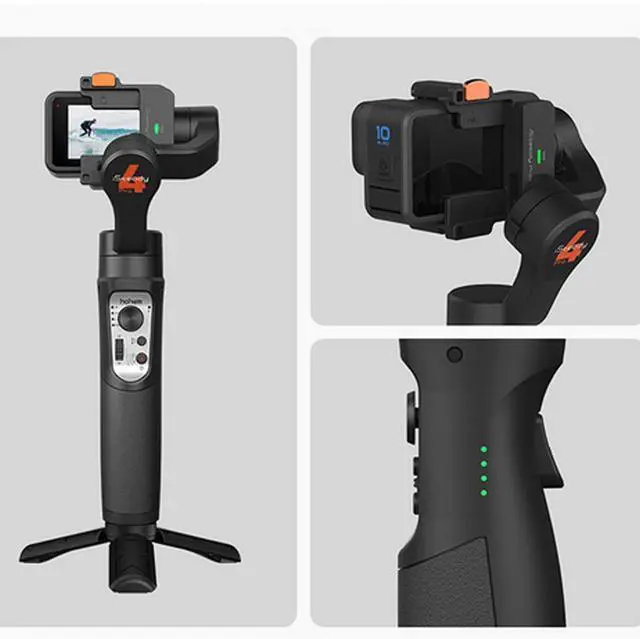
Camera Connection/Remote Control Indicator
- Light Off:No any connection ;
- Keep Flashing Green Light:Double-click the PAIR button to enter the camera pairing mode;
- Stay On Green Light:Gimbal is connected to the camera;
- Fast Flash Green Light 3 Times:Press and hold the PAIR button for 3 seconds to unpair the camera;
How to install your acion camera

FAQ
How to deal with shaking after startup?
A. Shaking occurs in no-load situation, please mount your camera before powering on.
B. The camera is too light, and you need to decrease the motor torque through app. Open Hohem Gimbal app, then click "Setting" and "Motor Options" to set the torque.
What should I do if the mobile phone cannot connect to the gimbal via Bluetooth, and the app cannot find the device?
A. Activate the Bluetooth on your phone.--B.Power on the gimbal.--C. Open Hohem Gimbal app.--D. Select the model "iSteady Pro 4".--E. Click “Device Connections" (Note: Bluetooth connection is done within the app)
If the connection fails, please exit the app, restart Bluetooth, and try connecting again following these steps.
What should I do if the gimbal is not horizontal after startup?
Method 1: Offline Calibration
1.After the gimbal starts up, press and hold the mode button for more than 6 seconds until the Bluetooth indicator is solid bright.
2.Place the gimbal on a static surface without any vibration. Calibration is completed once the Bluetooth indicator flashes twice.
* If offline calibration is not working, please refer to method 2.
Method 2: 6-side Calibration via App
Ensure that the gimbal is connected with Hohem Gimbal app via Bluetooth successfully, then enter "Calibration" and follow the instructions in the app to calibrate the gimbal.
Specifications:
3-Axis Gimbal Stabilizer Compatible with GoPro 13/12/11/10/9/8 Action Camera
The iSteady Pro 4 gimbal is compatible with GoPro 13/12/11/10/9/8 perfectly.
List of models that can be installed:
- Compatible with GoPro Hero 13/12/11/10/9/8/7/6/5/4/3(Does not support GoPro 7 white & silver version)
- (If you are ready to use the GoPro 13/12, Please update the firmware of the gimbal to the Newest version)
- Other action cameras with similar dimensions and weight: Payload:150g; Height: 51 mm, Thickness: 30mm
- the DJI OSMO Action 4 CAN'T be paired with the Isteady Pro4.
Wide Compatibility
iSteady Pro 4 gimbal is compatible with GoPro Hero 13/12/11/10/9/8/7/6/5/4/3, DJI OSMO Action, Insta360 one R, SONY RX0, YI cam, Xiaomi Mijia, SJCAM and other action cameras with similar size and weight.
One Step Mounting
Awhole new design of action camera mounting, quick release clip with spring buckle. It replaces the itallation of tightening screws, so no more struggling with installation.
Wireless Camera Control
iSteady Pro 4 can control the camera's shutter button to take a photo or video, and the low-energy consumption of Bluetooth makes gimbal with longer battery life by 50% compared to the previous WiFi connection.
NOTE: Connect Function only for gopro 12/11/10/9/8/7/6/5 Series
Water Splash-Proof
iSteady Pro 4 3 Axis gimbal is IPX4 splash-proof designed, it allows you to take for hiking, travel even at the rainy day.
Pan 600° Rotation -Inception Mode
Pan motor is able to rotate a complete 360° to make an incredible inception effect. 600°Inception/Three-dimensional dreamland, easily create a dreamlike pictures.
Motion Timelapse
Motion Timelapse of iSteady Pro 4 gimbal, allows you to set the track with custom rotating angle, to record heavy traffic on the street, cloud in the sky moving in seconds, times fly but fantastic life moment.
Trigger Button-Sport Mode
Press and hold the trigger button, is able to activate the motors instantly with much more power to follow along with rotation, no worry to lost any fast moving subject.
POV Mode
Pan Motor, Tilt Motor, Roll motors are all available to follow along with axis rotating movement, allowing a real fantastic first person point of view created as you are involved in the footage.
Camera Connection/Remote Control Indicator
- Light Off:No any connection ;
- Keep Flashing Green Light:Double-click the PAIR button to enter the camera pairing mode;
- Stay On Green Light:Gimbal is connected to the camera;
- Fast Flash Green Light 3 Times:Press and hold the PAIR button for 3 seconds to unpair the camera;
How to install your acion camera
FAQ
How to deal with shaking after startup?
A. Shaking occurs in no-load situation, please mount your camera before powering on.
B. The camera is too light, and you need to decrease the motor torque through app. Open Hohem Gimbal app, then click "Setting" and "Motor Options" to set the torque.
What should I do if the mobile phone cannot connect to the gimbal via Bluetooth, and the app cannot find the device?
A. Activate the Bluetooth on your phone.--B.Power on the gimbal.--C. Open Hohem Gimbal app.--D. Select the model "iSteady Pro 4".--E. Click “Device Connections" (Note: Bluetooth connection is done within the app)
If the connection fails, please exit the app, restart Bluetooth, and try connecting again following these steps.
What should I do if the gimbal is not horizontal after startup?
Method 1: Offline Calibration
1.After the gimbal starts up, press and hold the mode button for more than 6 seconds until the Bluetooth indicator is solid bright.
2.Place the gimbal on a static surface without any vibration. Calibration is completed once the Bluetooth indicator flashes twice.
* If offline calibration is not working, please refer to method 2.
Method 2: 6-side Calibration via App
Ensure that the gimbal is connected with Hohem Gimbal app via Bluetooth successfully, then enter "Calibration" and follow the instructions in the app to calibrate the gimbal.
Specifications:
| Action Cam Installable List | for GoPro Hero 13/12/11/10/9/8/7/6/5/4/3, DJI OSMO Action, Insta360 ONE R (4K & 1-Inch), SONY RX0 and other action cameras with similar size and weight. (Max Camera Size: Height: 51mm; Depth: 30mm;Max.Payload:150g) |
| Bluetooth Control | for GoPro 12/11/10/9/8/7/6/5 (not support GoPro 7 white & silver version) |
| Material: | High performance composite |
| Max Camera Size: | Height: 51mm; Depth: 30mm |
| Weight: | 365g |
| Mechanical Range: | Panning: 600°; Rolling: 320°; Tilting: 320°. |
| Working Time: | 14 hours |
| Splash Proof: | IPX4 rating water splash proof(it is resistant to water splashes from any direction). |