


![Main image of HDMI eARC/ARC Cable 3.3FT, 8K Certified Ultra High Speed HDMI 2.1 [8K@60Hz, 4K@120Hz] Dolby Atmos Vision, 48Gbps, HDR10, HDCP Compatible for Samsung/Bose/Vizio/SoundBar](https://c1.neweggimages.com/productimage/nb640/C5CRD2603140JKI87A7.jpg)
![Alt view image 2 of 7 - HDMI eARC/ARC Cable 3.3FT, 8K Certified Ultra High Speed HDMI 2.1 [8K@60Hz, 4K@120Hz] Dolby Atmos Vision, 48Gbps, HDR10, HDCP Compatible for Samsung/Bose/Vizio/SoundBar](https://c1.neweggimages.com/productimage/nb640/C5CRD2603140JKIA415.jpg)
![Alt view image 3 of 7 - HDMI eARC/ARC Cable 3.3FT, 8K Certified Ultra High Speed HDMI 2.1 [8K@60Hz, 4K@120Hz] Dolby Atmos Vision, 48Gbps, HDR10, HDCP Compatible for Samsung/Bose/Vizio/SoundBar](https://c1.neweggimages.com/productimage/nb640/C6FXD2604270AX3ZVF9.jpg)
![Alt view image 4 of 7 - HDMI eARC/ARC Cable 3.3FT, 8K Certified Ultra High Speed HDMI 2.1 [8K@60Hz, 4K@120Hz] Dolby Atmos Vision, 48Gbps, HDR10, HDCP Compatible for Samsung/Bose/Vizio/SoundBar](https://c1.neweggimages.com/productimage/nb640/C5CRD2603140JKIGDDA.jpg)
![Alt view image 5 of 7 - HDMI eARC/ARC Cable 3.3FT, 8K Certified Ultra High Speed HDMI 2.1 [8K@60Hz, 4K@120Hz] Dolby Atmos Vision, 48Gbps, HDR10, HDCP Compatible for Samsung/Bose/Vizio/SoundBar](https://c1.neweggimages.com/productimage/nb640/C5CRD2603140JKI9817.jpg)
![Alt view image 6 of 7 - HDMI eARC/ARC Cable 3.3FT, 8K Certified Ultra High Speed HDMI 2.1 [8K@60Hz, 4K@120Hz] Dolby Atmos Vision, 48Gbps, HDR10, HDCP Compatible for Samsung/Bose/Vizio/SoundBar](https://c1.neweggimages.com/productimage/nb640/C5CRD2603140JKID7AC.jpg)
![Alt view image 7 of 7 - HDMI eARC/ARC Cable 3.3FT, 8K Certified Ultra High Speed HDMI 2.1 [8K@60Hz, 4K@120Hz] Dolby Atmos Vision, 48Gbps, HDR10, HDCP Compatible for Samsung/Bose/Vizio/SoundBar](https://c1.neweggimages.com/productimage/nb640/C5MSD26031008J5Z0E4.jpg)


Does the ARC/eARC function not work?
1. Check if the device supports ARC/eARC
2. Please manually enable the ARC/eARC function of the device
3. Please insert into the interface labeled with "ARC/eARC"
4. Update device firmware
What should I do if the sound quality is poor?
1, Use eARC/ARC HDMI ports on input and output sources.
2, Enable eARC (not PCM) on TV’s audio output.
3, Set soundbar to eARC mode.
4, Set player to Bitstream/Pass-Through.
5, Update firmware.
Why is the device incompatible?
Update firmware to start HDMI 2.1: LG OLED CX Series(2020)?GX Series(2020)?G1/C1 Series(2021)?etc.
Only supports HDMI 2.0: LG NanoCell Series(2019)? Samsung Q60T/Q70T (2020), Samsung Soundbar Wall Q990D (2024-2025)?etc.
How to activate HDMI enhancement mode?
Remote control button "Settings" ? "Display/Screen/Input" ? "Input signal enhancement/HDMI signal format"
How to activate the ARC/eARC function?
Step 1. TV: Remote control button "Settings" ? "Sound/Audio Settings" ? Select "HDMI ARC or eARC"
Step 2. Soundbar: Switch input source to HDMI ARC
Step 3. Restart the device to ensure the functionality takes effect



- Focusing on high-end cable development, we offer a complete range of first-class certified cables for home and office.
- We have obtained official certification for various products, including the latest DP80 Cable, DP54 Cable, USB4 80Gbps Cable, Thunderbolt 5 Cable, HDMI 2.1 Cable, etc.


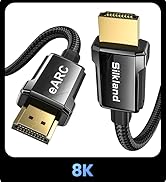
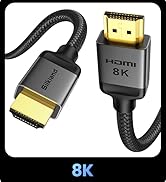
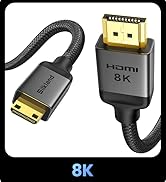
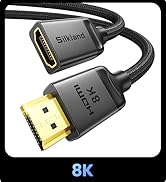
Click for more


Does the ARC/eARC function not work?
1. Check if the device supports ARC/eARC
2. Please manually enable the ARC/eARC function of the device
3. Please insert into the interface labeled with "ARC/eARC"
4. Update device firmware
What should I do if the sound quality is poor?
1, Use eARC/ARC HDMI ports on input and output sources.
2, Enable eARC (not PCM) on TV’s audio output.
3, Set soundbar to eARC mode.
4, Set player to Bitstream/Pass-Through.
5, Update firmware.
Why is the device incompatible?
Update firmware to start HDMI 2.1: LG OLED CX Series(2020)?GX Series(2020)?G1/C1 Series(2021)?etc.
Only supports HDMI 2.0: LG NanoCell Series(2019)? Samsung Q60T/Q70T (2020), Samsung Soundbar Wall Q990D (2024-2025)?etc.
How to activate HDMI enhancement mode?
Remote control button "Settings" ? "Display/Screen/Input" ? "Input signal enhancement/HDMI signal format"
How to activate the ARC/eARC function?
Step 1. TV: Remote control button "Settings" ? "Sound/Audio Settings" ? Select "HDMI ARC or eARC"
Step 2. Soundbar: Switch input source to HDMI ARC
Step 3. Restart the device to ensure the functionality takes effect


- Focusing on high-end cable development, we offer a complete range of first-class certified cables for home and office.
- We have obtained official certification for various products, including the latest DP80 Cable, DP54 Cable, USB4 80Gbps Cable, Thunderbolt 5 Cable, HDMI 2.1 Cable, etc.
Click for more