





The Ultimate Workstation Accessory
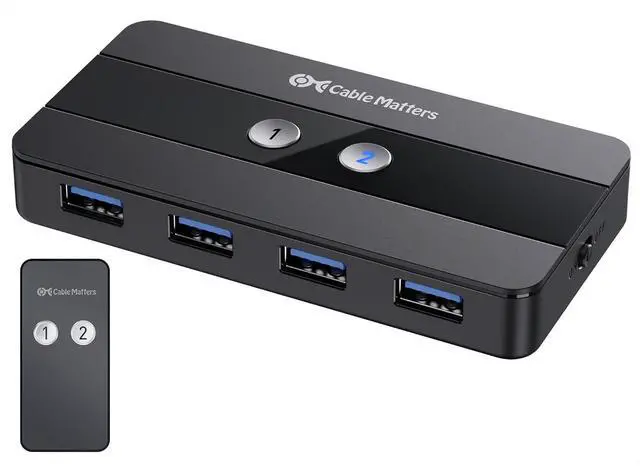
The Cable Matters USB-C KVM Switch is the ultimate one-cable KVM that does it all over USB-C. Share dual 4K monitors, plus high-speed USB 3.0 and USB 2.0 peripherals between two computers. Eliminate the need for separate pairs of monitors, keyboards, mice, printers for each computer. Easily swap laptops in and out of your workspace without having to unplug multiple USB and monitor cables.
Important Notes
- 4K@144Hz video requires a computer with an Nvidia RTX 2060/3060 or an AMD Radeon RX 6000 Series GPU or newer.
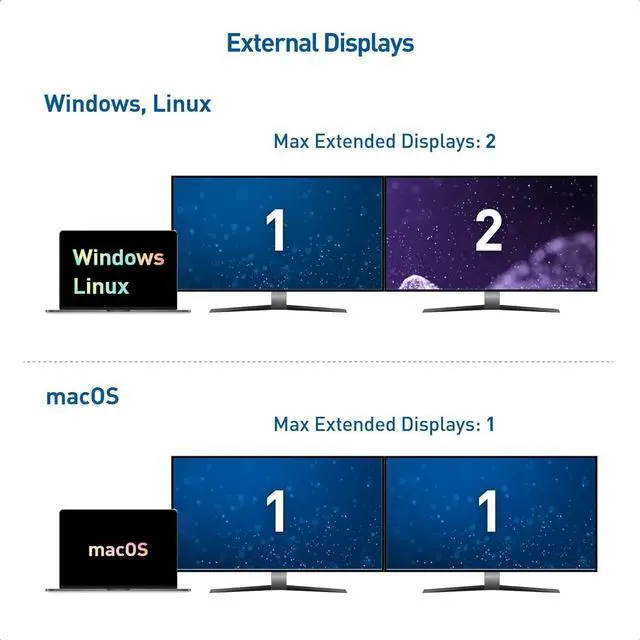
- Dual extended displays are not supported on macOS or ChromeOS. If more than one monitor is connected, the host will mirror the first monitor. Dual monitor capability (DisplayPort MST) is required by the host computer for dual extended display support
- All Macbook, Macbook Pro, and Mac Mini with Apple M1/M2 or Intel chips can only support a maximum resolution of 4K@60Hz
- Please turn OFF auto-detect on the monitor for better compatibility
- 4K@120Hz support must be manually enabled on some 4K 120Hz TVs
- VRR/G-Sync/FreeSync is not supported
- Cannot charge host computers
- No EDID Emulation Support.

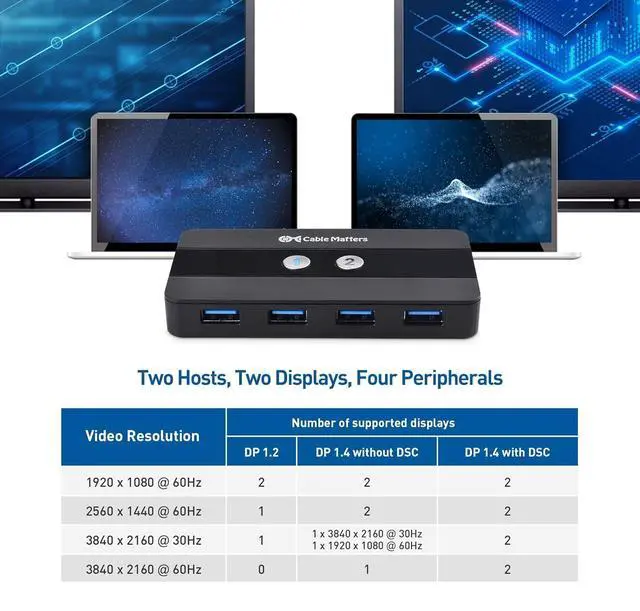
Two Hosts, Two Displays
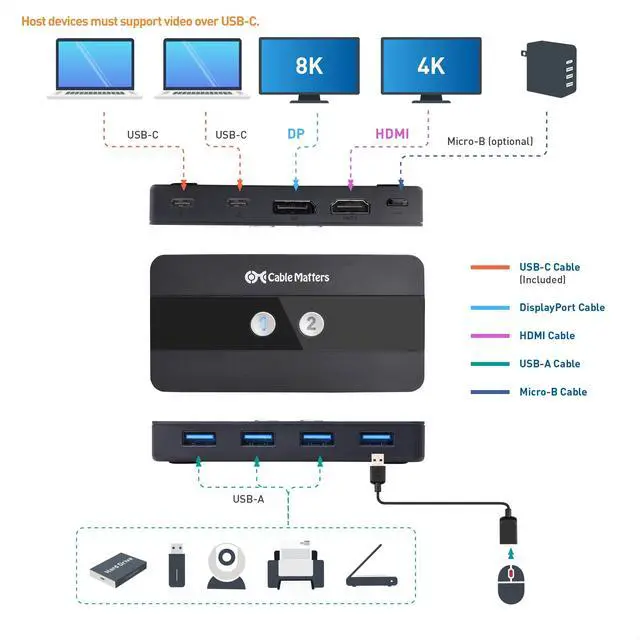
- Connect two hosts via USB-C (Host devices must support video over USB-C)
- Supports up to two monitors and four USB peripherals

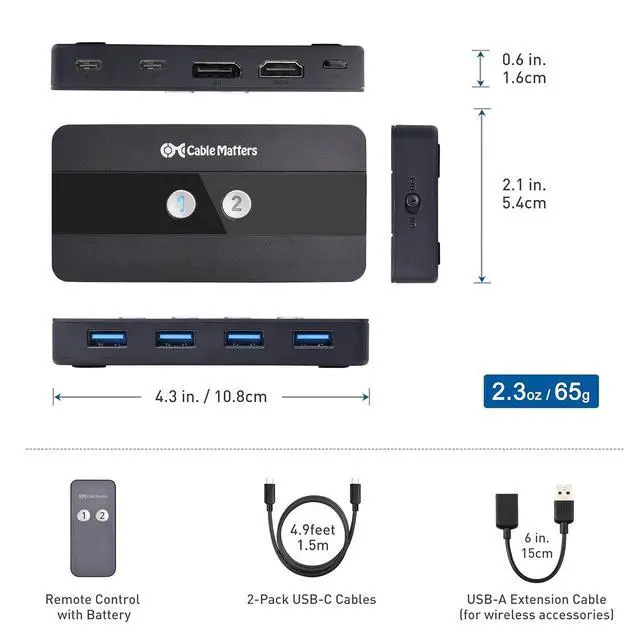
Feature-Filled Switch
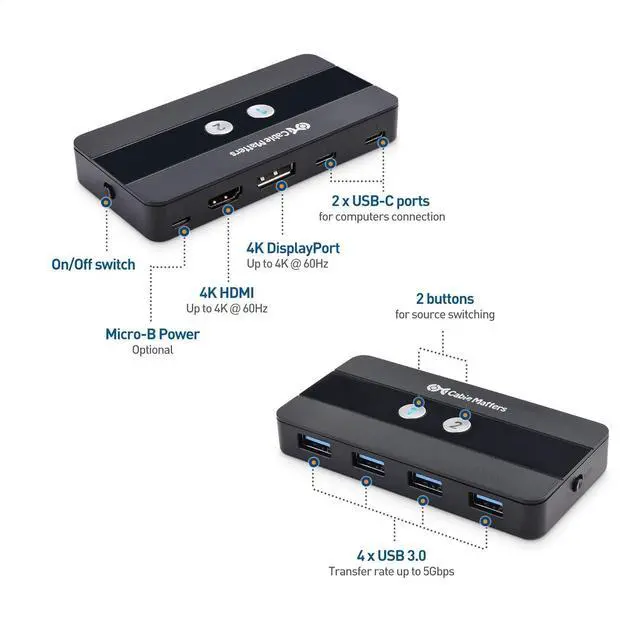
1) 2x USB-C hosts
2) DP Port, 3) HDMI Port, 4) USB 3.0 Ports
5) Source-switching buttons
6) On/Off Switch
7) Micro-B optional power port

Dual 4K Video
- Supports up to dual 4K@60Hz displays
- Video support requires hosts with DP Alt Mode support

One-Touch Switching
- Unique design includes LED-lit buttons to effortlessly swap between hosts with the push of a single button.

Remote, Not More Wires
- Remote control allows for quick, easy switching of the host computer with the push of a single button

Built-in On/Off Switch
- The switch includes a unique on/off switch to prevent power drain when the switch is not in use

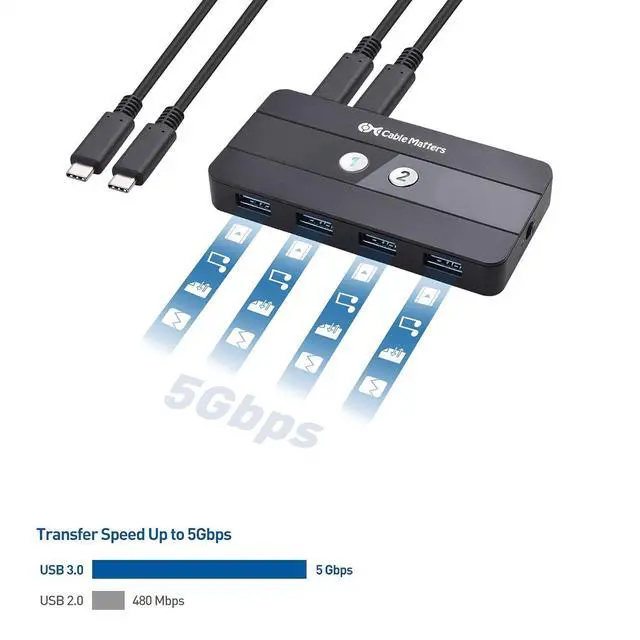
5 Gbps Data Transfer
- USB 3.0 supports a transfer rate of 5Gbps
- Plug & play, no driver required

Package Contents
- USB-C Sharing Switch
- 2x USB-C cables
- 1x USB 2.0 extension cable
- 1x Remote control
Can I use this KVM switch with dual monitors?
Yes. The Cable Matters USB-C KVM Switch allows you to connect two USB-C hosts to share two monitors on all Operating Systems except Mac OS with resolutions up to 4K@60hz on one monitor.
Does this KVM switch support EDID Emulation?
No
Does this KVM work with any USB-C port? Can I use HDMI/DP as the input?
No. Both laptops must have a USB-C port with DP Alt Mode (or Thunderbolt) for video. The KVM accepts USB-C video input only (no HDMI/DP input). The USB-C Switch only works to switch between two laptops with USB-C video output to HDMI/DP monitors.
Does the Micro-B power port charge my laptops?
No. The power port supplies power to the KVM and connected USB peripherals only. Use each laptop’s own charger for power/charging.
No video or limited resolution—what should I check?
Confirm both laptops support DP Alt Mode, use USB-C cables with video support, avoid feeding HDMI/DP into the KVM, and provide stable power to the KVM for peripherals.
Comparison Chart
 USB-C Switch with HDMI DP |  USB4/Thunderbolt 4 Switch |  USB C KVM Switch Dock |  USB Switch with DP 1.4 |  USB 3.0 Switch with HDMI |  4 Port USB 3.0 Switch Hub |  VESA Certified DP Cable | |
|---|---|---|---|---|---|---|---|
Customer Reviews | — | — | — | — | — | — | — |
Price | — | — | — | — | — | — | — |
USB Type | USB 3.0 | USB4 | USB 3.2 / USB 3.0 / USB 2.0 | USB 3.0 | USB 3.0 | USB 3.0 | — |
Transfer Speed | 5Gbps | 20Gbps | 5 / 10Gbps | 5Gbps | 5Gbps | 5Gbps | — |
Hosts Support | 2 | 2 | 2 | 2 | 2 | 4 | — |
Max # of Shared USB Devices | 4 | N/A | 7 | 3 | 3 | 4 | — |
Video Ports | HDMI + DisplayPort | Video + Data + Charging | HDMI + DisplayPort | DisplayPort | HDMI | — | DisplayPort |
Model Number | 201085 | 201352 | 201075 | 202070 | 202071 | 202060 | 102025 |


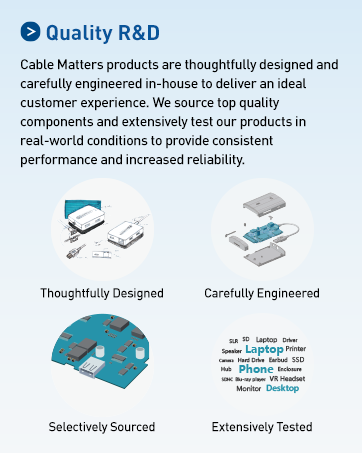
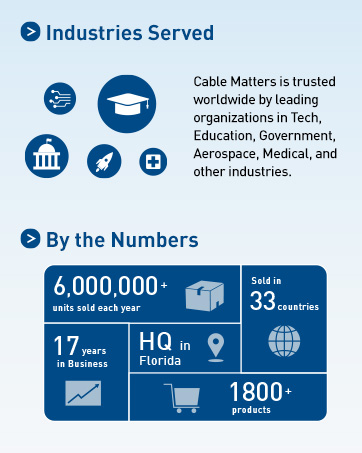
Cable Matters, with headquarters in Southborough, Massachusetts, offers a complete line of cables, adapters, docking stations, and networking products for the home, office, and data center. Cable Matters offers first-class, quality, and affordable products backed by an exceptional customer experience.
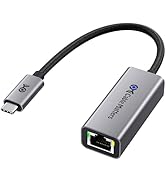
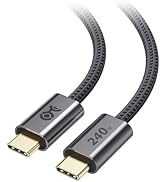
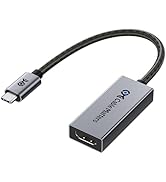
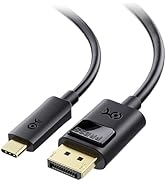
USB-C Cables & Hubs & Adapters
![Cable Matters Braided USB C to Micro USB Cable - 3.3ft, [3A/15W Charging, 480Mbps Data] MicroUSB ...](//c1.neweggimages.com/sellingpilot/modules/product/a-plus/5c7d39516f75c8fb4e9a6d3b07bc6c64b8998e2247630b6cee6e0c8da4baf719.jpg)
USB-C Cables & Hubs & Adapters
![Cable Matters Braided USB C to Micro USB Cable - 3.3ft, [3A/15W Charging, 480Mbps Data] MicroUSB ...](http://c1.neweggimages.com/sellingpilot/modules/product/a-plus/5c7d39516f75c8fb4e9a6d3b07bc6c64b8998e2247630b6cee6e0c8da4baf719.jpg)

The Ultimate Workstation Accessory
The Cable Matters USB-C KVM Switch is the ultimate one-cable KVM that does it all over USB-C. Share dual 4K monitors, plus high-speed USB 3.0 and USB 2.0 peripherals between two computers. Eliminate the need for separate pairs of monitors, keyboards, mice, printers for each computer. Easily swap laptops in and out of your workspace without having to unplug multiple USB and monitor cables.
Important Notes
- 4K@144Hz video requires a computer with an Nvidia RTX 2060/3060 or an AMD Radeon RX 6000 Series GPU or newer.
- Dual extended displays are not supported on macOS or ChromeOS. If more than one monitor is connected, the host will mirror the first monitor. Dual monitor capability (DisplayPort MST) is required by the host computer for dual extended display support
- All Macbook, Macbook Pro, and Mac Mini with Apple M1/M2 or Intel chips can only support a maximum resolution of 4K@60Hz
- Please turn OFF auto-detect on the monitor for better compatibility
- 4K@120Hz support must be manually enabled on some 4K 120Hz TVs
- VRR/G-Sync/FreeSync is not supported
- Cannot charge host computers
- No EDID Emulation Support.
Two Hosts, Two Displays
- Connect two hosts via USB-C (Host devices must support video over USB-C)
- Supports up to two monitors and four USB peripherals
Feature-Filled Switch
1) 2x USB-C hosts
2) DP Port, 3) HDMI Port, 4) USB 3.0 Ports
5) Source-switching buttons
6) On/Off Switch
7) Micro-B optional power port
Dual 4K Video
- Supports up to dual 4K@60Hz displays
- Video support requires hosts with DP Alt Mode support
One-Touch Switching
- Unique design includes LED-lit buttons to effortlessly swap between hosts with the push of a single button.
Remote, Not More Wires
- Remote control allows for quick, easy switching of the host computer with the push of a single button
Built-in On/Off Switch
- The switch includes a unique on/off switch to prevent power drain when the switch is not in use
5 Gbps Data Transfer
- USB 3.0 supports a transfer rate of 5Gbps
- Plug & play, no driver required
Package Contents
- USB-C Sharing Switch
- 2x USB-C cables
- 1x USB 2.0 extension cable
- 1x Remote control
Can I use this KVM switch with dual monitors?
Yes. The Cable Matters USB-C KVM Switch allows you to connect two USB-C hosts to share two monitors on all Operating Systems except Mac OS with resolutions up to 4K@60hz on one monitor.
Does this KVM switch support EDID Emulation?
No
Does this KVM work with any USB-C port? Can I use HDMI/DP as the input?
No. Both laptops must have a USB-C port with DP Alt Mode (or Thunderbolt) for video. The KVM accepts USB-C video input only (no HDMI/DP input). The USB-C Switch only works to switch between two laptops with USB-C video output to HDMI/DP monitors.
Does the Micro-B power port charge my laptops?
No. The power port supplies power to the KVM and connected USB peripherals only. Use each laptop’s own charger for power/charging.
No video or limited resolution—what should I check?
Confirm both laptops support DP Alt Mode, use USB-C cables with video support, avoid feeding HDMI/DP into the KVM, and provide stable power to the KVM for peripherals.
Comparison Chart
USB-C Switch with HDMI DP | USB4/Thunderbolt 4 Switch | USB C KVM Switch Dock | USB Switch with DP 1.4 | USB 3.0 Switch with HDMI | 4 Port USB 3.0 Switch Hub | VESA Certified DP Cable |
|---|---|---|---|---|---|---|
| Customer Reviews | ||||||
| — | — | — | — | — | — | — |
| Price | ||||||
| — | — | — | — | — | — | — |
| USB Type | ||||||
| USB 3.0 | USB4 | USB 3.2 / USB 3.0 / USB 2.0 | USB 3.0 | USB 3.0 | USB 3.0 | — |
| Transfer Speed | ||||||
| 5Gbps | 20Gbps | 5 / 10Gbps | 5Gbps | 5Gbps | 5Gbps | — |
| Hosts Support | ||||||
| 2 | 2 | 2 | 2 | 2 | 4 | — |
| Max # of Shared USB Devices | ||||||
| 4 | N/A | 7 | 3 | 3 | 4 | — |
| Video Ports | ||||||
| HDMI + DisplayPort | Video + Data + Charging | HDMI + DisplayPort | DisplayPort | HDMI | — | DisplayPort |
| Model Number | ||||||
| 201085 | 201352 | 201075 | 202070 | 202071 | 202060 | 102025 |
Cable Matters, with headquarters in Southborough, Massachusetts, offers a complete line of cables, adapters, docking stations, and networking products for the home, office, and data center. Cable Matters offers first-class, quality, and affordable products backed by an exceptional customer experience.
USB-C Cables & Hubs & Adapters
USB-C Cables & Hubs & Adapters