





USB 3.0 4K@60Hz Dual Monitor HDMI KVM Switches - Effortless Control for Your Dual-Computer Setup
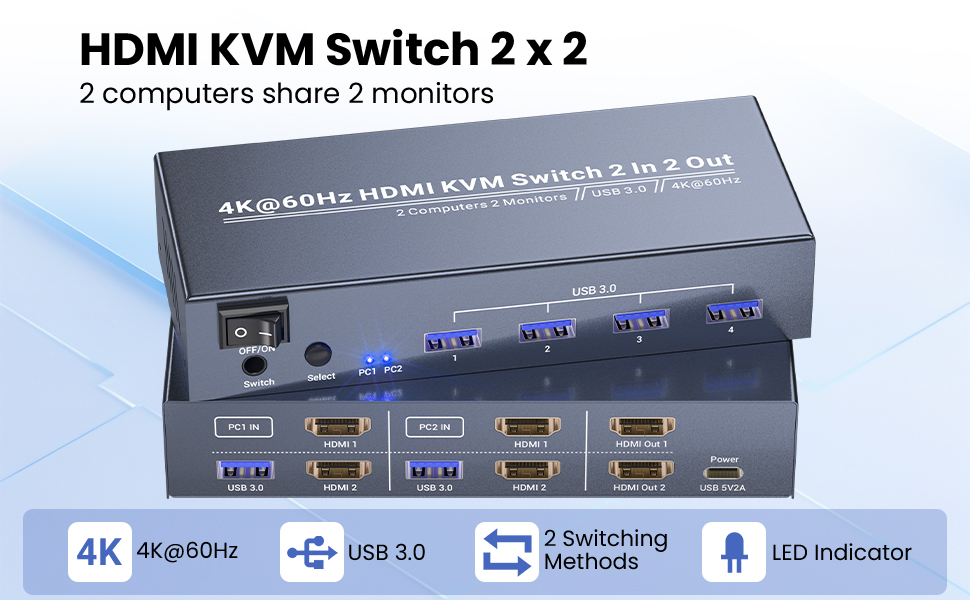
This dual monitor HDMI KVM Switch is the solution to streamline your workspace—letting you control two PCs using a single set of keyboard/mouse and two monitors, all while delivering stunning 4K visuals. Whether you are working from a home office, setting up a gaming station, or managing professional tasks, this 2 port KVM switch turns chaos into a smooth, efficient setup.
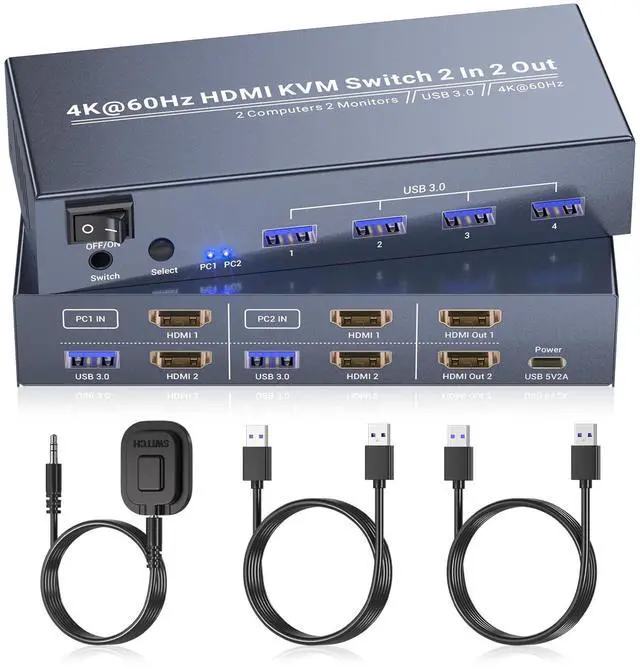
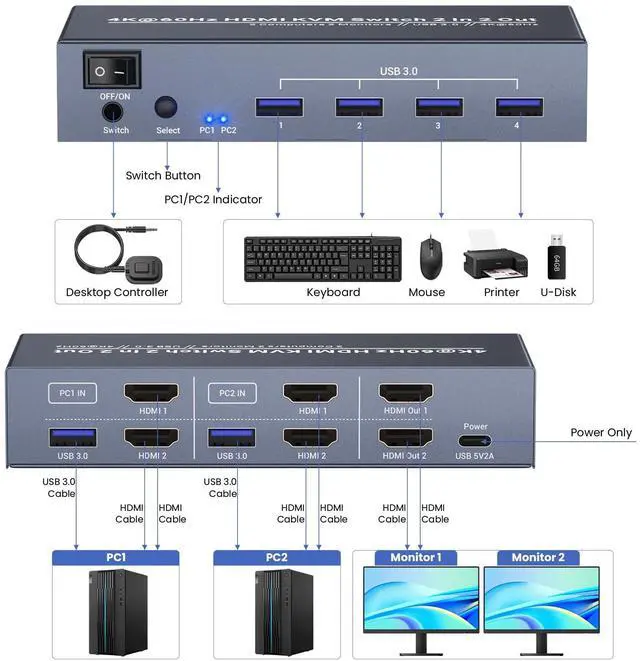
This 2 computer KVM switch features 2 HDMI inputs for two computers input and 2 HDMI outputs for connecting dual monitors, eliminating the need for extra displays or peripherals. It’s designed to simplify workspace management, cut down on cable clutter, and keep your focus on what matters—no more switching between devices or rearranging your desk mid-task.
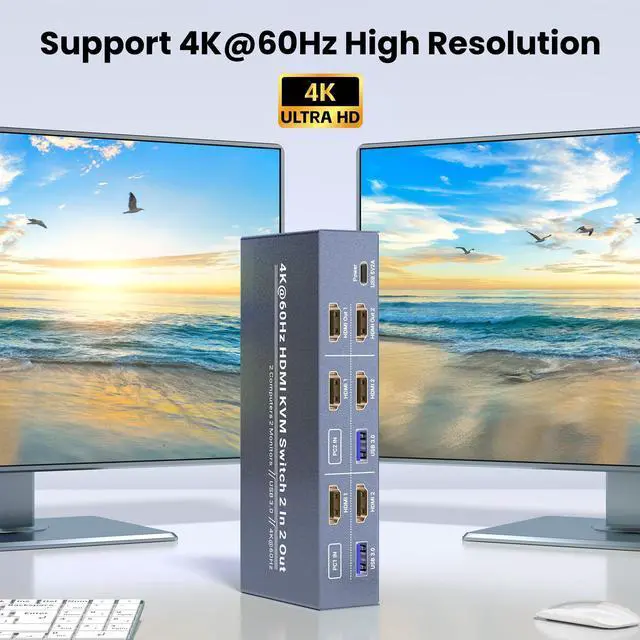
Stunning 4K Visuals
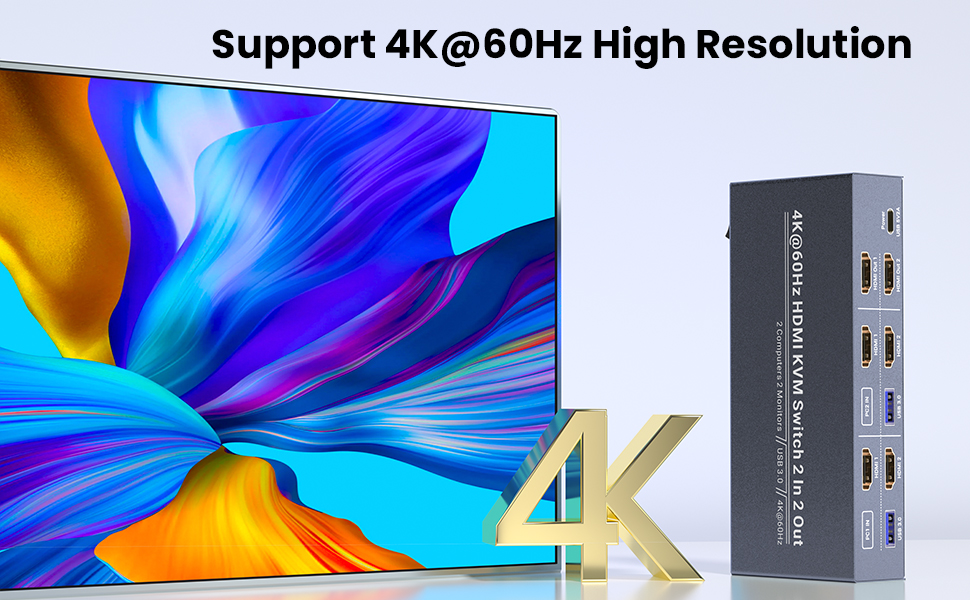
Experience crystal-clear, vibrant imagery with this KVM switch 2 monitors 2 computers, which supports up to 4K (3840x2160) resolution at 60Hz. Whether you're editing documents, streaming content, or gaming, every detail remains sharp, and motion stays smooth. Say goodbye to lag, blurriness, or pixel distortion. This dual monitor KVM switch is ideal for anyone who demands high-definition visuals for work or play.
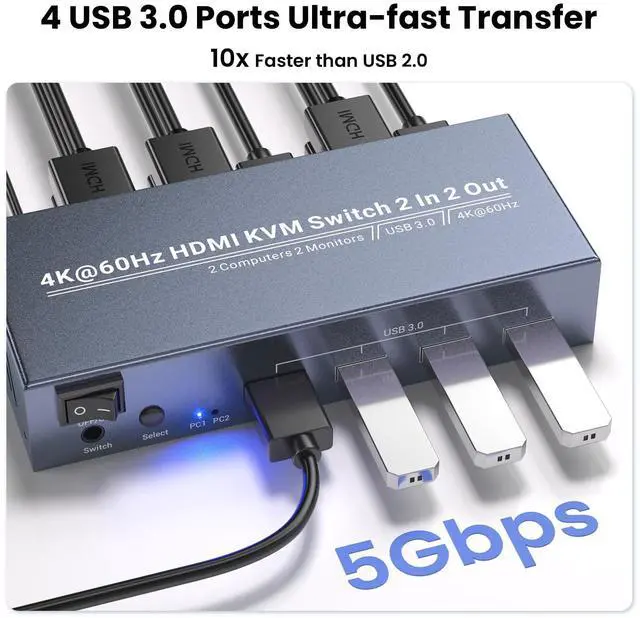
4 USB 3.0 Ports for Peripheral Sharing
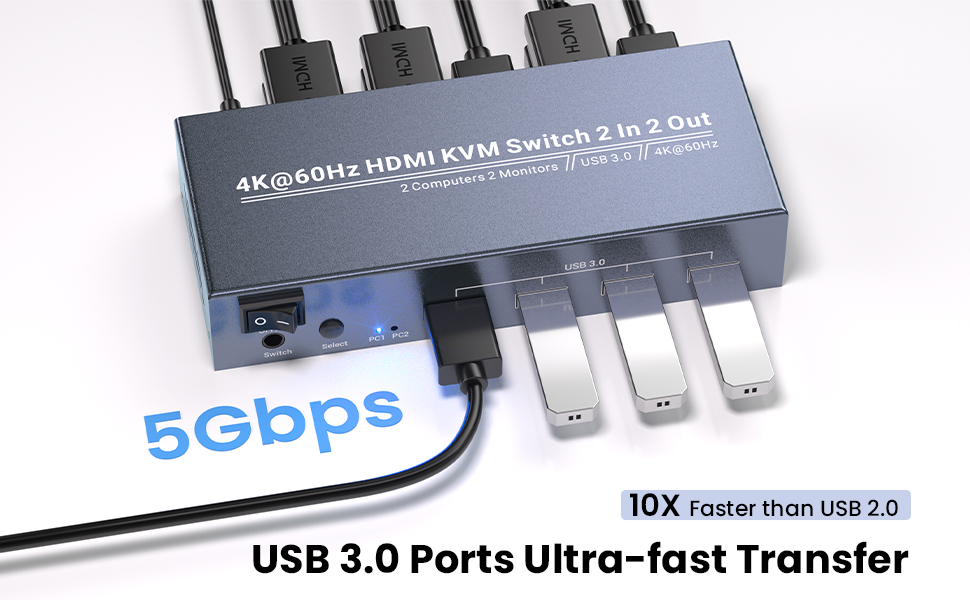
Equipped with 4 USB 3.0 Type-A ports, this 2 port KVM switch allows you to share essential peripherals between your two PCs. Connect printers, scanners, external hard drives, or additional USB devices and enjoy fast data transfer speeds and responsive performance. No more disconnecting and reconnecting peripherals when switching PCs.
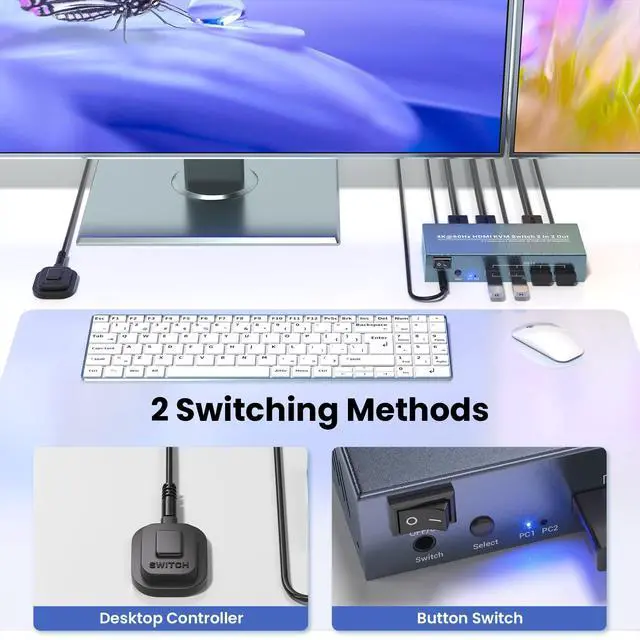
Easy Switching Between 2 Computers
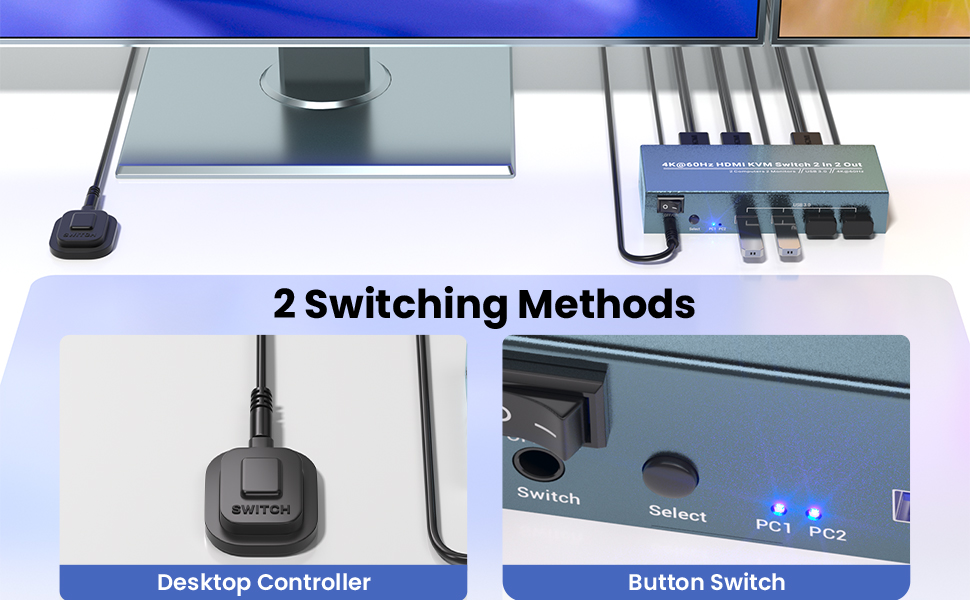
Switch between your two connected computers in seconds with the intuitive controls. Use the front-panel button for a quick, one-touch swap between PCs, or utilise the included external controller kit to switch devices without reaching for the KVM switch itself, keeping your workflow uninterrupted.
Note: This KVM switch does not support hotkey switching.
Dual Monitor Setup with Copy Mode and Extended Mode
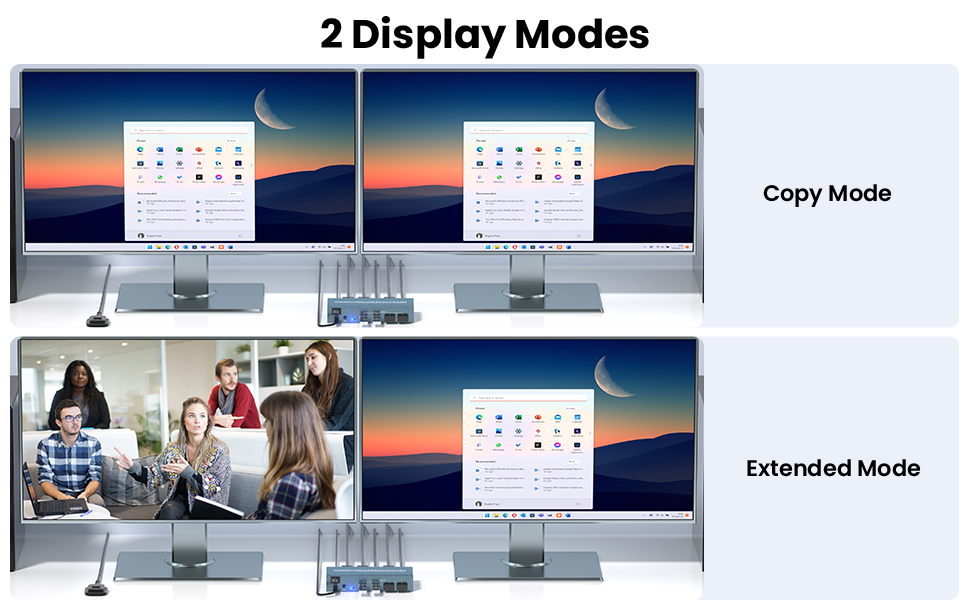
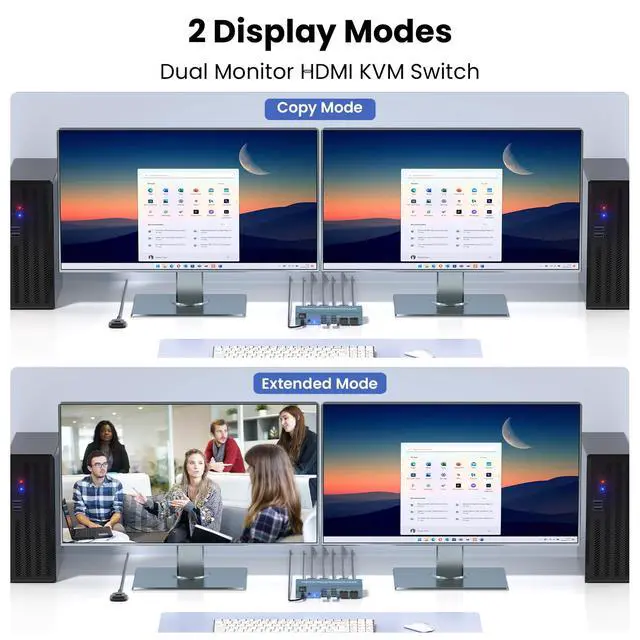
This dual monitor KVM switch supports both copy and extended modes, giving you the flexibility to customize your workspace. In copy mode, both monitors display the same content, ideal for presentations or when you need a larger viewing area. In Extended mode, you can extend your desktop across two monitors, providing more screen real estate for multitasking. Whether you're working on multiple projects or gaming, this dual monitor setup offers the versatility you need.
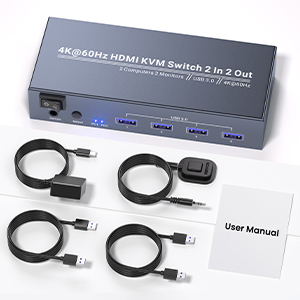
Specifications
1. Video Resolution: Up to 3840x2160 @ 60Hz (4K)
2. HDMI Ports: 2 Inputs, 2 Outputs
3. USB Ports: 4 x USB 3.0 Type-A (for peripherals)
4. Dimensions: 152 x 63 x 30mm
5. Weight: 265g
What’s in the Box
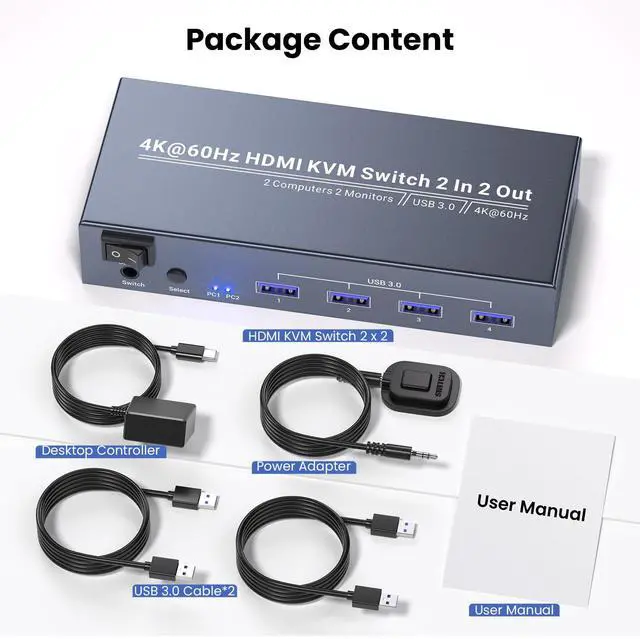
- 1 x HDMI KVM Switcher
- 2 x USB 3.0 Cables
- 1 x Power Adapter
- 1 x External Switching Controller Kit
- 1 x User Manual
USB 3.0 4K@60Hz Dual Monitor HDMI KVM Switches - Effortless Control for Your Dual-Computer Setup
This dual monitor HDMI KVM Switch is the solution to streamline your workspace—letting you control two PCs using a single set of keyboard/mouse and two monitors, all while delivering stunning 4K visuals. Whether you are working from a home office, setting up a gaming station, or managing professional tasks, this 2 port KVM switch turns chaos into a smooth, efficient setup.
This 2 computer KVM switch features 2 HDMI inputs for two computers input and 2 HDMI outputs for connecting dual monitors, eliminating the need for extra displays or peripherals. It’s designed to simplify workspace management, cut down on cable clutter, and keep your focus on what matters—no more switching between devices or rearranging your desk mid-task.
Stunning 4K Visuals
Experience crystal-clear, vibrant imagery with this KVM switch 2 monitors 2 computers, which supports up to 4K (3840x2160) resolution at 60Hz. Whether you're editing documents, streaming content, or gaming, every detail remains sharp, and motion stays smooth. Say goodbye to lag, blurriness, or pixel distortion. This dual monitor KVM switch is ideal for anyone who demands high-definition visuals for work or play.
4 USB 3.0 Ports for Peripheral Sharing
Equipped with 4 USB 3.0 Type-A ports, this 2 port KVM switch allows you to share essential peripherals between your two PCs. Connect printers, scanners, external hard drives, or additional USB devices and enjoy fast data transfer speeds and responsive performance. No more disconnecting and reconnecting peripherals when switching PCs.
Easy Switching Between 2 Computers
Switch between your two connected computers in seconds with the intuitive controls. Use the front-panel button for a quick, one-touch swap between PCs, or utilise the included external controller kit to switch devices without reaching for the KVM switch itself, keeping your workflow uninterrupted.
Note: This KVM switch does not support hotkey switching.
Dual Monitor Setup with Copy Mode and Extended Mode
This dual monitor KVM switch supports both copy and extended modes, giving you the flexibility to customize your workspace. In copy mode, both monitors display the same content, ideal for presentations or when you need a larger viewing area. In Extended mode, you can extend your desktop across two monitors, providing more screen real estate for multitasking. Whether you're working on multiple projects or gaming, this dual monitor setup offers the versatility you need.
Specifications
1. Video Resolution: Up to 3840x2160 @ 60Hz (4K)
2. HDMI Ports: 2 Inputs, 2 Outputs
3. USB Ports: 4 x USB 3.0 Type-A (for peripherals)
4. Dimensions: 152 x 63 x 30mm
5. Weight: 265g
What’s in the Box
- 1 x HDMI KVM Switcher
- 2 x USB 3.0 Cables
- 1 x Power Adapter
- 1 x External Switching Controller Kit
- 1 x User Manual