


Out of stock
This item is currently out of stock and it may or may not be restocked.
Sold by Newegg

Shipped by Newegg

Shop it at NeweggBusiness.

Unitek Nintendo Switch Dock Station with Game Card Reader, Portable Switch TV Docking with 4K HDMI/Ethernet/USB 3.0/PD Fast Charging Port, 4 Card Slot for Switching Game by Wireless Remote Controller

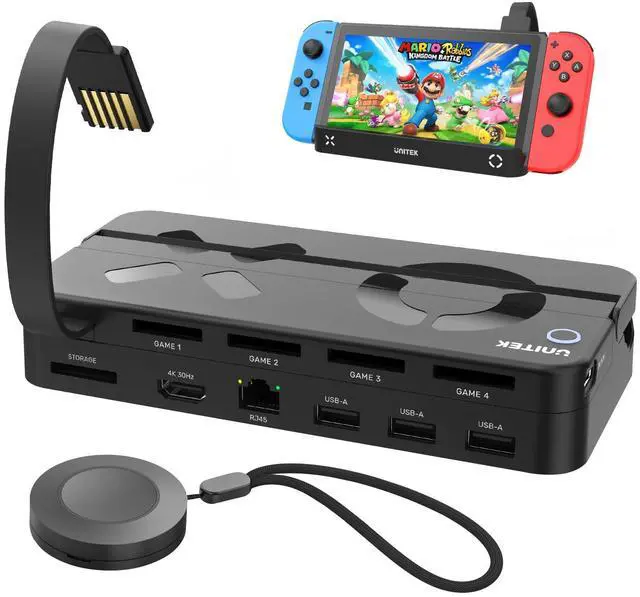
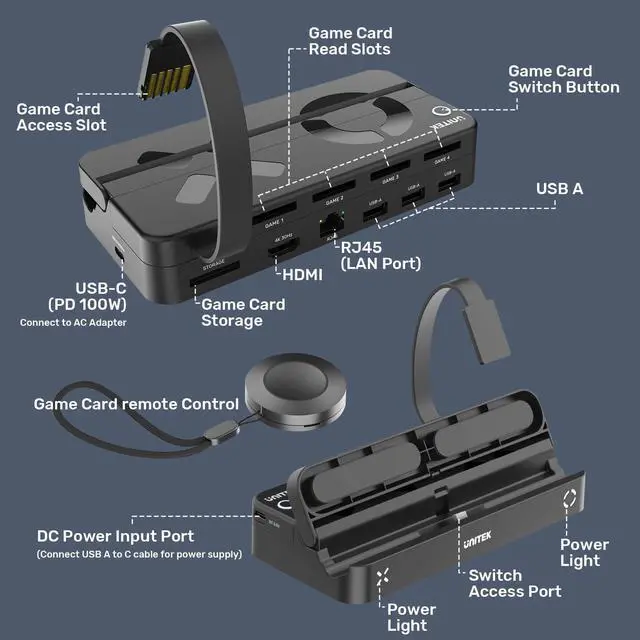
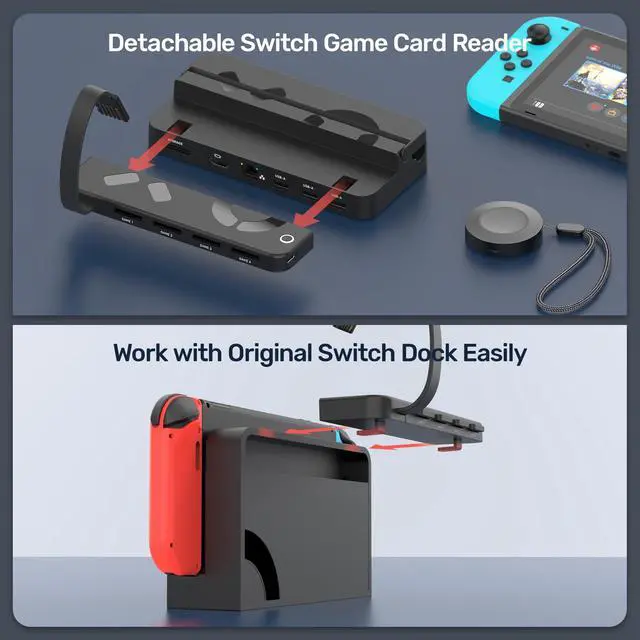
  • Unitek Switch TV Dock+Game Card ReaderCompatible with Nintendo Switch and Switch OLED. This is a fantastic alternative to the official Nintendo Switch Dock, and it comes with a switch card reader and a remote control, ensuring you can enjoy games to the fullest. The switch dock features HDMI, RJ45, 3 USB 2.0 ports, a USB-C PD 3.0 power input port, a USB-C game card reader power port, and 5 game card slots (4 for reading and 1 for storage).
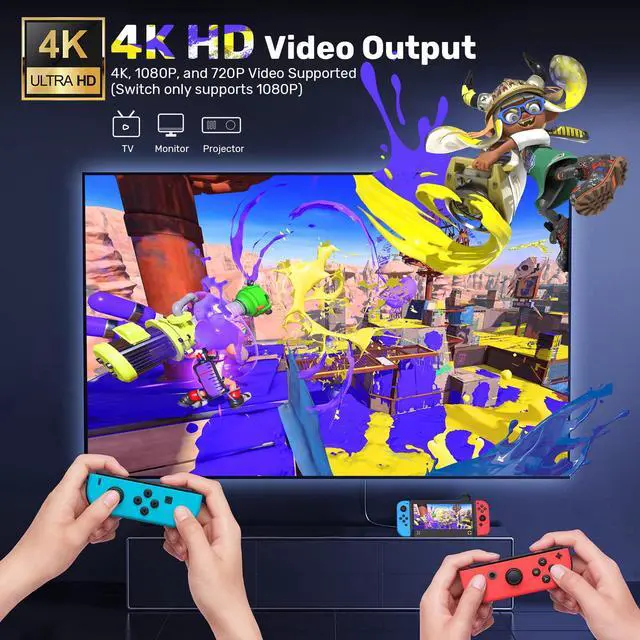
  • 4K HDMI Output The switch TV dock is equipped with a 4K@30Hz HDMI 2.0 output that supports HDCP and HDR. When connected to an external 4K monitor, mirror mode will display every color in high-definition, providing an excellent visual experience for gaming and watching videos. (Note: Please ensure you have a 2.0 version HDMI cable.)
  • RJ45 Ethernet Connection The Switch TV Docking Station offers a stable 1000Mbps wired network connection, allowing you to bid farewell to unstable WiFi and ensuring you have a smooth and uninterrupted gaming experience. No more network delay and less waiting time.
  • Play & Charge The charging dock can quickly charge your Nintendo Switch while in TV or tabletop mode. With a built-in smart chip, it provides short-circuit protection, over-power protection, and over-heating protection. This means you can play with your Switch for an extended period of time without any worries, immersing yourself in your favorite games.
Overview
Specs
Reviews
avatar

Any questions? Our AI beta will help you find out quickly.

Nintendo Switch Dock Station
Switch Dock Station with Game Card Reader
Switch Dock

How to Use:

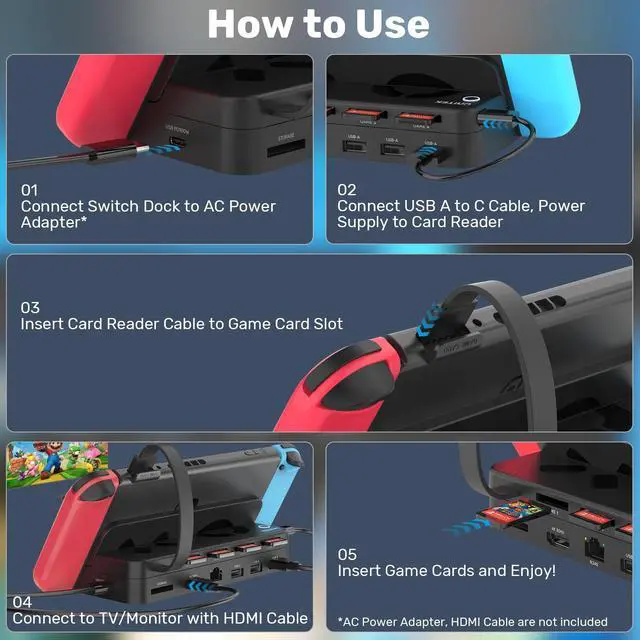
1. Connect the switch dock to the AC power adapter, and we recommend using the original Nintendo Switch power adapter.

2. Connect the switch dock and game card reader by a short USB-A to USB-C cable, to power the game card reader.

3. Insert the card reader cable into the game card slot.

4. Connect to TV/monitor with HDMI cable.

5. Insert game cards and enjoy playing games!

Note:

1. AC power adapter and HDMI cable are not included in the package.

2. During playing games, please do NOT insert a new game card. Or else it will exit the current game and switch to the new game card automatically.

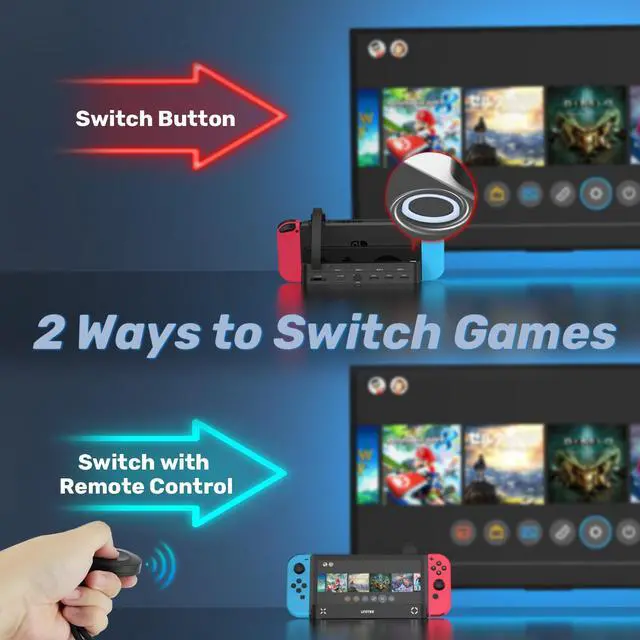
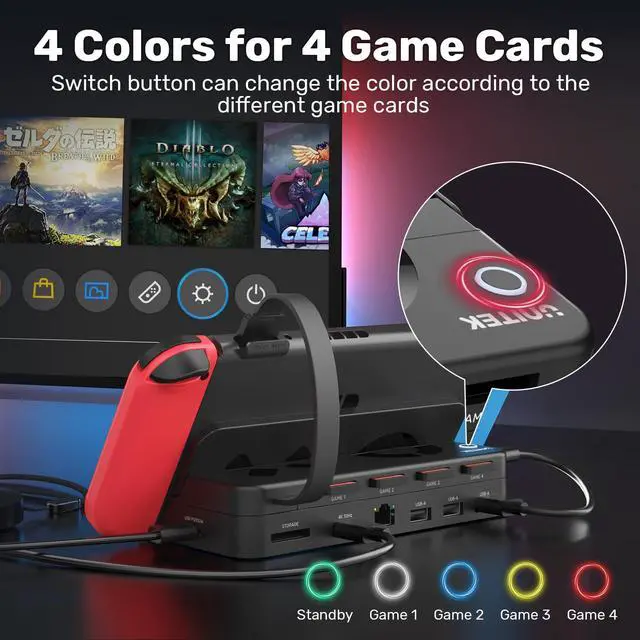
3. You can switch the different games by pressing the "switch" button or the attached wireless remote control, Press 1 time the game will be next.

Nintendo Switch Dock Station
Switch Dock Station with Game Card Reader
Switch Dock

How to Use:

1. Connect the switch dock to the AC power adapter, and we recommend using the original Nintendo Switch power adapter.

2. Connect the switch dock and game card reader by a short USB-A to USB-C cable, to power the game card reader.

3. Insert the card reader cable into the game card slot.

4. Connect to TV/monitor with HDMI cable.

5. Insert game cards and enjoy playing games!

Note:

1. AC power adapter and HDMI cable are not included in the package.

2. During playing games, please do NOT insert a new game card. Or else it will exit the current game and switch to the new game card automatically.

3. You can switch the different games by pressing the "switch" button or the attached wireless remote control, Press 1 time the game will be next.

Unitek Nintendo Switch Dock Station with Game Card Reader, Portable Switch TV Docking with 4K HDMI/Ethernet/USB 3.0 /PD Fast Charging Port, 4 Card Slot for Switching Game by Wireless Remote Controller

Warranty & Returns

Warranty, Returns, And Additional Information

Return Policies

LOADING...