




From the brand

VVIA External CD/DVD Drive
VVIA has been focusing on optical drive manufacturing for many years, and regards quality and user experience as its lifeline. Throughout the entire process from parts to finished products, we implement a strict inspection system to deliver excellent performance and absolutely new products. Your needs are the starting point of all our actions. Focus, professionalism, and excellence - this is the cornerstone of VVIA's progress.
Product Description

Upgraded CD/DVD burner for Mac
Experience a new level of high-speed burning! Lower impedance design ensures stable and smooth operation, and stronger anti-interference ability to cope with complex environments. VVIA optical drive makes every burning more efficient and safer.

Powerful Performance
As a professional manufacturer, VVIA is committed to producing high-quality and reliable external CD/DVD drives. Each USB CD/DVD drive is equipped with a 100% high-speed loader, with powerful error correction, shock resistance, noise reduction and low power consumption, bringing you a faster and smoother experience.
*?? Please keep the CD/DVD drive flat and make sure the disc is firmly fixed on the tray.

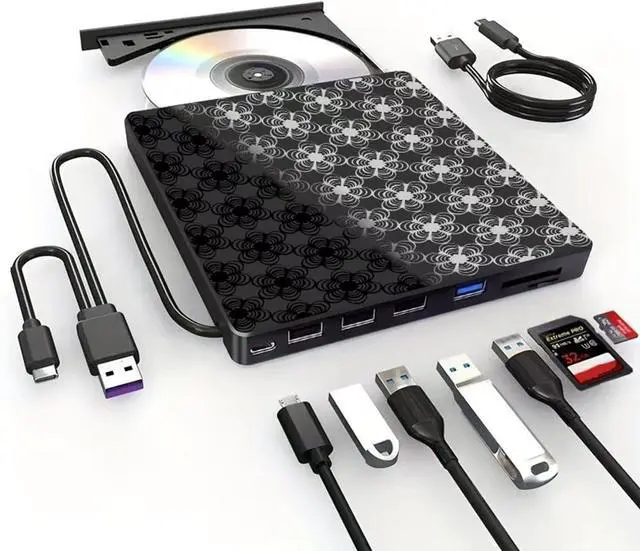
Dedicated Power Cord Included
Why use it?
If your computer's USB port can't deliver enough power through the data cable alone, simply connect this dedicated power cord to any 5V USB power source – like a wall adapter or power bank – for guaranteed stable operation.
Key Notes:
• Optional: Remove the power cord if your setup experiences no power issues.
• Power Only: This cord supplies only power. It cannot transfer data and must be used alongside the data cable.

USB 3.0 High Speed & Supported Disc Type
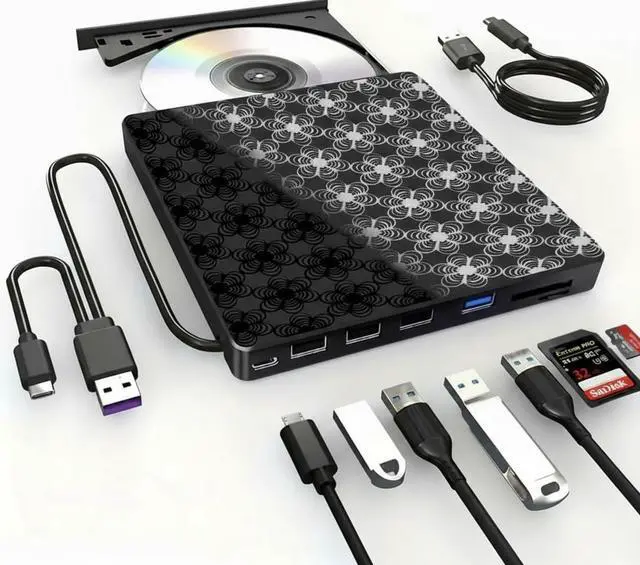
Supported Disc Types: Support the reading, burning (writing/rewriting), and ripping (digitizing) of multiple types of discs, including CD-ROM, CD-R, CD±RW, DVD-ROM, DVD-RAM, DVD±R, DVD±RW, DVD±R DL, VCD, SVCD. (Blu-ray Disc is NOT supported)
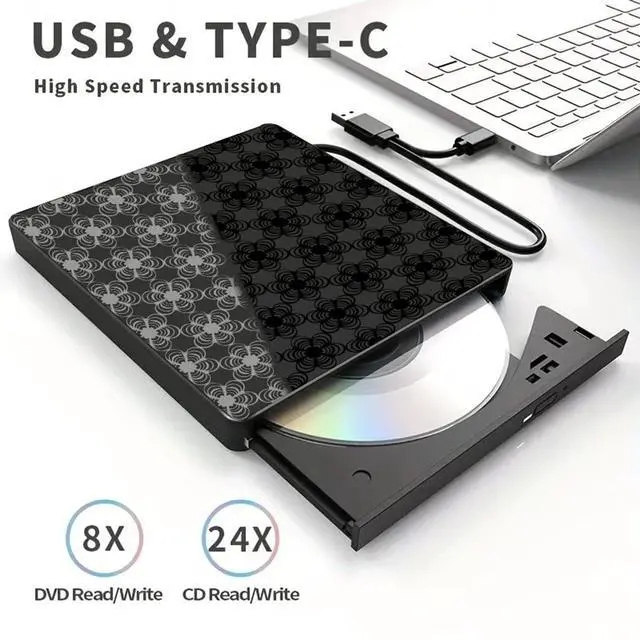
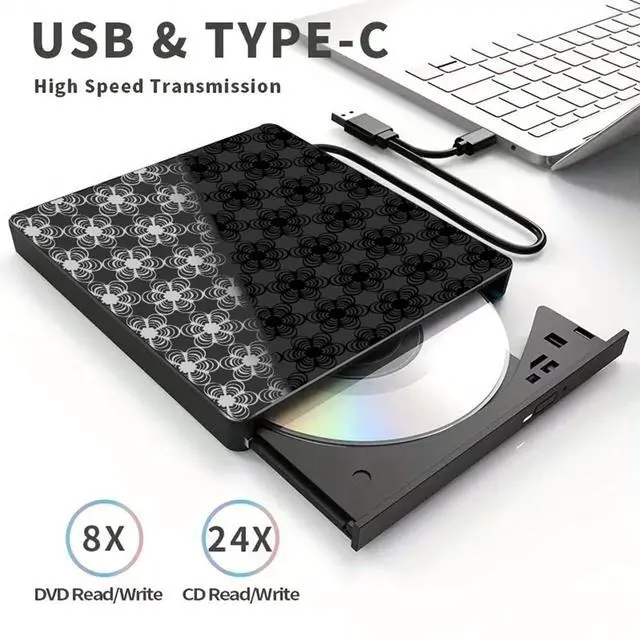
Max Read/Write Speeds: CD-ROM 24x, CD-R 24x, CD±RW 8x, DVD-ROM 8x, DVD±R 8x, DVD±RW 8x, DVD±R DL 4x. (Tips: The drive gradually increases speed from the inner to the outer edge, with a slower startup speed that reaches maximum performance as it progresses.)

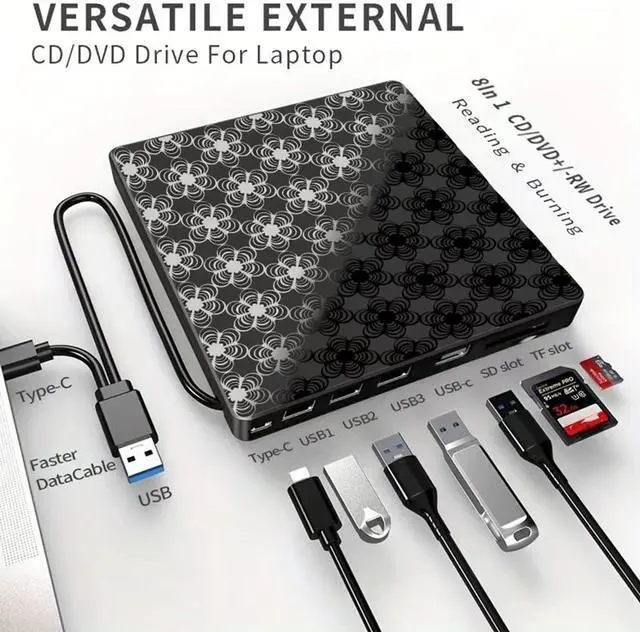
VERSATILE EXTERNAL CD/DvD Drive For Laptop
Compatibility
Compatibility: This USB external CD/DVD player is compatible with Windows (11, 10, 8, 7, Vista, XP) laptops or desktops, Linux computers, and Apple MacBook Pro, MacBook Air, iMac, Mac mini, and Mac Studio (including M1/M2/M3/M4).
Troubleshooting

Drive Not Working?
Troubleshooting: Drive Not Working?
- Region Code Mismatch: Discs only play if drive & disc region codes match. Reset limit: 5 times! Windows:This PC > Drive Properties > Hardware > Properties > Region Tab > Set (e.g., US=1) Mac:System Settings > General > Language & Region > Region > Set Country
- Missing Software: Drive may need media player (VLC, KMPlayer) or burning software (BurnAware, Nero). Convert files to CD/DVD compatible formats before burning.
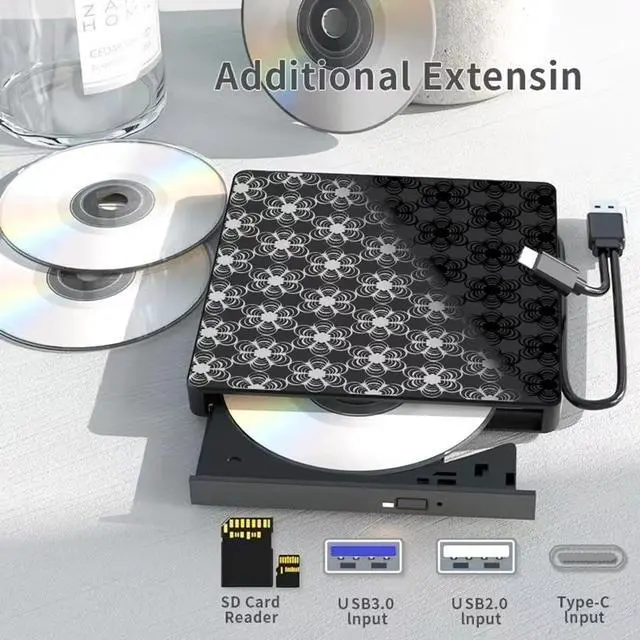
- Low Power: Can cause recognition/read failures. Always connect directly to computer USB port (avoid hubs). Laptop? Keep charger plugged in. Desktop? Use rear USB ports. Still issues? Use included power cord with 5V adapter/power bank.
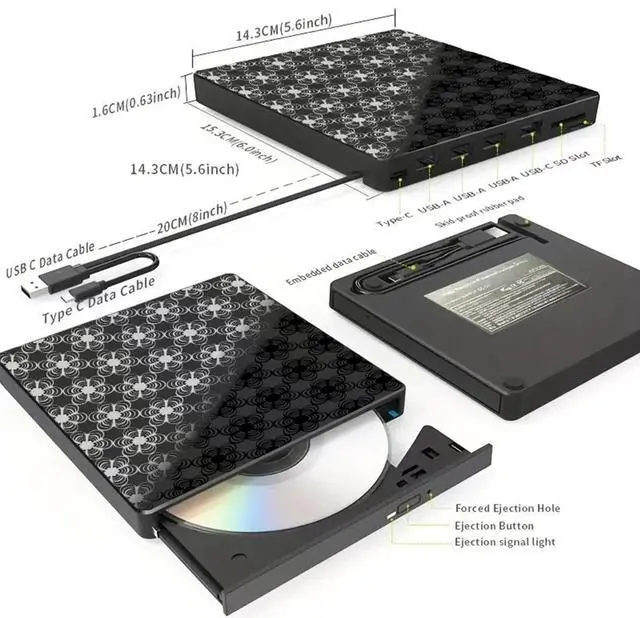
- Mac Operation: Drive icon only appears AFTER inserting a disc. Eject: Use macOS command first. Stuck? Use emergency hole with paperclip.
From the brand
VVIA External CD/DVD Drive
VVIA has been focusing on optical drive manufacturing for many years, and regards quality and user experience as its lifeline. Throughout the entire process from parts to finished products, we implement a strict inspection system to deliver excellent performance and absolutely new products. Your needs are the starting point of all our actions. Focus, professionalism, and excellence - this is the cornerstone of VVIA's progress.
Product Description
Upgraded CD/DVD burner for Mac
Experience a new level of high-speed burning! Lower impedance design ensures stable and smooth operation, and stronger anti-interference ability to cope with complex environments. VVIA optical drive makes every burning more efficient and safer.
Powerful Performance
As a professional manufacturer, VVIA is committed to producing high-quality and reliable external CD/DVD drives. Each USB CD/DVD drive is equipped with a 100% high-speed loader, with powerful error correction, shock resistance, noise reduction and low power consumption, bringing you a faster and smoother experience.
*?? Please keep the CD/DVD drive flat and make sure the disc is firmly fixed on the tray.
Dedicated Power Cord Included
Why use it?
If your computer's USB port can't deliver enough power through the data cable alone, simply connect this dedicated power cord to any 5V USB power source – like a wall adapter or power bank – for guaranteed stable operation.
Key Notes:
• Optional: Remove the power cord if your setup experiences no power issues.
• Power Only: This cord supplies only power. It cannot transfer data and must be used alongside the data cable.
USB 3.0 High Speed & Supported Disc Type
Supported Disc Types: Support the reading, burning (writing/rewriting), and ripping (digitizing) of multiple types of discs, including CD-ROM, CD-R, CD±RW, DVD-ROM, DVD-RAM, DVD±R, DVD±RW, DVD±R DL, VCD, SVCD. (Blu-ray Disc is NOT supported)
Max Read/Write Speeds: CD-ROM 24x, CD-R 24x, CD±RW 8x, DVD-ROM 8x, DVD±R 8x, DVD±RW 8x, DVD±R DL 4x. (Tips: The drive gradually increases speed from the inner to the outer edge, with a slower startup speed that reaches maximum performance as it progresses.)
VERSATILE EXTERNAL CD/DvD Drive For Laptop
Compatibility
Compatibility: This USB external CD/DVD player is compatible with Windows (11, 10, 8, 7, Vista, XP) laptops or desktops, Linux computers, and Apple MacBook Pro, MacBook Air, iMac, Mac mini, and Mac Studio (including M1/M2/M3/M4).
Troubleshooting
Drive Not Working?
Troubleshooting: Drive Not Working?
- Region Code Mismatch: Discs only play if drive & disc region codes match. Reset limit: 5 times! Windows:This PC > Drive Properties > Hardware > Properties > Region Tab > Set (e.g., US=1) Mac:System Settings > General > Language & Region > Region > Set Country
- Missing Software: Drive may need media player (VLC, KMPlayer) or burning software (BurnAware, Nero). Convert files to CD/DVD compatible formats before burning.
- Low Power: Can cause recognition/read failures. Always connect directly to computer USB port (avoid hubs). Laptop? Keep charger plugged in. Desktop? Use rear USB ports. Still issues? Use included power cord with 5V adapter/power bank.
- Mac Operation: Drive icon only appears AFTER inserting a disc. Eject: Use macOS command first. Stuck? Use emergency hole with paperclip.
Cherish Tangible
vvia safeguards the tangible value in the digital age. We create reliable printers and DVDs, turning memories into eternity.