Share Printers via Network
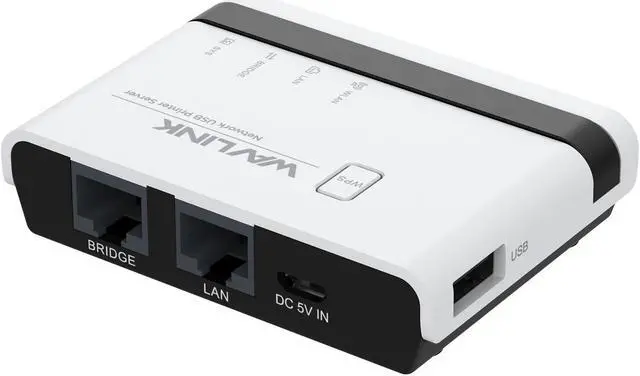
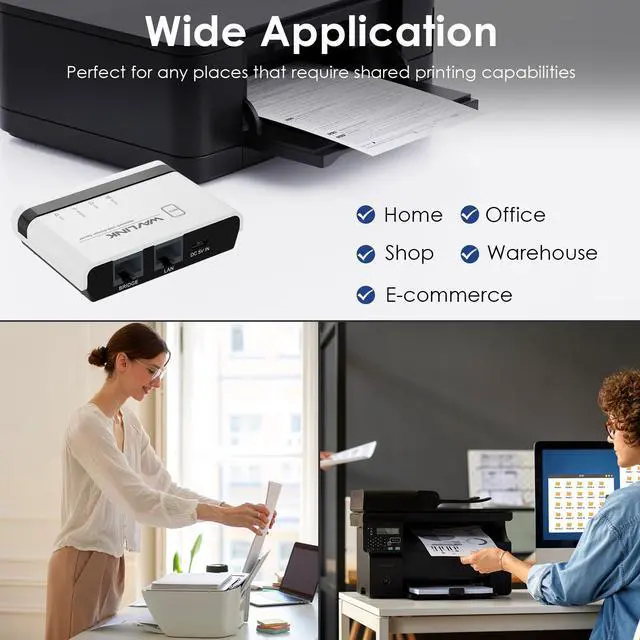
WAVLINK usb wireless print server converts your usb printers into wifi printers, so that all connected computers(connect to the print server directly or through a router) can share these printers, suitable for home, warehouse, shop, office, etc. Note: It is recommended that your computer and the print server be under the same local network.
Manage on Web Interface
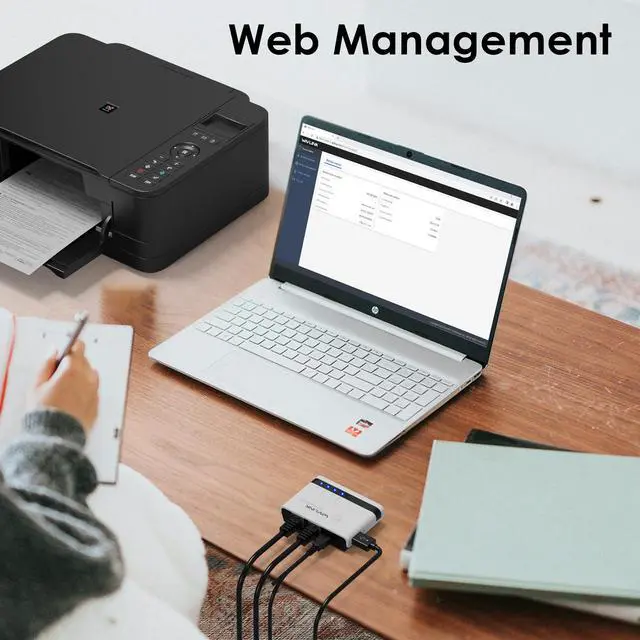
Supporting web management, this print server provides more convenience by allowing the user to configure, monitor and even reset the print server on a web interface, which eliminates the hassle of technically complex setup of your print server.
Good Heat Dissipation
Heat ventilation holes are added at the bottom of the usb print server to ensure a good cooling effect and prolong its service life.
Wide Compatibility
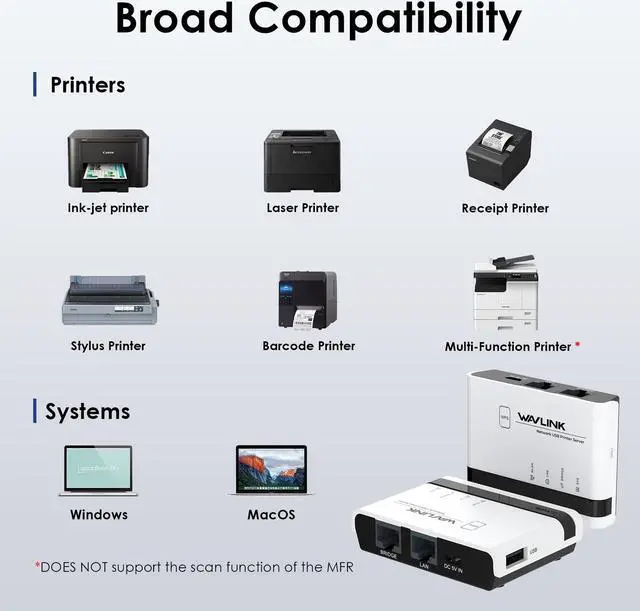
This USB wireless print server works with most usb printers, such as HP, Canon, Epson, Brother, Sharp, Fuji Xerox, Lenovo, Aurora, Samsung, Konica Minolta, Deli, Toshiba, Kyocera, Zebra, OKI and other printers that support RAW protocol. A few printers are not supported, such as Canon LBP2900, 2900+, 3000, 7200, HP P1108, HP M403D, Epson 1390. If you are not sure whether your printer supports the RAW protocol, it's recommended to consult our customer service to confirm.
Warm Notes
- Please make sure that the print server is connected to a power supply before use.
- This print server does not require an external driver, but you need to download and install the printer's driver from its official website and follow the Quick Start Guide to connect the printer to the computer.
- This print server is compatible with printers that support RAW protocol. If you are not sure whether your printer supports the RAW protocol, please contact our customer service to confirm.
- It is recommended that your computer and the print server be under the same local network.
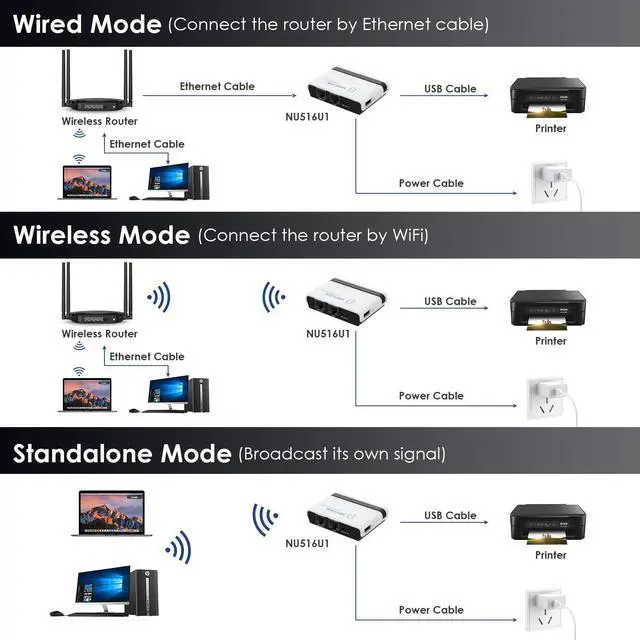
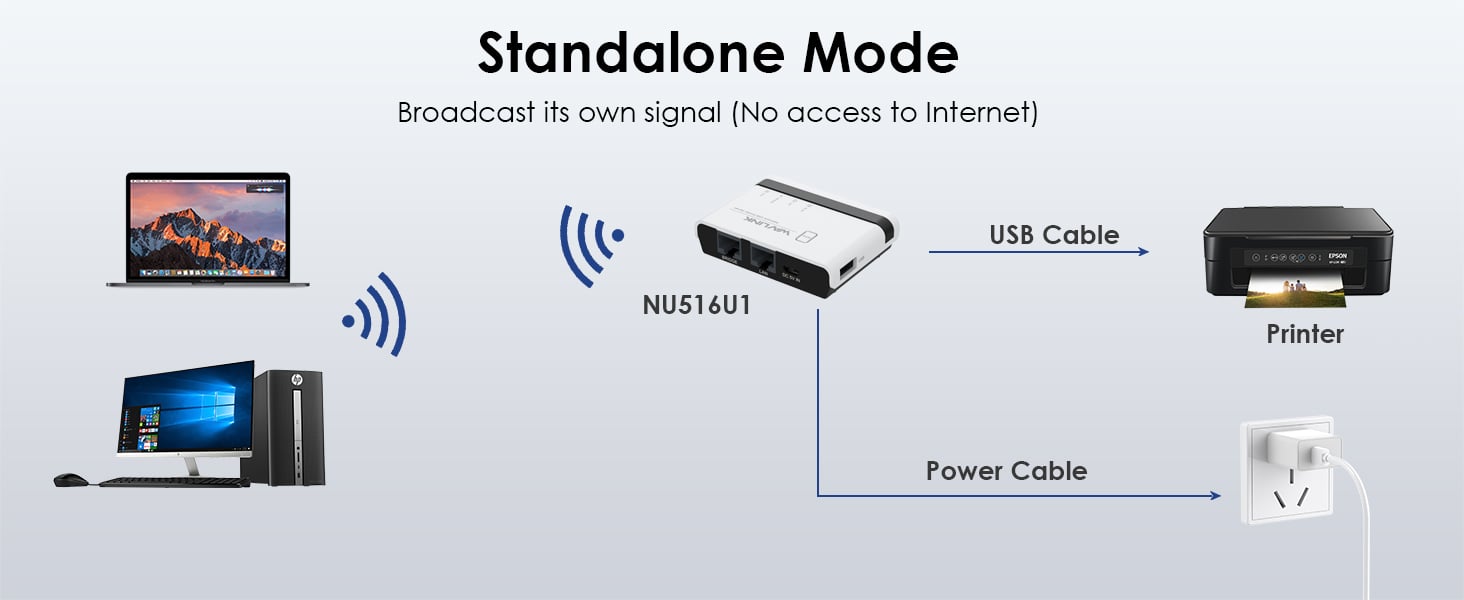
- In stand-alone mode, you do not need to connect the superior router, but there is no access to the Network at the same time.
- Supports connecting multi-function printers, but does not support the scanning function of it
- This product does not support printing from phones and tablets.
Come and Get WiFi USB Print Server, Share Printers in Home&Office Wireless
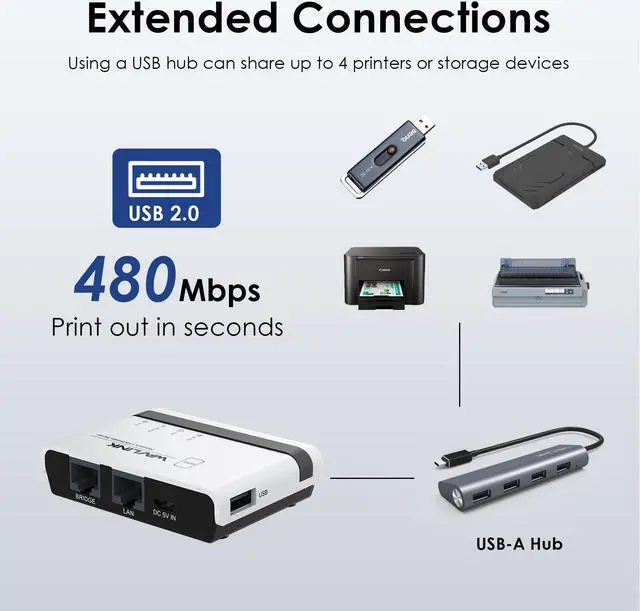
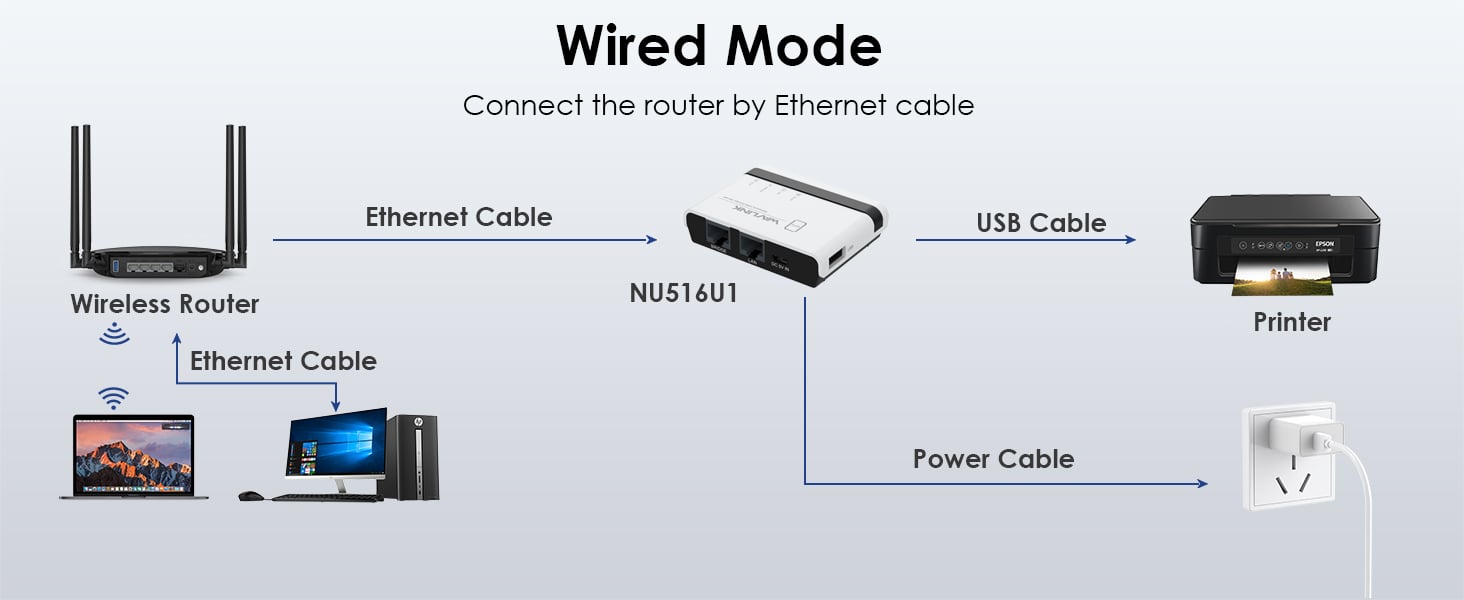
wifi print server allows you to share usb printers with multiple users in different ways. In the wired/wireless mode, the product connects to the superior router through the network cable/wifi signal. In stand-alone mode, the product broadcasts a wifi signal, and computers can also share the printer by connecting this signal. The usb-a port complies with usb 2.0, which supports connecting four printers or storage devices via a usb hub. Its palm-size and wide compatibility make the print server suitable for home, warehouse, shop, office, e-commerce, soho, government, educational institutions and any other places that require shared printing capabilities.
Installation Steps
1. Connect the power adapter.
2. Connect the printer and network.
3. Follow the Quick Start Guide to configure the printer and network settings on your PC
Please check the Quick Start Guide for more detailed printer and network setup steps.
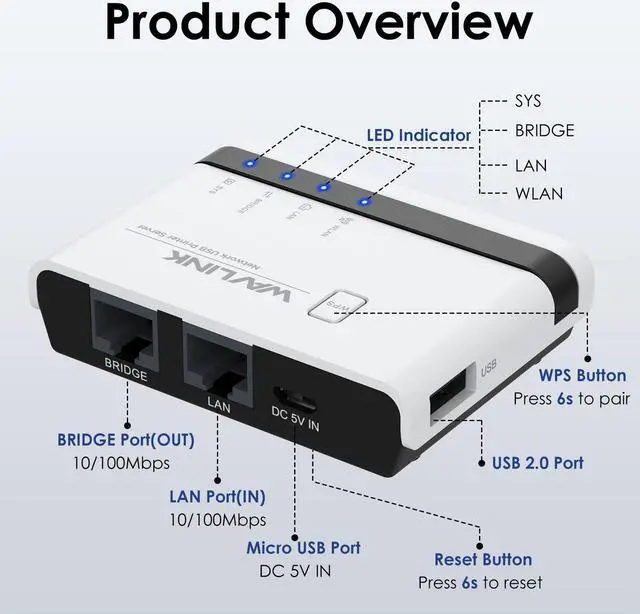
Description of LED Indicators
WLAN LED is on/off The WiFi is activated/deactivated
LAN LED is on/off The LAN port is connected/disconnected
BRIDGE LED is on/off The BRIDGE port is connected/disconnected
SYS LED is on/slow blinking The printer server has/hasn't connected to the router.
SYS LED is fast blinking The WPS is ON
Wide Compatibility
This USB wireless print server works with most usb printers, such as HP, Canon, Epson, Brother, Sharp, Fuji Xerox, Lenovo, Aurora, Samsung, Konica Minolta, Deli, Toshiba, Kyocera, Zebra, OKI and other printers that support RAW protocol. A few printers are not supported, such as Canon LBP2900, 2900+, 3000, 7200, HP P1108, HP M403D, Epson
1390. If you are not sure whether your printer supports the RAW protocol, it's recommended to consult our customer service to confirm.
WPS & Reset Button
WPS function supported, allowing for easy and convenient connection to your wireless network without input password. Press the WPS button for 6s to pair with the router when in Wireless Repeater Mode and press the Reset button for 6s to reset the device.
Share Printers via Network
usb wireless print server converts your usb printers into wifi printers, so that all connected computers (connect to the print server directly or through a router) can share these printers, suitable for home, warehouse, shop, office, etc.
Note: It is recommended that your computer and the print server be under the same local network.
Manage on Web Interface
Supporting web management, this print server provides more convenience by allowing the user to configure, monitor and even reset the print server on a web interface, which eliminates the hassle of technically complex setup of your print server.
Good Heat Dissipation
Heat ventilation holes are added at the bottom of the usb print server to ensure a good cooling effect and prolong its service life.
Specification
Model: WL-NU516U1
Color: White
Material Type: PC+ABS
Item Weight: 43g/ 1.5 oz
Network Cable Length: 1.1 m/ 3.61 ft
Power Adapter Cable Length: 1m/ 3.28 ft
Product Dimensions: 7.5 x 5.4 x 1.8 cm/ 2.95 x 2.13 x 0.70 in
System Requirement: Windows 7/8/10/11/XP, Mac OS
Operation Modes: Wire Mode, Wireless Mode, Standalone Mode
Default Parameters
Login: usblogin. link
User Password: admin
Default IP: 192.168. 10.1
Default SSID: NETUSB_XXXX
WiFi Key: netusb12345
Features
- Allow multiple computers to share USB Printers on your local network and print from any computers.
- Compatible with most mainstream USB interface printers.
- Support Samba Service to share USB storage.
- Provide 2 x 10/100Mbps Ports for LAN and Bridge. Can extend your network.
- Support High-Speed USB 2.0 Standard for the Stable Printing Service.
- Support Various Operation Mode: Wired, 2.4G Wireless Network and Standalone Mode.
- Support WEB management which is easy to manage your USB Printer Server.
- Support mDNS and SSDP Protocol to find a USB Printer Server easily.
- Support JetDirect (AppSocket) protocol.
- Support WPS button for easy and convenient connection to your wireless network without input password
- Using USB HUB can share up to 4 Printers or 4 Storage devices.
In the Box
1 x Wireless USB Print Server
1 x 5V/1A Power Adapter
1 x Ethernet Cable
1 x Micro USB Cable
1 x Quick Start Guide
Warm Notes
- Please make sure that the print server is connected to a power supply before use.
- This print server does not require an external driver, but you need to download and install the printer's driver from its official website and follow the Quick Start Guide to connect the printer to the computer.
- This print server is compatible with printers that support RAW protocol. If you are not sure whether your printer supports the RAW protocol, please contact our customer service to confirm.
- It is recommended that your computer and the print server be under the same local network.
- In stand-alone mode, you dont need to connect the superior router, but theres no access to the Network at the same time.
- Supports connecting multi-function printers, but does not support the scanning function of it
- This product does not support printing from phones and tablets.