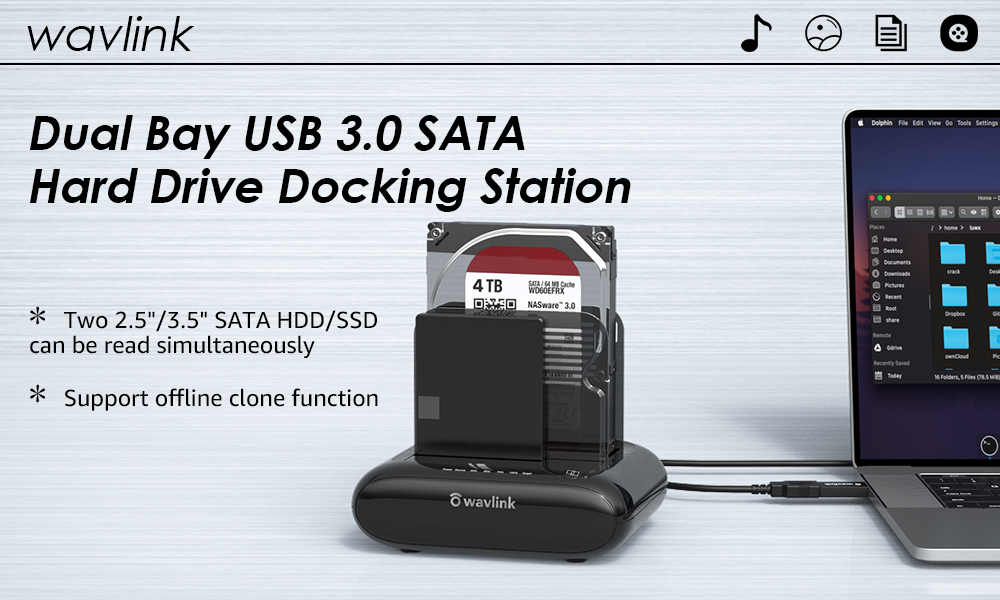
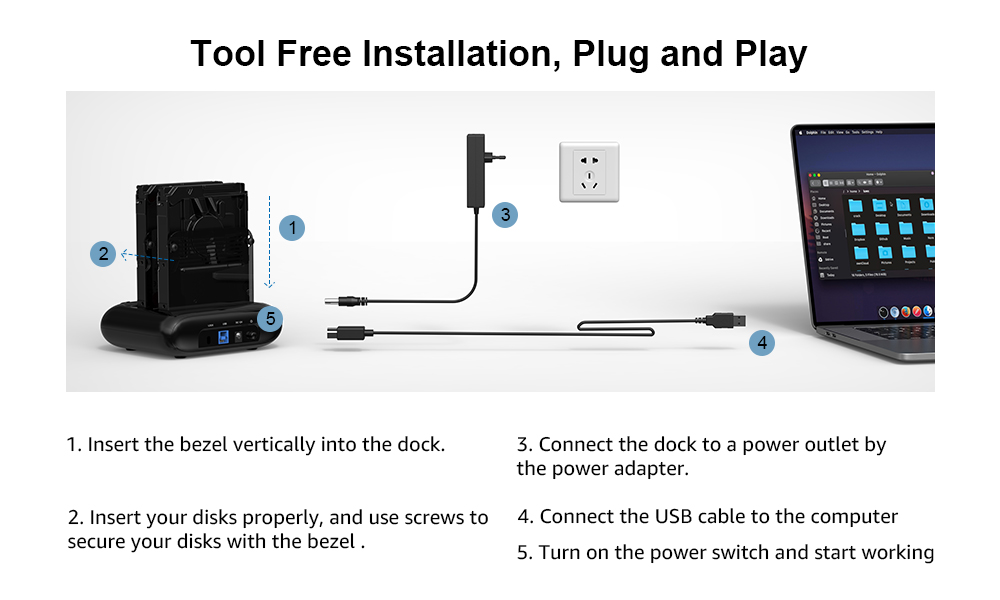
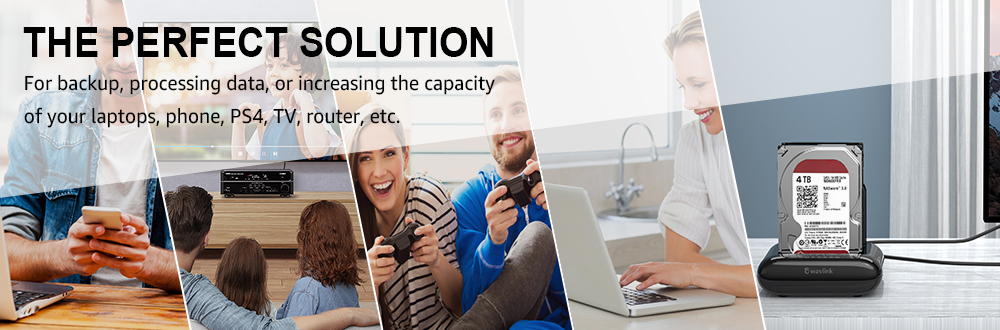
Wavlink SATA Hard Drive Cloner support data copy and clone between any two 2.5"and 3.5" SATA I/II/III HDD and SSD up to 16TB capacity. Moreover, it adopts USB3.0 (SuperSpeed) with data transfer rate up to 5Gbps and UASP protocol. It is also backward compatible USB2.0/1.1. This excellent transmission performance and compatibility is convenient for data exchange and perfectly suitable for people who need to process clone data regularly, such as film and television production, backup & processing IT data, schools batch processing data, etc.
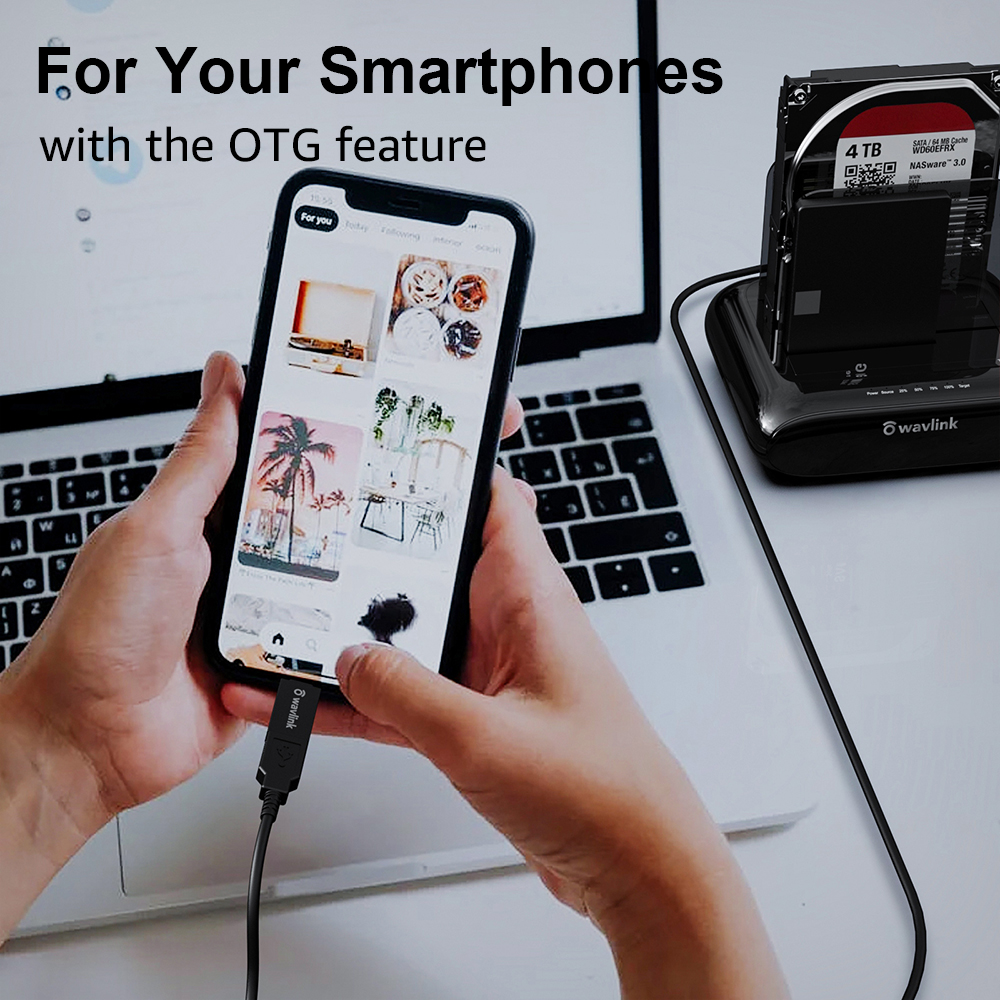
For Your Smartphones
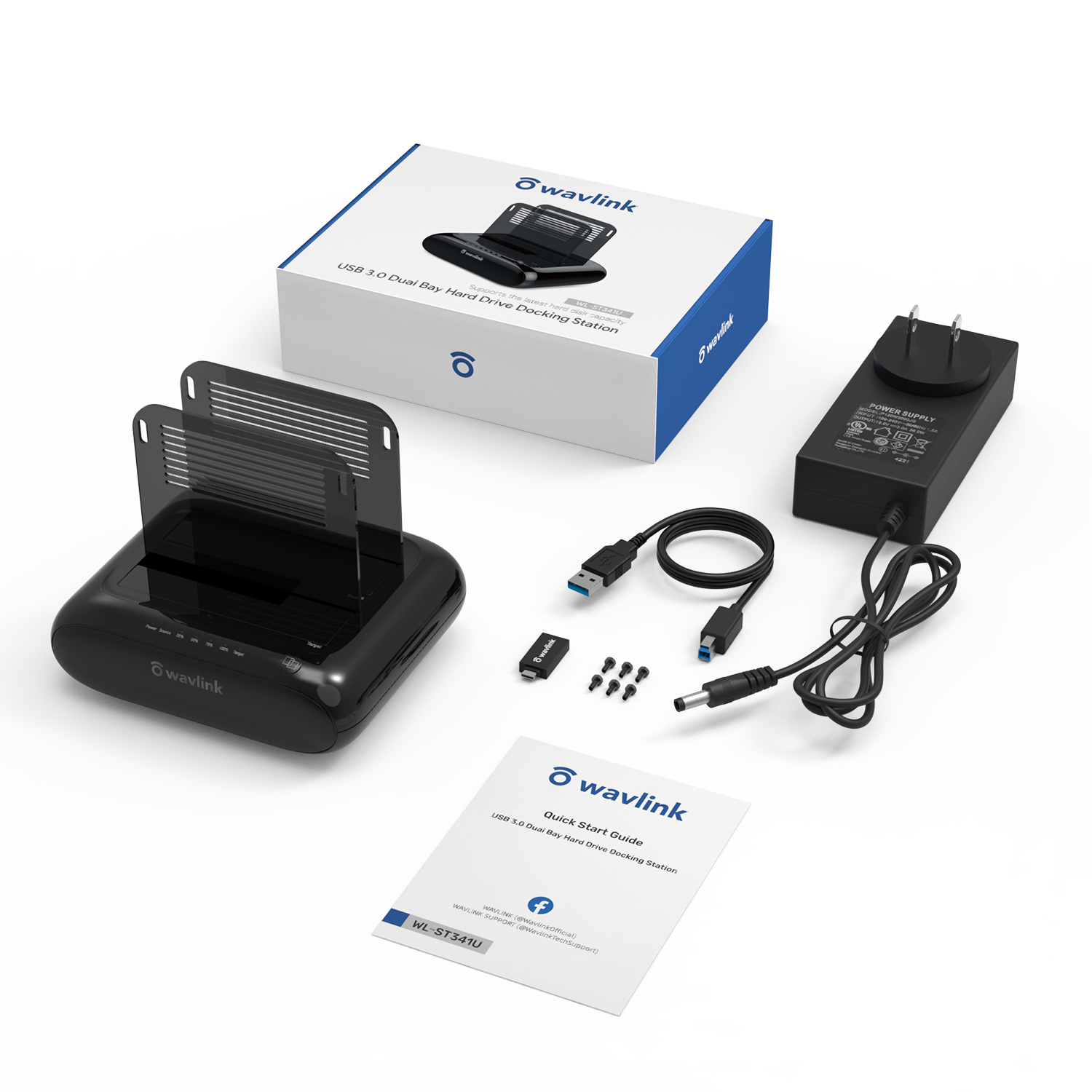
Compatible with your USB-C Android phones, data transfer by OTG. (The USB-A to USB-C converter is included)
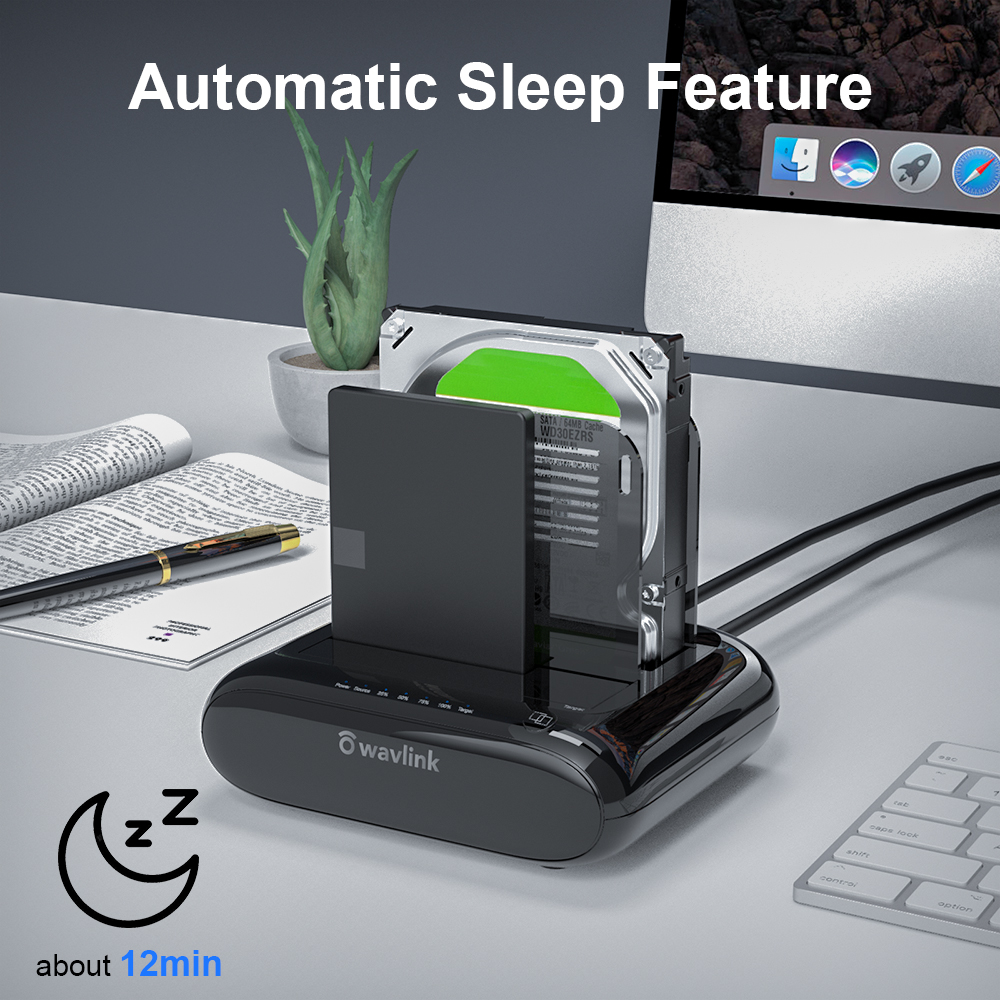
Auto-Sleep Function
After finishing cloning, product will go to sleep mode if there were no operations in about 12mins and HDDs stop running.
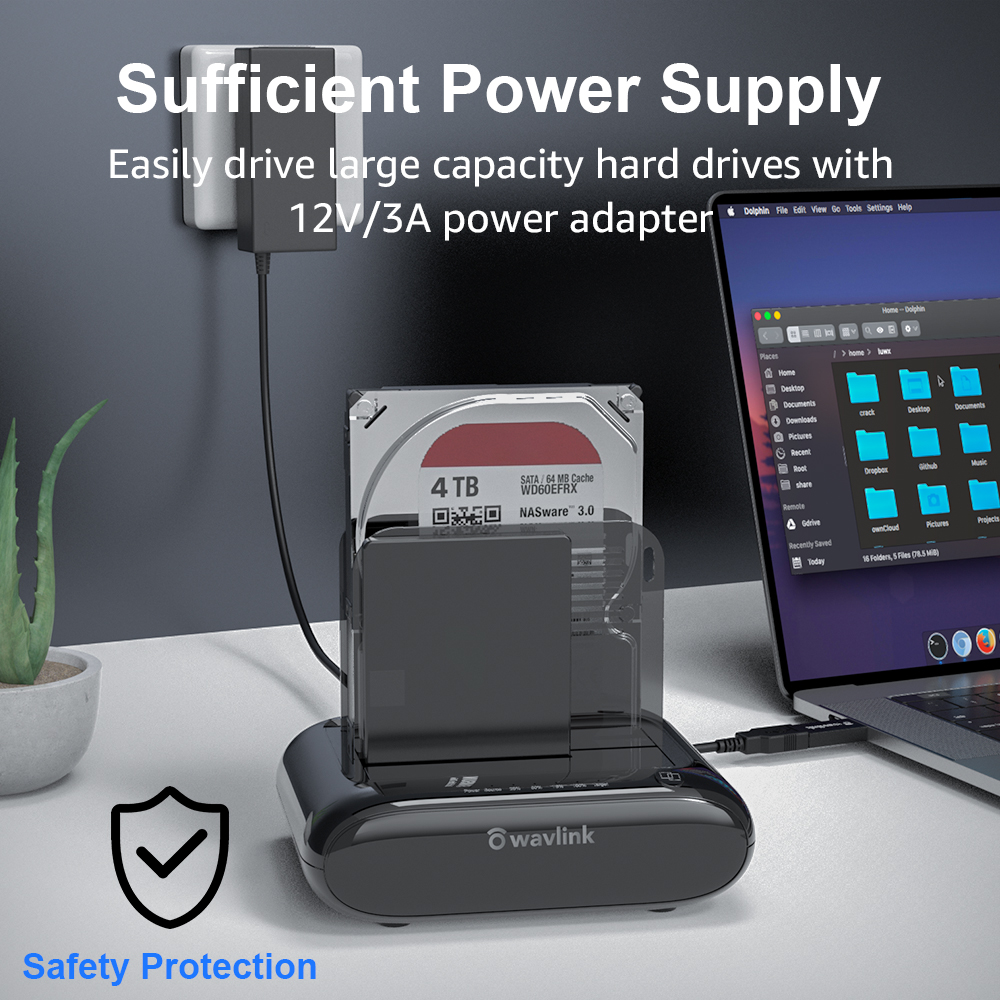
Sufficient Power Supply
A highly efficient 12V/3A power supply provides a stable and reliable energy supply which can easily drive large capacity hard drives.
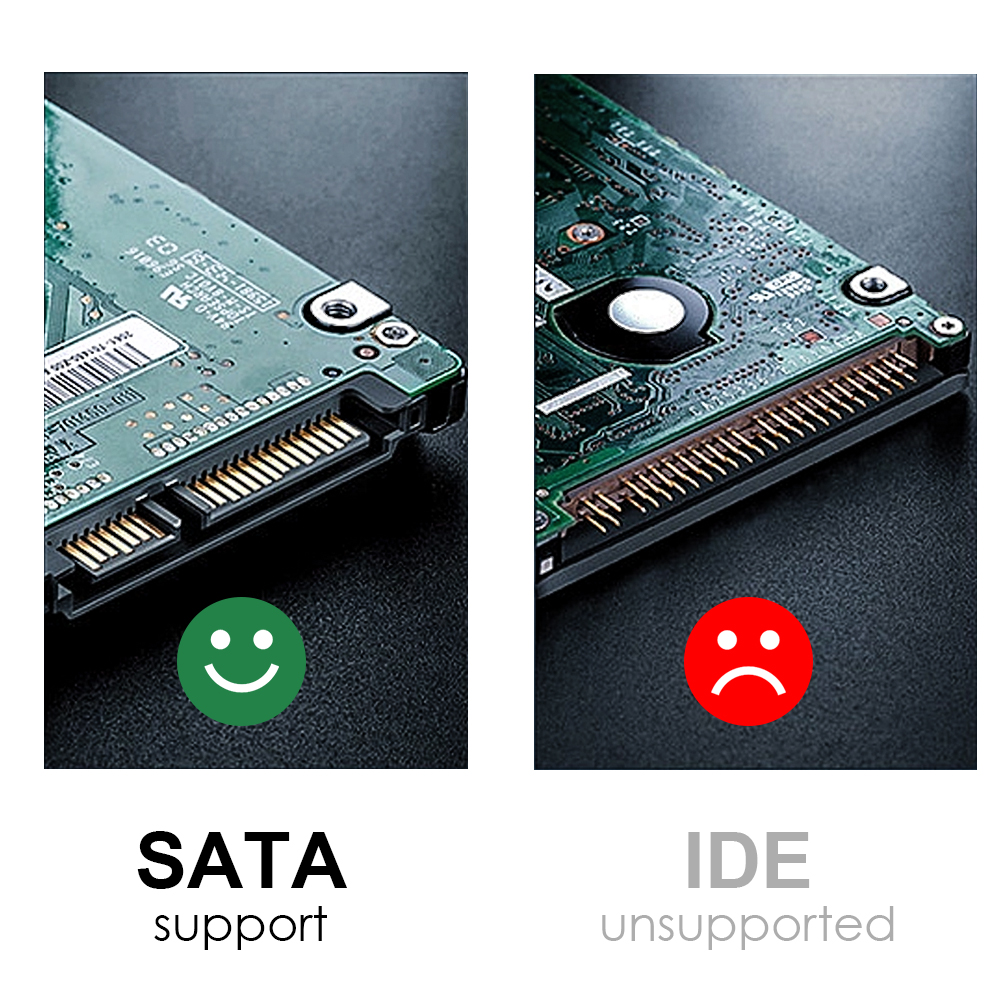
SATA Interface Only
Not compatible with HDD/SSD features IDE interface. Please confirm your hard drive type before purchasing.
Before you clone, please noted:
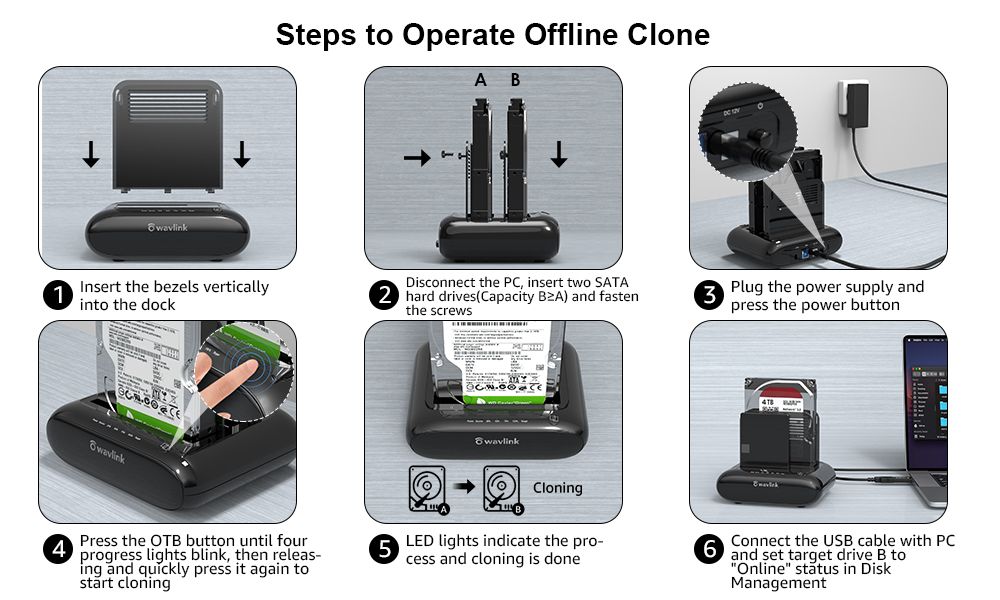
1.The target drive has to be at least equal or larger in capacity than the source drive.
2.Please confirm your source drive and target drive both can work properly, and target drive have no data. If you have existing data on the target drive, the cloning process will eliminate your target drive's data. Because the target drive will be cloned to be the same as the source drive, partition, format and data are the same too.
3.To avoid data loss, do not unplug drives when one drive is working in the docking station. Please power off the dock before removing.
4.Make sure there is no connection to the USB port.
After transferring data on computer, please noted:
1.Before the removal, please stop all data access and transfer to the device.
2.Never remove your hard drive(s) or insert a new one while the hard drive is in use. Otherwise, you may corrupt the data on the hard drive(s) or damage the hard drive(s), docking station, or computer.
Tips:
- Do not support M1 based Mac.
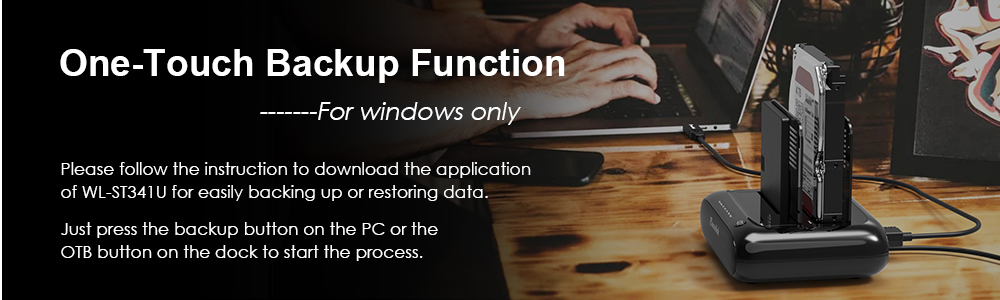
- One-Touch Backup function for Windows PC ONLY.
- One button to offline clone, does not need to connect to the computer.
- Please make sure the actual capacity of the Target disk is higher than Source disk (Target>=Source).
- Making sure your smartphone supports OTG function or data will not be transmitted.
- A brand-new hard drive should be formatted and partitioned in Disk Management/Disk Utility before use.
- To avoid data loss, please do not try to insert or withdraw HDD or SSD when another hard drive running.
- Please backup files in the target hard drive before cloning. Any files in the target hard drive will be overwritten when offline cloning occurs.
- Some disks might need more wattage than normal disk to start up, please connect the 12V power adapter to ensure a stable power supply for transmission.
WAVLINK USB 3.0 to SATA I/II/III Dual Bay External Hard Drive Docking Station for 2.5 / 3.5 in HDD SSD, a Perfect Data Access & Hard Drive Clone Tool
Overview
Wavlink SATA Hard Drive Cloner support data copy and clone between any two 2.5" and 3.5" SATA I/II/III HDD and SSD up to 16TB capacity. Moreover, it adopts USB 3.0 (SuperSpeed) with data transfer rate up to 5Gbps and UASP protocol. It is also backward compatible USB 2.0 / 1.1. This excellent transmission performance and compatibility is convenient for data exchange and perfectly suitable for people who need to process clone data regularly, such as film and television production, backup & processing IT data, schools batch processing data, etc.
SATA Interface Only: Not compatible with HDD/SSD features IDE interface. Please confirm your hard drive type before purchasing.
For Your Smartphones: Compatible with your USB-C Android phones, data transfer by OTG. (The USB-A to USB-C converter is included)
Auto-Sleep Function: After finishing cloning, product will go to sleep mode if there were no operations in about 12mins and HDDs stop running.
Sufficient Power Supply: A highly efficient 12V/3A power supply provides a stable and reliable energy supply which can easily drive large capacity hard drives.
Before you clone,
please noted:
. The target drive has to be at least equal or larger in capacity than the source drive.
. Please confirm your source drive and target drive both can work properly, and target drive have no data. If you have existing data on the target drive, the cloning process will eliminate your target drive's data. Because the target drive will be cloned to be the same as the source drive, partition, format and data are the same too.
. To avoid data loss, do not unplug drives when one drive is working in the docking station. Please power off the dock before removing.
. Make sure there is no connection to the USB port.
After transferring data on computer,
please noted:
1). Before the removal, please stop all data access and transfer to the device.
2). Never remove your hard drive (s) or insert a new one while the hard drive is in use. Otherwise, you may corrupt the data on the hard drive (s) or damage the hard drive (s), docking station, or computer.
Tips:
Do not support M1 based Mac.
One-Touch Backup function for Windows PC ONLY.
One button to offline clone, does not need to connect to the computer.
Please make sure the actual capacity of the Target disk is higher than Source disk (TargetSource).
Making sure your smartphone supports OTG function or data will not be transmitted.
A brand-new hard drive should be formatted and partitioned in Disk Management/Disk Utility before use.
To avoid data loss, please do not try to insert or withdraw HDD or SSD when another hard drive running.
Please backup files in the target hard drive before cloning. Any files in the target hard drive will be overwritten when offline cloning occurs.
Some disks might need more wattage than normal disk to start up, please connect the 12V power adapter to ensure a stable power supply for transmission.
Specification
Compatible HDD: 2.5 / 3.5 inch
Max HDD Capacity: 2x16TB
Maximum data transfer rates: 5Gbps
Material: Plastic ABS and PC
Weight (with 2 bezels): 366g/ 12.9 oz/ 0.8 lbs
Item Dimensions: 14.2 x 12 x 4.5 cm/ 5.6 x 4.7 x 1.8 in
USB-B to USB-A Cable Length: 2.3 ft / 27.56 inch /70cm
Power Cable: 120cm/ 47.2 in/ 3.93 ft





![Main image of Wavlink Dual Bay External Hard Drive Docking Station, USB 3.0 to SATA I/II/III for 2.5 or 3.5in HDD, SSD with Offline Clone Function, supports UASP SATA 5Gbps[ 2x16TB Support]](https://c1.neweggimages.com/productimage/nb640/AUUMS24082006FHZW27.jpg)
![Alt view image 2 of 7 - Wavlink Dual Bay External Hard Drive Docking Station, USB 3.0 to SATA I/II/III for 2.5 or 3.5in HDD, SSD with Offline Clone Function, supports UASP SATA 5Gbps[ 2x16TB Support]](https://c1.neweggimages.com/productimage/nb640/AUUMS24082006FRCM1F.jpg)
![Alt view image 3 of 7 - Wavlink Dual Bay External Hard Drive Docking Station, USB 3.0 to SATA I/II/III for 2.5 or 3.5in HDD, SSD with Offline Clone Function, supports UASP SATA 5Gbps[ 2x16TB Support]](https://c1.neweggimages.com/productimage/nb640/AUUMS24082006FXCR4E.jpg)
![Alt view image 4 of 7 - Wavlink Dual Bay External Hard Drive Docking Station, USB 3.0 to SATA I/II/III for 2.5 or 3.5in HDD, SSD with Offline Clone Function, supports UASP SATA 5Gbps[ 2x16TB Support]](https://c1.neweggimages.com/productimage/nb640/AUUMS24082006G1RL5E.jpg)
![Alt view image 5 of 7 - Wavlink Dual Bay External Hard Drive Docking Station, USB 3.0 to SATA I/II/III for 2.5 or 3.5in HDD, SSD with Offline Clone Function, supports UASP SATA 5Gbps[ 2x16TB Support]](https://c1.neweggimages.com/productimage/nb640/AUUMS24082006G6F1CE.jpg)
![Alt view image 6 of 7 - Wavlink Dual Bay External Hard Drive Docking Station, USB 3.0 to SATA I/II/III for 2.5 or 3.5in HDD, SSD with Offline Clone Function, supports UASP SATA 5Gbps[ 2x16TB Support]](https://c1.neweggimages.com/productimage/nb640/AUUMS24082006GAKB28.jpg)
![Alt view image 7 of 7 - Wavlink Dual Bay External Hard Drive Docking Station, USB 3.0 to SATA I/II/III for 2.5 or 3.5in HDD, SSD with Offline Clone Function, supports UASP SATA 5Gbps[ 2x16TB Support]](https://c1.neweggimages.com/productimage/nb640/AUUMS24082006GF7R07.jpg)