





No landline? No problem!

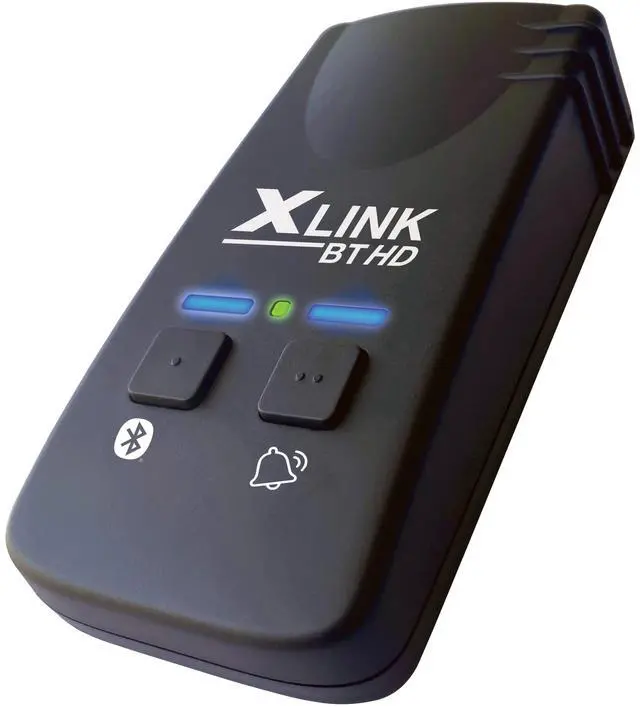
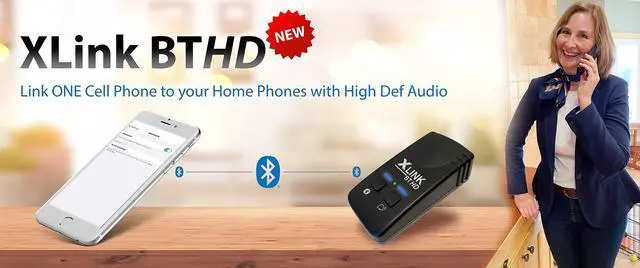
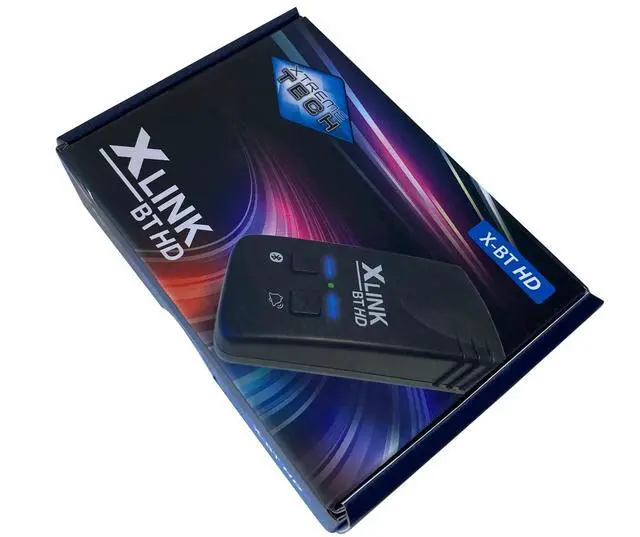
The XLink BT HD connects to ONE cell phone using Bluetooth high definition audio. The audio connection to the home telephones is also Wideband HD audio.
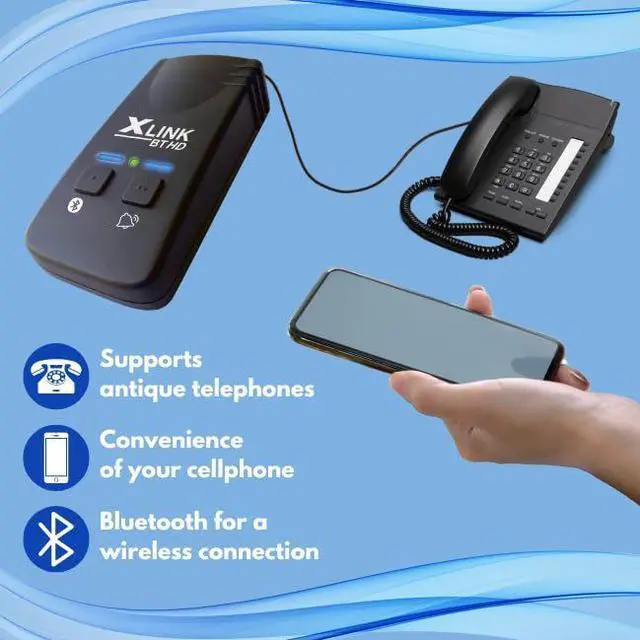
The XLink BT products make it possible to make and answer cell phone calls using regular home telephones.
No more searching for your cell phones - just use regular phones at home or in the office.
No more paying for a landline – just use your cell phone plan. Ditch your land line service without losing the use of your corded or cordless phone systems at home or in your office.
- All cell phones with Bluetooth wireless technology will work with any XLink
- Calls are placed using your cell phone. No new number or contract is necessary
- XLink models work with existing wired and wireless phones. No new equipment is needed
- Many homes and offices have dead spots. XLink allows you to keep your cell phone in a location with good reception. Calls can then be made from anywhere in the home using your existing home phones
- Fully supports antique and rotary dial telephones
 XLink BT2 |  XLink BT HD | |
|---|---|---|
| Customer Reviews | — | — |
| Price | — | — |
| Connected Cell Phones | 2 | 1 |
| Audio | Standard | HD Wideband |
| Software Updates | ? | ? |
| Bluetooth | ? | 5 |
| USB Port for Updates | ? | no data |
| Wireless Updates | no data | ? |
| Antique Telephone Support | ? | ? |
Link ONE Cell phone to your regular telephones with High Definition audio


XLink BT HD Features

ONE Cell Phone with HD Audio
Connects ONE cell phone to your regular telephones

HD WIDEBAND Audio
Audio connection to cell phone and telephones is HD WIDEBAND 16KHz audio. Providing the best possible sound quality

WIRELESS Bluetooth
When cell phones are within Bluetooth range, XLink connects automatically

ANTIQUE Telephones
Fully supports Antique telephones with Pulse and Rotary dialing

CONVENIENCE
Use home telephones to make and answer cell phone calls

MULTIPLE Telephones
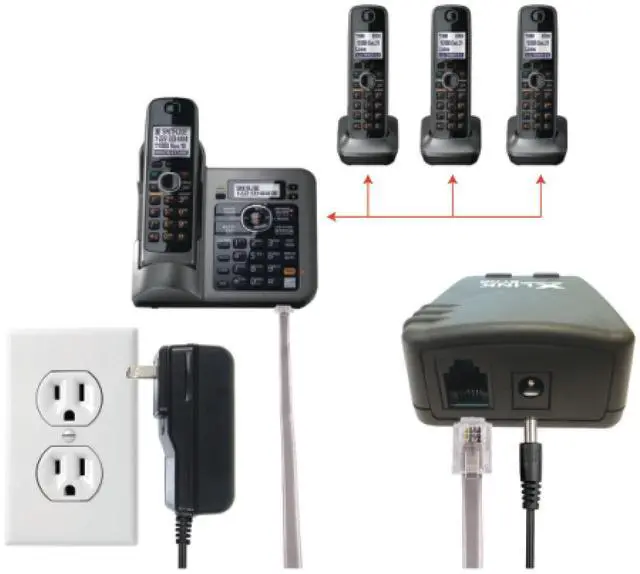
XLink can ring multiple telephones

All HOME Telephones
It is possible to use house wiring to connect to all telephones in your home

Software UPDATES
Software updates and configuration is done wirelessly using Windows, iOS or Android.
Simple and Fast Setup

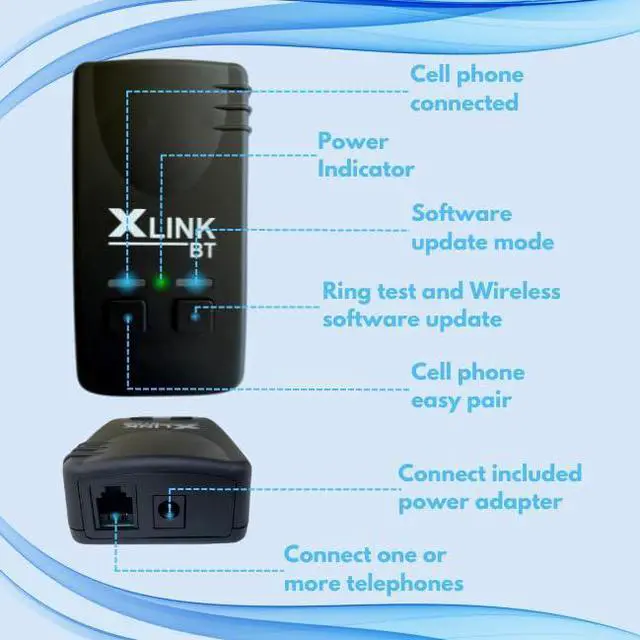
Step 1: Connect power cord and one or more house telephones

Step 2: Put XLink in to Bluetooth pairing mode by holding down Bluetooth button for 6 seconds

Step 3: Connect cell phone to XLink BT
FAQ
Can I connect more than ONE cell phone?
The XLink BT HD model connects to ONE cell phone. If you want to connect TWO cell phones please see the XLink BT2 model.
Can I talk on my cell phone at the same time as using the house telephone?
No you cannot talk on your cell phone while using the XLink connected telephone. The XLink connected telephone works very similar to a Bluetooth headset.
No landline? No problem!

The XLink BT HD connects to ONE cell phone using Bluetooth high definition audio. The audio connection to the home telephones is also Wideband HD audio.
The XLink BT products make it possible to make and answer cell phone calls using regular home telephones.
No more searching for your cell phones - just use regular phones at home or in the office.
No more paying for a landline – just use your cell phone plan. Ditch your land line service without losing the use of your corded or cordless phone systems at home or in your office.
- All cell phones with Bluetooth wireless technology will work with any XLink
- Calls are placed using your cell phone. No new number or contract is necessary
- XLink models work with existing wired and wireless phones. No new equipment is needed
- Many homes and offices have dead spots. XLink allows you to keep your cell phone in a location with good reception. Calls can then be made from anywhere in the home using your existing home phones
- Fully supports antique and rotary dial telephones
XLink BT2 | XLink BT HD | |
|---|---|---|
| Customer Reviews | — | — |
| Price | — | — |
| Connected Cell Phones | 2 | 1 |
| Audio | Standard | HD Wideband |
| Software Updates | ? | ? |
| Bluetooth | ? | 5 |
| USB Port for Updates | ? | no data |
| Wireless Updates | no data | ? |
| Antique Telephone Support | ? | ? |
Link ONE Cell phone to your regular telephones with High Definition audio


XLink BT HD Features
ONE Cell Phone with HD Audio
Connects ONE cell phone to your regular telephones
HD WIDEBAND Audio
Audio connection to cell phone and telephones is HD WIDEBAND 16KHz audio. Providing the best possible sound quality
WIRELESS Bluetooth
When cell phones are within Bluetooth range, XLink connects automatically
ANTIQUE Telephones
Fully supports Antique telephones with Pulse and Rotary dialing
CONVENIENCE
Use home telephones to make and answer cell phone calls
MULTIPLE Telephones
XLink can ring multiple telephones
All HOME Telephones
It is possible to use house wiring to connect to all telephones in your home
Software UPDATES
Software updates and configuration is done wirelessly using Windows, iOS or Android.
Simple and Fast Setup

Step 1: Connect power cord and one or more house telephones

Step 2: Put XLink in to Bluetooth pairing mode by holding down Bluetooth button for 6 seconds
Step 3: Connect cell phone to XLink BT
FAQ
Can I connect more than ONE cell phone?
The XLink BT HD model connects to ONE cell phone. If you want to connect TWO cell phones please see the XLink BT2 model.
Can I talk on my cell phone at the same time as using the house telephone?
No you cannot talk on your cell phone while using the XLink connected telephone. The XLink connected telephone works very similar to a Bluetooth headset.