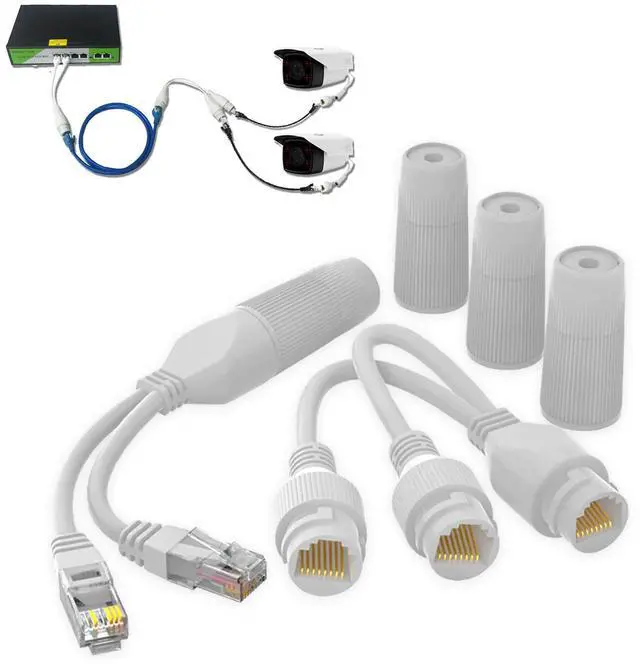
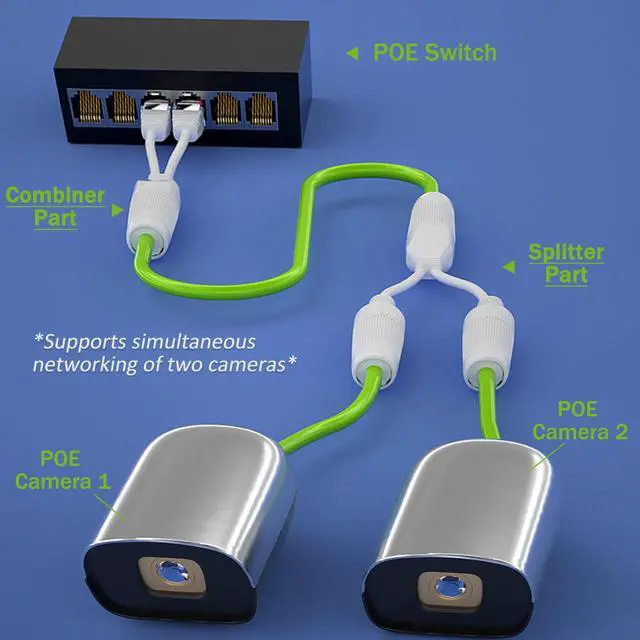
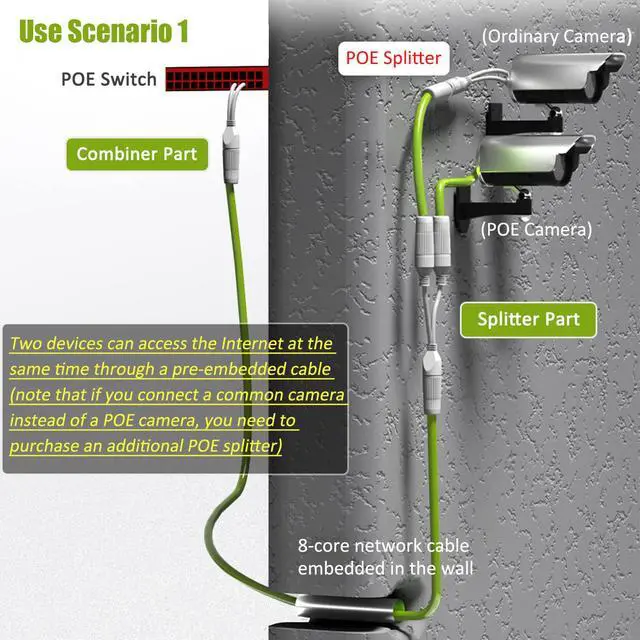
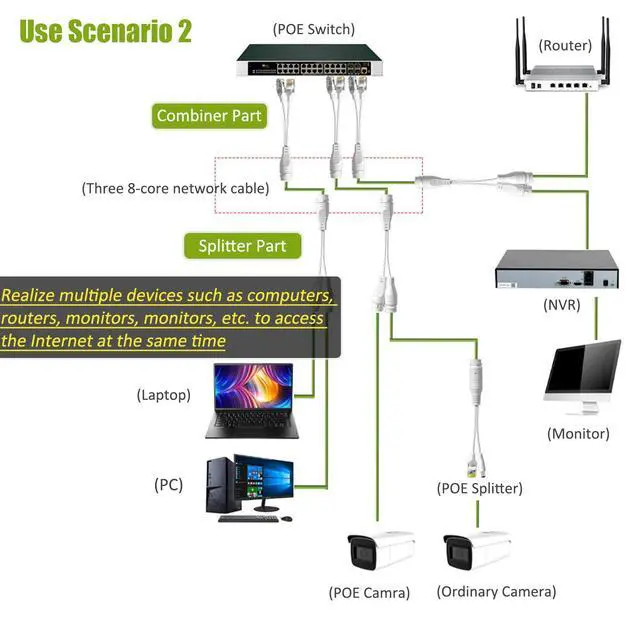
Run 2 IP Cameras on 1 Cable: Allows you to run 1 cable run to the switch for 2 cameras that are near each other. Set consists of a "sender" unit and a "receiver" unit. Plug Sender unit into 2 open ports on your POE switch. Run one cable to the location that has the cameras that are nearby each other. Connect 2 short cables to the Receiver unit and connect the other ends to your camera.
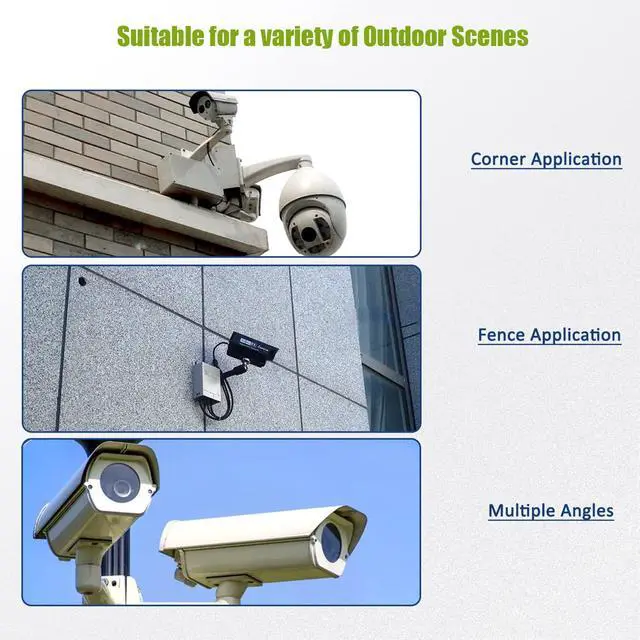
Reduces Cabling Costs: Lets say you are installing 2 cameras on each side of a corner. Instead of running 2 cables back to the switch, you can now just run 1. Easy and Cost Effective.
Convenient for Adding Camera: Ever installed a camera in a location, only to find out that you need another one right by it? Whats worse, the switch is on the other side of the building and it took you hours to run that one cable run. No worries! Just use this splitter set to make your installation much easier as all you need to do now is run 1 cable from the old camera to the new camera.
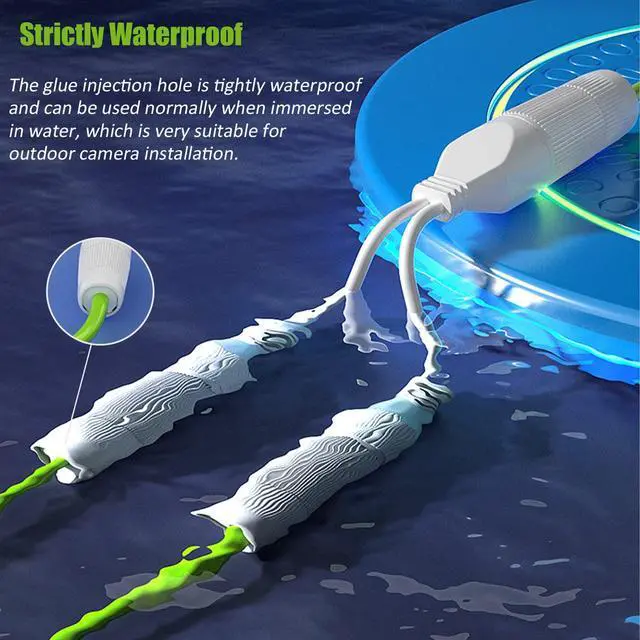
Outdoor Waterproof: The Receiver Unit comes with weatherproof RJ45 connectors, allowing you to fully expose the Receiver unit to the weather elements.
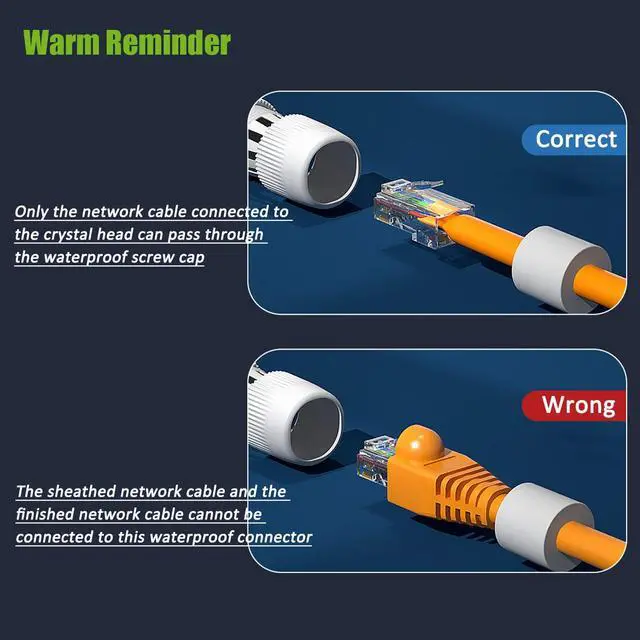
Easy to UseSimple plug & play installation. Only works on standard POE network switches.
+
+
Overview
Specs
Reviews
Any questions? Our AI beta will help you find out quickly.
Try me now
Waterproof IPCamPower POE Combiner Splitter Adapter, Run 2 IP Cameras on 1 Cable
Learn more about the Generic Brand TE-3365
Model
Brand
Zebra
Series
TE-3365
Model
TE-3365
Part Number
TE-3365
Details
Type
RJ45
Changer Type
type
Color
Black
Specifications
RJ45, IP Cameras, Computer,Switch,Router, 1.5 ounces, 4.9022 L x 14.3002 W x 20.701 H centimeters, TE-3365, White, 2
Connectors
Connector Style
RJ45
Features
Features
RJ45, IP Cameras, Computer,Switch,Router
Dimensions & Weight
Dimensions
20'
Package Contents
Package Quantity
1
Dimensions & Weight
Weight
1.5 ounces
Package Contents
Package Contents
1 x RJ45
Disclaimer
Disclaimer
not_applicable
Additional Information
First Listed on Newegg
June 22, 2026
Customer Reviews of the Generic Brand TE-3365
There are no reviews yet.
Do you own this product?
Warranty & Returns
Warranty, Returns, And Additional Information
Warranty
Please contact the Seller directly for warranty information. Warranty information may also be found on the Manufacturer's website.