

Your Browsing History
BEST SELLERS


BEST SELLERS
In Gaming Keyboard
Our most popular products, based on sales and updated frequently.Shop Department
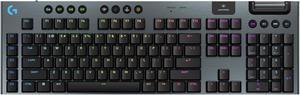
Logitech G915 X LIGHTSPEED Low Profile Wireless Mechanical Gaming Keyboard - GL Brown Tactile Switches, RGB Backlighting - Black
- Brand: Logitech
- Part Number: 920-012670
- Keyboard Interface: USB + LIGHTSPEED + Bluetooth
- Design Style: Low-Profile
- Model #: 920-012670
- Item #: N82E16823126748
- Return Policy: 30-Day Return Policy
$259.99
Free Shipping
- The Logitech G913 has beautiful presentation and packaging. Taking it out, you notice the brushed aluminum, which looks sophisticated. Compared to most other ‘gaming’ keyboards, the G915 looks super professional. Honestly, it further transformed my office from looking like a gaming setup to a clean, professional setup (I previously had the G710+). There’s no cheap plastic on this keyboard’s aluminum chassis and it screams quality. - Right when you pick this keyboard up, just by the weight of it, you can tell it’s sturdy, well-made, and durable. There’s a braided micro-USB cable for charging, extending the wireless dongle, or keeping it plugged in, non-wireless. - Five LED brightness settings, controllable on the keyboard’s media control buttons. Speaking of these buttons, they look sleek and subtle on the keyboard. They take a while to get used to as the haptic response and feel of them is strange at first, but I’ve come to like them. There’s LED brightness control, three video media controls, a mute button, macro recorder, 3 mode shifts, Windows key lock, and Bluetooth/Wireless toggle switch. There’s also a fat volume wheel bar, which looks sweet and feels great. Also, two LED indicator lights for when the battery is charging/charged and caps lock. - Not being a Cherry-Style switch, I was dubious at first. I personally prefer the Cherry-MX brown switches the most on keyboards, as I think they are a perfect mix of tactile/click/speed. I never really liked the Blues. Logitech’s ‘Clicky Keys’ feel like a lighter-weight Cherry-Blue, and one that I actually like. There is some higher operating force behind them, but don’t click nearly as loudly as the Blues, while travelling much quicker on the down stroke. As a web development programmer, who types a lot, I do really enjoy composing on this keyboard. - The G915 replaces the previous Logitech Gaming Software with G-Hub. It’s amazing software, with a ton of customization and awesome LED effects. You can upload and download custom LED profiles, for different games and settings, etc.. You can set a G-Shift to have one key do two things while the G-Shift key is held down. So essentially, you can turn four G keys into 8 macros. Using the M1, M2, M3 modes, you can quickly switch key profiles on the fly. The option for onboard and application profile switching is there as well. The software is extensively adjustable. - Have not noticed any input lag when on wireless battery. And speaking of which, the battery lasts a long while. I went three days without charging it, likely a total of 30 or so use hours. - The ability to switch from Bluetooth to wireless dongle is pretty cool. This allows easy swapping from different PCs even. At one time, I had it connected to my laptop via wireless USB, switched to Bluetooth via the Bluetooth toggle switch on the keyboard, which connected to my HTPC. Now I was remotely controlling my television. The switch is very quick, as well. Pretty cool!
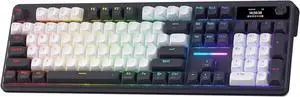
Redragon K762 Wireless Gasket Gaming Keyboard w/Hype Screen & Knob, 104 Keys Mechanical Keyboard, Easy-Control 1.14 TFT Info Display, 5-Layer Noise Dampening, Round PBT Keycaps, Mint Mambo Switch
- Layout: Full-size
- Model #: K762-R34WB
- Item #: 9SIAWATKRU9998
- Return Policy: View Return Policy
$76.99
Free Shipping
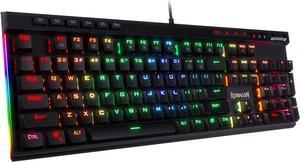
Redragon K580 VATA RGB LED Backlit Mechanical Gaming Keyboard with Macro Keys & Dedicated Media Controls, Onboard Macro Recording (Brown Switches)
- Brand: Redragon
- Name: K580 VATA
- Keyboard Interface: USB
- Design Style: Gaming
- Model #: K580 BR
- Item #: 9SIAWATJJA2435
- Return Policy: View Return Policy
$69.99
Free Shipping
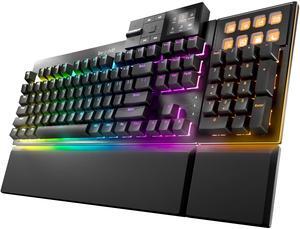
be quiet! Dark Mount Mechanical Keyboard | Linear | Hot-Swappable Lubricated Silent Switches | Detachable Numpad and Media Dock | Programmable ARGB Keys | Quality PBT Double Shot Keycaps | BT001US
- Keyboard Interface: USB 2.0
- Design Style: Gaming
- Layout: Full-size
- Palm Rest: Detachable
- Model #: BT001US
- Item #: 9SIA68VKGP7335
- Return Policy: View Return Policy
$229.90
Free Shipping
Nearly silent Good Feel Heavy and sturdy build quality
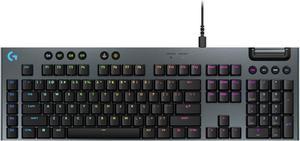
Logitech G915 X LIGHTSPEED Full-size Corded Mechanical Gaming Keyboard - GL Brown Tactile Switches, RGB Backlighting - Black
- Brand: Logitech
- Part Number: 920-012937
- Keyboard Interface: USB + LIGHTSPEED + Bluetooth
- Design Style: Low-Profile
- Model #: 920-012937
- Item #: N82E16823126756
- Return Policy: 30-Day Return Policy
$199.99
Free Shipping
high quality, great performance , feels good to type on.
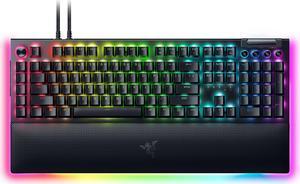
Razer BlackWidow V4 Pro Wired Mechanical Gaming Keyboard - Green Switches (Tactile & Clicky), Doubleshot ABS Keycaps, Command Dial, Chroma RGB, Magnetic Wrist Rest, Snap Tap - Black
- Brand: RAZER
- Part Number: RZ03-04680200-R3U1
- Keyboard Interface: USB 2.0
- Design Style: Standard
- Model #: RZ03-04680200-R3U1
- Item #: 26J-05FW-00002
- Return Policy: 30-Day Return Policy
$199.99
$249.99
Free Shipping
lights up all the way around, lots of cool buttons, nice and clicky, easy to connect

Redragon K686 HE Rapid Trigger Gaming Keyboard, 8K Wired Mechanical Keyboard w/Next-Gen UltraMag 100% POM Silky Magnetic Switch, Dual-Module Floating Patent Structure Design, 2-Layer Noise Dampening
- Layout: Full-size
- Model #: K686-R16BGG
- Item #: 9SIAWATKPK6526
- Return Policy: View Return Policy
$62.99
Free Shipping
- Smooth - Quiet
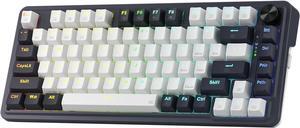
Redragon K673 PRO 75% Wireless Gasket RGB Gaming Keyboard, 3-Modes 81 Keys Compact Mechanical Keyboard Hot-Swap Socket, Dedicated Knob Control and Sound Absorbing Pads, Linear Red Switch
- Layout: 75%
- Key Switch: Red Switch
- Model #: RED-K673-R33WB
- Item #: 9SIAWATKB21942
- Return Policy: View Return Policy
$64.99
Free Shipping
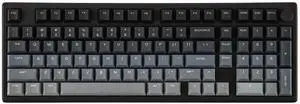
EPOMAKER Galaxy100 Lite QMK/VIA Gaming Keyboard with 8000mAh Battery and Numpad, 1800 Aluminum Mechanical Keyboard, USB-C/BT/2.4Ghz, Hot-Swap, Creamy Sound (Black, Marble White Switch)
- Brand: EPOMAKER
- Name: Galaxy100 Lite
- Model: Galaxy100 Lite
- Material: Aluminum
- Model #: Galaxy100 Lite-B0FK5695XG
- Item #: 9SIAN1MKNU6051
- Return Policy: View Return Policy
$93.49
Free Shipping
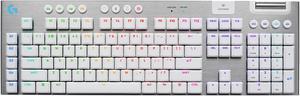
Logitech G915 X LIGHTSPEED Low profile Wireless Mechanical Gaming Keyboard - GL Brown Tactile Switches, RGB Backlighting - White
- Brand: Logitech
- Part Number: 920-012685
- Keyboard Interface: USB + LIGHTSPEED + Bluetooth
- Design Style: Standard
- Model #: 920-012685
- Item #: N82E16823126751
- Return Policy: 30-Day Return Policy
$259.99
Free Shipping
-This keyboard is super well featured: RGB, wireless (USB dongle or bluetooth), volume wheel, media buttons and gaming hotkeys, rechargeable battery, etc. -Very thin- very surprised by how thin it is. You really have to see it to believe that this is still mechanical. And despite that the switches still feel fantastic. They are low profile keys so the travel and feel will be a little different from what you're used to with Cherry switches but I'm really surprised at how this board feels mechanical without also feeling like a laptop keyboard with scissor switches. -Solid construction- even though it's thin it feels solid. -Battery life is pretty good despite it being wireless. Been using it every night with RGB on for about half a week and it's still going strong. -No noticeable lag in either wireless mode.
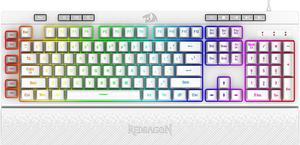
Redragon K512 Shiva RGB Backlit Membrane Gaming Keyboard with Multimedia Keys, Linear Mechanical-Feel Switch, 6 Extra On-Board Macro Keys, Dedicated Media Control, Detachable Wrist Rest, White
- Brand: Redragon
- Keyboard Interface: USB
- Design Style: Gaming
- Mechanical Keyboard: Yes
- Model #: K512 WT
- Item #: 9SIAWATFC87503
- Return Policy: View Return Policy
$36.99
Free Shipping
It's a great look and is comfortable to use. Reddragons software is easy to use to change colors
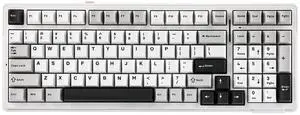
EPOMAKER x Aula F99 Wireless Mechanical Keyboard, Hot Swappable Gasket Custom Gaming Keyboard with Five-Layer Padding, Bluetooth/2.4GHz/USB-C, 8000mAh Battery (White Grey, Graywood V3 Switch)
- Brand: EPOMAKER
- Material: Plastic
- Design Style: Classic
- Mechanical Keyboard: Gaming
- Model #: F99-B0CSYN1HBQ
- Item #: 9SIAN1MKNU6144
- Return Policy: View Return Policy
$58.09
$82.99
Free Shipping
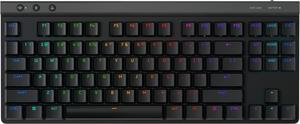
Logitech G515 LIGHTSPEED TKL Low Profile Wireless Gaming Keyboard - GL Red Linear Switches, LIGHTSYNC RGB, Thin Tenkeyless Design, PBT Keycaps - Black
- Brand: Logitech
- Part Number: 920-012536
- Keyboard Interface: USB + LIGHTSPEED + Bluetooth
- Design Style: Low-Profile
- Model #: 920-012536
- Item #: N82E16823126746
- Return Policy: 30-Day Return Policy
$159.99
Free Shipping
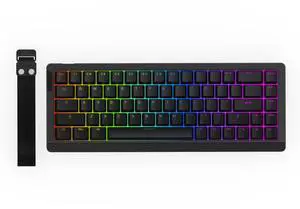
EPOMAKER HE68 Lite Hall Effect Wired Gaming Keyboard, 8k Polling & 128K Scan Rate, 0.005mm Adjustable Trigger, 0.125ms Latency, 5-Layer Sound-Dampened, Snap Key, SOCD, A-RGB, Mac Software (Black)
- Brand: EPOMAKER
- Name: HE68 Lite
- Part Number: EPOMAKER-2025820
- Material: Plastic
- Model #: HE68 Lite-B0F7R7QMZH
- Item #: 9SIAN1MKNU5996
- Return Policy: View Return Policy
SOLD OUT
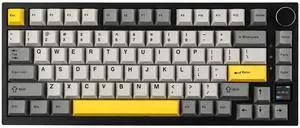
EPOMAKER Ajazz AK820 Pro 75% Wireless Mechanical Keyboard with TFT Smart Display&Knob, Gasket-Mounted Gaming Keyboard, Bluetooth/2.4GHz/USB-C Wired (Grey, Gift Switch)
- Brand: EPOMAKER
- Part Number: 70b47a3f-9855-4444-a6b1-3c504d4cc202
- Design Style: Classic
- Layout: 75%
- Model #: EPAK820PRO20250522-2
- Item #: 9SIAN1MKNU6013
- Return Policy: View Return Policy
$58.64
$68.99
Free Shipping
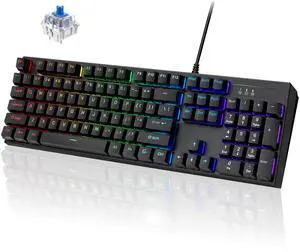
Mechanical Gaming Keyboard, 104 Keys Full-Size RGB LED Backlit Gaming Mechanical Keyboard with Blue Switch, USB Wired Computer Keyboard for Windows PC Mac Xbox Gamer
- Brand: Laptomo
- Model: T17
- Keyboard Interface: USB 2.0
- Design Style: Standard
- Model #: Laptomo-WRK61
- Item #: 9SIC4MJKUD5705
- Return Policy: View Return Policy
$55.99
$90.99
Free Shipping
Keyboard and mouse set
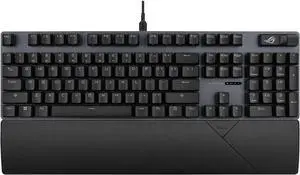
ASUS ROG Strix Scope II X Wired USB Mechanical Gaming Keyboard - 100% Full-Size, Hot Swappable Pre-lubed ROG NX Storm V2 Clicky Switches, PBT Keycaps, RGB, PC/Mac Support - Black
- Brand: ASUS
- Part Number: 90MP03XG-BKAA22
- Keyboard Interface: USB 2.0
- Design Style: Standard
- Model #: 90MP03XG-BKAA22
- Item #: N82E16823193167
- Return Policy: 30-Day Return Policy
$129.99
Free Shipping
Looks great Usb slot Lots of options for lighting
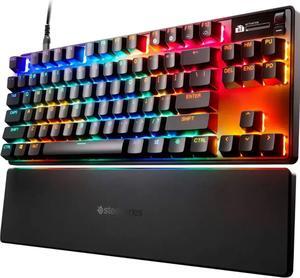
SteelSeries Apex Pro TKL Gen 3 OmniPoint 3.0 HyperMagnetic Switches, Adjustable Actuation, Rapid Trigger, Game-Ready Presets, Protection Mode, Rapid Tap/SOCD, OLED, RGB, PBT Keycaps, USB-C
- Brand: SteelSeries
- Part Number: 64740
- Keyboard Interface: USB 2.0
- Design Style: Standard
- Model #: 64740
- Item #: 9SIA6ZPKBN6741
- Return Policy: View Return Policy
$216.99
$239.99
The optional software is fun and easy to use, per key customization of colors and behavior. You can make the presses as sensitive as you want. May want to make less sensitive (deeper press) for normal typing or you may find yourself fatfingering all the time!