

Your Browsing History
BEST SELLERS


BEST SELLERS
In Sound Card
Our most popular products, based on sales and updated frequently.Shop Department
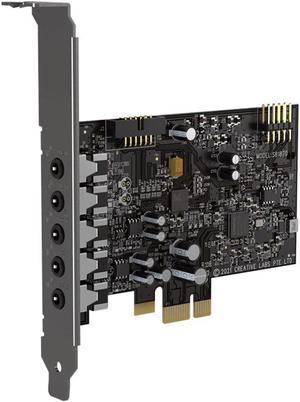
Creative Sound Blaster Audigy Fx V2 Upgradable Hi-res PCI-e Sound Card with 5.1 Discrete and Virtual Surround, Scout Mode, SmartComms Kit for PC
- SNR: 120dB
- Operating Systems Supported: Windows® 10, Windows® 11
- System Requirements: Intel® Core™i3 or AMD® equivalent processor Intel, AMD, or 100% compatible motherboard Microsoft® Windows 10 / Windows 11 32 / 64-bit or later >4 GB RAM >4 GB of free hard disk space Available PCIe slot
- Part Number: 70SB187000000
- Model #: 70SB187000000
- Item #: 9SIC6U2KWH7528
- Return Policy: View Return Policy
$79.00
Free Shipping
This card was very easy to install and get running and made a huge improvement in the sound and versatility of my computer as a music player and is worth the money .
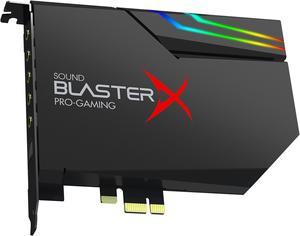
Creative Sound BlasterX AE-5 Plus SABRE32-class Hi-res 32-bit/384 kHz PCIe Gaming Sound Card and DAC with Dolby Digital and DTS, Xamp Discrete Headphone Bi-amp, Up to 122dB SNR, RGB Lighting System
- Brand: Creative
- Series: Sound BlasterX
- Channels: 5.1
- Interface: PCI-e
- Model #: 70SB174000003
- Item #: N82E16829102109
- Return Policy: 30-Day Return Policy
$161.49
$169.99
Free Shipping
Got this at the same time as Beyerdynamic DT770 closed back headphones as they were both on sale for a great price. Amazing upgrade from my onboard sound. I'm new to the audio world so I guess take my review with a grain of salt? -amazing sound -Amp can power up to 250 ohm headphones, which is what I have, so no need to look for additional amps -comes with an additional rgb light strip -app is super easy to navigate
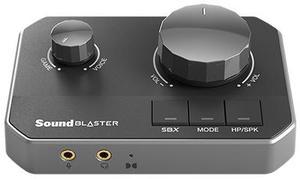
Sound Blaster G8 Hi-Res Gaming USB DAC with Dual USB Audio Mixing and Fully Customizable Acoustic Engine and 10-Band Equalizer, for CONSOLE, MOBILE DEVICES AND PC
- Sample Rate: 96KHz
- Digital Audio: 32-bit
- Operating Systems Supported: Windows Intel i3 or AMD equivalent processor Intel, AMD or 100% compatible motherboard Microsoft Windows 11, Windows 10 32/64 bit ver 21H1 or later > 4GB RAM > 4GB of free hard disk space Available USB-C port (USB 2.0) PC must meet the minimum hardware requirements to operate on the Windows OS installed Macintosh Macintosh running MacOS 10.15 or higher > 4GB RAM > 4GB of free hard disk space Available USB-C port (USB 2.0) Mobile Device Android 13.0 or later iOS 15 or later Available USB-C port (USB 2.0) Device must capable of output audio through its USB-C port PS4 Firmware Ver 5.0 or later Available USB-A port ^ (USB 2.0) PS5 Firmware Version 20.02-2.26.00.00-00.00.00.0.1 or later Available USB-C port Available HDMI ARC port via TV Xbox Series X/S...
- Model #: 70SB190000000
- Item #: N82E16829102120
- Return Policy: 30-Day Return Policy
$161.49
$169.99
Free Shipping
Sound Quality Build Quality Portable
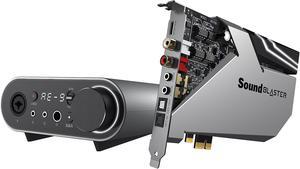
Creative Sound Blaster AE-9 Sound Card (Metallic Gray)
- Audio Chipset: Sound Core3D
- Sample Rate: 384 KHz
- Remote Control: Yes
- Digital Audio: 32-bit
- Model #: 70SB178000000
- Item #: N82E16829102105
- Return Policy: 30-Day Return Policy
$427.49
$449.99
Free Shipping
I wasn't it expecting it be this good, the sound quality is really amazing
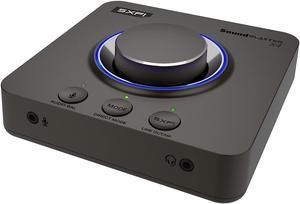
Creative Sound Blaster X4 Hi-Res 24bit/192kHz External USB DAC and Amp Sound Card, Super X-Fi, Multi-Channel, 7.1 Discrete Surround, Optical-in, Optical-out, Line-in, Mic-in, Headset-in for PC and Mac
- Audio Chipset: Sound Blaster Acoustic Engine, Super X-Fi
- SNR: 114dB
- Operating Systems Supported: Windows® 10 Ver 1703, macOS 10.15 and above, Windows® 11
- System Requirements: Windows® OS Intel® Core™i3 or AMD® equivalent processor Intel, AMD, or 100% compatible motherboard Microsoft® Windows 11, Windows 10 32 / 64-bit Ver 1703 or higher > 4 GB RAM > 4 GB of free hard disk space USB 2.0 / USB 3.0 port macOS macOS X® 10.15 or higher Supports Intel-based and Apple CPU chipsets > 4 GB RAM USB 2.0 / USB 3.0 port PS5 Firmware Version 20.02-2.26.00.00-00.00.00.0.1 or later Available USB port Audio Balance feature requires a HDMI to Optical converter (not included) PS4 Firmware Version 5.0 or later Available USB port Available Optical-out port (for Audio Balance) Nintendo Switch Switch OS 5.0 or later Available 3.5 mm headphon...
- Model #: 70SB181500000
- Item #: 23H-001X-00069
- Return Policy: 30-Day Return Policy
$142.49
$149.99
Free Shipping
Works well ( and I am using Linux Mint and Cachy
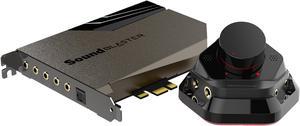
Creative Sound Blaster AE-7 Hi-Res Internal PCIe Sound Card, Quad-Core Processor, 127dB DNR ESS SABRE-class 9018 DAC, Xamp Discrete Custom Bi-amp, Discrete 5.1/Virtual 7.1, Dolby, DTS Encoding (Black)
- Audio Chipset: Sound Core3D
- Sample Rate: 384 KHz
- Remote Control: Yes
- Digital Audio: 32-bit
- Model #: 70SB180000000
- Item #: N82E16829102106
- Return Policy: 30-Day Return Policy
$218.49
Free Shipping
This is a very nice sound card. Everything is crystal clear, and it does exactly what you would expect.
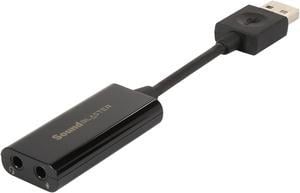
Creative Labs Sound Blaster Play! 3 External USB Sound Adapter for Windows and Mac. Plug and Play (No Drivers Required). Upgrade to 24-Bit 96Khz Playback
- Sample Rate: 96KHz
- Digital Audio: 24-bit
- SNR: 93dB
- Line In: 1 x 3.5 mm jack
- Model #: 70SB173000000
- Item #: 9SIA1K65YN4274
- Return Policy: View Return Policy
$30.82
Free Shipping
- It's super cheap - Install is plug-n-play on Windows 10. No driver installation! - Works great, sounds good and hassle-free
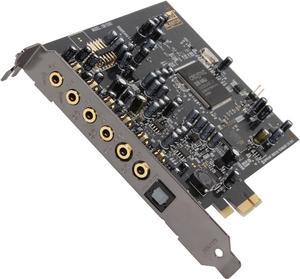
Creative Sound Blaster Audigy PCIe RX 7.1 Sound Card with High Performance Headphone Amp
- Audio Chipset: Creative E-MU
- Sample Rate: 192KHz
- Digital Audio: 24-bit
- SNR: 106dB
- Model #: 70SB155000001
- Item #: 9SIC6VHKXC6185
- Return Policy: View Return Policy
$99.00
Free Shipping
I needed something better than the onboard audio. This was it. Installation of card and software was a breeze. Creative Labs had been my go to for sound. This unit delivers. We shall see long term as well.
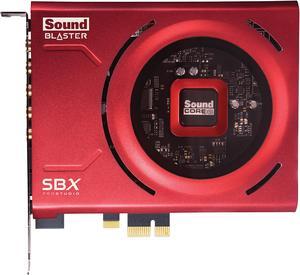
Creative Sound Blaster Z SE Internal PCI-e Gaming Sound Card and DAC, 24-bit / 192 kHz, 116 dB SNR, ASIO, 600O Headphones Amp, Mic EQ, Discrete 5.1 / Virtual 7.1, Supports Dolby Digital Live, DTS
- Audio Chipset: Sound Core3D
- Sample Rate: 192KHz
- Digital Audio: 24-bit
- SNR: 116dB
- Model #: 70SB150000004
- Item #: N82E16829102110
- Return Policy: 30-Day Return Policy
$104.49
$109.99
Free Shipping
Pretty easy to install the sound is much better,
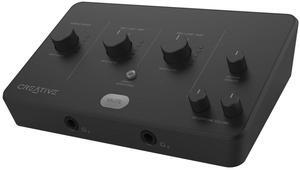
Creative Labs Live! Audio A3 USB-C Audio Interface
- Part Number: 70SB189000000
- Type: USB Audio/MIDI Interface
- Color: Black
- Model #: 70SB189000000
- Item #: N82E16882102056
- Return Policy: 30-Day Return Policy
$79.99
Free Shipping
Love the sound . Its clarity is phenomenal.
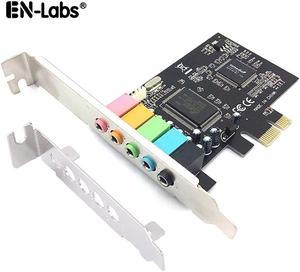
En-Labs PCIe Sound Card, 5.1 Internal Sound Card for PC Windows 10 w/ Low Profile Bracket, 3D Stereo PCI-e Audio Card, CMI8738 Chip 32/64 Bit Sound Card PCI Express Adapter
- Model #: PCIE51SOUND
- Item #: 9SIACJFBM32680
- Return Policy: View Return Policy
$20.99
$6.81 Shipping
Comes with low profile bracket. Sound is great compared to onboard sound component.
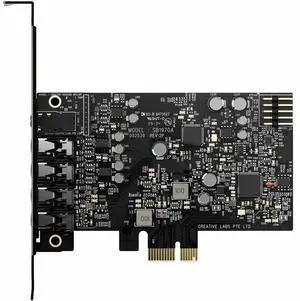
Creative Sound Blaster Audigy Fx Pro Hi-res PCI-e Sound Card with 7.1 Discrete and Virtual Surround, and AutoEq for PC
- Brand: Creative Labs
- Parts: 1 Year
- Model #: 70SB197000000
- Item #: 23H-001X-000N5
- Return Policy: 30-Day Return Policy
$84.99
Free Shipping
-Quality of the sound is flawless -Easy to install and the software is pretty nice too -RGB (no you do not have to plug the molex to get it on the card, but it comes with a led stripes that I did not need)
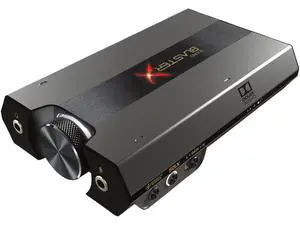
Creative Sound BlasterX G6 USB-C Hi-Res Gaming DAC and Sound Card with Xamp Headphone Bi-Amplifier for PC, PS5, Xbox and Nintendo Switch
- Brand: Creative Labs
- Model #: 70SB177000003
- Item #: 23H-001X-000N4
- Return Policy: 30-Day Return Policy
My first one broke after a week, took some days to send it back but after all a great service of newegg. The produkt still works and the sound is amazing, always had creatie soundblaster products, after some years only used the onboard audio. With some problems an less quality i`m glad i made de switch back to get a soundcard.
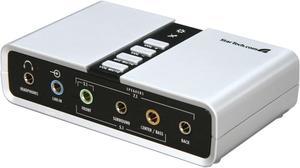
StarTech.com ICUSBAUDIO7D Audio Adapter External Sound Card
- Audio Chipset: C-Media - CM6206
- Sample Rate: 48KHz
- External Box: Yes
- Digital Audio: 16-bit
- Model #: ICUSBAUDIO7D
- Item #: 9SIBSWCKS01663
- Return Policy: View Return Policy
$49.00
Free Shipping
Bought this thinking I'd only get a slight improvement over the laptop's garbage sound since external stuff like burners and HDDs cost more, but nope. I ended up getting amazing quality in every way. So far, I've used optical SPDIF out, played the song "Tubular Bells - Mike Oldfield" with my 1010 watts speakers (DD Pro Logic II) cranked way up and had zero distortion and quality loss, I think it might of sounded even better than the sound card in my expensive gaming rig.
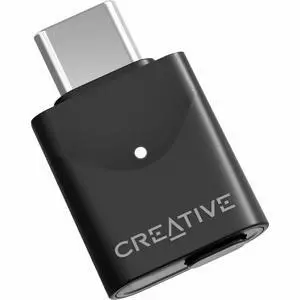
Creative BT-W6 USB Wireless Audio Transmitter
- Sample Rate: 96KHz
- Digital Audio: 24-bit
- Hardware Decode: LE: LC3 Classic BT: - aptX Lossless - aptX Adaptive High Quality (HQ) - aptX Adaptive Low Latency (LL) - aptX-HD - aptX - SBC
- Operating Systems Supported: Windows: Intel i3 or AMD equivalent processor Intel, AMD or 100% compatible motherboard Microsoft Windows 11, Windows 10 32/64-bit ver 1903 or higher > 4GB RAM > 4GB of free hard disk space Available USB-C port * PC must meet the minimum hardware requirements to operate on the Windows OS installed Macintosh: Macintosh running MacOS 10.15 or higher > 4GB RAM > 4GB of free hard disk space Available USB-C port * PS4/PS5: Firmware Ver 5.0 or later for PS4 Firmware Version 20.02-2.26.00.00-00.00.00.0.1 or later for PS5 Available USB-C port * Nintendo Switch: Switch OS 5.0 or later Available USB-C port * ...
- Model #: 70SA021000000
- Item #: N82E16829102118
- Return Policy: 30-Day Return Policy
$44.99
$47.49
Free Shipping
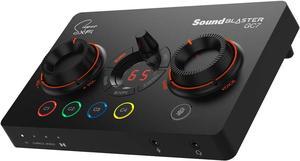
Creative Sound Blaster GC7 Game Streaming DAC Amp ft Programmable Buttons, Super X-Fi, 7.1 Virtual Surround, Battle Mode, Scout Mode, GameVoice Mix, for PC, PS4/PS5, Nintendo Switch, Xbox
- Model #: 70SB185000000
- Item #: N82E16829102114
- Return Policy: 30-Day Return Policy
I use 32 ohm Audio Technica headphones and get full surround. very immersive. Stable and versatile software. Saber DACs and biamp phone jack.
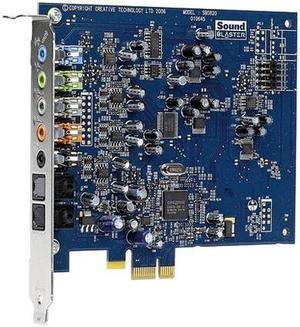
Creative Sound Blaster X-Fi Xtreme Audio Sound Card
- Sample Rate: 96KHz
- Digital Audio: 24-bit
- SNR: >100dB (20kHz Low-pass filter, A-Weighted)
- Line In: Yes
- Model #: 30SB077200000
- Item #: 9SIA4RE4VX5064
- Return Policy: View Return Policy
$54.99
Free Shipping
Right out of the box it has been working just fine for me. Clear audio highs and lows. I'm using it via optical and it works perfectly. The small form factor was nice as well. More breathing room for my GPU.
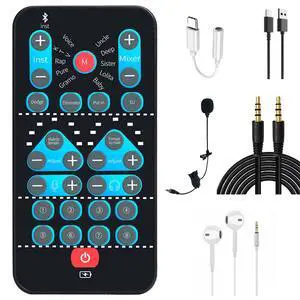
High-Definition Portable Voice Changer Sound Card with Real-Time Transformation, Ideal for Streaming, Gaming, and Entertainment Scenarios (M10-for Android Smartphone)
- Brand: Generic
- Series: voice changer,usb cable,headphone,microphone,Audio cable, Adapter cable
- Channels: 2.0
- Interface: USB
- Model #: 344447981675
- Item #: 9SIC688KVJ8987
- Return Policy: View Return Policy
$43.97
Free Shipping
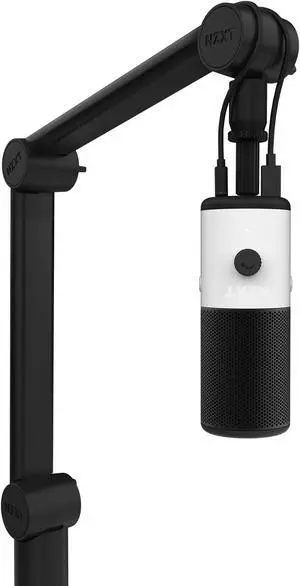
NZXT Boom Arm Mini - Compact Low Noise Microphone Boom Arm
- Part Number: AP-BOOMS-B1
- Features: The Boom Arm fits into any setup seamlessly. Smooth moving arms make adjusting simple while hidden cable management neatly organizes USB and XLR cables. Game uninterrupted with hidden springs providing quiet operation.
- Model #: AP-BOOMS-B1
- Item #: 9SIAG1PJRJ7908
- Return Policy: View Return Policy
$59.99
$9.99 Shipping
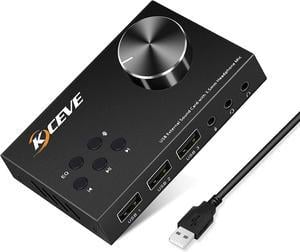
External Sound Card with Volume Control, Multimedia USB Controller Knob, USB Audio Adapter with 3.5mm Headphone and Microphone Jack, for Windows, Mac, Linux, PC, Laptops, Desktops
- Model #: Z5#Q1883_B
- Item #: 9SIAR4TJ4H4173
- Return Policy: View Return Policy
$47.99
Free Shipping