
Your Browsing History
BEST SELLERS


BEST SELLERS
In Switches
Our most popular products, based on sales and updated frequently.Shop Department
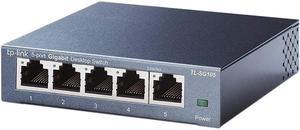
TP-Link 5 Port Gigabit Ethernet Network Switch - Ethernet Splitter | Plug & Play | Fanless | Sturdy Metal w/ Shielded Ports | Traffic Optimization | Unmanaged | Limited Lifetime Protection(TL-SG105)
- Brand: TP-Link
- Format: Desktop
- Standards: IEEE802.3, IEEE802.3u, IEEE802.3ab, IEEE802.3x
- Network Management Type: Unmanaged
- Model #: TL-SG105
- Item #: N82E16833704179
- Return Policy: 15-Day Return Policy
$14.99
$17.99
Free Shipping
Easy set up (Plug and Play) works great on my internet. Which is real low bit rate. Not sure of faster speeds.
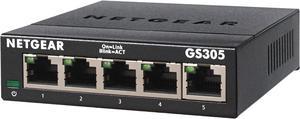
Netgear GS305 5-Port Gigabit Ethernet SOHO Unmanaged Essentials Switch, GS305-300PAS
- Brand: NETGEAR
- Part Number: GS305-300PAS
- Format: Desktop Wall mountable
- Standards: IEEE 802.3ab 1000BASE-T Gigabit Ethernet IEEE 802.3u 100BASE-TX Fast Ethernet IEEE 802.3i 10BASE-T Ethernet IEEE 802.3x Flow Control IEEE 802.1p Priority QoS IEEE 802.1p Priority QoS and DSCP IEEE 802.3 CSMA/CD 802.3az Energy Efficient Ethernet
- Model #: GS305-300PAS
- Item #: N82E16833222039
- Return Policy: 15-Day Return Policy
$13.49
$19.99
Free Shipping
Has wall mounting slots on the back so you can attach it to a vertical surface
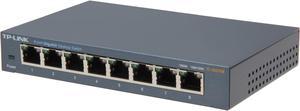
TP-Link 8 Port Gigabit Ethernet Network Switch | Ethernet Splitter | Sturdy Metal w/ Shielded Ports | Plug-and-Play | Traffic Optimization | Unmanaged (TL-SG108)
- Brand: TP-Link
- Format: Desktop
- Standards: IEEE802.3, IEEE802.3u, IEEE802.3ab, IEEE802.3x
- Network Management Type: Unmanaged
- Model #: TL-SG108
- Item #: N82E16833704173
- Return Policy: 15-Day Return Policy
$19.99
$21.99
Free Shipping
Small, smaller even than the picture would suggest. 6.25" long by 4" wide by 1" tall. It's smaller than my wireless router. Really is plug and play Turns back on quickly after power outage Never have to power cycle it!! Huge deal IMO Metal body, gets slightly warm, but never hot LEDs aren't grab your sunglasses bright Gigabit connections
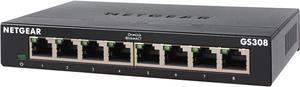
Netgear GS308 8-Port Gigabit Ethernet Unmanaged Switch, GS308-300PAS
- Brand: NETGEAR
- Part Number: GS308-300PAS
- Format: Desktop or wallmountable
- Standards: IEEE 802.3ab 1000BASE-T Gigabit Ethernet IEEE 802.3u 100BASE-TX Fast Ethernet IEEE 802.3i 10BASE-T Ethernet IEEE 802.3x Flow Control IEEE 802.1p Priority QoS (all models) IEEE 802.1p Priority QoS and DSCP (except GS308P, GS316) IEEE 802.3 CSMA / CD 802.3az Energy Efficient Ethernet
- Model #: GS308-300PAS
- Item #: N82E16833222029
- Return Policy: 15-Day Return Policy
$18.99
$27.99
Free Shipping
- Inexpensive - Great Reliability - Doesn't take up much space - Very easy to set up
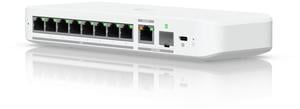
Ubiquiti Flex 2.5G, 8-Port Switch (USW-Flex-2.5G-8)
- Brand: Ubiquiti Networks
- Part Number: USW-Flex-2.5G-8
- Format: Desktop
- Network Management Type: Managed
- Model #: USW-Flex-2.5G-8
- Item #: 0XP-000A-006B0
- Return Policy: Replacement Only Return Policy
$159.00
$15.99 Shipping
UniFi compatible and suited to the kinds of awful environmental conditions the old Ubiquiti Tough Switch Pro was perfect for. Being managed by UniFi rather than UISP simplifies the network, so it's GREAT to have this niche filled. Surprisingly useful to have more ports, didn't know we needed them until we had the option.
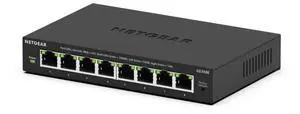
Netgear GS308E 8-Port Gigabit Ethernet Easy Smart Managed Essentials Switch, GS308E-400NAS
- Brand: NETGEAR
- Part Number: GS308E-400NAS
- Format: Desktop Wall Mountable
- Standards: IEEE 802.3az IEEE 802.1Q IEEE 802.1p IEEE 802.3 IEEE 802.3ab IEEE 802.3u IEEE 802.3x
- Model #: GS308E-400NAS
- Item #: N82E16833222346
- Return Policy: 15-Day Return Policy
$23.99
$39.99
Free Shipping
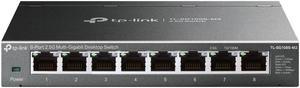
TP-Link TL-SG108S-M2 | 8-Port Multi-Gigabit 2.5G Ethernet Switch | Unmanaged Network Switch | Ethernet Splitter | Plug & Play | Desktop/Wall Mount | Silent Operation
- Model #: TL-SG108S-M2
- Item #: N82E16833704736
- Return Policy: 15-Day Return Policy
$79.99
Free Shipping

TP-Link TL-SX1008 | 8 Port 10G/Multi-Gig Unmanaged Ethernet Switch
- Brand: TP-Link
- Model #: TL-SX1008-_V2
- Item #: N82E16833704829
- Return Policy: 15-Day Return Policy
$349.99
Free Shipping
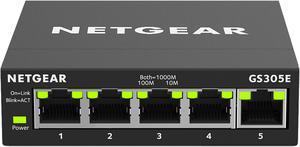
Netgear GS305E 5-Port Gigabit Ethernet SOHO Plus Easy Smart Managed Essentials Switch, GS305E-100NAS
- Brand: NETGEAR
- Part Number: GS305E-100NAS
- Standards: IEEE 802.3 Ethernet IEEE 802.3ab 1000BASE-T IEEE 802.3u 100BASE-T IEEE 802.3ab 1000BASE-T IEEE 802.1p Class of Service IEEE 802.1Q VLAN Tagging IEEE 802.3x Full-duplex Flow Control
- Network Management Type: Smart
- Model #: GS305E-100NAS
- Item #: N82E16833222022
- Return Policy: 15-Day Return Policy
$18.99
$21.99
Free Shipping
- easy to setup - can mount on wall

Ubiquiti Pro Max 16 PoE, 16-Port Layer 3 PoE Switch (USW-Pro-Max-16-PoE (180W))
- Brand: Ubiquiti Networks
- Series: Network Switch
- Part Number: USW-Pro-Max-16-PoE
- Format: Desktop
- Model #: USW-Pro-Max-16-PoE
- Item #: 0XP-000A-006A0
- Return Policy: 15-Day Return Policy
OUT OF STOCK

Ubiquiti Pro Max 48 PoE, 48-Port Layer 3 PoE Switch (USW-Pro-Max-48-PoE (720W))
- Brand: Ubiquiti Networks
- Series: Network Switches
- Part Number: USW-Pro-Max-48-PoE (720W)
- Format: Rackmount
- Model #: USW-Pro-Max-48-PoE (720W)
- Item #: 2BH-0073-00050
- Return Policy: 15-Day Return Policy
$1,299.00
$13.51 Shipping
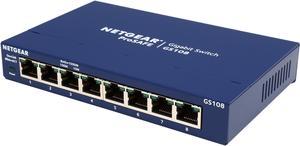
Netgear GS108 8-Port Gigabit Ethernet Unmanaged Switch, GS108-400NAS
- Brand: NETGEAR
- Series: ProSafe
- Part Number: GS108-400NAS
- Format: Desktop
- Model #: GS108-400NAS
- Item #: 12K-008X-00026
- Return Policy: 15-Day Return Policy
$34.99
$49.99
Free Shipping
Small and compact 8 ports at a reasonable price Gigabit
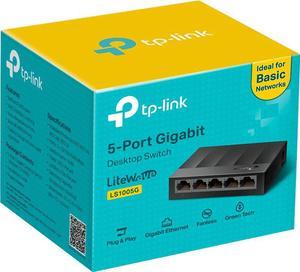
TP-Link Litewave 5 Port Gigabit Ethernet Switch | Desktop Ethernet Splitter | Plastic Case | Unshielded Network Switch | Plug & Play | Fanless Quiet | Unmanaged (LS1005G)
- Brand: TP-Link
- Switch Type: desktop
- Format: Desktop
- Standards: IEEE 802.3i/802.3u/ 802.3ab/802.3x
- Model #: LS1005G
- Item #: 0XP-001U-00557
- Return Policy: 15-Day Return Policy
$9.99
$14.99
Free Shipping
Used to be you’d have to spend a few hundred bucks for a managed 8 port gigabit switch. Do you need a managed switch? At this price, why not get one. I think most home users probably don’t need a managed switch, so you can use it as a dumb switch, hook it up, don’t do any setup, and don’t worry about it until you find yourself needing the extra capabilities. What can you do with a managed switch? Plenty. -- See Other Thoughts. TP-Link has several marketing terms for its 8-Port managed switches. “Easy Smart Switch” is this model. “Smart Switch” is the next level up model – the TL-SG2008 – at about twice the price. Moving up from there are the professional “Jetstream” L2 and the scalable “Jetsream” L3 models which have features like SFP slots to attach things like fiber interface modules. The main difference between the SG108E and the SG2008 is that management of this model switch is done through a Windows utility running on a Windows computer attached to the network. The SG2008 is managed via a browser based utility running on the switch and has a few more configurable features. The SG2008 also has a 4MB buffer vs. 2MB for the SG108E. They both have the same switching capacity (16 Gbps), forwarding rate (11Mpps), and Mac address capacity (8K). I think the SG108E is easier to configure. This switch is small, solid, has a metal case, and does not require a fan. There is an external power supply. Inside the metal enclosure I found a Realtek RTL8370N Layer 2 Managed 10/100/1000 Switch controller with a heat sink and 1MB attached Flash memory. Included in the retail box are also a quick set-up sheet and a Mini CD that contains a detailed 40 page pdf manual and the Configuration utility installer. The configuration utility is organized into System, Switching, Monitoring, VLAN, and QoS sections. The switch supports up to 32 port-based and tagged VLANs. It has a loop prevention feature. It supports port and 802.1p based QoS with 4 priority settings. You can do in/out bandwidth control per port. You can specify a storm control limit and apply it to one or more ports. Static LAG groups are supported. There is automatic power saving that can shut down idle ports and adjust power depending on cable lengths. Port Mirroring is supported on one port at a time. Packet counts can be monitored by interface.

Ubiquiti Pro Max 16, 16-Port Layer 3 (USW-Pro-Max-16)
- Brand: Ubiquiti Networks
- Series: Network Switch
- Part Number: USW-Pro-Max-16
- Format: Rackmount
- Model #: USW-Pro-Max-16
- Item #: 0XP-000A-00698
- Return Policy: 15-Day Return Policy
$295.00
Free Shipping

Ubiquiti Standard 24 PoE, 24-Port Layer 2 PoE Switch (USW-24-PoE (95W))
- Brand: Ubiquiti Networks
- Part Number: USW-24-POE
- Format: Rackmount
- Network Management Type: Managed
- Model #: USW-24-POE
- Item #: 0XP-000A-00337
- Return Policy: 15-Day Return Policy
$379.00
$15.90 Shipping
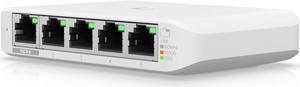
(3-Pack) Ubiquiti Flex Mini, 5-Port Layer 2 PoE Switch (USW-Flex-Mini-3)
- Brand: Ubiquiti Networks
- Series: Network Switch
- Format: Desktop
- Network Management Type: Managed
- Model #: USW-Flex-Mini-3
- Item #: 0XP-000A-00544
- Return Policy: 15-Day Return Policy
$95.00
Free Shipping
* Nice compact form factor * Included power adapter option is nice * Even nicer is being able to power it off PoE - one less wire/plug socket to deal with * Integrates well with the UniFi Network app, showing what devices are connected to it
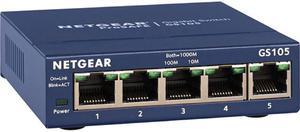
Netgear ProSafe GS105 5-Port Gigabit Ethernet Unmanaged Switch, GS105NA
- Brand: NETGEAR
- Series: ProSafe
- Standards: IEEE 802.3i 10BASE-T Ethernet IEEE 802.3u 100BASE-TX Fast Ethernet IEEE 802.3z 1000BASE-T Gigabit Ethernet
- Network Management Type: Unmanaged
- Model #: GS105NA
- Item #: N82E16833122128
- Return Policy: 15-Day Return Policy
Works great. Bought this after I installed an 8 port
Ubiquiti Flex Mini, 5-Port PoE Layer 2 Switch (USW-Flex-Mini)
- Brand: Ubiquiti Networks
- Series: Network Switch
- Part Number: USW-Flex-Mini
- Format: Desktop
- Model #: USW-Flex-Mini
- Item #: 9SIA4P0K6Z4502
- Return Policy: View Return Policy
$32.99
$7.85 Shipping
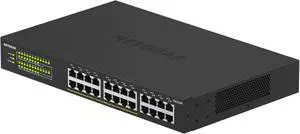
Netgear GS324 24-Port Gigabit Ethernet Unmanaged Essentials Switch, GS324-200NAS
- Brand: NETGEAR
- Part Number: GS324-200NAS
- Format: Desktop Wall Mountable Rack-mountable
- Network Media: Media Type Supported: Twisted Pair Ethernet Technology: Gigabit Ethernet Network Technology: 10/100/1000Base-T
- Model #: GS324-200NAS
- Item #: N82E16833222153
- Return Policy: 15-Day Return Policy
$84.99
$109.99
Free Shipping
-Whisper quite -Many Features -Web GUI or phone app to manage it -You have to know what your doing or at least read the manual.
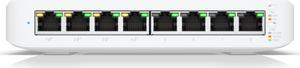
Ubiquiti Lite 8-Port, Layer 2 PoE Switch (USW-Lite-8-POE (52W))
- Brand: Ubiquiti Networks
- Part Number: USW-Lite-8-PoE
- Format: Desktop
- Network Management Type: Managed
- Model #: USW-Lite-8-POE (52W)
- Item #: N82E16833664066
- Return Policy: 15-Day Return Policy
$115.00
$8.90 Shipping