

Your Browsing History
Lowest price in 30 days


LOWEST PRICE
In Gaming Keyboard
Shop Department

Redragon K556 RGB LED Backlit Wired Mechanical Gaming Keyboard, Aluminum Base, 104 Standard Keys
- Brand: Redragon
- Name: K556
- Keyboard Interface: USB
- Design Style: Standard
- Model #: K556 BR
- Item #: 9SIAWATJFH8845
- Return Policy: View Return Policy
$59.99
Free Shipping
Exceptional value Heavy keyboard with a full metal body Fully mechanical keyboard with removable cable Red switchs
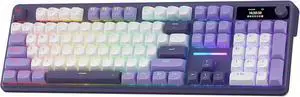
Redragon K762 Wireless Gasket Gaming Keyboard w/Hype Screen & Knob, 104 Keys Mechanical Keyboard, Easy-Control 1.14 TFT Info Display, 5-Layer Noise Dampening, Round PBT Keycaps, Mint Mambo Switch
- Layout: Full-size
- Model #: K762-R34WPP
- Item #: 9SIAWATKRV0004
- Return Policy: View Return Policy
$76.99
Free Shipping
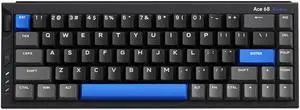
MCHOSE Ace68 Turbo 65% Aluminum Hall Effect Magnetic Switch Keyboard, 16K Polling, Wired - Cyber Black
- Brand: MCHOSE
- Name: Full-aluminum Esports Hall Effect Keyboard
- Part Number: MC-Ace68Turbo-5
- Keyboard Interface: USB Type-C
- Model #: MC-Ace68Turbo-5
- Item #: N82E16823942001
- Return Policy: 30-Day Return Policy
$128.99
Free Shipping
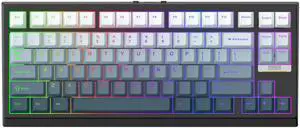
EPOMAKER G84 HE Wireless Hall Effect Keyboard, 8K Polling & 8000mAh, SOCD & DKS, Gaming Keyboard with Fast Trigger & Adjustable Actuation, RGB Backlit, PBT Keycap, Hot-Swap, for Win/Mac
- Brand: EPOMAKER
- Name: G84 HE
- Model: G84 HE
- Material: Plastic
- Model #: G84 HE
- Item #: 9SIAN1MKNU6015
- Return Policy: View Return Policy
$67.99
$84.99
Free Shipping
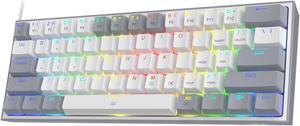
Redragon K617 Fizz 60% Wired RGB Gaming Keyboard, 61 Keys Compact Mechanical Keyboard w/White and Grey Color Keycaps, Linear Red Switch, Pro Driver/Software Supported
- Brand: Redragon
- Name: K617
- Keyboard Interface: USB-C Cable
- Layout: 60%
- Model #: K617 GY
- Item #: 9SIAWATFSP4793
- Return Policy: View Return Policy
$44.99
Free Shipping
So many backlighting options amazing.
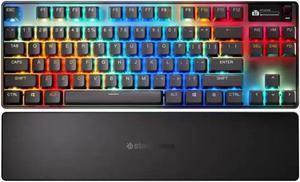
SteelSeries Apex Pro TKL Wireless Gen 3 OmniPoint 3.0 HyperMagnetic Switches, Adjustable Actuation, Rapid Trigger, Game-Ready Presets, Protection Mode, Rapid Tap/SOCD, Dual Wireless, OLED
- Brand: SteelSeries
- Part Number: 64871
- Keyboard Interface: USB + 2.4GHz + Bluetooth
- Design Style: Standard
- Model #: 64871
- Item #: N82E16823239063
- Return Policy: 30-Day Return Policy
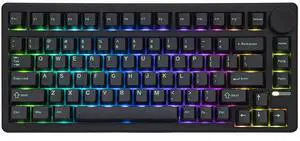
EPOMAKER QK81 75% Wireless Mechanical Gaming Keyboard, QMK/VIA Programmable and Hot-Swappable, 81 Keys with Metal Knob, 2.4Ghz/BT/USB, Creamy Gasket-Mount, RGB Backlight (Black, Wisteria Switch)
- Brand: EPOMAKER
- Name: QK81
- Material: Plastic
- Design Style: Classic
- Model #: QK81
- Item #: 9SIAN1MKNU5998
- Return Policy: View Return Policy
$59.99
$79.99
Free Shipping
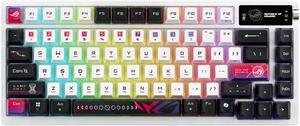
ROG Azoth X 75% custom gaming keyboard - hot-swappable ROG NX V2 Mechanical Switches, dye-sublimated semi-translucent keycaps, OLED display, three-way control knob
- Brand: ASUS
- Name: M704 Wireless Mechanical Gaming Keyboard
- Keyboard Interface: USB 2.0
- Design Style: Standard
- Model #: 90MP044F-BKAA30
- Item #: 9SIA22AKYW4220
- Return Policy: View Return Policy
$199.99
$269.99
-Color Oled Display -1600 Hours of battery life -Tons of customization -Godly Typing Feel -Aesthetic Design
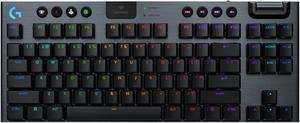
Logitech G915 X LIGHTSPEED TKL Wireless Mechanical Gaming Keryboard - GL Blue Clicky Switches, RGB Backlighting - Black
- Brand: Logitech
- Part Number: 920-012753
- Keyboard Interface: USB + LIGHTSPEED + Bluetooth
- Design Style: Low-Profile
- Model #: 920-012753
- Item #: 9SIBZW0KG90135
- Return Policy: View Return Policy
$199.47
$229.99
Free Shipping
high quality, great performance , feels good to type on.
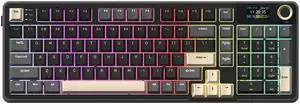
Rosewill Neon S96 Wireless Mechanical Gaming Keyboard, 98-Key Layout w/ Volume Knob, Bluetooth / 2.4GHz / USB-C, Hot-Swappable Red Switches, RGB Backlit, 3750mAh Battery, Windows & macOS, Black
- Brand: Rosewill
- Keyboard Interface: USB + 2.4GHz + Bluetooth
- Design Style: Gaming
- Layout: 96%
- Model #: NEON S96
- Item #: N82E16823201139
- Return Policy: 30-Day Return Policy
$79.99
Free Shipping
solidly built, key strokes feel so smooth and buttery, while still having the nice click.
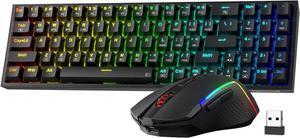
Redragon S136 Gaming Keyboard & Mouse Combo, 75% K628 Tri-Mode Wireless RGB Mechanical Keyboard and 7200 DPI Wireless Gaming Mouse Bundle, Convenient Shared Dongle
- Brand: Redragon
- Keyboard Interface: Bluetooth
- Design Style: Gaming
- Layout: 75%
- Model #: S136
- Item #: 9SIAWATKDC4130
- Return Policy: View Return Policy
$59.99
Free Shipping