

Your Browsing History
Lowest price in 30 days


LOWEST PRICE
In Water / Liquid Cooling
Shop Department
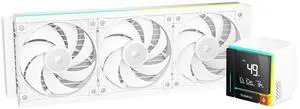
Sudokoo ENERGLO-360 White Liquid Cooler: 360mm AIO CPU Cooler with Data Display & PWM Pump - 3 x 120mm Water Cooling for Intel LGA 1851/1700/1200/115X & AMD AM5/AM4
- Brand: Sudokoo
- Part Number: ENERGLO 360 WH
- Block Compatibility - AMD: AM5/AM4
- Block Compatibility - Intel: LGA1851/1700/1200/1151/1150/1155
- Model #: ENERGLO 360 WH
- Item #: 2YM-00BJ-00009
- Return Policy: 30-Day Return Policy
$127.49
$149.99
Free Shipping
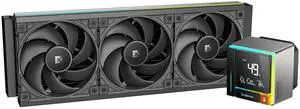
Sudokoo ENERGLO 360 Liquid Cooler: 360mm AIO CPU Cooler with Data Display & PWM Pump - 3 x 120mm Black Water Cooling for Intel LGA 1851/1700/1200/115X & AMD AM5/AM4
- Brand: Sudokoo
- Part Number: ENERGLO 360
- Block Compatibility: AMD Socket AM5
- Block Compatibility - AMD: AM5/AM4
- Model #: ENERGLO 360
- Item #: 2YM-00BJ-00008
- Return Policy: 30-Day Return Policy
$118.99
$139.99
Free Shipping
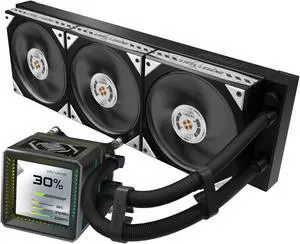
ASRock AIO Steel Legend Dark 360 LCD 27mm radiator, 3.4" LCD, VRM module, LCP fan w/ dual-ball bearing, black version
- Brand: ASRock
- Part Number: 90-ASLA36-BAAGA5
- Type: AIO
- Block Compatibility: AMD Socket AM4 / AMD Socket AM5 / Intel LGA 1700 / Intel LGA 1851
- Model #: Steel Legend Dark 360 LCD
- Item #: 9SIC70SKYB6336
- Return Policy: View Return Policy
$151.99
Free Shipping
1. Looks nice with a full Challenger line and not paying too much for plastic cheese on the GPU if you know what I mean. 2. my i5 13400f never goes over 60C usually 23C idal 57C super Max. 3. Quiet like it says or at least quiet enough for me 5 *'s on noise level.(im not super picky about noise levels).
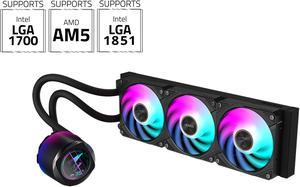
AORUS WATERFORCE X II 360 Liquid CPU Cooler, 360mm Radiator with 3x 120mm low noise ARGB Fans, compatible with Intel LGA1700 & 1851 and AMD AM5(GP-AORUS WATERFORCE X II 360)
- Brand: GIGABYTE
- Type: Liquid Cooling System
- Block Compatibility: AMD Socket AM4 / AMD Socket AM5 / AMD Socket sTR5 / Intel LGA 1150 / Intel LGA 1151 / Intel LGA 1155 / Intel LGA 1156 / Intel LGA 1200 / Intel LGA 1700
- Block Material: Copper
- Model #: AORUS WATERFORCE X II 360
- Item #: 9SIC70SKYB5938
- Return Policy: View Return Policy
$191.99
$199.99
Free Shipping
Wires are minimum. Fans are the best i ever seen. Quiet. Only uses a usb spot on the motherboard and one power cable vs the 6 or eight wires with the previous ones
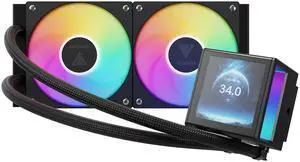
GAMDIAS CHIONE P5-240 Liquid CPU Cooler, 240mm AIO w/Customizable 3.4'' IPS LCD, Rotatable Magnetic Pump, Hidden Cable Fan (Daisy-Chained), Support PWM & ARGB MB Sync, Intel LGA 1851, AMD AM5, Black
- Brand: GAMDIAS
- Type: Liquid Cooling System
- Block Compatibility: AMD Socket AM2 / AMD Socket AM2+ / AMD Socket AM3 / AMD Socket AM3+ / AMD Socket AM4 / AMD Socket AM5 / AMD Socket FM1 / AMD Socket FM2 / AMD Socket FM2+ / Intel LGA 1150 / Intel LGA 1151 / Intel LGA 1155 / Intel LGA 1156 / Intel LGA 1200 / Intel LGA 1700 / Intel LGA 1851 / Intel LGA 2011 / Intel LGA 2011-v3 / Intel LGA 2066
- Pump Speed: 2700 RPM+/-10%
- Model #: GD-CHIONE P5-240
- Item #: N82E16835099037
- Return Policy: 30-Day Return Policy
$69.99
$89.99
Free Shipping
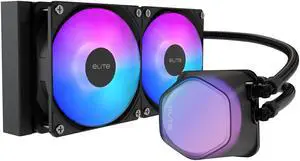
Cooler Master Elite Liquid 240 CPU AIO Cooler - 240mm Radiator, 2x ARGB PWM Fans, Dual-Chamber Pump Design, Ultra-Quiet High-Performance Cooling, AMD AM5/AM4 & Intel LGA 1851/1700, Black
- Brand: COOLER MASTER
- Type: AIO
- Block Compatibility: Intel LGA 1851/1700 / 1200 / 1151 / 1150 / 1155 / 1156 AMD® AM5 / AM4
- Pump Speed: 3200±10% RPM
- Model #: ELW-D24M-A21DA-R1
- Item #: 9SIA4P0KK43055
- Return Policy: View Return Policy
$57.49
rgb if you like that has a fan hub and rgb controller looks good with my cm h500m nice cooling over my h100i v2 in push/pull I can do 5ghz and stay mid 60's Celsius {delided} But I usually run 4.7 all core stock voltage for great temps
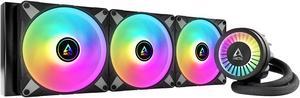
ARCTIC COOLING Liquid Freezer III - 420 A-RGB (Black): All-in-One CPU Water Cooler with 420mm radiator and 3x P14 PWM PST A-RGB fan, compatible Intel LGA1700, 1851 and AMD AM4, AM5 - Black color
- Type: Liquid Cooling System
- Radiator Size: 458 (L) x 138 (W) x 38 (H) mm
- Radiator Material: Aluminum
- Fan Size: 3 Fan Slots (140 mm)
- Model #: ACFRE00145A
- Item #: 9SIAD6HKHG6876
- Return Policy: View Return Policy
$243.00
$252.34
Free Shipping
This AIO has one of the thickest Radiators on the Market today for a 420 System and that's where you need the cooling the most!!!, I've look at a lot of other brands and none of them are as thick as ARCTIC's is, I have a i9-14900kf Processor, and that Thing Runs "HOT", But with this AIO i can keep the temps down
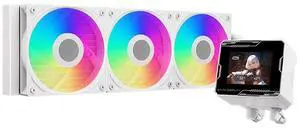
PCCOOLER CPS GT360M ARGB Display AIO CPU Liquid Cooler, 300W TDP, Customizable 2.8" IPS LCD Display, Ceramic Bearing Pump, High Performance Fans, for Intel LGA1851/1700/1200/115X & AMD AM5/AM4, White
- Brand: PCCOOLER
- Series: GT
- Model: GT360M ARGB Display BK
- Part Number: GT360M-BKAWXX-GL
- Model #: GT360M-WHAWXX-GL
- Item #: 9SIAHCTKKH8353
- Return Policy: View Return Policy
$76.49
$139.99
Free Shipping
Works as stated
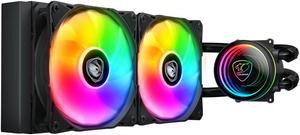
Cougar Poseidon Elite 240 ARGB Liquid Cooling with Rotatable Pump Head and 2x ARGB Fans
- Part Number: 3MPSD240.0001
- Type: Liquid Cooling System
- Block Material: Copper
- Pump Dim.: 82.9 x 73.3 x 50.7mm
- Model #: 3MPSD240.0001
- Item #: 9SIB5SCKHW5012
- Return Policy: View Return Policy
$54.99
$69.99
Free Shipping
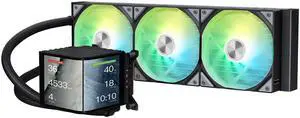
TRYX PANORAMA 360 ARGB 360mm AIO 6.67'' AMOLED Curved Screen 3D Anamorphic Effect Display Customizable AIO Cooler 360mm Asetek 8th Gen V2 320w TDP Magnetic ARGB Fan Intel LGA 1851/1700 AMD AM5/AM4
- Brand: TRYX
- Series: PANORAMA ARGB
- Part Number: L-P360A-AS3M-G1K
- Type: AIO
- Model #: L-P360A-AS3M-G1K
- Item #: 9SIBWC8KD89078
- Return Policy: View Return Policy
$305.99
$359.99
Free Shipping
Everything! Excellent cooling, easy installation, great screen, fun displays, accurate temp reporting
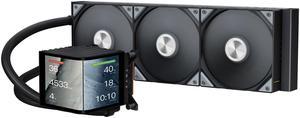
TRYX PANORAMA 360 360mm AIO 6.67'' AMOLED Curved Screen 3D Anamorphic Effect Customizable AIO Cooler 360mm Asetek 8th Gen V2 320w TDP Magnetic Performance Fan Intel LGA 1851/1700 AMD AM5/AM4
- Part Number: L-P360N-DS3M-G1K
- Type: Liquid Cooling System
- Block Compatibility - AMD: AM4/AM5
- Block Compatibility - Intel: Intel LGA 1851/1700/1200/1151/1150/1155
- Model #: L-P360N-DS3M-G1K
- Item #: 9SIBWC8KD89792
- Return Policy: View Return Policy
$297.49
$349.99
Free Shipping
- Looks are top notch. this is probably the most flashy AIO you can get. - Actually pretty good cooling performance. Keeps my PBO'd 9950X3D at 38-42C idle, which is pretty good considering how hot that cpu gets - TRYX is more community-focused than other brands, including running their own discord which is a useful resource for support and display presets
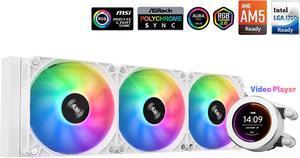
SAMA SM360 Gaming Water Liquid Cooler White 360mm AIO PC CPU Cooler with LCD Display Moitor Screen, 3 ARGB PWM Silent Fans
- Brand: SAMA
- Type: Liquid Cooling System
- Block Compatibility: Intel: LGA 775,115X,1366,1200,1700AMD:AM5,AM4.AM3,AM2,FM1.FM2, FM3
- Block Compatibility - AMD: AM5.AM4,AM3,AM2,FM1 FM2.FM3
- Model #: SM360LD White
- Item #: 9SIB41TJUX3961
- Return Policy: View Return Policy
$84.99
$101.98
Free Shipping
The aio has run well so far. Playing Star Wars Battlefront 2 my cpu would run at 86 C* on the AMD cpu cooler, which was a little high for my comfort. I installed the AIO which was fairly easy to do. Be careful when trying to remove the old cpu fan as to not rip out the cpu socket. The water cooler needs to be attached to a usb 2.0 and the AIO cooler on the motherboard. Then the wires for the fan I ended up daisy chaining with my other cpu fans and they worked at first boot up. I needed to buy a fan hub (aigoo) previously so just plugged the AIO fan into the hub and had the hub connected to cpu fan on the motherboard. Since running the AIO cooler Star Wars Battlefront 2 now the cpu runs at 66 C which is almost a 20 C drop which I was pleasantly suprised. The software isnt great but I was able to customize the display which I found super awesome. My PC theme is Dragon Ball Super Goku SSJ Blue. I was able to download a clip of Goku Powering up and was able to get the video on the water cooler display. I have been very happy with this cooler so far but it has only been 1 day. The AIO cooler does come with thermal paste as well so no need to buy new thermal paste.
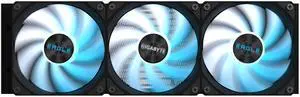
GIGABYTE EAGLE 360 - AIO Liquid CPU Cooler - 360mm Radiator, 3x 120mm High-Volume PWM Fans, Compatible with Intel LGA 1851/1700/115X/1200, AMD AM5/AM4 - Black (GP-GIGABYTE EAGLE 360)
- Model #: GP-GIGABYTE EAGLE 360
- Item #: N82E16835128053
- Return Policy: 30-Day Return Policy
$79.99
$96.99
$3.99 Shipping
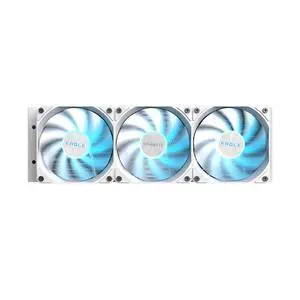
GIGABYTE EAGLE 360 ICE - AIO Liquid CPU Cooler - 360mm Radiator, 3x 120mm High-Volume PWM Fans, Compatible with Intel LGA 1851/1700/115X/1200, AMD AM5/AM4 - White (GP-GIGABYTE EAGLE 360I)
- Model #: GP-GIGABYTE EAGLE 360I
- Item #: N82E16835128054
- Return Policy: 30-Day Return Policy
$79.99
$3.99 Shipping
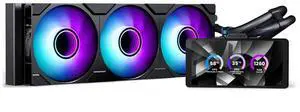
Phanteks Glacier One 360M25-LCD AIO Liquid CPU Cooler, 6" IPS LCD HD Display, 120mm M25 Gen2 D-RGB Fans, High-Performance Copper Cold Plate, Intel & AMD Compatible, Black
- Model #: PH-GO360M25G2LCD_DBK01
- Item #: 9SIC70SKYB5454
- Return Policy: View Return Policy
OUT OF STOCK
Sold Price: $121.99
Free Shipping
The LCD display looks great not a secondary monitor but a independent screen