

Your Browsing History
BEST SELLERS


BEST SELLERS
In Intel Motherboards
Our most popular products, based on sales and updated frequently.Shop Department
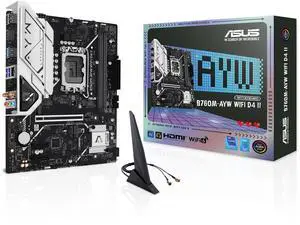
ASUS B760M-AYW WIFI D4 II Intel B760 (LGA 1700) microATX mATX motherboard, PCIe 5.0 x16 Support, two M.2 slots, DDR4, Realtek 2.5Gb Ethernet, Wi-Fi 6, HDMI, SATA 6 Gbps, front USB 5Gbps, Aura Sync
- Memory Standard: DDR4 2133 / DDR4 2400 / DDR4 2666 / DDR4 2667 / DDR4 2933 / DDR4 3200 / DDR4 3333 / DDR4 3400 / DDR4 3466 / DDR4 3600 / DDR4 3733 / DDR4 4000 / DDR4 4266 / DDR4 4400 / DDR4 4600 / DDR4 4800 / DDR4 5000 / DDR4 5066 / DDR4 5333
- Number of Memory Slots: 2x288pin (DDR4)
- Brand: ASUS
- CPU Socket Type: LGA 1700
- Model #: B760M-AYW WIFI D4 II
- Item #: N82E16813119744
- Return Policy: 30-Day Return Policy
$99.99
$119.99
Free Shipping
good quality, easy to setup
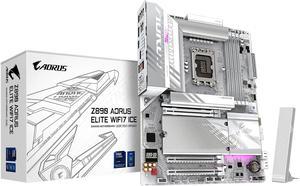
GIGABYTE Z890 AORUS ELITE WIFI7 ICE Ultra Core (Series 2) LGA 1851, ATX, DDR5, 4x M.2, PCIe 5.0, Thunderbolt 4, WIFI7, 2.5GbE LAN, EZ-Latch
- Memory Standard: DDR5 5600 / DDR5 5800 / DDR5 6000 / DDR5 6200 / DDR5 6400 / DDR5 6600 / DDR5 6800 / DDR5 7000 / DDR5 7200 / DDR5 7400 / DDR5 7600 / DDR5 7800 / DDR5 7900 / DDR5 7950 / DDR5 8000 / DDR5 8200 / DDR5 8266 / DDR5 8400 / DDR5 8600 / DDR5 8800 / DDR5 8933 / DDR5 9066 / DDR5 9200
- Number of Memory Slots: 4x288pin (DDR5)
- Brand: GIGABYTE
- CPU Socket Type: LGA 1851
- Model #: Z890 AORUS ELITE WIFI7 ICE
- Item #: N82E16813145526
- Return Policy: 30-Day Return Policy
$259.99
$289.99
Free Shipping
Everything works great as intended
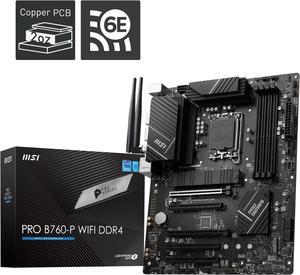
MSI PRO B760-P WIFI DDR4 LGA 1700 (l12th&13th Gen), SATA 6Gb/s motherboard, WiFi 6,Intel 2.5Gb LAN,2xM.2 Slots
- Memory Standard: Memory Support 5333(OC)/ 5200(OC)/ 5066(OC)/ 5000(OC)/ 4800(OC)/ 4600(OC)/ 4400(OC)/ 4266(OC)/ 4200(OC)/ 4000(OC)/ 3800(OC)/ 3733(OC)/ 3600(OC)/ 3466(OC)/ 3400(OC)/ 3333(OC)/ 3200(JEDEC)/ 2933(JEDEC)/ 2666(JEDEC)/ 2400(JEDEC)/ 2133(JEDEC)
- Number of Memory Slots: 4x288pin (DDR4)
- Brand: MSI
- CPU Socket Type: LGA 1700
- Model #: PRO B760-P WIFI DDR4
- Item #: N82E16813144587
- Return Policy: 30-Day Return Policy
$139.99
$159.99
Free Shipping
No issues with 14600kf and 4000MT ddr4
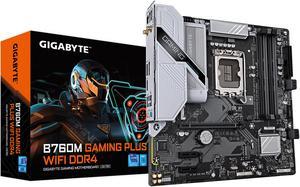
GIGABYTE B760M GAMING PLUS WIFI DDR4 LGA 1700 Intel B760 M-ATX Motherboard with DDR4, 2* M.2, PCIe 4.0, Front USB 3.2 Gen 1 Type-C, WiFi 6 GbE LAN, Q-Flash Plus, PCIe EZ-Latch
- Memory Standard: DDR4 3200
- Number of Memory Slots: 4x288pin (DDR4)
- Brand: GIGABYTE
- CPU Socket Type: LGA 1700
- Model #: B760M GAMING PLUS WIFI DDR4
- Item #: N82E16813145505
- Return Policy: 30-Day Return Policy
$149.99
Est. Shipping Fee $0.99
Eligible for Free Shipping
Plenty of features. Easy to use software. What more could you want in a motherboard?
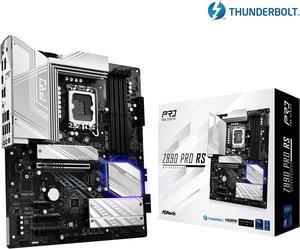
ASRock Z890 Pro RS LGA 1851 ATX Motherboard
- Memory Standard: DDR5 4400 / DDR5 4800 / DDR5 5000 / DDR5 5200 / DDR5 5400 / DDR5 5600 / DDR5 5800 / DDR5 6000 / DDR5 6200 / DDR5 6400 / DDR5 6600 / DDR5 6800 / DDR5 7000 / DDR5 7200 / DDR5 7400 / DDR5 7600 / DDR5 7800 / DDR5 7900 / DDR5 7950 / DDR5 8000 / DDR5 8200 / DDR5 8266 / DDR5 8400 / DDR5 8600 / DDR5 8666 / DDR5 8800 / DDR5 8933 / DDR5 9000 / DDR5 9066
- Number of Memory Slots: 4x288pin (DDR5)
- Audio Chipset: Realtek ALC897
- Brand: ASRock
- Model #: Z890 Pro RS
- Item #: N82E16813162176
- Return Policy: 30-Day Return Policy
$169.99
$219.99
Free Shipping
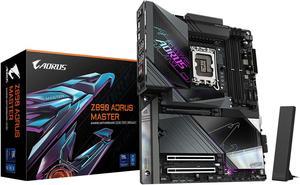
GIGABYTE Z890 AORUS MASTER Ultra Core (Series 2) LGA 1851, ATX, DDR5, 5x M.2, PCIe 5.0, Thunderbolt 4, WIFI7, 10GbE LAN, EZ-Latch
- Memory Standard: DDR5 5600 / DDR5 5800 / DDR5 6000 / DDR5 6200 / DDR5 6400 / DDR5 6600 / DDR5 6800 / DDR5 7000 / DDR5 7200 / DDR5 7400 / DDR5 7600 / DDR5 7800 / DDR5 7900 / DDR5 7950 / DDR5 8000 / DDR5 8200 / DDR5 8266 / DDR5 8400 / DDR5 8600 / DDR5 8800 / DDR5 8933 / DDR5 9066 / DDR5 9200 / DDR5 9466 / DDR5 9500
- Number of Memory Slots: 4x288pin (DDR5)
- Brand: GIGABYTE
- CPU Socket Type: LGA 1851
- Model #: Z890 AORUS MASTER
- Item #: 9SIC7A6KZ52775
- Return Policy: View Return Policy
$314.99
$349.97
Free Shipping
Always been of fan of gigabyte brands , 20 years no problems
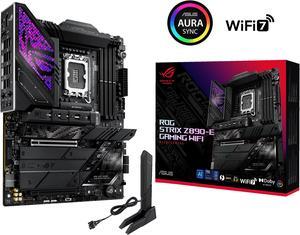
ASUS ROG STRIX Z890-E GAMING WIFI Intel® Z890 LGA 1851 ATX motherboard, Advanced AI PC-ready, 18+2+1+2 stages, DDR5, WiFi 7, 7x M.2, Thunderbolt™ 4, USB Type-C®, AI Overclocking, Cooling & Networking
- Memory Standard: DDR5 4400 / DDR5 4800 / DDR5 5000 / DDR5 5200 / DDR5 5400 / DDR5 5600 / DDR5 5800 / DDR5 6000 / DDR5 6200 / DDR5 6400 / DDR5 6600 / DDR5 6800 / DDR5 7000 / DDR5 7200 / DDR5 7400 / DDR5 7600 / DDR5 7800 / DDR5 7900 / DDR5 7950 / DDR5 8000 / DDR5 8200 / DDR5 8266 / DDR5 8400 / DDR5 8600 / DDR5 8666 / DDR5 8800
- Number of Memory Slots: 4x288pin (DDR5)
- Brand: ASUS
- CPU Socket Type: LGA 1851
- Model #: ROG STRIX Z890-E GAMING WIFI
- Item #: N82E16813119692
- Return Policy: 30-Day Return Policy
$385.99
$389.99
Free Shipping
- Visual appealing - Ample USB and M2 ports - Excellent build quality
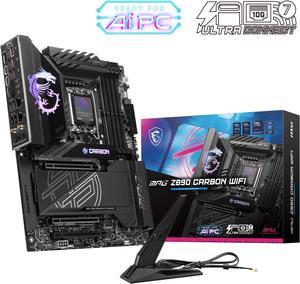
MSI MPG Z890 CARBON WIFI Motherboard, ATX - Supports Intel Core Ultra Processors (Series 2), LGA 1851 - 110A SPS VRM, DDR5 Memory Boost 9200+ MT/s (OC), PCIe 5.0 x16 & 4.0 x16, M.2 Gen5, Wi-Fi 7, 5G L
- Memory Standard: DDR5 4800 / DDR5 5000 / DDR5 5200 / DDR5 5400 / DDR5 5600 / DDR5 5800 / DDR5 6000 / DDR5 6200 / DDR5 6400 / DDR5 6600 / DDR5 6800 / DDR5 7000 / DDR5 7200 / DDR5 7400 / DDR5 7600 / DDR5 7800 / DDR5 7900 / DDR5 7950 / DDR5 8000 / DDR5 8200 / DDR5 8266 / DDR5 8400 / DDR5 8600 / DDR5 8800 / DDR5 8933 / DDR5 9000 / DDR5 9066 / DDR5 9200
- Number of Memory Slots: 4x288pin (DDR5)
- Audio Chipset: Realtek ALC1220
- Brand: MSI
- Model #: MPG Z890 CARBON WIFI
- Item #: N82E16813144674
- Return Policy: 30-Day Return Policy
$361.99
Free Shipping
The new build had an issue with the Windows 11 installation. I called MSI, and they resolved the issue within a few minutes, walking me through updating the firmware, and I was up and running. Great product, glad I purchased it.
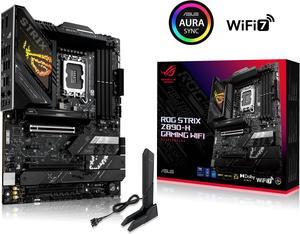
ASUS ROG STRIX Z890-H GAMING WIFI Z890 LGA 1851 ATX motherboard, Intel Core Ultra Series 2 Ready, Advanced AI PC-ready, 16+2+1+2 stages, DDR5, 5Gb LAN, WiFi 7, 4x M.2, PCIe 5.0, USB Type-C, AI OC
- Memory Standard: 4 x DIMM slots, max. 192GB, DDR5 Support up to 8800+MT/s (OC), Non-ECC, Un-buffered, Clocked Unbuffered DIMM (CUDIMM)* Dual channel memory architecture Supports Intel® Extreme Memory Profile (XMP) memory module Supports DIMM Flex NitroPath DRAM Technology DIMM FIT ASUS Enhanced Memory Profile III (AEMP III) * Supported memory types, data rate (speed), and number of DRAM modules vary depending on the CPU and memory configuration, for more information please refer to CPU/Memory Support list under the Support tab of product information site or visit https://www.asus.com/support/ download-center/. * Non-ECC, un-buffered DDR5 memory supports On-Die ECC function.
- Number of Memory Slots: 4x288pin (DDR5)
- Brand: ASUS
- CPU Socket Type: LGA 1851
- Model #: ROG STRIX Z890-H GAMING WIFI
- Item #: N82E16813119728
- Return Policy: 30-Day Return Policy
$249.99
$299.99
Free Shipping
Lots of I/O! Thoughtful placement of headers. Little features like a power button on the MB and a clear CMOS on the rear I/O. Originally this board did NOT support my Corsair Vengeance @XMP 6400 MT/s (CMH32GX5M2N6400C36) however it now supports my RAM at XMP since latest BIOS update!
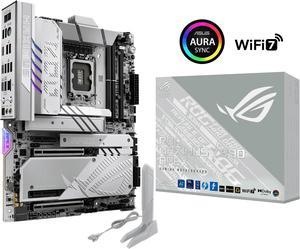
ASUS ROG MAXIMUS Z890 APEX Intel® Z890 LGA 1851 ATX motherboard, Advanced AI PC-ready, 22+2+1+2 stages, DDR5, WiFi 7, 5G LAN, 3x PCIe® 5.0 M.2, Thunderbolt™ 4, USB Type-C®, AI OC, Cooling & Networking
- Memory Standard: DDR5 4400 / DDR5 4800 / DDR5 5000 / DDR5 5200 / DDR5 5400 / DDR5 5600 / DDR5 5800 / DDR5 6000 / DDR5 6200 / DDR5 6400 / DDR5 6600 / DDR5 6800 / DDR5 7000 / DDR5 7200 / DDR5 7400 / DDR5 7600 / DDR5 7800 / DDR5 7900 / DDR5 7950 / DDR5 8000 / DDR5 8200 / DDR5 8266 / DDR5 8400 / DDR5 8600 / DDR5 8666 / DDR5 8800 / DDR5 8933 / DDR5 9000 / DDR5 9066 / DDR5 9200 / DDR5 9466 / DDR5 9500 / DDR5 9600
- Number of Memory Slots: 2x288pin (DDR5)
- Brand: ASUS
- CPU Socket Type: LGA 1851
- Model #: ROG MAXIMUS Z890 APEX
- Item #: 9SIC7A6KZ52479
- Return Policy: View Return Policy
$517.49
$599.99
Free Shipping
similar to the z790, which I currently have. Great look and amazing options.
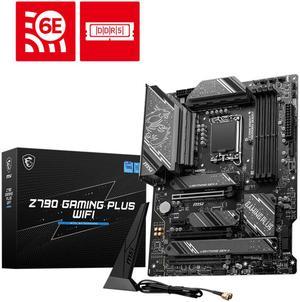
MSI Z790 GAMING PLUS WIFI LGA 1700 Intel Z790 SATA 6Gb/s ATX DDR5 PCI-E x16 slot Wi-Fi 6E 2.5Gbps LAN 4x M.2 EZ Debug LED Motherboard
- Memory Standard: DDR5 7200+(OC)/ 7000(OC)/ 6800(OC)/ 6600(OC)/ 6400(OC)/ 6200(OC)/ 6000(OC)/ 5800(OC)/ 5600(JEDEC)/ 5400(JEDEC)/ 5200(JEDEC)/ 5000(JEDEC)/ 4800(JEDEC)
- Number of Memory Slots: 4x288pin (DDR5)
- Audio Chipset: Realtek ALC897
- Brand: MSI
- Model #: Z790 GAMING PLUS WIFI
- Item #: N82E16813144637
- Return Policy: 30-Day Return Policy
$129.99
$180.49
Free Shipping
solid heatsinks good rear IO panel, a lot of connectivities nice design
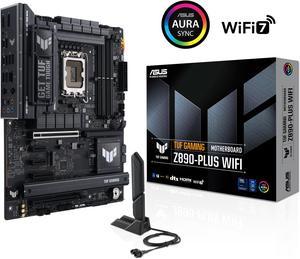
ASUS TUF GAMING Z890-PLUS WIFI Z890 LGA 1851 ATX motherboard, Intel® Core™ Ultra Series 2 Ready, Advanced AI PC-ready, 16+1+2+1 stages, DDR5, PCIe® 5.0, Thunderbolt™ 4 Type-C®, 4x M.2, Wi-Fi 7, 2.5Gb
- Memory Standard: DDR5 4400 / DDR5 4800 / DDR5 5000 / DDR5 5200 / DDR5 5400 / DDR5 5600 / DDR5 5800 / DDR5 6000 / DDR5 6200 / DDR5 6400 / DDR5 6600 / DDR5 6800 / DDR5 7000 / DDR5 7200 / DDR5 7400 / DDR5 7600 / DDR5 7800 / DDR5 7900 / DDR5 7950 / DDR5 8000 / DDR5 8200 / DDR5 8266 / DDR5 8400 / DDR5 8600 / DDR5 8666 / DDR5 8800 / DDR5 8933 / DDR5 9000 / DDR5 9066
- Number of Memory Slots: 4x288pin (DDR5)
- Brand: ASUS
- CPU Socket Type: LGA 1851
- Model #: TUF GAMING Z890-PLUS WIFI
- Item #: 9SIAK14KZP7148
- Return Policy: View Return Policy
$249.99
Free Shipping
New feature to flash BIOS with no memory was a life saver.
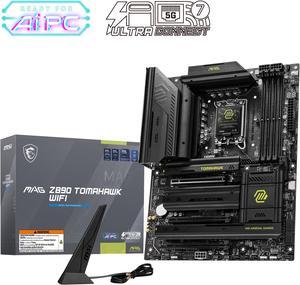
MAG Z890 TOMAHAWK WIFI Motherboard, ATX - Supports Intel Core Ultra Processors (Series 2), LGA 1851 - DDR5 Memory Boost 4 x DDR5 (9200+ MT/s OC), 1 x PCIe 5.0 x16, 1 x M.2 Gen5, Wi-Fi 7, 5G LAN
- Memory Standard: DDR5 4800 / DDR5 5000 / DDR5 5200 / DDR5 5400 / DDR5 5600 / DDR5 5800 / DDR5 6000 / DDR5 6200 / DDR5 6400 / DDR5 6600 / DDR5 6800 / DDR5 7000 / DDR5 7200 / DDR5 7400 / DDR5 7600 / DDR5 7800 / DDR5 7900 / DDR5 7950 / DDR5 8000 / DDR5 8200 / DDR5 8266 / DDR5 8400 / DDR5 8600 / DDR5 8666 / DDR5 8800 / DDR5 8933 / DDR5 9000 / DDR5 9066 / DDR5 9200
- Number of Memory Slots: 4x288pin (DDR5)
- Audio Chipset: Realtek ALC1220
- Brand: MSI
- Model #: MAG Z890 TOMAHAWK WIFI
- Item #: N82E16813144669
- Return Policy: 30-Day Return Policy
$229.99
$243.99
Free Shipping
Finally got the instructions on-line and figured out it takes more power connections than I was used to. When I finally got all those hooked up, it powered up nicely. All the slots for M.2 SSDs is nice, I will be able to expand storage easily when I need it.
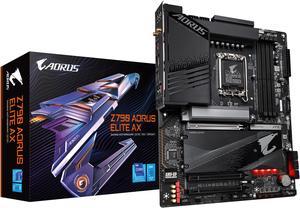
GIGABYTE Z790 AORUS ELITE AX LGA 1700 Intel Z790 ATX Motherboard with DDR5, Quad M.2, PCIe 5.0, USB 3.2 Gen2X2 Type-C, Intel WiFi 6E, 2.5GbE LAN, Q-Flash Plus, PCIe EZ-Latch
- Memory Standard: Support for DDR5 7600(O.C.) /7400(O.C.) /7200(O.C.) /7000(O.C.) /6800(O.C.) /6600(O.C.) / 6400(O.C.) / 6200(O.C.) / 6000(O.C.) / 5800(O.C.) / 5600(O.C.) / 5400(O.C.) / 5200(O.C.) / 4800 / 4000 memory modules Dual channel memory architecture Support for ECC Un-buffered DIMM 1Rx8/2Rx8 memory modules (operate in non-ECC mode) Support for non-ECC Un-buffered DIMM 1Rx8/2Rx8/1Rx16 memory modules Support for Extreme Memory Profile (XMP) memory modules
- Number of Memory Slots: 4x288pin (DDR5)
- Audio Chipset: Realtek Audio CODEC High Definition Audio
- Brand: GIGABYTE
- Model #: Z790 AORUS ELITE AX
- Item #: N82E16813145417
- Return Policy: 30-Day Return Policy
$179.99
$239.99
Free Shipping
I've recently built two Raptor Lake systems, the first with an ASUS motherboard and the second with this mother board. I like the layout of this board better, the DIMM sockets are also better. The board has been solid, I've been running the system for a couple of months. I used the following components, Intel Core i9-13900K - Core i9 128G CORSAIR Vengeance 64GB (2 x 32GB) 288-Pin PC RAM DDR5 5600 (PC5 44800) Desktop Memory Model CMK64GX5M2B5600C40
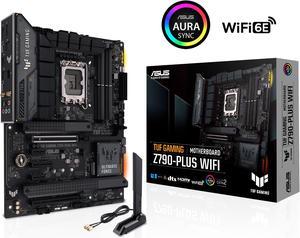
ASUS TUF Gaming Z790-Plus WiFi LGA 1700(Intel14th & 13th & 12th Gen) ATX gaming motherboard(PCIe 5.0, DDR5,4xM.2 Slots,16+1 DrMOS,WiFi 6,Intel 2.5Gb LAN,front USB 3.2 Gen 2 Type-C,Thunderbolt 4(USB4)
- Memory Standard: DDR5 7200(OC)/7000(OC)/6800(OC)/6600(OC)/ 6400(OC)/ 6200(OC)/ 6000(OC)/ 5800(OC)/ 5600/ 5400/ 5200/ 5000/ 4800 Non-ECC, Un-buffered Memory* Dual Channel Memory Architecture Supports Intel® Extreme Memory Profile (XMP) OptiMem II * Supported memory types, data rate (speed), and number of DRAM modules vary depending on the CPU and memory configuration, for more information please refer to CPU/Memory Support under the Support tab or visit https://www.asus.com/support/ * Non-ECC, un-buffered DDR5 memory supports On-Die ECC function.
- Number of Memory Slots: 4x288pin (DDR5)
- Brand: ASUS
- CPU Socket Type: LGA 1700
- Model #: TUF GAMING Z790-PLUS WIFI 6E
- Item #: 9SIC7A6KZ69285
- Return Policy: View Return Policy
$217.79
Free Shipping
Excellent bord so far, now that it works.
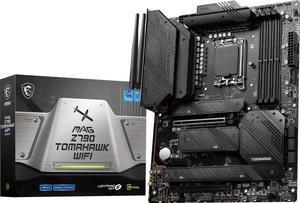
MSI MAG Z790 TOMAHAWK WIFI LGA 1700 Intel Z790 SATA 6Gb/s DDR5 ATX Motherboard
- Memory Standard: Supports 1R 5600 MHz (by JEDEC & POR) - 1DPC 1R Max speed up to 6800+ MHz - 1DPC 2R Max speed up to 6400+ MHz - 2DPC 1R Max speed up to 6400+ MHz - 2DPC 2R Max speed up to 5600+ MHz Supports Intel XMP3.0 OC Supports Dual-Controller Dual-Channel mode Supports non-ECC, un-buffered memory
- Number of Memory Slots: 4x288pin (DDR5)
- Audio Chipset: Realtek ALC4080
- Brand: MSI
- Model #: MAG Z790 TOMAHAWK WIFI
- Item #: 9SIC7A6KZ54966
- Return Policy: View Return Policy
$201.59
$223.99
Free Shipping
price black multiple m2 slots
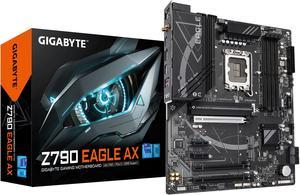
GIGABYTE Z790 EAGLE AX LGA 1700 Intel Z790 ATX Motherboard with DDR5, M.2, PCIe 5.0, USB 3.2 Gen2X2 Type-C, Intel Wi-Fi 6E, 2.5GbE LAN, Q-Flash Plus, EZ-Latch
- Memory Standard: DDR5 5600
- Number of Memory Slots: 4x288pin (DDR5)
- Brand: GIGABYTE
- CPU Socket Type: LGA 1700
- Model #: Z790 EAGLE AX
- Item #: N82E16813145495
- Return Policy: 30-Day Return Policy
$179.99
$209.99
$4.99 Shipping
- great layout, easy installation - robust BIOS settings - fast performance I got it as a "combo" deal but the processor in that combo was NOT supported by this motherboard. It was a Newegg's mistake, nothing against the MB or CPU. Once I replaced the processor to a supported model I had no issues. It works very fast, with CPU i7-14700K it makes a great gaming platform!
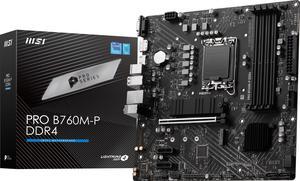
MSI PRO B760M-P DDR4 LGA 1700 Intel B760 SATA 6Gb/s Micro ATX Motherboard
- Memory Standard: DDR4 3200
- Number of Memory Slots: 4x288pin (DDR4)
- PCI Express x16: 1 x PCI Express x16
- Audio Chipset: Realtek ALC897
- Model #: PRO B760M-P DDR4
- Item #: 9SIC70SKZV5104
- Return Policy: View Return Policy
$109.99
Free Shipping
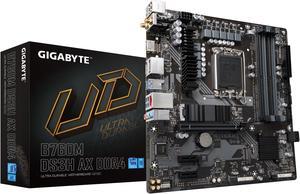
GIGABYTE B760M DS3H AX DDR4 LGA 1700 Intel B760 M-ATX Motherboard with DDR4, Dual M.2, PCIe 4.0, USB 3.2 Gen 2 Type-C, WiFi 6E, 2.5GbE LAN, Q-Flash Plus, PCIe EZ-Latch
- Memory Standard: Support for DDR4 5333(O.C.)/ 5133(O.C.)/ 5000(O.C.)/ 4933(O.C.)/ 4800(O.C.)/ 4700(O.C.)/ 4600(O.C.)/ 4500(O.C.)/ 4400(O.C.)/ 4300(O.C.)/ 4266(O.C.)/ 4133(O.C.)/ 4000(O.C.)/ 3866(O.C.)/ 3800(O.C.)/ 3733(O.C.)/ 3666(O.C.)/ 3600(O.C.)/ 3466(O.C.)/ 3400(O.C.)/ 3333(O.C.)/ 3300(O.C.)/ 3200/ 3000/ 2933/ 2666/ 2400/ 2133 MT/s memory modules
- Number of Memory Slots: 4x288pin (DDR4)
- Brand: GIGABYTE
- CPU Socket Type: LGA 1700
- Model #: B760M DS3H AX DDR4
- Item #: N82E16813145425
- Return Policy: 30-Day Return Policy
$129.99
$139.99
$3.99 Shipping
Easy to set up. Looks great in a white case even though its kinda silver. Flashing the bios was easy.
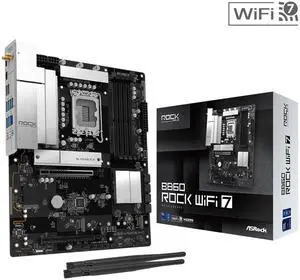
ASRock B860 Rock WiFi 7 LGA 1851 ATX Motherboard
- Memory Standard: Supports up to 8666+(OC)
- Number of Memory Slots: 4x288pin (DDR5)
- Brand: ASRock
- CPU Socket Type: LGA 1851
- Model #: B860 Rock WiFi 7
- Item #: N82E16813162246
- Return Policy: 30-Day Return Policy
OUT OF STOCK