
Your Browsing History
BEST SELLERS


BEST SELLERS
In Motherboard
Our most popular products, based on sales and updated frequently.Shop Department
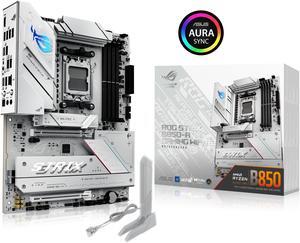
ASUS ROG STRIX B850-A GAMING WIFI R2 AMD AM5 B850 ATX motherboard with 14+2+1 power stages, DDR5 support with AEMP, WiFi 7, 4x M.2, PCIe 5.0 x16, USB 20Gbps Type-C, ASUS AI Advisor, AI Networking II
- Brand: ASUS
- CPU Socket Type: AM5
- Chipset: AMD B850
- Serial ATA (SATA): 2 x SATA 6Gb/s
- Model #: ROG STRIX B850-A GAMING WIFI R2
- Item #: N82E16813119743
- Return Policy: 30-Day Return Policy
$189.99
$209.99
Free Shipping
Purchased this motherboard while I was waiting for a RMA on another motherboard brand and it works without any issues.
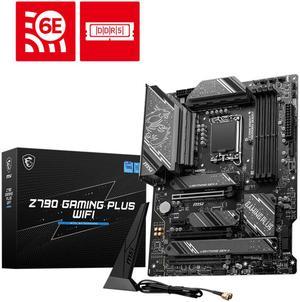
MSI Z790 GAMING PLUS WIFI LGA 1700 Intel Z790 SATA 6Gb/s ATX DDR5 PCI-E x16 slot Wi-Fi 6E 2.5Gbps LAN 4x M.2 EZ Debug LED Motherboard
- Memory Standard: DDR5 7200+(OC)/ 7000(OC)/ 6800(OC)/ 6600(OC)/ 6400(OC)/ 6200(OC)/ 6000(OC)/ 5800(OC)/ 5600(JEDEC)/ 5400(JEDEC)/ 5200(JEDEC)/ 5000(JEDEC)/ 4800(JEDEC)
- Number of Memory Slots: 4x288pin (DDR5)
- Audio Chipset: Realtek ALC897
- Brand: MSI
- Model #: Z790 GAMING PLUS WIFI
- Item #: N82E16813144637
- Return Policy: 30-Day Return Policy
$129.99
$180.49
Free Shipping
solid heatsinks good rear IO panel, a lot of connectivities nice design
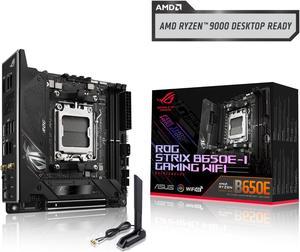
ASUS ROG Strix B650E-I Gaming WiFi AMD B650 AM5 Ryzen™ Desktop 9000 8000 & 7000 mini-ITX mITX motherboard, 10+2 power stages, DDR5, 2x M.2 slot, PCIe® 5.0, 2.5G LAN, WiFi 6E, USB 3.2 Gen 2x2 Type-C
- Brand: ASUS
- CPU Socket Type: AM5
- Chipset: AMD B650E
- Serial ATA (SATA): 2 x SATA 6Gb/s
- Model #: ROG STRIX B650E-I GAMING WIFI
- Item #: N82E16813119612
- Return Policy: 30-Day Return Policy
$179.99
$299.99
Free Shipping
Great aesthetic 2 thermal pads on both side of SSD m.2 head sink Good cpu fans, pump and opt position
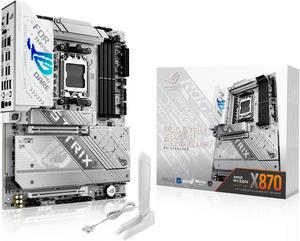
ASUS ROG STRIX X870-A GAMING WIFI AMD AM5 X870 ATX motherboard 16+2+2 power stages, Dynamic OC Switcher, Core Flex, DDR5 AEMP, WiFi 7, 4x M.2, PCIe 5.0, Q-Release Slim, USB4, AI OCing & Networking
- Brand: ASUS
- CPU Socket Type: AM5
- Chipset: AMD X870
- Serial ATA (SATA): 2 x SATA 6Gb/s
- Model #: ROG STRIX X870-A GAMING WIFI
- Item #: N82E16813119684
- Return Policy: 30-Day Return Policy
$249.99
$299.99
Free Shipping
-Excellent VRMs for price -Aesthetically pleasing w/ plenty of ARGB headers -Robust IO -Easy to build in -Intuitive AI OC features
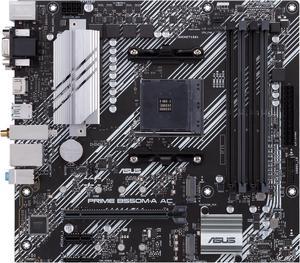
ASUS PRIME B550M-A AC AMD AM4 mATX motherboard with impressive features, including PCIe 4.0, dual M.2 slots, WiFi, HDMI, D-Sub, DVI, SATA 6 Gbps, USB 3.2 Gen 2 ports, and Aura Sync RGB lighting
- Brand: ASUS
- CPU Socket Type: AM4
- Chipset: AMD B550
- Serial ATA (SATA): 4 x SATA 6Gb/s
- Model #: PRIME B550M-A AC
- Item #: N82E16813119492
- Return Policy: 30-Day Return Policy
$99.99
$109.99
Free Shipping
- Stable with no crashes in 6 weeks of use - it has enough features with 4 ram slots, rgb headers, bluethooth and wifi built in to make it feel better than the cheapest options - Great price - XMP/DOCP worked on second attempt with G. Skill RGB 3600 Mhz Ram
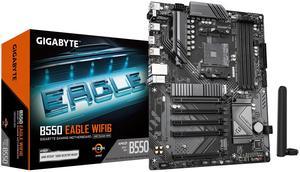
GIGABYTE B550 EAGLE WIFI6 Motherboard, Supports AMD AM4 Ryzen 5000 Processors, ATX, DDR4, 2x M.2, PCIe 4.0, WIFI6, 1GbE LAN, EZ-Latch
- Brand: GIGABYTE
- Model: B550 EAGLE WIFI6
- CPU Socket Type: AM4
- Chipset: AMD B550
- Model #: B550 Eagle WIFI6
- Item #: N82E16813145567
- Return Policy: 30-Day Return Policy
$99.99
$133.99
$3.99 Shipping
Great product and price. Delivered on time and in excellent condition.
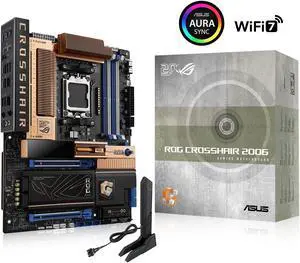
ASUS ROG Crosshair 2006 X870E AM5 ATX motherboard, DDR5, DIMM Fit, WiFi 7, 10Gb LAN, 5x M.2, 2x USB4, 2" OLED Display, AIO Q-Connector
- Brand: ASUS
- CPU Socket Type: AM5
- Chipset: AMD X870E
- Serial ATA (SATA): 2 x SATA 6Gb/s
- Model #: ROG Crosshair 2006 AM5 ATX
- Item #: N82E16813119783
- Return Policy: 30-Day Return Policy
$799.99
Free Shipping
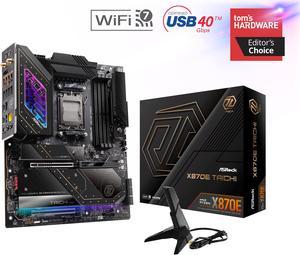
ASRock X870E TAICHI AM5 Extended ATX Motherboard
- Brand: ASRock
- CPU Socket Type: AM5
- Chipset: AMD X870E
- Serial ATA (SATA): 6 x SATA 6Gb/s
- Model #: X870E Taichi
- Item #: 9SIC70ZKXN9989
- Return Policy: View Return Policy
$570.70
Free Shipping
This review for ASRock review rebate program. - 6 SATA3 - RGB - ESS SABRE9219 DAC - M.2 heatsinks
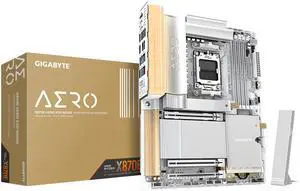
GIGABYTE X870E AERO X3D WOOD AMD AM5 LGA 1718 Motherboard, ATX, Supports AMD Ryzen 9000/8000/7000 Series Processors, DDR5, 16+2+2 Total Power Phase, 4x M.2, PCIe 5.0, USB4 Type-C, WIFI7, Dual 5 GbE LA
- Brand: GIGABYTE
- CPU Socket Type: AM5
- Chipset: AMD X870E
- Serial ATA (SATA): 4 x SATA 6Gb/s
- Model #: X870E AERO X3D WOOD
- Item #: N82E16813145604
- Return Policy: 30-Day Return Policy
$479.99
Free Shipping
-WOOD -Premium built quality -Metal backplate -Not real wood
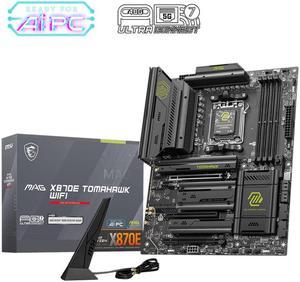
MSI MAG X870E TOMAHAWK WIFI Motherboard, ATX - Supports AMD Ryzen 9000 / 8000 / 7000 Processors, AM5 - 80A SPS VRM, DDR5 Memory Boost 8400+ MT/s (OC), PCIe 5.0 x16, M.2 Gen5, Wi-Fi 7, 5G LAN
- Brand: MSI
- CPU Socket Type: AM5
- Chipset: AMD X870E
- Serial ATA (SATA): 4 x SATA 6Gb/s
- Model #: MAG X870E TOMAHAWK WIFI
- Item #: N82E16813144699
- Return Policy: 30-Day Return Policy
$249.99
$329.99
Free Shipping
The board is great. Just don't use the m2_2 slot as it's sharing resources with the USB controller. But it's a great board. Love the m.2 heatsinks!
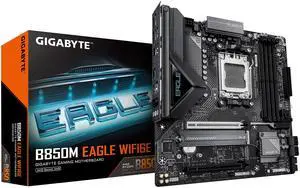
GIGABYTE B850M EAGLE WIFI6E AMD AM5 Motherboard, M-ATX, DDR5, 2x M.2, PCIe 5.0, USB-C, USB 3.2 Gen 2, WIFI6E, 2.5GbE LAN, EZ-Latch, Wi-Fi EZ-Plug
- Brand: GIGABYTE
- CPU Socket Type: AM5
- Chipset: AMD B850
- Serial ATA (SATA): 4 x SATA 6Gb/s
- Model #: B850M EAGLE WIFI6E
- Item #: N82E16813145584
- Return Policy: 30-Day Return Policy
$159.99
$169.99
$1.99 Shipping
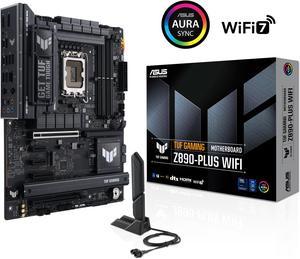
ASUS TUF GAMING Z890-PLUS WIFI Z890 LGA 1851 ATX motherboard, Intel® Core™ Ultra Series 2 Ready, Advanced AI PC-ready, 16+1+2+1 stages, DDR5, PCIe® 5.0, Thunderbolt™ 4 Type-C®, 4x M.2, Wi-Fi 7, 2.5Gb
- Memory Standard: DDR5 4400 / DDR5 4800 / DDR5 5000 / DDR5 5200 / DDR5 5400 / DDR5 5600 / DDR5 5800 / DDR5 6000 / DDR5 6200 / DDR5 6400 / DDR5 6600 / DDR5 6800 / DDR5 7000 / DDR5 7200 / DDR5 7400 / DDR5 7600 / DDR5 7800 / DDR5 7900 / DDR5 7950 / DDR5 8000 / DDR5 8200 / DDR5 8266 / DDR5 8400 / DDR5 8600 / DDR5 8666 / DDR5 8800 / DDR5 8933 / DDR5 9000 / DDR5 9066
- Number of Memory Slots: 4x288pin (DDR5)
- Brand: ASUS
- CPU Socket Type: LGA 1851
- Model #: TUF GAMING Z890-PLUS WIFI
- Item #: 9SIAK14KZP7148
- Return Policy: View Return Policy
$249.99
Free Shipping
Strong power delivery, PCIe 5.0 support, Wi-Fi 7, 2.5Gb LAN, plenty of USB including Thunderbolt 4, and good cooling design.
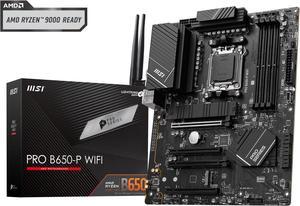
MSI PRO B650-P WIFI AM5 AMD B650 SATA 6Gb/s DDR5 Ryzen 7000 ATX Motherboard
- Brand: MSI
- CPU Socket Type: AM5
- Chipset: AMD B650
- Serial ATA (SATA): 6x SATA 6Gb/s ports - SATA_1~2 (From B650 chipset) - SATA_A1~A4 (From ASM1064)
- Model #: PRO B650-P WIFI
- Item #: N82E16813144560
- Return Policy: 30-Day Return Policy
$168.99
$199.99
Free Shipping
-AM5 -good mix of lower and upper tier specs. -
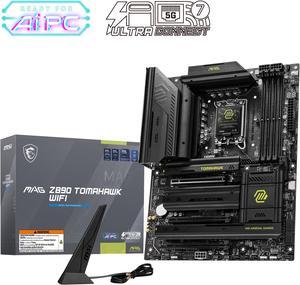
MAG Z890 TOMAHAWK WIFI Motherboard, ATX - Supports Intel Core Ultra Processors (Series 2), LGA 1851 - DDR5 Memory Boost 4 x DDR5 (9200+ MT/s OC), 1 x PCIe 5.0 x16, 1 x M.2 Gen5, Wi-Fi 7, 5G LAN
- Memory Standard: DDR5 4800 / DDR5 5000 / DDR5 5200 / DDR5 5400 / DDR5 5600 / DDR5 5800 / DDR5 6000 / DDR5 6200 / DDR5 6400 / DDR5 6600 / DDR5 6800 / DDR5 7000 / DDR5 7200 / DDR5 7400 / DDR5 7600 / DDR5 7800 / DDR5 7900 / DDR5 7950 / DDR5 8000 / DDR5 8200 / DDR5 8266 / DDR5 8400 / DDR5 8600 / DDR5 8666 / DDR5 8800 / DDR5 8933 / DDR5 9000 / DDR5 9066 / DDR5 9200
- Number of Memory Slots: 4x288pin (DDR5)
- Audio Chipset: Realtek ALC1220
- Brand: MSI
- Model #: MAG Z890 TOMAHAWK WIFI
- Item #: N82E16813144669
- Return Policy: 30-Day Return Policy
$229.99
$243.99
Free Shipping
Love this build.......works well with my other components. I7 unlocked, 64 gb gddr5 ram and Geforce RTX 5080. Ties this beast together like it was meant to be. So happy with the results of this effort.
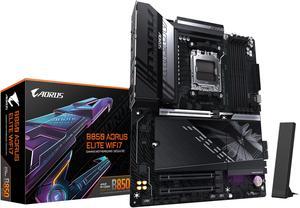
GIGABYTE B850 AORUS ELITE WIFI7 AMD AM5 LGA 1718 Motherboard, ATX, DDR5, 3x M.2, PCIe 5.0, USB-C, WIFI7, 2.5GbE LAN, EZ-Latch 5-Year Warranty
- Brand: GIGABYTE
- CPU Socket Type: AM5
- Chipset: AMD B850
- Form Factor: ATX
- Model #: B850 AORUS ELITE WF7
- Item #: N82E16813145545
- Return Policy: 30-Day Return Policy
$169.99
$254.99
Free Shipping
PCie lanes don't share with the m.2 lanes Looks nice Does everything I need *Personal Pro* minimal RGB
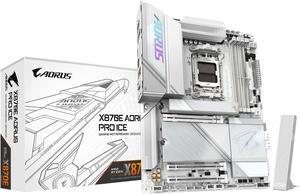
GIGABYTE X870E AORUS PRO ICE AM5 LGA 1718, ATX, DDR5, 4x M.2, PCIe 5.0, USB4, Wi-Fi 7, 2.5GbE LAN, EZ-Latch, 5-Year Warranty
- Brand: GIGABYTE
- CPU Socket Type: AM5
- Chipset: AMD X870E
- Serial ATA (SATA): 4 x SATA 6Gb/s
- Model #: X870E AORUS PRO ICE
- Item #: N82E16813145515
- Return Policy: 30-Day Return Policy
$299.99
$394.99
Free Shipping
I have a white build, and have used another board from a different manufacturer. However, when I saw this board, even though I didn't need it --- I sure wanted it. It must say something that I was willing to pay for this motherboard when I currently have an AM5 motherboard that works just fine. The X870E features and the white throughout make this one of the top tier boards without that $600+ price tag. The push button PCI-E x16 eject makes moving things in and out extremely easy. Don't even get me started on the white/silver of this board. (I may have mentioned this already.) It's GORGEOUS. The memory QVL list is actually really robust. Way more options that the other motherboard I had for this white build.
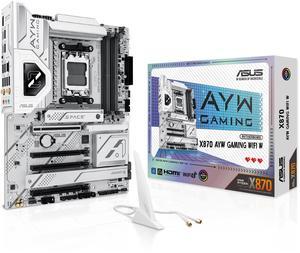
ASUS X870 AYW GAMING WIFI W AMD X870 AM5 ATX motherboard, 12+2+1 80A DrMOS power stages, DDR5, PCIe 5.0 Ready, PCIe 5.0 x16, 3x M.2, Wi-Fi 6, 2.5Gb LAN, HDMI, USB4, USB 20Gbps Type-C, Aura Sync
- Brand: ASUS
- CPU Socket Type: AM5
- Chipset: AMD X870
- Serial ATA (SATA): 4 x SATA 6Gb/s
- Model #: X870 AYW GAMING WIFI W
- Item #: N82E16813119737
- Return Policy: 30-Day Return Policy
$229.99
Free Shipping
very little RGB Great features Easy to use
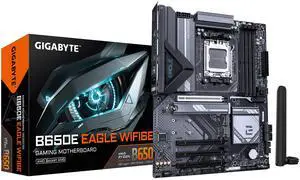
GIGABYTE B650E EAGLE WIFI6E AMD AM5 LGA 1718 E-ATX Motherboard, Supports AMD Ryzen 9000/8000/7000 Series Processors, DDR5, 8+2+2 Total Power Phase, 3x M.2, PCIe 5.0, USB 3.2 Gen 1 Type-C, Wi-Fi 6E, 2.
- Brand: GIGABYTE
- CPU Socket Type: AM5
- Chipset: AMD B650E
- Serial ATA (SATA): 4 x SATA 6Gb/s
- Model #: B650E EAGLE WF6E
- Item #: N82E16813145599
- Return Policy: 30-Day Return Policy
$159.99
$2.99 Shipping
It's price point and performance are a perfect match, ONE OF the best Modern Day Motherboard Choices.
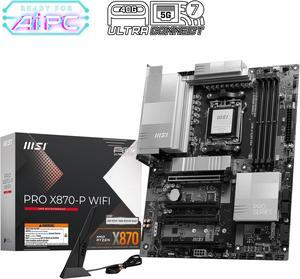
MSI PRO X870-P WIFI Motherboard, ATX - Supports AMD Ryzen 9000 / 8000 / 7000 Processors, AM5 - 60A SPS VRM, DDR5 Memory Boost 8200+MT/s (OC), PCIe 5.0 x16 & 4.0 x16, M.2 Gen5, Wi-Fi 7, 5G LAN
- Brand: MSI
- CPU Socket Type: AM5
- Chipset: AMD X870
- Serial ATA (SATA): 4 x SATA 6Gb/s
- Model #: PRO X870-P WIFI
- Item #: N82E16813144668
- Return Policy: 30-Day Return Policy
$169.99
Free Shipping
-Package came in well protected. - As a new pc builder, I was nervous about using an older motherboard needing to update for near AM5 chips. With this motherboard, it was ready to go. - The motherboard included features I was looking forward to such as PCIE 5 support, an included heatsink and WIFI 7. - Since these features was included, I feel like I am future proofed when PCIE 5 and WIFI 7 become more common.
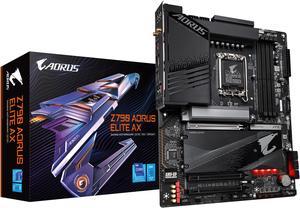
GIGABYTE Z790 AORUS ELITE AX LGA 1700 Intel Z790 ATX Motherboard with DDR5, Quad M.2, PCIe 5.0, USB 3.2 Gen2X2 Type-C, Intel WiFi 6E, 2.5GbE LAN, Q-Flash Plus, PCIe EZ-Latch
- Memory Standard: Support for DDR5 7600(O.C.) /7400(O.C.) /7200(O.C.) /7000(O.C.) /6800(O.C.) /6600(O.C.) / 6400(O.C.) / 6200(O.C.) / 6000(O.C.) / 5800(O.C.) / 5600(O.C.) / 5400(O.C.) / 5200(O.C.) / 4800 / 4000 memory modules Dual channel memory architecture Support for ECC Un-buffered DIMM 1Rx8/2Rx8 memory modules (operate in non-ECC mode) Support for non-ECC Un-buffered DIMM 1Rx8/2Rx8/1Rx16 memory modules Support for Extreme Memory Profile (XMP) memory modules
- Number of Memory Slots: 4x288pin (DDR5)
- Audio Chipset: Realtek Audio CODEC High Definition Audio
- Brand: GIGABYTE
- Model #: Z790 AORUS ELITE AX
- Item #: N82E16813145417
- Return Policy: 30-Day Return Policy
$179.99
$239.99
Free Shipping
Specs on the product match the description. Very satisfied because of the fast delivery and qualify of the product. This is perfect for a new gaming computer that I just built. Would definitely buy again.