
Your Browsing History
BEST SELLERS


BEST SELLERS
In AMD Motherboards
Our most popular products, based on sales and updated frequently.Shop Department
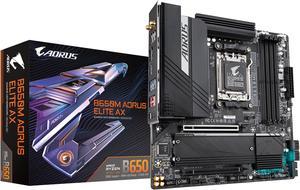
GIGABYTE B650M AORUS ELITE AX AM5 LGA 1718 AMD B650 M-ATX Motherboard with 5-Year Warranty, DDR5, 2 M.2, PCIe 5.0, USB 3.2 Gen2X2 Type-C, Intel 2.5GbE LAN, Q-Flash Plus, EZ-Latch
- Brand: GIGABYTE
- CPU Socket Type: AM5
- Chipset: AMD B650
- Serial ATA (SATA): 4 x SATA 6Gb/s
- Model #: B650M AORUS ELITE AX
- Item #: N82E16813145413
- Return Policy: 30-Day Return Policy
$139.99
$219.99
Free Shipping
Great board, very solid construction. Feature set is surprisingly full for this price. PCIE 5 on Nvme m.2 for future upgrade (when they're available) USB-C 3.2 Gen2X2 header (truly blazing speeds!) Multi-Switch is a nice bonus, great for tweaking BIOS at initial set-up Q-Flash (rear I/O) will come in handy for flashing BIOS.
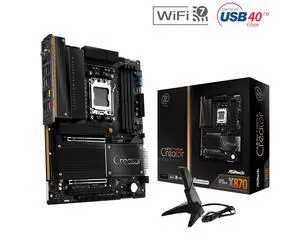
ASRock X870 TAICHI CREATOR AM5 ATX Motherboard
- Brand: ASRock
- CPU Socket Type: AM5
- Chipset: AMD X870
- Serial ATA (SATA): 4 x SATA 6Gb/s
- Model #: X870 TAICHI CREATOR
- Item #: N82E16813162237
- Return Policy: 30-Day Return Policy
$319.99
Free Shipping
Works with and USES ECC memory, as confirmed in Ubuntu 24.04 (Kingston KSM48E40BD8KI-32HA). I didn't have to fiddle with the bios at all - either to get full performance in Passmark versus existing baselines, or to get ECC memory to be recognized and to work in Linux. This was great, as I "upgraded" early from my (not old) Gigabyte B760M with the borked 13900K.
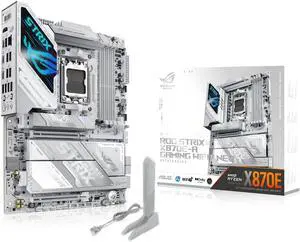
ASUS ROG STRIX X870E-A GAMING WIFI7 NEO, AMD ATX motherboard, 16+2+2 power stages, DDR5 slots, four M.2 slots, PCIe 5.0 with full support for next-gen GPUs, WiFi 7, Dual USB4
- Brand: ASUS
- CPU Socket Type: AM5
- Chipset: AMD X870E
- Serial ATA (SATA): 4 x SATA 6Gb/s
- Model #: ROG STRIX X870E-A GAMING WIFI7 NEO
- Item #: N82E16813119776
- Return Policy: 30-Day Return Policy
$469.99
Free Shipping
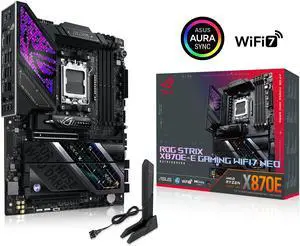
ASUS ROG STRIX X870E-E GAMING WIFI7 NEO, AMD ATX motherboard, 18+2+2 power stages, DDR5 slots, five M.2 slots, PCIe 5.0 with full support for next-gen GPUs, WiFi 7, Dual USB4
- Brand: ASUS
- CPU Socket Type: AM5
- Chipset: AMD X870E
- Serial ATA (SATA): 4 x SATA 6Gb/s
- Model #: ROG STRIX X870E-E GAMING WIFI7 NEO
- Item #: N82E16813119777
- Return Policy: 30-Day Return Policy
$599.99
Free Shipping
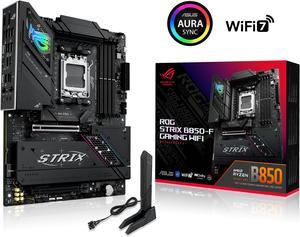
ASUS ROG STRIX B850-F GAMING WIFI AMD AM5 B850-F ATX motherboard 16+2+2 power stages, AI PC, DDR5 AEMP, WiFi 7, 4x M.2, PCIe 5.0, total support of 19 USB, 20Gbps Type-C, AI Networking II, Aura Sync
- Brand: ASUS
- CPU Socket Type: AM5
- Chipset: AMD B850
- Serial ATA (SATA): 2 x SATA 6Gb/s
- Model #: ROG STRIX B850-F GAMING WIFI
- Item #: N82E16813119702
- Return Policy: 30-Day Return Policy
$285.99
Free Shipping
- Easy to install components. - Fit like a glove in the Corsair Frame 4000 case.
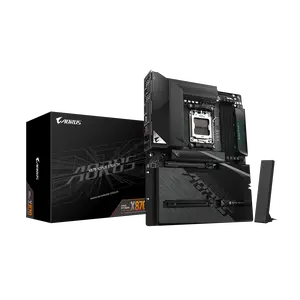
GIGABYTE X870 AORUS STEALTH AMD AM5 ATX Motherboard, Supports AMD Ryzen 9000/8000/7000 Series, DDR5, 16+2+2 Power Phase, 4x M.2, PCIe 5.0, USB4, WIFI7, 5 GbE, PCIe EZ-Latch Plus, 5-Year Warranty
- Brand: GIGABYTE
- CPU Socket Type: AM5
- Chipset: AMD X870
- Serial ATA (SATA): 2 x SATA 6Gb/s
- Model #: X870 AORUS STEALTH
- Item #: N82E16813145606
- Return Policy: 30-Day Return Policy
$299.99
Free Shipping
Hidden back connectors, black brushed aluminum, minimal ambient light
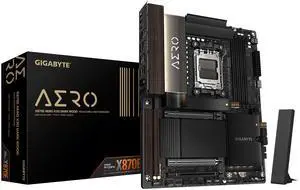
GIGABYTE X870E AERO X3D DARK WOOD AMD AM5 ATX Motherboard, Support Ryzen 9000/8000/7000 Series, DDR5, 16+2+2 Power Phase, 4x M.2, PCIe 5.0, USB4, WIFI7, Dual 5GbE, EZ-Latch, 5-Year Warranty
- Model #: X870E AERO X DK WOOD
- Item #: N82E16813145619
- Return Policy: 30-Day Return Policy
$499.99
Free Shipping
Beautiful looking, didn't even turn on x3d and when testing with 9850x3d cpu had excellent results.
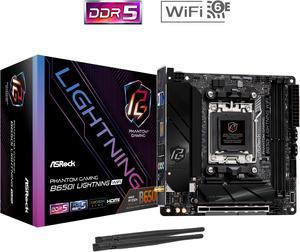
ASRock B650I LIGHTNING WIFI AM5 Ryzen 7000 AMD B650 SATA 6Gb/s Mini-ITX s DDR5 7200+ (OC) 2.5G LAN x WiFi 6E + Bluetooth Motherboards - AMD
- Brand: ASRock
- CPU Socket Type: AM5
- Chipset: AMD B650
- Serial ATA (SATA): CPU: - 1 x Blazing M.2 Socket (M2_1, Key M), supports type 2280 PCIe Gen5x4 (128 Gb/s) mode* Chipset: - 1 x Hyper M.2 Socket (M2_2, Key M), supports type 2280 PCIe Gen4x4 (64 Gb/s) mode* - 2 x SATA3 6.0 Gb/s Connectors * Supports NVMe SSD as boot disks
- Model #: B650I LIGHTNING WIFI
- Item #: N82E16813162151
- Return Policy: 30-Day Return Policy
$169.99
$199.99
Free Shipping
Cheaper than the competition Blacked out aesthetic Worked perfectly out of the box No RGB

ASUS ROG STRIX X870-I GAMING WIFI AMD AM5 X870 Mini ITX mITX motherboard 10+2+1 power stages, Dynamic OC Switcher, Core Flex, DDR5 AEMP, WiFi 7, 2x M.2, PCIe® 5.0, Q-Release Slim, USB4®, AI OCing & Ne
- Brand: ASUS
- CPU Socket Type: AM5
- Chipset: AMD X870
- Serial ATA (SATA): 2 x SATA 6Gb/s
- Model #: ROG STRIX X870-I GAMING WIFI
- Item #: N82E16813119685
- Return Policy: 30-Day Return Policy
$415.99
$440.99
Free Shipping
Honestly, I purchased this product due to its small form factor and numerous features. Its a bit overkill for what I need but its great. I was worried the HIVE may not have been a good idea but its a niche novelty. The light features during boot allows for quicker troubleshooting(assuming you can remember what each color means without looking it up each time LOL) and ports allow quick input for external usb-based storage and peripherals.
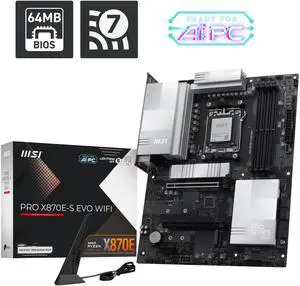
MSI PRO X870E-S EVO WIFI ATX AM5 Motherboard, USB 4.0, 4x SATA 6Gb/s, AMD Wi-Fi 7, USB 4.0
- Model #: PRO X870E-S EVO WIFI
- Item #: N82E16813144750
- Return Policy: 30-Day Return Policy
$159.99
$219.99
Free Shipping
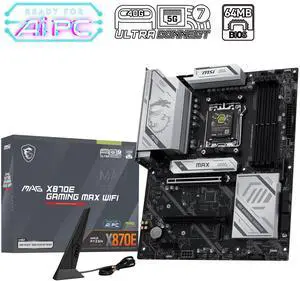
MSI MAG X870E GAMING MAX WIFI Motherboard, ATX - Supports AMD Ryzen 9000 / 8000 / 7000 Processors, AM5 - DDR5 Memory Boost (up to 8200+ MT/s OC), PCIe 5.0 x16, M.2 Gen5, Wi-Fi 7, 5G LAN
- Brand: MSI
- CPU Socket Type: AM5
- Chipset: AMD X870E
- Number of Memory Slots: 4x288pin (DDR5)
- Model #: MAG X870E GAMING MAX WIFI
- Item #: N82E16813144743
- Return Policy: 30-Day Return Policy
$257.99
$259.99
Free Shipping
First time building a pc the motherboard made it super easy to install everything and it looks great. The GPU quick release button is such a fantastic feature.
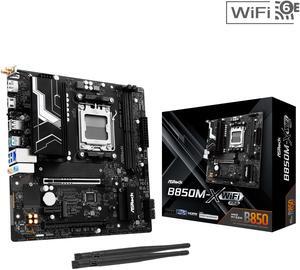
ASRock B850M-X WiFi R2.0 AM5 AMD B850 SATA 6Gb/s USB 3.2 Dual Graphics Outputs RGB Micro ATX Motherboards-AMD
- Brand: ASRock
- CPU Socket Type: AM5
- Chipset: AMD B850
- Serial ATA (SATA): 4 x SATA 6Gb/s
- Model #: B850M-X WiFi R2.0
- Item #: N82E16813162225
- Return Policy: 30-Day Return Policy
$109.99
$129.99
Free Shipping
- Good wifi reception even if you don't plug in the antennas - BIOS UI is pleasant to use and offers good control over fan curves - Good linux compatibility - Relatively cheap for having the latest-gen tech
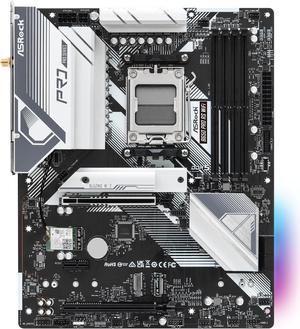
ASRock B650 Pro RS WiFi AM5 ATX Motherboard
- Brand: ASRock
- CPU Socket Type: AM5
- Chipset: AMD B650
- Serial ATA (SATA): 4 x SATA 6Gb/s
- Model #: B650 Pro RS WiFi
- Item #: N82E16813162185
- Return Policy: 30-Day Return Policy
$139.99
$159.99
Free Shipping
Pre installed IO Shield M.2 Heatsink
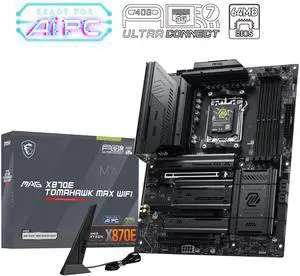
MSI MAG X870E TOMAHAWK MAX WIFI AM5 Motherboard
- Brand: MSI
- CPU Socket Type: AM5
- Chipset: AMD X870E
- Number of Memory Slots: 4x288pin (DDR5)
- Model #: MAG X870E TOMAHAWK MAX WIFI
- Item #: N82E16813144742
- Return Policy: 15-Day Return Policy
$329.99
Free Shipping
The motherboard is just amazingit has plenty of slots for SSDs, the design is incredible, its just beautiful, and the expansion card allows for quick SSD replacement
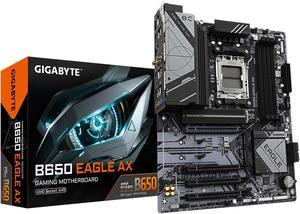
GIGABYTE B650 EAGLE AX AM5 LGA 1718 AMD B650 ATX , DDR5 Triple M.2, PCIe 5.0, USB 3.2 Gen2x2 Type-C, AMD Wi-Fi 6E, Realtek GbE LAN
- Brand: GIGABYTE
- CPU Socket Type: AM5
- Chipset: AMD B650
- Serial ATA (SATA): 4 x SATA 6Gb/s
- Model #: B650 EAGLE AX
- Item #: N82E16813145491
- Return Policy: 30-Day Return Policy
$129.99
$179.99
Free Shipping
Affordable PCIE gen 5 support has two m.2 pcie lanes straight to the CPU Very good VRMs USB galore Looks pretty good like the easy gpu release button and tool less M.2 access
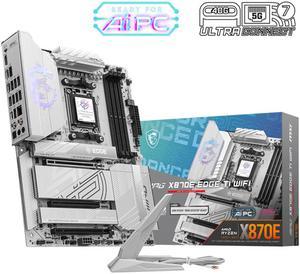
MSI MPG X870E EDGE TI WIFI White Motherboard, ATX - Supports AMD Ryzen 9000 / 8000 / 7000 Processors, AM5 - 80A SPS VRM, DDR5 Memory Boost 8400+MT/s (OC), PCIe 5.0 x16, M.2 Gen5, Wi-Fi 7, 5G LAN
- Brand: MSI
- CPU Socket Type: AM5
- Chipset: AMD X870E
- Serial ATA (SATA): 4 x SATA 6Gb/s
- Model #: MPG X870E EDGE TI WIFI
- Item #: 9SIC6F8KYW9505
- Return Policy: View Return Policy
$397.78
$9.99 Shipping
Not many white X870E MB out there - This is perfect with multiple nmve m2 lanes
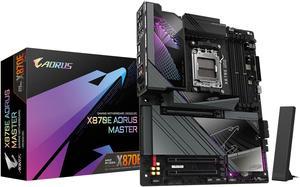
GIGABYTE X870E AORUS MASTER AM5 LGA 1718, ATX, DDR5, 4x M.2, PCIe 5.0, USB4, Wi-Fi 7, 5GbE LAN, EZ-Latch, 5-Year Warranty
- Brand: GIGABYTE
- CPU Socket Type: AM5
- Chipset: AMD X870E
- Serial ATA (SATA): 4 x SATA 6Gb/s
- Model #: X870E AORUS MASTER
- Item #: 9SIAD7HKKN4464
- Return Policy: View Return Policy
$591.99
Free Shipping
I recently wanted to replace my B650E and decided to go x870E, It is an access motherboard the Bios is simple and has straight forward information on what each segment does currently running with a 7800x3d and 5600mhz of Ram impressed with the stability.
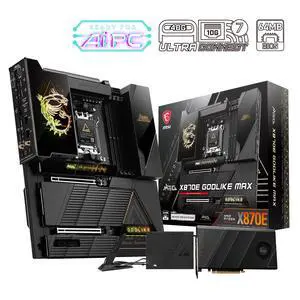
MSI MEG X870E GODLIKE MAX, E-ATX - Supports AMD Ryzen 9000/8000/7000 Processors, AM5 - Dynamic Dashboard III, EZ Slide M.2, 64MB BIOS ROM, 110A SPS, M.2 & PCIe 5.0, USB4, Wi-Fi 7, 10G + 5G LAN
- Brand: MSI
- CPU Socket Type: AM5
- Chipset: AMD X870E
- Number of Memory Slots: 4x288pin (DDR5)
- Model #: MEG X870E GODLIKE MAX
- Item #: N82E16813144745
- Return Policy: 30-Day Return Policy
$1,299.99
Free Shipping
I/O is exceptional VRMs don't break a sweat DIY features are intuitive and a joy to work with It is a beautiful center piece for a build.
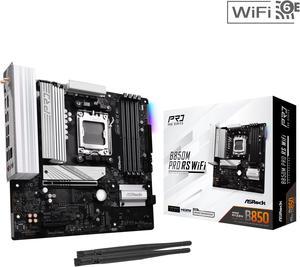
ASRock B850M PRO RS WIFI AM5 Micro ATX Motherboard
- Brand: ASRock
- CPU Socket Type: AM5
- Chipset: AMD B850
- Serial ATA (SATA): 4 x SATA 6Gb/s
- Model #: B850M Pro RS WiFi
- Item #: N82E16813162196
- Return Policy: 30-Day Return Policy
$139.99
$159.99
Free Shipping
A good quality budget mATX board, which for some reason is rare with AMD/AM5. Has a PCIE 5.0 slot for the GPU, powers my 9800X3D as expected, and had no issues setting up expo on my team CL30/6000 RAM.
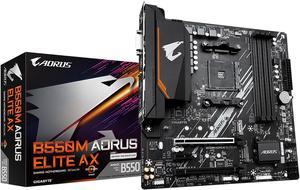
GIGABYTE B550M AORUS ELITE AX (rev 1.3) AM4 AMD B550 Micro-ATX Motherboard with Single M.2, SATA 6Gb/s, USB 3.2 Gen 1, Realtek GbE LAN, PCIe 4.0
- Brand: GIGABYTE
- Model: B550M AORUS ELITE AX
- CPU Socket Type: AM4
- Chipset: AMD B550
- Model #: B550M AORUS ELITE AX
- Item #: N82E16813145454
- Return Policy: 30-Day Return Policy
$104.49
$149.99
Free Shipping
- Built in Wifi/BT - Built in I/O Shield - Sufficient rear I/O - Premium looking heatsink shroud - Preinstalled M.2 screws is super convenient - Shipped with latest BIOS version - Two M.2 slots + 4 SATA ports for storage