

Your Browsing History
BEST SELLERS


BEST SELLERS
In AMD Motherboards
Our most popular products, based on sales and updated frequently.Shop Department
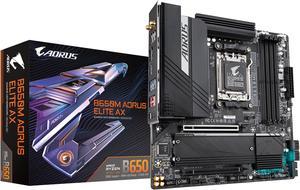
GIGABYTE B650M AORUS ELITE AX AM5 LGA 1718 AMD B650 M-ATX Motherboard with 5-Year Warranty, DDR5, 2 M.2, PCIe 5.0, USB 3.2 Gen2X2 Type-C, Intel 2.5GbE LAN, Q-Flash Plus, EZ-Latch
- Brand: GIGABYTE
- CPU Socket Type: AM5
- Chipset: AMD B650
- Serial ATA (SATA): 4 x SATA 6Gb/s
- Model #: B650M AORUS ELITE AX
- Item #: N82E16813145413
- Return Policy: 30-Day Return Policy
$139.99
$219.99
Free Shipping
Optical Audio Output 8-Layer PCB Price Simple But Nice Appearance
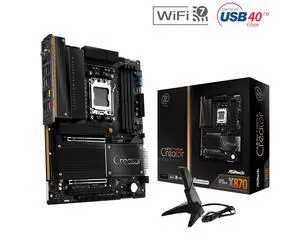
ASRock X870 TAICHI CREATOR AM5 ATX Motherboard
- Brand: ASRock
- CPU Socket Type: AM5
- Chipset: AMD X870
- Serial ATA (SATA): 4 x SATA 6Gb/s
- Model #: X870 TAICHI CREATOR
- Item #: N82E16813162237
- Return Policy: 30-Day Return Policy
$319.99
Free Shipping
Works with and USES ECC memory, as confirmed in Ubuntu 24.04 (Kingston KSM48E40BD8KI-32HA). I didn't have to fiddle with the bios at all - either to get full performance in Passmark versus existing baselines, or to get ECC memory to be recognized and to work in Linux. This was great, as I "upgraded" early from my (not old) Gigabyte B760M with the borked 13900K.
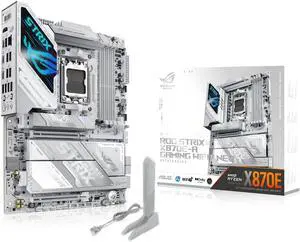
ASUS ROG STRIX X870E-A GAMING WIFI7 NEO, AMD ATX motherboard, 16+2+2 power stages, DDR5 slots, four M.2 slots, PCIe 5.0 with full support for next-gen GPUs, WiFi 7, Dual USB4
- Brand: ASUS
- CPU Socket Type: AM5
- Chipset: AMD X870E
- Serial ATA (SATA): 4 x SATA 6Gb/s
- Model #: ROG STRIX X870E-A GAMING WIFI7 NEO
- Item #: N82E16813119776
- Return Policy: 30-Day Return Policy
$469.99
Free Shipping
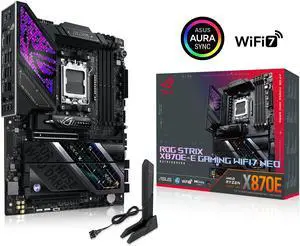
ASUS ROG STRIX X870E-E GAMING WIFI7 NEO, AMD ATX motherboard, 18+2+2 power stages, DDR5 slots, five M.2 slots, PCIe 5.0 with full support for next-gen GPUs, WiFi 7, Dual USB4
- Brand: ASUS
- CPU Socket Type: AM5
- Chipset: AMD X870E
- Serial ATA (SATA): 4 x SATA 6Gb/s
- Model #: ROG STRIX X870E-E GAMING WIFI7 NEO
- Item #: N82E16813119777
- Return Policy: 30-Day Return Policy
$599.99
Free Shipping
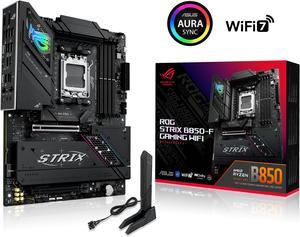
ASUS ROG STRIX B850-F GAMING WIFI AMD AM5 B850-F ATX motherboard 16+2+2 power stages, AI PC, DDR5 AEMP, WiFi 7, 4x M.2, PCIe 5.0, total support of 19 USB, 20Gbps Type-C, AI Networking II, Aura Sync
- Brand: ASUS
- CPU Socket Type: AM5
- Chipset: AMD B850
- Serial ATA (SATA): 2 x SATA 6Gb/s
- Model #: ROG STRIX B850-F GAMING WIFI
- Item #: N82E16813119702
- Return Policy: 30-Day Return Policy
$282.99
$299.99
Free Shipping
Some motherboards I've worked with - I've felt - tended to squeeze things in. I've often had to wedge the AIO cooler into a space not quite designed for an oversized pump/heat plate combo. Not so with this board. It's well laid out, the connections are easy to access I've only had this MB up and running about a month, but so far it's been rock steady.
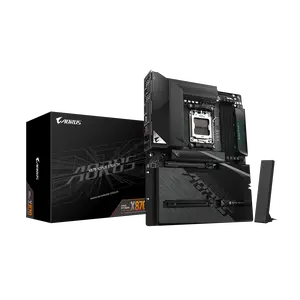
GIGABYTE X870 AORUS STEALTH AMD AM5 ATX Motherboard, Supports AMD Ryzen 9000/8000/7000 Series, DDR5, 16+2+2 Power Phase, 4x M.2, PCIe 5.0, USB4, WIFI7, 5 GbE, PCIe EZ-Latch Plus, 5-Year Warranty
- Brand: GIGABYTE
- CPU Socket Type: AM5
- Chipset: AMD X870
- Serial ATA (SATA): 2 x SATA 6Gb/s
- Model #: X870 AORUS STEALTH
- Item #: N82E16813145606
- Return Policy: 30-Day Return Policy
$299.99
Free Shipping
Hidden back connectors, black brushed aluminum, minimal ambient light
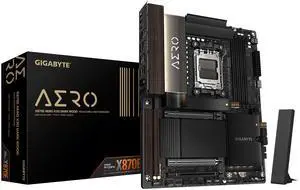
GIGABYTE X870E AERO X3D DARK WOOD AMD AM5 ATX Motherboard, Support Ryzen 9000/8000/7000 Series, DDR5, 16+2+2 Power Phase, 4x M.2, PCIe 5.0, USB4, WIFI7, Dual 5GbE, EZ-Latch, 5-Year Warranty
- Model #: X870E AERO X DK WOOD
- Item #: N82E16813145619
- Return Policy: 30-Day Return Policy
$499.99
Free Shipping
- Runs cool - Looks nice - Posted first time 0 issues (just wait for memory training takes ~ 5 min)
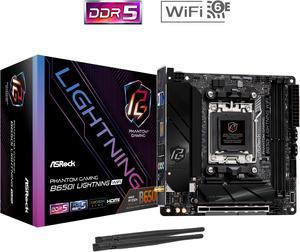
ASRock B650I LIGHTNING WIFI AM5 Ryzen 7000 AMD B650 SATA 6Gb/s Mini-ITX s DDR5 7200+ (OC) 2.5G LAN x WiFi 6E + Bluetooth Motherboards - AMD
- Brand: ASRock
- CPU Socket Type: AM5
- Chipset: AMD B650
- Serial ATA (SATA): CPU: - 1 x Blazing M.2 Socket (M2_1, Key M), supports type 2280 PCIe Gen5x4 (128 Gb/s) mode* Chipset: - 1 x Hyper M.2 Socket (M2_2, Key M), supports type 2280 PCIe Gen4x4 (64 Gb/s) mode* - 2 x SATA3 6.0 Gb/s Connectors * Supports NVMe SSD as boot disks
- Model #: B650I LIGHTNING WIFI
- Item #: N82E16813162151
- Return Policy: 30-Day Return Policy
$169.99
$199.99
Free Shipping
I am stoked

ASUS ROG STRIX X870-I GAMING WIFI AMD AM5 X870 Mini ITX mITX motherboard 10+2+1 power stages, Dynamic OC Switcher, Core Flex, DDR5 AEMP, WiFi 7, 2x M.2, PCIe® 5.0, Q-Release Slim, USB4®, AI OCing & Ne
- Brand: ASUS
- CPU Socket Type: AM5
- Chipset: AMD X870
- Serial ATA (SATA): 2 x SATA 6Gb/s
- Model #: ROG STRIX X870-I GAMING WIFI
- Item #: N82E16813119685
- Return Policy: 30-Day Return Policy
$415.99
$440.99
Free Shipping
Small and works good Bios flashback was a nice Its a motherboard
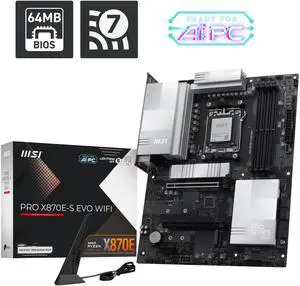
MSI PRO X870E-S EVO WIFI ATX AM5 Motherboard, USB 4.0, 4x SATA 6Gb/s, AMD Wi-Fi 7, USB 4.0
- Model #: PRO X870E-S EVO WIFI
- Item #: N82E16813144750
- Return Policy: 30-Day Return Policy
$159.99
$219.99
Free Shipping
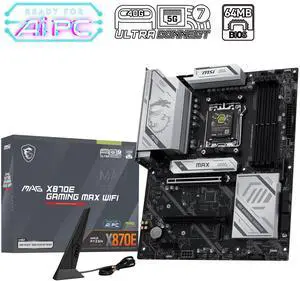
MSI MAG X870E GAMING MAX WIFI Motherboard, ATX - Supports AMD Ryzen 9000 / 8000 / 7000 Processors, AM5 - DDR5 Memory Boost (up to 8200+ MT/s OC), PCIe 5.0 x16, M.2 Gen5, Wi-Fi 7, 5G LAN
- Brand: MSI
- CPU Socket Type: AM5
- Chipset: AMD X870E
- Number of Memory Slots: 4x288pin (DDR5)
- Model #: MAG X870E GAMING MAX WIFI
- Item #: N82E16813144743
- Return Policy: 30-Day Return Policy
$257.99
$259.99
Free Shipping
-Super fast -Plenty of ports -Great WiFi speed and coverage
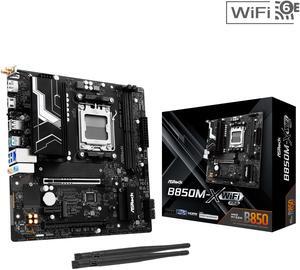
ASRock B850M-X WiFi R2.0 AM5 AMD B850 SATA 6Gb/s USB 3.2 Dual Graphics Outputs RGB Micro ATX Motherboards-AMD
- Brand: ASRock
- CPU Socket Type: AM5
- Chipset: AMD B850
- Serial ATA (SATA): 4 x SATA 6Gb/s
- Model #: B850M-X WiFi R2.0
- Item #: N82E16813162225
- Return Policy: 30-Day Return Policy
$109.99
$129.99
Free Shipping
- Price - for a B850 ITX motherboard, it is already great value and even better if you do the rebate. - Solidly built with good heatsinks that don't limit too much cooler compatibility or block ultra small sized cases. - Quick boot times.
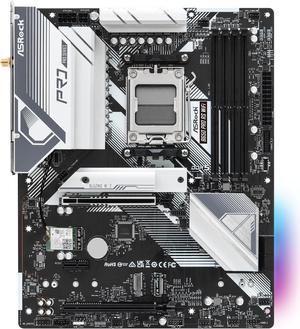
ASRock B650 Pro RS WiFi AM5 ATX Motherboard
- Brand: ASRock
- CPU Socket Type: AM5
- Chipset: AMD B650
- Serial ATA (SATA): 4 x SATA 6Gb/s
- Model #: B650 Pro RS WiFi
- Item #: N82E16813162185
- Return Policy: 30-Day Return Policy
$139.99
$159.99
Free Shipping
It was very easy to setup, the BIOS comes with an easy mode to toggle, has a nice color and sleek design to it.
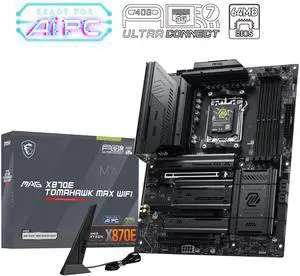
MSI MAG X870E TOMAHAWK MAX WIFI AM5 Motherboard
- Brand: MSI
- CPU Socket Type: AM5
- Chipset: AMD X870E
- Number of Memory Slots: 4x288pin (DDR5)
- Model #: MAG X870E TOMAHAWK MAX WIFI
- Item #: N82E16813144742
- Return Policy: 15-Day Return Policy
$329.99
Free Shipping
The main pro for me is no rgb lights and m.2 SSD slots doesn't eat the main pcie lane. Also, I like the new BIOS interface tool-less m.2 slot designs and the easy access button for the GPU slots are very good quality-of-life features.
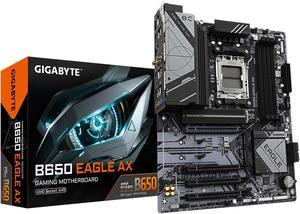
GIGABYTE B650 EAGLE AX AM5 LGA 1718 AMD B650 ATX , DDR5 Triple M.2, PCIe 5.0, USB 3.2 Gen2x2 Type-C, AMD Wi-Fi 6E, Realtek GbE LAN
- Brand: GIGABYTE
- CPU Socket Type: AM5
- Chipset: AMD B650
- Serial ATA (SATA): 4 x SATA 6Gb/s
- Model #: B650 EAGLE AX
- Item #: N82E16813145491
- Return Policy: 30-Day Return Policy
$129.99
$179.99
Free Shipping
Excellent compatibility with Ryzen 7000 series, including the 7800X3D. DDR5 RAM support up to 6000MHz with easy XMP profile activation. PCIe 5.0 and Gen 4 NVMe support for future-proofing. Built-in WiFi 6E and Bluetooth connectivity. Good VRM cooling and overall stable performance. Clean layout and modern design.
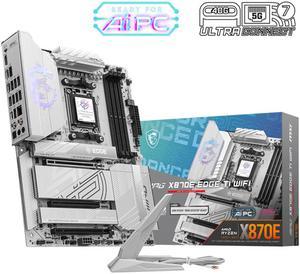
MSI MPG X870E EDGE TI WIFI White Motherboard, ATX - Supports AMD Ryzen 9000 / 8000 / 7000 Processors, AM5 - 80A SPS VRM, DDR5 Memory Boost 8400+MT/s (OC), PCIe 5.0 x16, M.2 Gen5, Wi-Fi 7, 5G LAN
- Brand: MSI
- CPU Socket Type: AM5
- Chipset: AMD X870E
- Serial ATA (SATA): 4 x SATA 6Gb/s
- Model #: MPG X870E EDGE TI WIFI
- Item #: 9SIC6F8KYW9505
- Return Policy: View Return Policy
$397.78
$9.99 Shipping
- Great layout of USB and fan connectors - Four M.2 slots. Two are supporting PCIe 5.0 - EZ PCIe release and M.2 CLIP II make installation seamless - High-quality audio capacitors
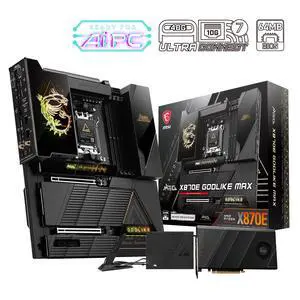
MSI MEG X870E GODLIKE MAX, E-ATX - Supports AMD Ryzen 9000/8000/7000 Processors, AM5 - Dynamic Dashboard III, EZ Slide M.2, 64MB BIOS ROM, 110A SPS, M.2 & PCIe 5.0, USB4, Wi-Fi 7, 10G + 5G LAN
- Brand: MSI
- CPU Socket Type: AM5
- Chipset: AMD X870E
- Number of Memory Slots: 4x288pin (DDR5)
- Model #: MEG X870E GODLIKE MAX
- Item #: N82E16813144745
- Return Policy: 30-Day Return Policy
$1,299.99
Free Shipping
This review is for the MSI Review Rebate Program - 5G LAN - Works great on Linux. - Rear clear CMOS button that works even when the power supply is on. - 80A VRMs that don't have coil whine (this has been a common issue with other boards I have tried). More than enough for any current Ryzen CPU. - POST code, Finally! - Nice BIOS - Great rear IO, plenty of USB, RGB, and fan headers. - Great approach to how the board shares bandwidth. - Button to release the GPU and easy install of M2 drives.
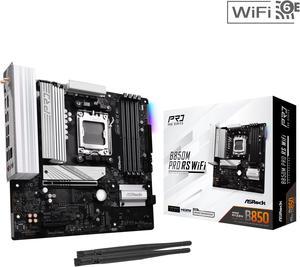
ASRock B850M PRO RS WIFI AM5 Micro ATX Motherboard
- Brand: ASRock
- CPU Socket Type: AM5
- Chipset: AMD B850
- Serial ATA (SATA): 4 x SATA 6Gb/s
- Model #: B850M Pro RS WiFi
- Item #: N82E16813162196
- Return Policy: 30-Day Return Policy
$139.99
$159.99
Free Shipping
I used this in a recent build for my son-in-law. He'll be using it mainly for gaming. I paired it with an AMD 9600x CPU
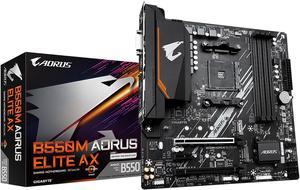
GIGABYTE B550M AORUS ELITE AX (rev 1.3) AM4 AMD B550 Micro-ATX Motherboard with Single M.2, SATA 6Gb/s, USB 3.2 Gen 1, Realtek GbE LAN, PCIe 4.0
- Brand: GIGABYTE
- Model: B550M AORUS ELITE AX
- CPU Socket Type: AM4
- Chipset: AMD B550
- Model #: B550M AORUS ELITE AX
- Item #: N82E16813145454
- Return Policy: 30-Day Return Policy
$104.49
$149.99
Free Shipping
-Good price for a name brand -Good WiFi and Bluetooth -AM4 5000 series ready