

Your Browsing History
BEST SELLERS


BEST SELLERS
In Computer Accessories
Our most popular products, based on sales and updated frequently.Shop Department
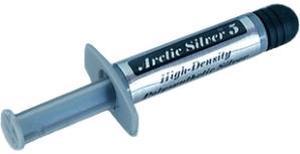
Arctic Silver AS5-3.5G Thermal Compound
- Volume / Net Weight: 3.5g
- Long Term Operating Temperature: -50 to 130 C
- Specifications: Average Particle Size: < 0.49 micron < 0.000020 inch Extended Temperature Limits: Peak: -50 Celsius Degree to >180 Celsius Degree Long-Term: -50 Celsius Degree to 130 Celsius Degree Performance: 3 to 12 degrees centigrade lower CPU full load core temperatures than standard thermal compounds or thermal pads when measured with a calibrated thermal diode imbedded in the CPU core. Coverage Area: A 3.5 gram syringe contains enough compound to cover at least 15 to 25 small CPU cores, or 6 to 10 large CPU cores, or 2 to 5 heat plates. At a layer 0.003" thick, the 3.5 gram syringe will cover approximately 16 square inches.
- Model #: AS5-3.5G
- Item #: 9SIB5YAH989927
- Return Policy: View Return Policy
$7.79
Free Shipping
With Coolermaster V8 120mm rifle fan, it keeps my Q6600 at 24C (not overclocked) and when I do overclock, I'm confident that I won't have any problems. Enough for multiple applications.
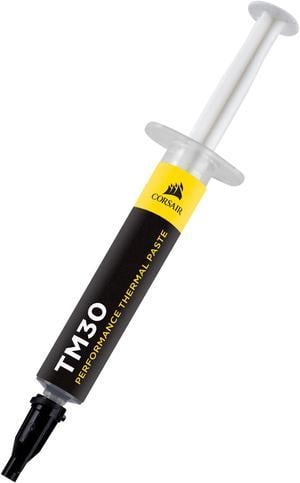
CORSAIR TM30 Performance Thermal Paste, CT-9010001-WW.
- Volume / Net Weight: 3.5g
- Thermal Conductivity: 3.8 W/mK
- Specifications: CORSAIR TM30 thermal paste helps you push your PC to its limit, with a low-viscosity premium zinc oxide thermal material that’s easy to apply. TM30’s ultra-low thermal impedance ensures high-efficiency heat transfer between your hardware and cooler, lowering temperatures and allowing for higher clock speeds. Net Weight: 3g Thermal Conductivity: 3.8 W/mK Thermal Impedance: 0.01°C -in2/W Viscosity: 2300K cPs Specific Gravity: 2.5g/cm3
- Model #: CT-9010001-WW
- Item #: 9SIC70SKYB3039
- Return Policy: View Return Policy
$8.00
Free Shipping
Easy to apply
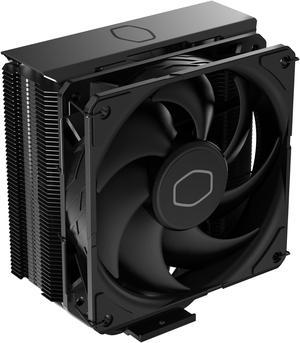
Cooler Master Hyper 212 Black CPU Air Cooler - 120mm High Performance PWM Fan, 4 Copper Heat Pipes, Aluminum Top Cover, Low Noise & Easy Installation, AMD AM5/AM4 & Intel LGA 1851/1700/1200, Black
- Brand: COOLER MASTER
- Model: Hyper 212 Black
- Fan Size: 120mm
- Bearing Type: Loop dynamic bearing
- Model #: RR-S4KK-25SN-R1
- Item #: N82E16835103364
- Return Policy: 30-Day Return Policy
$29.99
$6.99 Shipping
Easy install Good temps for such a thin heat sink All black Cool Master duh
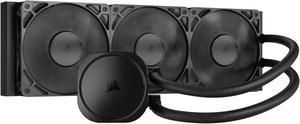
CORSAIR NAUTILUS 360 RS Liquid CPU Cooler – RS120 Fans – Fits Intel® LGA 1851/1700, AMD® AM5/AM4 – Simple Daisy-Chain - Direct Motherboard Connection
- Brand: CORSAIR
- Series: Nautilus Series
- Type: AIO
- Block Compatibility: Intel® LGA 1851/1700, AMD® AM5/AM4
- Model #: CW-9060089-WW
- Item #: N82E16835181474
- Return Policy: 30-Day Return Policy
$109.99
Free Shipping
-Daisy Chained fans make cable management a breeze -no RGB means even easier cable management -no iCUE cabling (universally compatible with any system) -no proprietary cables means fan and pump can be tuned using 3rd party software (or the BIOS) if you're not already in the corsair ecosystem -Once tuned, operates almost completely silently while still maintaining excellent temperatures (a full 10 degrees cooler at idle than my previous air cooler!) -at 90 dollars, there's hardly any other coolers in the market worth more (unless you're looking for a specific aesthetic) -at 110 dollars, the RGB version is also an option! -no need for additional cabling beyond pump and fans for full functionality
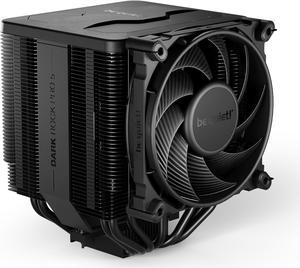
be quiet! Dark Rock Pro 5 | TDP 270W CPU Cooler | Air Cooler | Intel LGA 1851 1700 1200 1150 1151 1155 | AM5 AM4 | BK036
- Brand: be quiet!
- Fan Size: 135 x 135 x 25 / 120 x 120 x 25
- Bearing Type: Fluid Dynamic
- Type: Fan & Heatsinks
- Model #: BK036
- Item #: 13C-001F-00070
- Return Policy: 30-Day Return Policy
$89.90
$89.99
Free Shipping
+ Install was very easy on AM5 Platform + Kept the 7800X3D at factory settings 77c on a 1.5HR Prime95 Torture Test + Kept the 7800X3D at factory settings 57c on a 20 Pass 3DMark Steel Nomad stress test + Top of the cooler is magnetic, which is a nice touch.
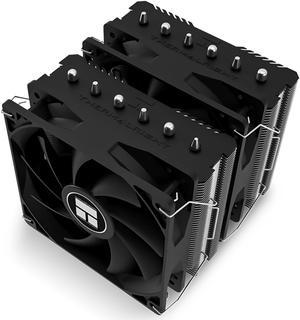
Thermalright Peerless Assassin 120 SE CPU Air Cooler,6 Heat Pipes Aluminium Heatsink Cover, for Intel 1700/115X/1200, AMD AM4/AM5
- Series: Peerless Assassin 120 SE
- Type: Fan & Heatsinks
- RPM: 1600-1999 RPM
- Power Connector: 3 / 4 Pin
- Model #: 814256003759
- Item #: 9SIBVHXK8D7529
- Return Policy: View Return Policy
$46.90
$49.90
Free Shipping
- It keeps the processor at a good temperature
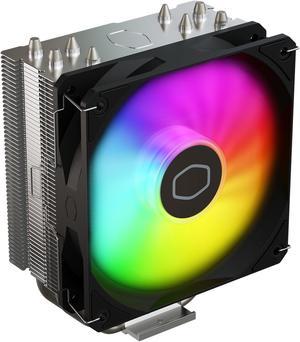
Cooler Master Hyper 212 Spectrum V3 ARGB CPU Air Cooler - 4 Copper Heat Pipes, 120mm High Performance PWM Fan, Low Noise & Easy Installation, AMD AM5/AM4 & Intel LGA 1851/1700/1200
- Brand: COOLER MASTER
- Fan Size: 120mm
- Bearing Type: Rifle
- Type: Fan & Heatsinks
- Model #: RR-S4NA-17PA-R1
- Item #: N82E16835103357
- Return Policy: 30-Day Return Policy
$19.99
Free Shipping
This cooler is big, but for a reason ... It works! Easy setup .... excellent manual included Keeps CPU incredibly cool when gaming is hot Well engineered, well constructed Active fan aids heat draw, and eliminating Excellent thermal paste works great

MSI MAG Coreliquid A13 360 Black - AIO ARGB Liquid Cooling - 360mm Radiator - Triple 120mm ARGB PWM Fans - EZ Connect - LGA 1700/1851/AM5/AM4 Compatible
- Brand: MSI
- Type: AIO
- Block Compatibility: Intel Socket LGA 1700 / 1851 AMD Socket AM5/AM4
- Block Compatibility - AMD: AMD Socket AM5/AM4
- Model #: MAG Coreliquid A13 360
- Item #: N82E16835846069
- Return Policy: 30-Day Return Policy
$94.99
$134.99
Free Shipping
I got it in a combo deal and gave it to my son for his build. It helps keep his temperatures cool and his fans quiet.

Arctic MX-6 ULTIMATE Performance Thermal Paste with 6x MX Cleaner
- Model #: ACTCP00084A
- Item #: 9SIA2W0K5B2036
- Return Policy: View Return Policy
$9.99
Free Shipping
I repasted both CPU and GPU and the temps dropped about 4 degrees on the CPU. Very easy to apply. Not to hard or liquidy. Just perfect. Seeing much slower temp climbs and then plateau at a lower temp under load on the 5900X with C-R23

MSI MAG Coreliquid A13 240 Black - AIO ARGB Liquid Cooling - 240mm Radiator - Dual 120mm ARGB PWM Fans - EZ Connect - LGA 1700/1851/AM5/AM4 Compatible
- Brand: MSI
- Type: AIO
- Block Compatibility: Intel Socket LGA 1700 / 1851 AMD Socket AM5/AM4
- Block Compatibility - AMD: AMD Socket AM5/AM4
- Model #: MAG Coreliquid A13 240
- Item #: N82E16835846067
- Return Policy: 30-Day Return Policy
$67.99
$75.99
$57.99 after $10.00 rebate card
Free Shipping
LCD screen
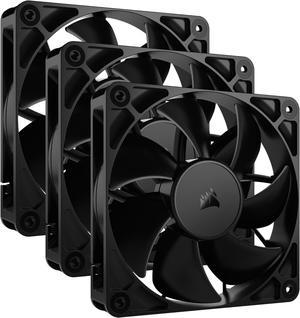
CORSAIR RS120 PWM 120mm Fans Triple Pack - Simplified Control - Daisy-Chain 4-Pin PWM Connection - Concentrated AirGuide Cooling - Magnetic Dome Bearing
- Brand: Corsair
- Fan Size: 120mm
- LED: Non-LED
- Type: Case Fan
- Model #: CO-9050189-WW
- Item #: N82E16835181436
- Return Policy: 30-Day Return Policy
$42.99
Free Shipping
Decently affordable. Daisy chaining is nice for a cleaner build Run quiet with the right fan curves set
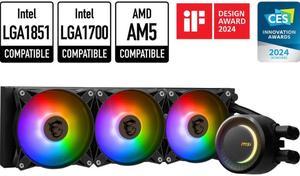
MSI MAG CoreLiquid E360 Black - AIO ARGB CPU Liquid Cooler - Rotating Cap Design - 360mm Radiator - Triple 120mm ARGB PWM Fans - LGA 1851,1700 Ready / AMD AM5 Compatible
- Type: Liquid Cooling System
- Block Dim.: 41 (+/-0.2) x 47.6 (+/-0.2) mm
- Block Material: Copper
- Radiator Size: Radiator Size: 360 mm Radiator Dimensions: 394 x 119.2 x 27mm / 15.51 x 4.69 x 1.06 inches
- Model #: MAG CORELIQUID E360
- Item #: N82E16835846050
- Return Policy: 30-Day Return Policy
$99.99
$89.99 after $10.00 rebate card
Free Shipping
Installation was relatively simple Even without 'Quiet Operation' taken into consideration and left to make as much noise as possible, they are super-quiet RGB effects look awesome
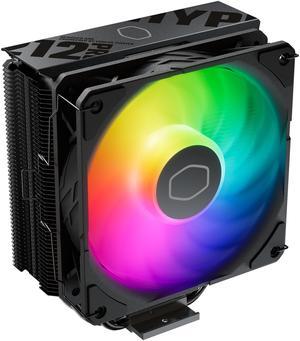
Cooler Master Hyper 212 PRO ARGB CPU Air Cooler - 120mm High Performance PWM Fan, 4 Copper Heat Pipes, Sleek Design Top Cover, Low Noise & Easy Installation, AMD AM5/AM4 & Intel LGA 1851/1700
- Brand: COOLER MASTER
- Fan Size: 120mm
- Bearing Type: Loop Dynamic Bearing
- RPM: 690~2500 ± 10% RPM
- Model #: RR-212S-25PZ-R1
- Item #: N82E16835103370
- Return Policy: 30-Day Return Policy
$19.99
$24.99
$4.99 Shipping
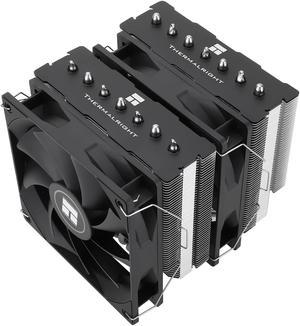
Thermalright Phantom Spirit 120 SE CPU Air Cooler, 7 Heat Pipes Aluminium Heatsink Cover, for Intel 1700/115X/1200, AMD AM4/AM5
- Series: PS120SE
- Type: Fan & Heatsinks
- Model #: 814256015561
- Item #: 9SIBVHXK917043
- Return Policy: View Return Policy
$49.90
Free Shipping
Excellent Air Cooler A+ build quality Versatile, supports LGA 1700, AM4, AM5 My i5 never goes past 64c full load.
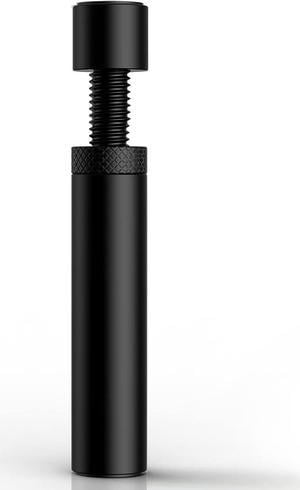
Graphics Card GPU Support Bracket, Adjustable Height GPU Sag Stand Bracket with Magnet and Non-Slip Sheet, GPU Holder for Prevent Universal VGA Graphics Card Sag - 2.8-4.7"- L - Black
- Color: Black
- Option: Normal
- Model #: BESBN-ACS/VC/HOLDER02
- Item #: 9SIB7VEK2H9068
- Return Policy: View Return Policy
$9.99
$15.99
Free Shipping
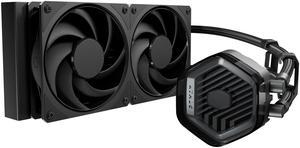
Cooler Master Atmos Stealth AIO CPU Liquid Cooler - 240mm Radiator with 2x Mobius PWM Fans, Dual-Chamber Pump, Low Noise, AMD AM5/AM4 & Intel LGA 1851/1700, Black
- Brand: COOLER MASTER
- Part Number: MLX-D24M-A24PK-R1
- Type: Liquid Cooling System
- Block Compatibility: AMD Socket AM4 / AMD Socket AM5 / Intel LGA 1150 / Intel LGA 1151 / Intel LGA 1155 / Intel LGA 1156 / Intel LGA 1200 / Intel LGA 1700 / Intel LGA 1851
- Model #: MLX-D24M-A24PK-R1
- Item #: N82E16835103372
- Return Policy: 30-Day Return Policy
$99.98
$109.99
Free Shipping
New fans are good no need to swap to noctua/t30
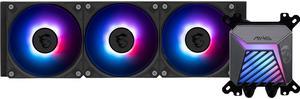
MSI MAG Coreliquid A15 360 Black- AIO ARGB Liquid Cooling - 360mm Radiator - Triple 120mm ARGB PWM Fans - EZ Connect - Uni Bracket - LGA 1700/1851/AM5/AM4 Compatible
- Brand: MSI
- Part Number: MAG CORELIQUID A15 360
- Type: AIO
- Block Compatibility: AMD Socket AM4 / AMD Socket AM5 / Intel LGA 1700 / Intel LGA 1851
- Model #: MAG CORELIQUID A15 360
- Item #: N82E16835846072
- Return Policy: 30-Day Return Policy
$119.99
Free Shipping
Easy to install Looks sleek Nice fans
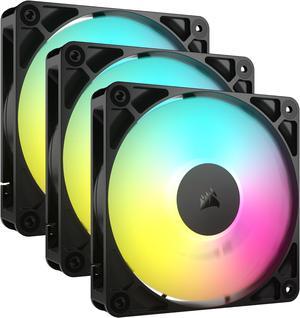
CORSAIR RS120 ARGB PWM 120mm Fans Triple Pack - Simplified Control - Daisy-Chain 4-Pin PWM and +5V ARGB Connections - Concentrated AirGuide Cooling - Magnetic Dome Bearing
- Brand: Corsair
- Fan Size: 120mm
- LED: ARGB
- Type: Case Fan
- Model #: CO-9050181-WW
- Item #: N82E16835181444
- Return Policy: 30-Day Return Policy
$39.99
$59.99
$2.99 Shipping
Great fans, extremely quiet and easy to use with Corsair cases. Matched the fans that came in the Corsair 3500X perfectly.
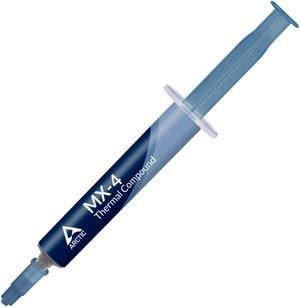
ARCTIC MX-4 (4 g) - Premium Performance Thermal Paste for all processors (CPU, GPU - PC, PS4, XBOX), very high thermal conductivity, long durability, safe application, non-conductive, non-capacitive
- Volume / Net Weight: 4.0g
- Thermal Conductivity: 8.5 W/mK
- Specifications: Thermal Conductivity (W/mk): 8.5 Viscosity (poise): 870 Density (g/cm3): 2.5 Net Weight: 4g The ARCTIC MX-4 is a premium-grade thermal paste with exceptional performance and ease of application. It is an electrically non-conductive paste that is applied between CPU / GPU and designated coolers to transfer the dissipated heat from the components to the heat sink. Since the ARCTIC MX-4 is a metal-free compound, it eliminates the risks of causing short circuit and in turn adding more protection to your computer. The new formula in the ARCTIC MX-4 features optimal thermal conductivity and low thermal resistance. These characteristics effectively dissipate the emitted heat from the core components. The consistency of the ARCTIC MX-4 is designed for simple application. Its text...
- Model #: ACTCP00002B
- Item #: 9SIA2W091E2146
- Return Policy: View Return Policy
$7.49
Free Shipping
What can I say other than the mx-4 paste is all I use and it has never let me down.

MSI MAG Coreliquid A13 360 White - AIO ARGB Liquid Cooling - 360mm Radiator - Triple 120mm ARGB PWM Fans - EZ Connect - LGA 1700/1851/AM5/AM4 Compatible
- Brand: MSI
- Type: AIO
- Block Compatibility: Intel Socket LGA 1700 / 1851 AMD Socket AM5/AM4
- Block Compatibility - AMD: AMD Socket AM5/AM4
- Model #: MAG Coreliquid A13 360 White
- Item #: N82E16835846070
- Return Policy: 30-Day Return Policy
$79.99
$89.99
$69.99 after $10.00 rebate card
Free Shipping
-Good looking cooler with RGB -I like how much surface area for the cooling tubes there is -Almost as easy to install as a regular CPU fan
Versatile computer accessories are products that help you build laptops and computers to perform functions you need at optimal levels, whether it is for the home or office. Inside the computer case, you'll find the system unit, which organizes many of the accessories that are essential internal components. They provide access to sockets for connecting to internal parts and external peripherals. Accessories can assist in raising the performance of the system, introduce new elements to your computer, keep the operating system cooled down and make sure you have trouble-free installation. Some standard accessories are desktop cooling fans, plug connectors, and a HDD mounting kit.
Understanding How CPU Accessories Streamline Upgrading the Computer
The motherboard is the central component of the computer, and holds all the CPU accessories within the computer case so they can communicate and work together. The computer accessories can range from what powers the processors to the hard drive. In between, you have RAM, network cards, graphics processing units, patch panels and other hardware that help you connect all these components so they work as one unit. The motherboard includes distinct functionalities, and your computer must have a motherboard that is compatible with the processor. Upgrading your computer requires interchanging desktop accessories, and you need to make sure your upgrades are consistent with the rest of the computer components. For instance, upgrading your processor will give you faster processing, but take into account the power requirements of the other parts, like the graphics processing unit and motherboard.
The Difference Between HDD and SSD Is Speed
Storage devices are key for determining how much you can download onto your computer. A solid-state drive (SSD) and a hard disk drive (HDD) are computer accessories that simply store data. Think of the HDD as a mechanical platter that drives the computer as it reads information. The SSD is a newer and faster type of drive that stores bits of information like a flash drive for quick access. The HDD, which is like a vinyl album, has to search for the data. Whichever you choose, there are SSD and HDD accessories needed for the build. Both need mounting kits and brackets to install them in their empty bays. Some computers may require bay adapters for the drives if they are too small for the slot. Other desktop accessories you might also want to consider are disk storage cases that protect drives when you transport them.
Computer Accessories Include Wired Components Like Connectors and Jacks
Upgrading your computer may require different wired accessories. For instance, if you need to change your desktop cooling fan, you might need to consider wired accessories from DC connectors to rack mounts. Furthermore, understanding which adaptor to use to convert connections smoothly is essential. Some common wired accessories to consider for upgrading are power cables, shielded jacks and keystone jacks. Some of these desktop accessories come in different colors to help you organize and group or match them by color.