

Your Browsing History
BEST SELLERS


BEST SELLERS
In Computer Accessories
Our most popular products, based on sales and updated frequently.Shop Department
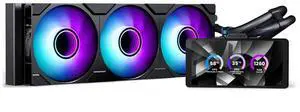
Phanteks Glacier One 360M25-LCD AIO Liquid CPU Cooler, 6" IPS LCD HD Display, 120mm M25 Gen2 D-RGB Fans, High-Performance Copper Cold Plate, Intel & AMD Compatible, Black
- Model #: PH-GO360M25G2LCD_DBK01
- Item #: 9SIC70SKYB5454
- Return Policy: View Return Policy
$124.99
Free Shipping
The LCD display looks great not a secondary monitor but a independent screen
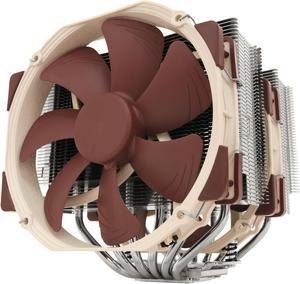
Noctua NH-D15, Premium CPU Cooler with 2x NF-A15 PWM 140mm Fans (Brown)
- Brand: Noctua
- Fan Size: 140mm
- Bearing Type: SSO2
- Type: Fan & Heatsinks
- Model #: NH-D15
- Item #: 9SIAADY44C6006
- Return Policy: View Return Policy
$109.95
$114.95
$11.62 Shipping
Silent Easy Fit Easy Installation Very cool CPU without Liquid Cooling
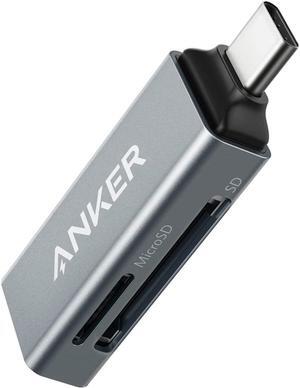
Anker SD Card Reader, 2-in-1 USB C Memory Card Reader for SDXC, SDHC, SD, MMC, RS-MMC, Micro SDXC, Micro SD, Micro SDHC Card, and UHS-I Cards
- Installation Type: External
- Support - SD: Yes
- Slots: 2
- Labor: 18 Months
- Model #: A83700A2
- Item #: 9SIACCUBUZ6710
- Return Policy: View Return Policy
$17.99
Free Shipping
The sale price was pretty good.
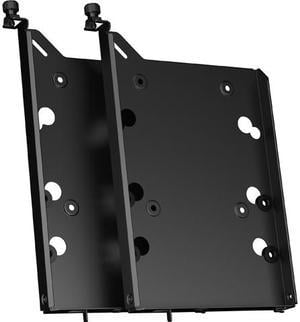
Fractal Design FD-A-TRAY-001 HDD Drive Tray Kit - Type-B for Define 7 Series and Compatible Fractal Design Cases - Black (2-pack)
- Types: Drive Mounts
- Colors: Black
- Specifications: Compatibility: Cases with Fractal Design Type-B HDD Mounts (Define 7 Series) Package Contents: 2 x HDD trays 8 x 6-32 screws for HDD 8 x HDD dampers 8 x M3 screws for 2.5" SSD/HDD 2 x captive thumbscrew
- Model #: FD-A-TRAY-001
- Item #: N82E16811994082
- Return Policy: 30-Day Return Policy
$13.99
$16.98
Est. Shipping Fee $3.99
Eligible for Free Shipping
tight manufacturing tolerances well-made functional - it's a hard drive tray; there's not much to mess up

Noctua NH-D15 G2 chromax.black Premium Dual Tower CPU Cooler for AMD AM5/AM4 and Intel LGA1851/LGA1700/LGA1200 (Black)
- Brand: Noctua
- Fan Size: 140mm
- Type: Fan & Heatsinks
- RPM: 1500 RPM
- Model #: NH-D15 G2 chromax.black
- Item #: 9SIAADYKMX4374
- Return Policy: View Return Policy
$169.95
$179.95
$11.62 Shipping

CORSAIR RS120 ARGB PWM 120mm Fans Triple Pack - White - Simplified Control - Daisy-Chain 4-Pin PWM and +5V ARGB Connections - Concentrated AirGuide Cooling - Magnetic Dome Bearing
- Brand: Corsair
- Fan Size: 120mm
- LED: ARGB
- Type: Case Fan
- Model #: CO-9050185-WW
- Item #: N82E16835181442
- Return Policy: 30-Day Return Policy
$39.99
$59.99
Free Shipping
So easy to wire. So far mine are very quiet. I have 13 of these fans in my build and they aren't loud. The rgbs are very vibrant.
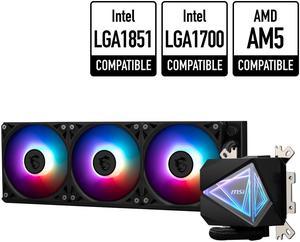
MSI MAG CoreLiquid I360 Black - AIO ARGB CPU Liquid Cooler - Infinity Mirror Design - UNI Bracket - 360mm Radiator - Triple 120mm ARGB PWM Fans - LGA 1700/1851 / AM5/AM4 Compatible
- Type: Liquid Cooling System
- Block Dim.: 69.35 x 74 x 62.3 mm
- Pump Noise: 20 dBA (avg.)
- Radiator Size: 394 x 119.2 x 27mm
- Model #: MAG CORELIQUID I360
- Item #: N82E16835846063
- Return Policy: 30-Day Return Policy
$124.99
Free Shipping
Very nice. The infinity mirror lighting matches my pyramidal case (AZZA Pyramid). Swapped in three MSI MPG EZ120 ARGB fans (be careful - slightly thicker than the stock fans!!) to again match the angular lighting scheme.
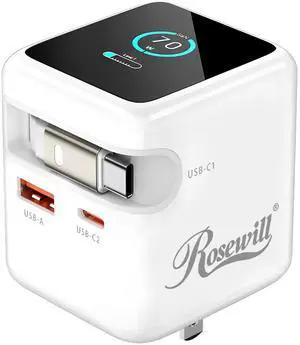
Rosewill 70W Retractable USB-C Wall Charger with Built-in Cable, 3-Port GaN 3 Fast Charging, Foldable Design & Real-Time TFT Display for MacBook, iPad, iPhone, Galaxy - White
- Brand: Rosewill
- Type: GaN Charger
- Compatible Phone Manufacturer: Universal
- Color: White
- Model #: 70WRB01A_W
- Item #: N82E16875921156
- Return Policy: 30-Day Return Policy
$24.99
$49.99
Free Shipping
Superfast charging for both my Android S23 and ROG ally is nice to have, especially on the ally when playing while traveling and getting the most charge you can in between breaks.
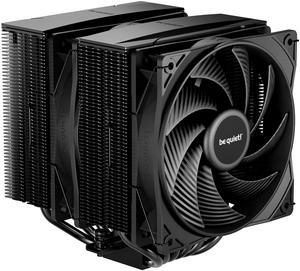
be quiet! Pure Rock Pro 3 Black 120mm Rifle CPU Cooler Socket compatibility Intel 1851 / 1700 / 1200 / 1150 / 1151 / 1155 and AMD AM5 / AM4 (BK042)
- Brand: be quiet!
- Fan Size: 120mm
- Bearing Type: Rifle
- RPM: 2000 RPM max
- Model #: BK042
- Item #: N82E16835269027
- Return Policy: 30-Day Return Policy
$54.90
$67.99
Free Shipping
Great, it has a 270 watt tdp and it looks cool
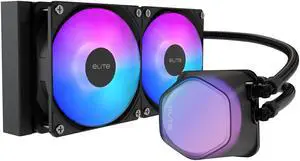
Cooler Master Elite Liquid 240 CPU AIO Cooler - 240mm Radiator, 2x ARGB PWM Fans, Dual-Chamber Pump Design, Ultra-Quiet High-Performance Cooling, AMD AM5/AM4 & Intel LGA 1851/1700, Black
- Brand: COOLER MASTER
- Type: AIO
- Block Compatibility: Intel LGA 1851/1700 / 1200 / 1151 / 1150 / 1155 / 1156 AMD® AM5 / AM4
- Pump Speed: 3200±10% RPM
- Model #: ELW-D24M-A21DA-R1
- Item #: 9SIA4P0KK43055
- Return Policy: View Return Policy
$57.49
The pump heads translucent fog like dome is extremely cool looking. The halo fans are also really cool with the 24 leds on each fan. I have this cooling a ryzen 9 5950x and it keeps it at great temps idle and good temps under gaming load. When rendering or benchmarking the temps get a bit high but I suppose that's to be expected with the ryzen 9 5950x.
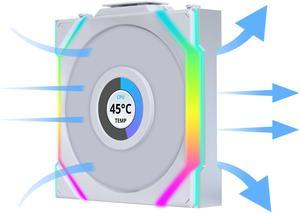
Lian Li UNI Fan SL LCD Wireless 120mm ARGB Fan - Single Pack - 1.6" LCD Display - 2.4 GHz Wireless Signal for RGB & Fan Control - Controller NOT Included & Required - White (12SLLCD1W1W)
- Brand: Lian li
- Fan Size: 120mm
- LED: ARGB
- Type: Case Fan
- Model #: 12SLLCD1W1W
- Item #: 9SIAFSTKCU4759
- Return Policy: View Return Policy
$29.99
$34.99
Free Shipping
Fans look wonderful and ties the whole build together
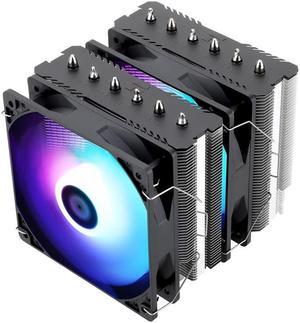
Thermalright Peerless Assassin 120 SE ARGB CPU Air Cooler,6 Heat Pipes Aluminium Heatsink Cover, for Intel 1700/115X/1200, AMD AM4/AM5
- Series: Peerless Assassin120 SE ARGB
- Type: Fan & Heatsinks
- Model #: 814256003766
- Item #: 9SIBVHXK8D7532
- Return Policy: View Return Policy
$49.99
Free Shipping
- It keeps the processor at a good temperature
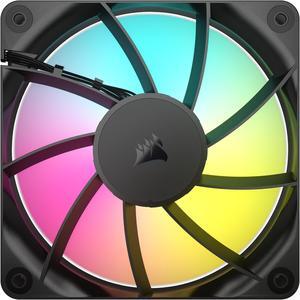
CORSAIR RS120 ARGB PWM 120mm Fan - Simplified Control - Daisy-Chain 4-Pin PWM and +5V ARGB Connections - Concentrated AirGuide Cooling - Magnetic Dome Bearing
- Brand: Corsair
- Fan Size: 120mm
- LED: ARGB
- Type: Case Fan
- Model #: CO-9050180-WW
- Item #: N82E16835181445
- Return Policy: 30-Day Return Policy
$17.99
$19.99
$1.99 Shipping
Looks good and priced just right.
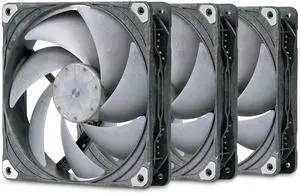
Phanteks T30-140 Triple-Pack, 140mm Premium High-Performance PWM Fan, Industrial Grade LCP Frame & Blades, 3-Mode Speed Switch, Unmatched Airflow for PC Cases & Radiators, Black/Grey
- Brand: Phanteks
- Fan Size: 140mm
- LED: Non-LED
- Type: Case Fan
- Model #: PH-F140T30_BG_3P
- Item #: 9SIC6C2KV37402
- Return Policy: View Return Policy
$98.90
$113.90
Free Shipping
Straightforward ease of install. Able to daisy chain the PWM connections together without having to look obvious. Incredibly quiet and easy to configure in the BIOS.
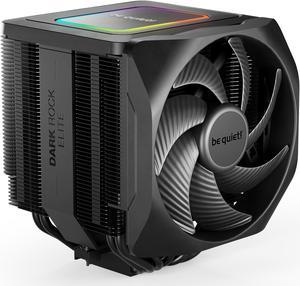
be quiet! Dark Rock Elite - TDP 280W CPU Cooler - Air Cooler - Intel LGA 1851,1700,1200,1150,1151,1155 - AMD AM5, AM4 (BK037)
- Brand: be quiet!
- Fan Size: 135mm
- Bearing Type: Fluid Dynamic
- Type: CPU Cooler
- Model #: BK037
- Item #: 13C-001F-00071
- Return Policy: 30-Day Return Policy
$84.90
$84.99
Free Shipping
Great cooling potential. Does what I need it to do. The side fan is adjustable height wise. See photo demo. Adjustable speed switch for the center fan. Performance and quiet.
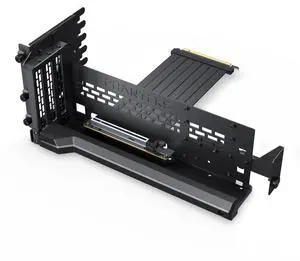
Phanteks Premium Gen5 Vertical GPU Bracket, PCIex16 Gen5, D-RGB Lighting, 220mm, Black
- Brand: Phanteks
- Color: Black
- Specifications: Dimension (WxHxD) 347x146x141 mm / 13.66 x 5.75 x 5.55 inches Material Powder coated steel, ABS plastic Chassis Support Chassis with 7 open PCI slot area PCIe generation PCIex16 Gen5.0 GPU thickness support unrestricted GPU length support 365mm GPU tilt angle support Vertical, tilt 15 to 30 degrees LED lighting D-RGB LED Strip, 15 LED chips LED max power draw 0.20A
- Model #: PH-PGPUKT5.0_DBK01
- Item #: 9SIC4RPKTT0782
- Return Policy: View Return Policy
$81.56
Free Shipping
Well built, easy to adjust the angle of the gpu.
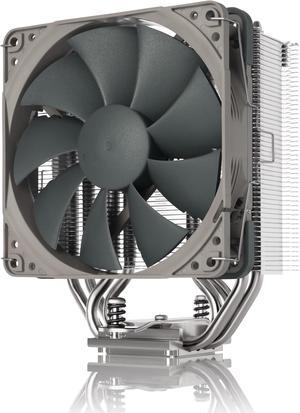
Noctua NH-U12S redux, High Performance CPU Cooler with NF-P12 redux-1700 PWM 120mm fan (Grey)
- Brand: Noctua
- Fan Size: 120mm
- Bearing Type: SSO2
- Series: NH-U12S redux
- Model #: NH-U12S redux
- Item #: 9SIAADYDXC6850
- Return Policy: View Return Policy
$59.95
$11.22 Shipping
Less complicated too. Seems to handle the heat well. I run applications that use a lot of CPU power and this cooler handles it in stride. Simple to install.
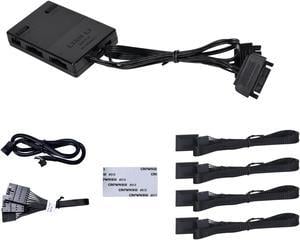
Lian Li SL INFINITY Fan Controller Black Color---- 12SLIN-CONT3B
- Type: Case Fan Accessory
- Color: Black
- Model #: 12SLIN-CONT3B
- Item #: 9SIBVAJKCF7855
- Return Policy: View Return Policy
$33.99
Free Shipping
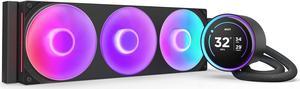
KRAKEN ELITE RGB 360 BLACK AIO LIQUID COOLER WITH IPS LCD & STATIC PRESSURE FANS Intel Socket LGA 1851, 1700 & 1200/115X AMD Socket AM5, AM4
- Brand: NZXT
- Series: Kraken Elite
- Part Number: RL-KR36E-B2
- Type: AIO
- Model #: RL-KR36E-B2
- Item #: N82E16835146164
- Return Policy: 30-Day Return Policy
$259.99
Free Shipping
The LCD screen is 2.73 HUGE and looks fantasticgreat build quality and easy-to-read instructions. Able to add GIFs"s to the screen is super dope. Everything works as it's supposed to. Upgraded from the older version and I just love it, the single frame fan system is sexy.

KRAKEN ELITE RGB 360 WHITE AIO LIQUID COOLER WITH IPS LCD & STATIC PRESSURE FANS Intel Socket LGA 1851, 1700 & 1200/115X AMD Socket AM5, AM4
- Brand: NZXT
- Series: Kraken Elite
- Part Number: RL-KR36E-W2
- Type: AIO
- Model #: RL-KR36E-W2
- Item #: N82E16835146165
- Return Policy: 30-Day Return Policy
$259.99
$267.99
Free Shipping
Performs well, temps have been good while gaming. It was easy to install. Looks very nice in my case.
Versatile computer accessories are products that help you build laptops and computers to perform functions you need at optimal levels, whether it is for the home or office. Inside the computer case, you'll find the system unit, which organizes many of the accessories that are essential internal components. They provide access to sockets for connecting to internal parts and external peripherals. Accessories can assist in raising the performance of the system, introduce new elements to your computer, keep the operating system cooled down and make sure you have trouble-free installation. Some standard accessories are desktop cooling fans, plug connectors, and a HDD mounting kit.
Understanding How CPU Accessories Streamline Upgrading the Computer
The motherboard is the central component of the computer, and holds all the CPU accessories within the computer case so they can communicate and work together. The computer accessories can range from what powers the processors to the hard drive. In between, you have RAM, network cards, graphics processing units, patch panels and other hardware that help you connect all these components so they work as one unit. The motherboard includes distinct functionalities, and your computer must have a motherboard that is compatible with the processor. Upgrading your computer requires interchanging desktop accessories, and you need to make sure your upgrades are consistent with the rest of the computer components. For instance, upgrading your processor will give you faster processing, but take into account the power requirements of the other parts, like the graphics processing unit and motherboard.
The Difference Between HDD and SSD Is Speed
Storage devices are key for determining how much you can download onto your computer. A solid-state drive (SSD) and a hard disk drive (HDD) are computer accessories that simply store data. Think of the HDD as a mechanical platter that drives the computer as it reads information. The SSD is a newer and faster type of drive that stores bits of information like a flash drive for quick access. The HDD, which is like a vinyl album, has to search for the data. Whichever you choose, there are SSD and HDD accessories needed for the build. Both need mounting kits and brackets to install them in their empty bays. Some computers may require bay adapters for the drives if they are too small for the slot. Other desktop accessories you might also want to consider are disk storage cases that protect drives when you transport them.
Computer Accessories Include Wired Components Like Connectors and Jacks
Upgrading your computer may require different wired accessories. For instance, if you need to change your desktop cooling fan, you might need to consider wired accessories from DC connectors to rack mounts. Furthermore, understanding which adaptor to use to convert connections smoothly is essential. Some common wired accessories to consider for upgrading are power cables, shielded jacks and keystone jacks. Some of these desktop accessories come in different colors to help you organize and group or match them by color.