

Your Browsing History
BEST SELLERS


BEST SELLERS
In Computer Accessories
Our most popular products, based on sales and updated frequently.Shop Department
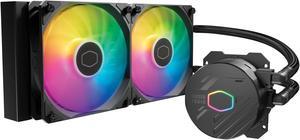
Cooler Master MasterLiquid 240L Core 240mm Close-Loop AIO Liquid Cooler, ARGB Sync, Gen S Coldplate Pump, 120mm PWM, CryoFuze Thermal Paste AMD AM5/AM4, Intel LGA 1851/1700/1200 (MLW-D24M-A18PZ-R1)
- Brand: COOLER MASTER
- Series: MasterLiquid
- Part Number: MLW-D24M-A18PZ-R1
- Type: Liquid Cooling System
- Model #: MLW-D24M-A18PZ-R1
- Item #: 9SIBTVCK8Y6161
- Return Policy: View Return Policy
$69.99
Free Shipping
Very quiet. Even though the new processor came with a cooler, I purchased this CoolerMaster and I love it. You can change colors or leave one color.
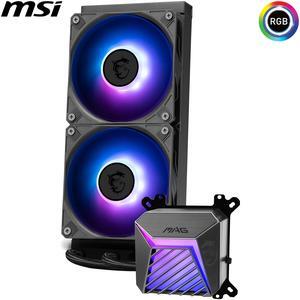
MSI MAG Coreliquid A15 240 Black- AIO ARGB Liquid Cooling - 240mm Radiator - Dual 120mm ARGB PWM Fans - EZ Connect - Uni Bracket - LGA 1700/1851/AM5/AM4 Compatible
- Brand: MSI
- Part Number: MAG CORELIQUID A15 240
- Type: AIO
- Block Compatibility: AMD Socket AM4 / AMD Socket AM5 / Intel LGA 1700 / Intel LGA 1851
- Model #: MAG CORELIQUID A15 240
- Item #: N82E16835846071
- Return Policy: 30-Day Return Policy
$99.99
Free Shipping
Easy to install, fits well the case, keeps CPU cool and leaves space for overclocking. Runs whisper-quiet.

ORICO M.2 NVMe SSD Enclosure, USB 3.1 Gen 2 (10 Gbps) PCIe External Adapter NVMe Case for 2230/2242/2260/2280 M.2 SSD up to 8TB, UASP Supported - M2PV
- Brand: ORICO
- Series: ORICO M2PV
- Model: ORICO M2PV
- Size: Supports All Size
- Model #: M2PV-C3-BK-EP
- Item #: 9SIA1DSBWX4083
- Return Policy: View Return Policy
$16.59
$18.99
Free Shipping
Small, durable, easy to set-up
be quiet! SILENT LOOP 3 360mm All-in-One Water Cooling I Intel LGA 1851 / 1700 / 1200 / 1150 / 1151 / 1155 I AMD Socket AM5 / AM4 / TR5 / TR4 - BW025
- Brand: be quiet!
- Part Number: BW025
- Type: Liquid Cooling System
- Block Compatibility: AMD Socket AM4 / AMD Socket AM5 / AMD Socket sTR4 / AMD Socket sTR5 / Intel LGA 1150 / Intel LGA 1151 / Intel LGA 1155 / Intel LGA 1200 / Intel LGA 1700 / Intel LGA 1851
- Model #: BW025
- Item #: N82E16835269031
- Return Policy: 30-Day Return Policy
$139.90
$139.99
Free Shipping
I have done water cooling before and it was a PitA. This kit is different, simply bolt it on and power it up. I like simple and with this AIO, you get that. Temperatures are held down nicely and the case doesn't look crowded or cluttered when you're finished. The fans and pump run without excessive noise. Power draw is low enough to connect directly to your motherboard. Hoses and wiring is the proper length for many installations. Mounting is a breeze with included retrofit hardware. You also get a bottle of fluid for refill which should be a good thing unless you find yourself opening it in less than a years time.
JONSBO VC20 Graphics card GPU Brace , Graphics card holder , Adjustable height Support Jack Stand design ,Stronger Magnet along with Silicone Pad, Anodized Aluminum , Telescopic Screw Design, Black
- Option: Normal
- Model #: VC20
- Item #: 9SIAY3SESB0288
- Return Policy: View Return Policy
$9.99
$16.99
Free Shipping
does what it does
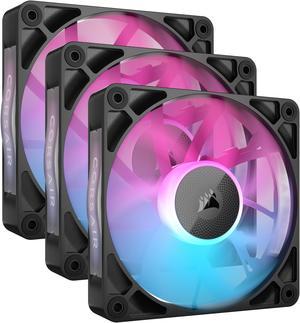
CORSAIR iCUE Link RX120 RGB 120mm PWM Fans with iCUE Link System Hub - Magnetic Dome Bearing - Triple Pack - Black
- Brand: Corsair
- Series: iCUE LINK
- Fan Size: 120mm
- LED: RGB
- Model #: CO-9051018-WW
- Item #: N82E16835181410
- Return Policy: 30-Day Return Policy
$84.99
Free Shipping
These fans are quite and render true colors and easily controlled by the iCue app.
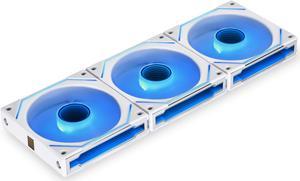
LIAN LI UNI FAN SL INFINITY 120 RGB WHITE 3 PCS PACK ---UF-SLIN120-3W ( L Connect 3.0 Controller included)
- Brand: Lian li
- Fan Size: 120mm
- LED: ARGB
- Type: Case Fan
- Model #: UF-SLIN120-3W
- Item #: 1YF-005G-00092
- Return Policy: 30-Day Return Policy
$91.99
Free Shipping
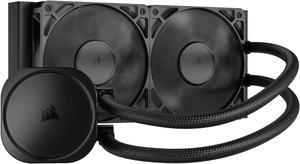
CORSAIR NAUTILUS 240 RS Liquid CPU Cooler – RS120 Fans – Fits Intel® LGA 1851/1700, AMD® AM5/AM4 – Simple Daisy-Chain - Direct Motherboard Connection
- Brand: CORSAIR
- Series: Nautilus Series
- Type: AIO
- Block Compatibility: Intel® LGA 1851/1700, AMD® AM5/AM4
- Model #: CW-9060088-WW
- Item #: N82E16835181473
- Return Policy: 30-Day Return Policy
$89.99
Free Shipping
Fans and pump are quiet. Was an easy install into my atx case.
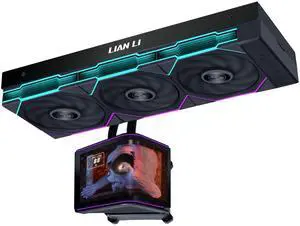
Lian Li Hydroshift II OLED Curved 360TL RGB Liquid CPU Cooler - 360mm AIO - 3x120mm TL Fans - Adjustable 6.67" Screen - 3D Animation Effects - Low Noise - LGA 1851/1700, AMD AM5/4-Black (HS2OLDC36TB)
- Brand: LIAN LI
- Series: Hydroshift II
- Model: HS2OLDC36TB
- Type: Liquid Cooling System
- Model #: HS2OLDC36TB
- Item #: 9SIAFSTKSB9302
- Return Policy: View Return Policy
$339.99
Free Shipping
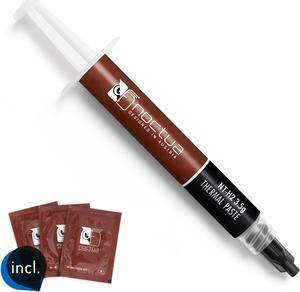
Noctua NT-H2 3.5g, Thermal Computer Paste incl. 3 Cleaning Wipes (3.5g)
- Specifications: Premium-grade thermal compound for optimal heat-transfer from the CPU or GPU to the heatsink
- Model #: NT-H2 3.5g
- Item #: 9SIAADY8R70239
- Return Policy: View Return Policy
$14.95
$6.81 Shipping
Dropped my wife's temperature on her 9900k by 3-4°C. She was idling at 35-36°C with stock paste on her NZXT Kraken X63. Now 31-32°C after NT-H2 application. Haven't checked what loaded temps look like yet. I have her locked down at 4.8GHz on all cores at the moment. I want to OC her to 5GHz and benchmark to compare with my 9900k system that will also have some Noctua paste applied to replace my Deepcool Castle 360EX stock paste. I will update after benchmarks are complete.
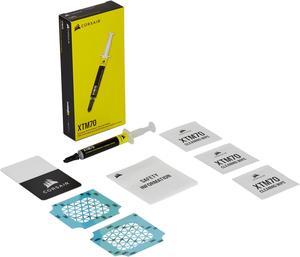
CORSAIR XTM70 Extreme Performance Thermal Paste, 3g
- Part Number: CT-9010010-WW
- Volume / Net Weight: 3.0g
- Model #: CT-9010010-WW
- Item #: N82E16835181325
- Return Policy: 30-Day Return Policy
$19.99
$22.99
Free Shipping
None at time of purchase.
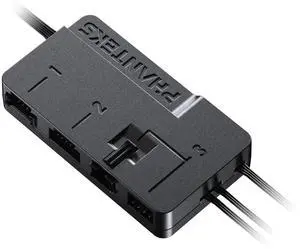
Phanteks Nexlinq Hub V2, Fan & Lighting control Windows App, Multiple channel output, Black.
- Brand: Phanteks
- Type: Case Fan Accessory
- Power Connector: Port 1&2: Linq6 connector, Port 3: 4-PIN PWM + DRGB 3-PIN JST
- Color: Black
- Model #: PH-NLHUB_02
- Item #: N82E16835709317
- Return Policy: 30-Day Return Policy
$29.99
Free Shipping
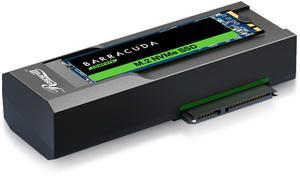
Rosewill NVME to 2.5'' 3.5'' Offline Clone Enclosure, M.2 to SATA SSD HDD Cloner, USB-C Type-C Max 10Gbps Standalone Clone Duplicator - RS-NS-CL
- Brand: Rosewill
- Size: M.2, 2.5", 3.5"
- External Interface: USB 3.1 Gen 2 Type-C
- AC Adapter: Yes, 12V/3A
- Model #: RS-NS-CL
- Item #: N82E16817182463
- Return Policy: 30-Day Return Policy
$39.99
$49.99
Free Shipping
Simple to use, lots of options available for drive transfers
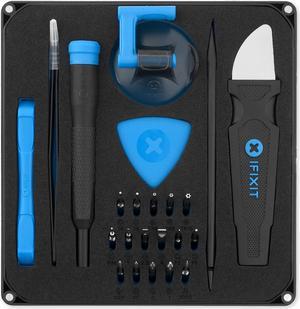
IFIXIT Essential Electronics Toolkit | IF145-348-5
- Type: Tool Set
- Features: 4 mm Bit Driver with Integrated SIM Eject Tool, 16 Precision Screwdriver Bits (4mm), Angled Precision Tweezers, Spudger, Jimmy, IFixit Opening Tool, IFixit Opening picks (set of 6) and Suction Handle.
- Brand: iFixit
- Part Number: IF145-348-5
- Model #: IF145-348-5
- Item #: 0WZ-022N-00001
- Return Policy: 30-Day Return Policy
$29.99
$32.99
Free Shipping
Has all the attachments I need.
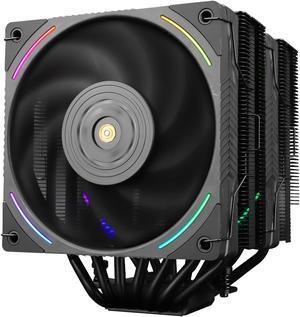
Thermalright Phantom Spirit 120 EVO CPU Cooler,7×6mm Heat Pipes CPU Air Cooler,Dual PWM Fan Computer Cooling,2150RPM Speed,for AMD AM4 AM5/Intel 1700/1150/1151/1200/17XX/2011
- Fan Size: 120mm
- Bearing Type: S-FDB V2 Bearing
- Series: PS120 EVO
- Type: Fan & Heatsinks
- Model #: 814256015585
- Item #: 9SIBVHXK987012
- Return Policy: View Return Policy
$65.90
$69.90
Free Shipping
Idle Temps = 35-40 c Load Temps = 60-77 c Intel Ultra 7 265K

bequiet! PURE LOOP 3 280mm Black CPU liquid cooler for heavily overclocked systems, 2x Pure Wings 3 PWM high-speed fans, Daisy chained PWM fans, PWM pump features 6-pole motor with 3 phases BW028
- Brand: be quiet!
- Series: PURE LOOP 3
- Part Number: BW028
- Type: AIO
- Model #: BW028US
- Item #: N82E16835269038
- Return Policy: 30-Day Return Policy
$94.99
$109.99
Free Shipping
I have used bequiet! AIOs for several builds now and they are in my opinion some of the best. Quiet fans and pumps at normal loads. Decent price to performance ratio. Easy installs. Bot RGB and all black choices.
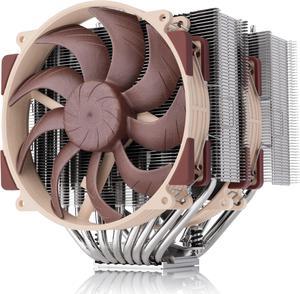
Noctua NH-D15 G2 LBC, Dual Tower CPU Cooler, Specialised Low Base Convexity Version for AMD AM5/AM4 (Brown)
- Brand: Noctua
- Fan Size: 140mm
- Type: Heatsinks only
- RPM: 0 - 1500 RPM
- Model #: NH-D15 G2 LBC
- Item #: 9SIAADYKB59138
- Return Policy: View Return Policy
$159.95
$169.95
$11.62 Shipping
Very quiet and keeps temps low
Thermal Grizzly Kryonaut Thermal Grease Paste - 1.0 Gram
- Model #: TG-K-001-RS
- Item #: 9SIAB7GHYK6562
- Return Policy: View Return Policy
$9.49
Free Shipping
- Easy to apply - Included plastic spatula - Came with instructions on how to apply
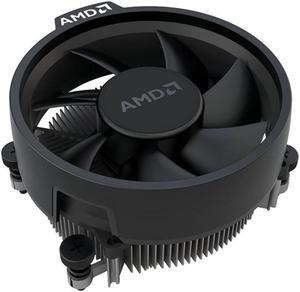
AMD Wraith Stealth Socket AM4 4-Pin Connector CPU Cooler with Aluminum Heatsink & 3.93-Inch Fan (Slim)
- Brand: AMD
- Fan Size: 90mm
- Series: Air Cooler Series
- Type: Fan & Heatsinks
- Model #: Wraith-Stealth
- Item #: 9SIBKCFKK91675
- Return Policy: View Return Policy
$14.67
$14.69
Free Shipping
I had read comments that the fan came damaged - mine was in perfect condition. It arrived early even though it came from overseas. Super quiet too :) Took me some time to find a fan to fit my motherboard as I'm not very techy, so quite happy i have my pc back in working order :D

Thermalright Phantom Spirit 120 SE ARGB CPU Air Cooler, 7 Heat Pipes Aluminium Heatsink Cover, for Intel 1700/115X/1200, AMD AM4/AM5 Addressable RGB
- Series: PS120SE ARGB
- Type: Fan & Heatsinks
- RPM: 1600-1999 RPM
- Air Flow: 65-70 CFM
- Model #: 814256015578
- Item #: 9SIBVHXK917018
- Return Policy: View Return Policy
$49.90
Free Shipping
Keeps my 5800x very cool
Versatile computer accessories are products that help you build laptops and computers to perform functions you need at optimal levels, whether it is for the home or office. Inside the computer case, you'll find the system unit, which organizes many of the accessories that are essential internal components. They provide access to sockets for connecting to internal parts and external peripherals. Accessories can assist in raising the performance of the system, introduce new elements to your computer, keep the operating system cooled down and make sure you have trouble-free installation. Some standard accessories are desktop cooling fans, plug connectors, and a HDD mounting kit.
Understanding How CPU Accessories Streamline Upgrading the Computer
The motherboard is the central component of the computer, and holds all the CPU accessories within the computer case so they can communicate and work together. The computer accessories can range from what powers the processors to the hard drive. In between, you have RAM, network cards, graphics processing units, patch panels and other hardware that help you connect all these components so they work as one unit. The motherboard includes distinct functionalities, and your computer must have a motherboard that is compatible with the processor. Upgrading your computer requires interchanging desktop accessories, and you need to make sure your upgrades are consistent with the rest of the computer components. For instance, upgrading your processor will give you faster processing, but take into account the power requirements of the other parts, like the graphics processing unit and motherboard.
The Difference Between HDD and SSD Is Speed
Storage devices are key for determining how much you can download onto your computer. A solid-state drive (SSD) and a hard disk drive (HDD) are computer accessories that simply store data. Think of the HDD as a mechanical platter that drives the computer as it reads information. The SSD is a newer and faster type of drive that stores bits of information like a flash drive for quick access. The HDD, which is like a vinyl album, has to search for the data. Whichever you choose, there are SSD and HDD accessories needed for the build. Both need mounting kits and brackets to install them in their empty bays. Some computers may require bay adapters for the drives if they are too small for the slot. Other desktop accessories you might also want to consider are disk storage cases that protect drives when you transport them.
Computer Accessories Include Wired Components Like Connectors and Jacks
Upgrading your computer may require different wired accessories. For instance, if you need to change your desktop cooling fan, you might need to consider wired accessories from DC connectors to rack mounts. Furthermore, understanding which adaptor to use to convert connections smoothly is essential. Some common wired accessories to consider for upgrading are power cables, shielded jacks and keystone jacks. Some of these desktop accessories come in different colors to help you organize and group or match them by color.