

Your Browsing History
BEST SELLERS


BEST SELLERS
In Computer Accessories
Our most popular products, based on sales and updated frequently.Shop Department
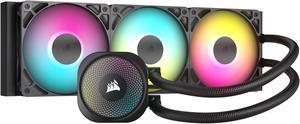
CORSAIR NAUTILUS 360 RS ARGB Liquid CPU Cooler – RS120 ARGB Fans – Fits Intel® LGA 1851, AMD® AM5/AM4 – Simple Daisy-Chain Connections - Direct Motherboard Connection
- Brand: CORSAIR
- Series: Nautilus Series
- Part Number: CW-9060093-WW
- Type: AIO
- Model #: CW-9060093-WW
- Item #: N82E16835181478
- Return Policy: 30-Day Return Policy
$129.99
Free Shipping
The daisy-chain linking of the fans was nice for getting each fan connected for both power and RGB functioning. Extension cables are also included. The pump blocks RGB connector can also be linked as the beginning of the chain leading to the motherboard. The pump is extraordinarily quiet; using a dB meter up close barely registers. The fans are also very quiet until throttled up to their highest RPM, and even then it is merely a whisper. The coolant hoses are reasonably flexible without kinking and are also long enough to extend past full length GPU cards and reach the bottom of the case in a front mount configuration. Keep in mind, over time, most coolants will develop air pockets and it is best to trap that air away from the pump to insure the greatest lifespan of your AIO cooling system and minimize gurgling sounds. This is why your hoses should always be oriented at their lowest points on both the pump and the radiator. Thermal paste is pre-applied to the pump block and there should be no need to add more. Alternatively, a white variant of this model is also available.
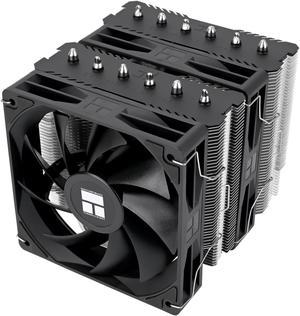
Thermalright Peerless Assassin 120 SE V2 CPU Air Cooler - 6 Heat Pipes AGHP GEN 5.0 Technology | 1850RPM PWM 120mm Fans, for Intel 1851/1700/115X/1200, AMD AM4/AM5
- Fan Size: 120mm
- Series: Peerless Assassin 120 SE V2
- Type: Fan & Heatsinks
- RPM: 1850 RPM±10% (MAX)
- Model #: 814256019248
- Item #: 9SIBVHXKCK2083
- Return Policy: View Return Policy
$46.90
$49.90
Free Shipping
-Price -Easy to install (AMD 4/5) -Nearly as good as Noctua (1-2 degrees less) -Quiet
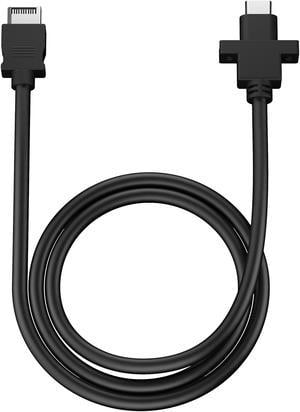
Fractal Design FD-A-USBC-001 Pop Accessory USB-C 10Gbps Cable - Model D
- Types: Front / Back Panel & Accessories
- Length: 67cm
- Specifications: Compatibility: Pop series and compatible Fractal Design cases USB specification: USB 3.1 Gen 2 (10 Gbps) External connector: USB Type-C Internal connector: Key-A 20-pin
- Model #: FD-A-USBC-001
- Item #: N82E16811994093
- Return Policy: 30-Day Return Policy
$9.99
$2.99 Shipping
Was super easy to install, just plug and play.
GAMDIAS Aura GLV2 360mm AIO Liquid CPU Cooler, Rotatable Performance 10-Pole Pump, 3 x 120mm Daisy-chained Hidden Cable Fans, Low-Noise PWM & ARGB Sync Ready, Intel LGA 1851/1700; AMD AM5/AM4
- Brand: GAMDIAS
- Type: Liquid Cooling System
- Block Compatibility: AMD Socket AM4 / AMD Socket AM5 / Intel LGA 1150 / Intel LGA 1151 / Intel LGA 1155 / Intel LGA 1156 / Intel LGA 1200 / Intel LGA 1700 / Intel LGA 1851
- Radiator Size: 398 x 120 x 27 mm
- Model #: GD-AURA GL360 V2-A
- Item #: N82E16835099039
- Return Policy: 30-Day Return Policy
$69.99
Free Shipping
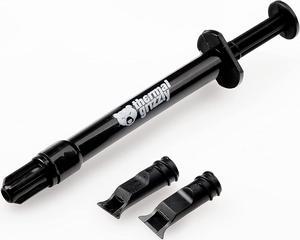
Thermal Grizzly Kryonaut Extreme The High Performance Thermal Paste for Cooling All Processors, Graphics Cards and Heat Sinks in Computers and Consoles (2 Gram)
- Thermal Conductivity: 14.2 W/mK
- Long Term Operating Temperature: -250 °C / +350 °C
- Model #: TG-KE-002 R
- Item #: 9SIAB7GHYG2122
- Return Policy: View Return Policy
$21.95
Free Shipping
- Keeps i7 265k at 30c idle with my 360 msi AIO - It was easier to spread this time. The first tube I got years ago was very clumpy. - It was pink-ish?!? Neat little spin on it.
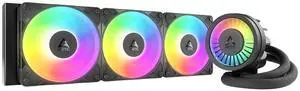
ARCTIC ACFRE00184A Liquid Freezer III Pro 360 A-RGB AIO CPU Cooler, Water Cooling 38 mm Radiator, AMD AM5/AM4, Intel LGA1851/1700 (Black)
- Brand: Alphacool
- Series: ROG STRIX LC II 360
- Part Number: ACFRE00184A
- Block Compatibility: AMD Socket AM5
- Model #: ACFRE00184A
- Item #: 9SIA8N2KFJ1565
- Return Policy: View Return Policy
$169.99
Free Shipping
Amazing AIO. Fans already preinstalled. Easy instructions to follow. Cools my CPU no issue
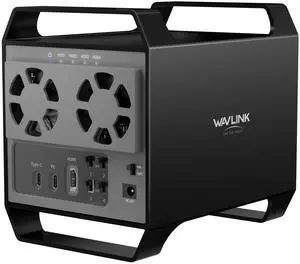
WAVLINK 4-Bay Hard Drive Enclosure for 3.5" and 2.5'' SATA HDD/SSD Featuring 10Gbps USB-C 3.2, Max 88TB Capacity, Built-in Temp-Controlled Cooling Fans, 4K HDMI Stunning Video Output, Aluminum Shell
- Brand: Wavlink
- Color: Black
- Material: Aluminum
- Fan: Yes
- Model #: WL-RapidFire H4-K35284A
- Item #: 9SIA6PFKK50098
- Return Policy: View Return Policy
$99.99
$139.99
Free Shipping
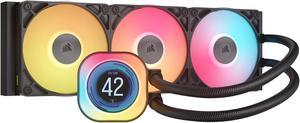
CORSAIR iCUE LINK TITAN 360 RX LCD Liquid CPU Cooler – RX120 RGB Fans – Fits Intel® LGA 1851/1700, AMD® AM5/AM4 – iCUE LINK System Hub Included
- Brand: CORSAIR
- Part Number: CW-9061023-WW
- Type: AIO
- Block Compatibility: AMD: AM5, AM4 | Intel: 1851, 1700
- Model #: CW-9061023-WW
- Item #: N82E16835181479
- Return Policy: 30-Day Return Policy
$219.99
Free Shipping
Well packaged! Nice software and lighting features! Installed easily and perfectly in the Corsair case. Thermal compound was pre installed!
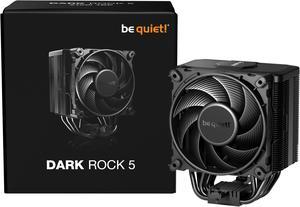
be quiet! DARK ROCK 5 Intel: 1851/ 1700 / 1200 / 1150 / 1151 / 1155 AMD: AM5 / AM4, Silent Wings 4 120mm PWM, Fluid Dynamic Bearing CPU Cooling BK035
- Brand: be quiet!
- Fan Size: 120mm
- Bearing Type: Fluid Dynamic bearing
- Type: Fan & Heatsinks
- Model #: BK035
- Item #: N82E16835269007
- Return Policy: 30-Day Return Policy
$69.90
$75.99
Free Shipping
Instructions made sense and were accurate, easy to install (I had to multiple times because of driver issues with new cpu and swapping back and forth at least 4 times). New 5700X3D has not had a single issue. Dead quiet, seriously even without the front glass I cant hear it more then 3 feet away under load. Long boy screwdriver comes with and is great.
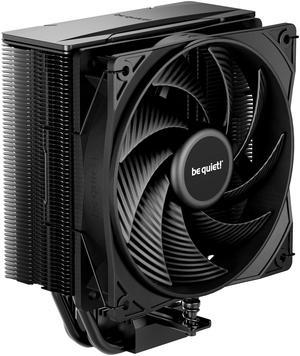
be quiet! Pure Rock 3 Black 120mm Rifle CPU Cooler Socket compatibility Intel 1851 / 1700 / 1200 / 1150 / 1151 / 1155 and AMD AM5 / AM4 -BK039
- Brand: be quiet!
- Fan Size: 120mm
- Bearing Type: Rifle
- RPM: 2000RPM max
- Model #: BK039
- Item #: N82E16835269024
- Return Policy: 30-Day Return Policy
$39.90
Free Shipping
The easiest cooler to assemble and install Fifteen minutes max. Brought down the Ryzen 5 5500 from stock cooler 70 degrees Centigrade down to 44 degrees Centigrade Motherboard was 42 degrees Centigrade with stock cooler. With the ThermalRight Asasssin v 120 2. The unbelievable motherboard temp was 25 degrees Centigrade. This is from Amati case
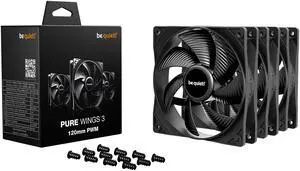
be quiet! Pure Wings 3 120mm Quiet PWM High-Speed Case Fan | Speed-regulating Closed Loop Motor| Extraordinary Air Pressure | BL141 3-pack
- Brand: be quiet!
- Fan Size: 120mm
- Type: Case Fan
- Air Flow: 45-50 CFM
- Model #: BL141
- Item #: N82E16835269045
- Return Policy: 30-Day Return Policy
$32.50
Free Shipping
- I think they're pretty quiet and they run up and down pretty good. - I configured them to run between 85% to 100% on a sloped curve. - I needed for both back and front case fans and to help move air. - They're nice looking yet they're in sealed cases, yet nice looking. - They also came with the new (case) fan screws, and thank you.
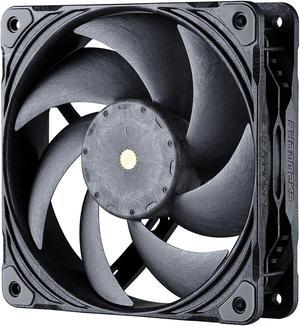
Phanteks T30-120 fan, premium high-performance fan, PWM, Black/Grey
- Brand: Phanteks
- Fan Size: 120mm
- LED: No DRGB
- Type: Case Fan
- Model #: PH-F120T30_BG
- Item #: 9SIC6C2KV37399
- Return Policy: View Return Policy
$36.90
$37.90
Free Shipping
- Has a female plug on every fan to plug them serially. Every one of them come with an extension cable and radiator screws. - 1250 RPM silent - No weird inconsistent whine that apparently my ears can pick up. - Shock pads - Not too hard to screw in - Awesome airflow! - Neutral look - Up to 3000 RPM for your crazy projects.
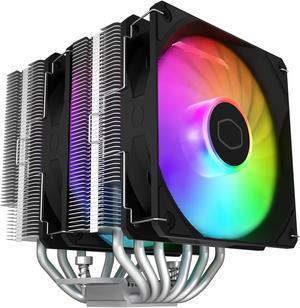
Cooler Master Hyper 620S Dual Tower CPU Air Cooler, ARGB Sync, 120mm PWM Fan, 6 Copper Direct Contact Heat Pipes, 154.9mm Tall, Brackets AMD Ryzen AM5/AM4, Intel LGA 1851/1700/1200 (RR-D6NA-17PA-R1)
- Brand: COOLER MASTER
- Fan Size: 120mm
- Bearing Type: Rifle
- Series: Hyper 620S
- Model #: RR-D6NA-17PA-R1
- Item #: N82E16835103358
- Return Policy: 30-Day Return Policy
$49.99
$2.99 Shipping
Two 120mm aRGB fans
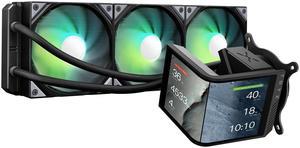
TRYX Panorama SE 360 ARGB 360mm AIO Rotatable 6.67'' AMOLED Curved Screen 3D Anamorphic Effect Customizable AIO Cooler 360mm Asetek Adela 280w TDP ARGB Fan Intel LGA 1851/1700/1200/115X AMD AM5/AM4
- Brand: TRYX
- Series: PANORAMA SE ARGB
- Part Number: L-P360L-AM3M-G0K
- Type: AIO
- Model #: L-P360L-AM3M-G0K
- Item #: 9SIBWC8KCY3780
- Return Policy: View Return Policy
$251.99
$279.99
Free Shipping
- The packaging and assembly of the product were well-designed, with a sturdy box and pre-installed fans that made installation easier. - The instructions were clear and simple, making it easy to install, even for inexperienced users. - The performance benchmarks showed good results, with temperatures that were not excessively high and noise levels that were relatively quiet, around 35-45 decibels. - The product was quiet during real-world testing, including browsing, working with multimedia, and gaming, with fan noise staying at low decibels even at 60-70% of their max speed. - The compatibility and fitment of the radiator were good, with no design issues that could impact fitment on most cases. - The cable management was clean, thanks to the proprietary cabling for ARGB and sufficient cable length. - For design features, included AMOLED screen and customizable software, were well-thought-out and added to the product's uniqueness. - The build quality was generally good, with a 6-year warranty to back it up.
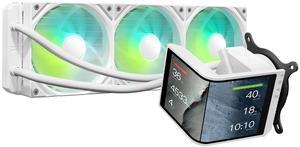
TRYX Panorama SE 360 ARGB White 360mm AIO Rotatable 6.67'' AMOLED Curved Screen 3D Anamorphic Effect Customizable AIO Cooler 360mm White Asetek Adela 280w TDP Intel LGA 1851/1700/1200/115X AMD AM5/AM4
- Brand: TRYX
- Series: PANORAMA SE ARGB
- Part Number: L-P360L-AM3M-G0W
- Type: AIO
- Model #: L-P360L-AM3M-G0W
- Item #: 9SIBWC8KCY3824
- Return Policy: View Return Policy
$251.99
$279.99
Free Shipping
This is my first AIO cooler. I've always leaned towards high end air cooling in the past and I have to say I'm beyond impressed by what I'm seeing (and not hearing!) in this TRYX AIO. The heatsink (dual fan) I replaced with this was definitely skirting the mid-high to high end air cooling solutions. Not only does the TRYX keep my idle temps a few degrees cooler but under load with moderate gaming the temps are literally 10 degrees cooler. (i7 10700k with a mild overclock) Under extreme loads it sits around 10-15 degrees cooler but far less noisy compared to my air cooler. If I crank the fan speed up it will stay consistently ~15 degrees cooler than the air cooling. But the most impressive part of that is the silence. I'm able to maintain the level of cooling I am right now (check the included screenshot) without the need to have the TRYX fans spin up to an audible level. The pump is also silent. To the point I questioned if it was even running the first time I turned it on! Under heavy duty gaming the TRYX is still able to maintain significantly lower temps at much lower fan speeds. The silence really is golden. I really can't stress how quiet this is while still maintaining great temps. The ARGB lighting is a nice touch and added to the theme of my entire build. Keep in mind you need to either have support for it on your motherboard or a controller. There is no way to adjust the lighting without it. The install is simple. Took all of 10 minutes to get setup. Instructions are easy to follow. The screen can be mounted at different orientations, vertical and horizontal. All customizable through the software. You can also add some neat effects like rain or fog. There's ways to split the images as well and treat the display as two screens. Speaking of the software... this leads me to my one con.
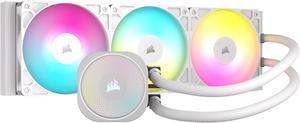
CORSAIR NAUTILUS 360 RS ARGB Liquid CPU Cooler – White – RS120 ARGB Fans – Fits Intel® LGA 1851, AMD® AM5/AM4 – Simple Daisy-Chain Connections - Direct Motherboard Connection
- Brand: CORSAIR
- Series: Nautilus Series
- Part Number: CW-9060095-WW
- Type: AIO
- Model #: CW-9060095-WW
- Item #: N82E16835181476
- Return Policy: 30-Day Return Policy
$129.99
Free Shipping
Fairly easy to install Keeps my stock 12700k at around 60°C under load Pretty quiet once you get a nice fan curve set up Doesn't require Corsair iCue
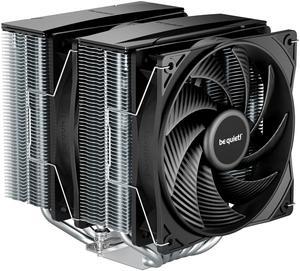
be quiet! Pure Rock Pro 3 120mm Rifle CPU Cooler Socket compatibility Intel 1851 / 1700 / 1200 / 1150 / 1151 / 1155 and AMD AM5 / AM4 - BK041
- Brand: be quiet!
- Fan Size: 120mm
- Bearing Type: Rifle
- RPM: 2000 RPM max
- Model #: BK041
- Item #: N82E16835269026
- Return Policy: 30-Day Return Policy
$49.90
$49.99
Free Shipping
EXCELLENT AIR COOLER ITS A BIT LARGE TAKES PART ON TOP OF THE RAMS BUT THE COOLING ITS AWESOME INCLUDES 2 FANS AND A VERY LARGE AIRSINK AND ALSO HAS PREAPPLIED THERMAL PASTE RIGHT OUT THE BOX.
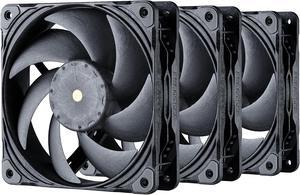
Phanteks T30-120 Fan Triple-Pack, premium high-performance fan, excellent sound quality, 4-pin PWM, multiple fan RPM modes, Black/Grey
- Brand: Phanteks
- Fan Size: 120mm
- LED: No DRGB
- Type: Case Fan
- Model #: PH-F120T30_BG_3P
- Item #: N82E16835709193
- Return Policy: 30-Day Return Policy
$114.99
Free Shipping
- Great cooling - Nice and Quiet - Not Tan and Brown - Daisy Chain Connectors
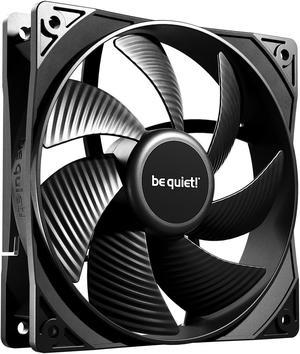
Pure Wings 3 | 120mm PWM Case Fan | High Performance Cooling Fan | Compatible with Desktop | Low minimum rpm | Low Noise | Black | BL105
- Brand: be quiet!
- Fan Size: 120mm
- LED: Non-LED
- Type: Case Fan
- Model #: BL105
- Item #: 1YF-001D-000R4
- Return Policy: 30-Day Return Policy
$11.90
$13.49
Free Shipping
pretty much just plug and play, installed into the PC case nice and easy and connected to the motherboard without a hitch
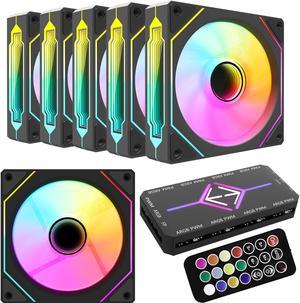
RGB Fans:6 pack 120mm PWM ARGB Case Fan with Fan Hub and Remote,Speed Control,PWM Control Fan for Computer Case and Liquid Cooling System
- Fan Size: 120mm
- LED: ARGB
- Type: Case Fan
- Color: Black
- Model #: ARGB-R
- Item #: 9SIBT2UK8P6810
- Return Policy: View Return Policy
$36.99
$49.99
Free Shipping
Look good. All parts described are present. No missing or damaged connector pins.
Versatile computer accessories are products that help you build laptops and computers to perform functions you need at optimal levels, whether it is for the home or office. Inside the computer case, you'll find the system unit, which organizes many of the accessories that are essential internal components. They provide access to sockets for connecting to internal parts and external peripherals. Accessories can assist in raising the performance of the system, introduce new elements to your computer, keep the operating system cooled down and make sure you have trouble-free installation. Some standard accessories are desktop cooling fans, plug connectors, and a HDD mounting kit.
Understanding How CPU Accessories Streamline Upgrading the Computer
The motherboard is the central component of the computer, and holds all the CPU accessories within the computer case so they can communicate and work together. The computer accessories can range from what powers the processors to the hard drive. In between, you have RAM, network cards, graphics processing units, patch panels and other hardware that help you connect all these components so they work as one unit. The motherboard includes distinct functionalities, and your computer must have a motherboard that is compatible with the processor. Upgrading your computer requires interchanging desktop accessories, and you need to make sure your upgrades are consistent with the rest of the computer components. For instance, upgrading your processor will give you faster processing, but take into account the power requirements of the other parts, like the graphics processing unit and motherboard.
The Difference Between HDD and SSD Is Speed
Storage devices are key for determining how much you can download onto your computer. A solid-state drive (SSD) and a hard disk drive (HDD) are computer accessories that simply store data. Think of the HDD as a mechanical platter that drives the computer as it reads information. The SSD is a newer and faster type of drive that stores bits of information like a flash drive for quick access. The HDD, which is like a vinyl album, has to search for the data. Whichever you choose, there are SSD and HDD accessories needed for the build. Both need mounting kits and brackets to install them in their empty bays. Some computers may require bay adapters for the drives if they are too small for the slot. Other desktop accessories you might also want to consider are disk storage cases that protect drives when you transport them.
Computer Accessories Include Wired Components Like Connectors and Jacks
Upgrading your computer may require different wired accessories. For instance, if you need to change your desktop cooling fan, you might need to consider wired accessories from DC connectors to rack mounts. Furthermore, understanding which adaptor to use to convert connections smoothly is essential. Some common wired accessories to consider for upgrading are power cables, shielded jacks and keystone jacks. Some of these desktop accessories come in different colors to help you organize and group or match them by color.