
Your Browsing History
BEST SELLERS


BEST SELLERS
In Computer Accessories
Our most popular products, based on sales and updated frequently.Shop Department
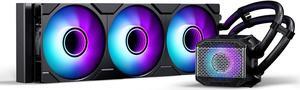
Phanteks Glacier One 360M25 G2 AIO Liquid CPU Cooler, Black, RGB Pump Cap Design, 3x 120mm M25 G2 PWM RGB Fans, for Intel LGA 1700, 1851, 1200, 115x and AMD AM4/AM5 sockets, Black PH-GO360M25G2_DBK02
- Brand: Phanteks
- Part Number: PH-GO360M25G2_DBK02
- Type: Liquid Cooling System
- Block Compatibility: Intel Socket LGA 115x, 1200, 1700, 1851, 2011, 2011-3, 2066 AMD Socket AM4, AM5, SP3, sTRX4, TR4, sWRX8
- Model #: PH-GO360M25G2_DBK02
- Item #: N82E16835709302
- Return Policy: 30-Day Return Policy
$89.99
$79.99 after $10.00 rebate
Free Shipping
Keeps my 14700kf cooled very quiet.

PTM7950 40x40x0.2mm Phase Change GPU Thermal Pad, High Conductive Silicone Grease 8.5W/mK CPU Thermal Paste for PS5 Steam Deck CPU GPU SSD M.2 Laptop
- Model #: Honeywell PTM7950-40*40mm-A
- Item #: 9SIA4REK200450
- Return Policy: View Return Policy
$12.99
Free Shipping
Why did I pick this? I was intrigued by this so I bought it. Sure, its pricier than most pastes. There is a thick plastic side and a thin plastic side. I cut the piece to size and used a sharp utility knife to pre-peal the thin plastic side and fold the corner. I wiped the die with the enclosed alcohol pad, pealed the thick plastic side, centered the pad, used the spatula to press it down and then grabbed the pre-folded edge of the thin plastic to remove. It wasnt too bad. I dont know if it works better as I have not compared it to regular thermal paste but I am satisfied that I got an appropriate amount between the CPU and the cooler.
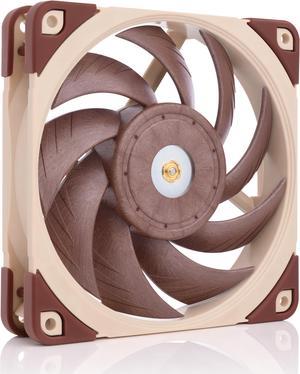
Noctua NF-A12x25 PWM, Premium Quiet Fan, 4-Pin (120mm, Brown)
- Type: Case Fan
- Bearing Type: SSO2
- RPM: Rotational Speed (+/- 10%) 2000 RPM, Rotational Speed with L.N.A. (+/- 10%) 1700 RPM, Min. Rotational Speed (PWM, +/-20%) 450 RPM
- Air Flow: Airflow 102,1 m³/h, Airflow with L.N.A. 84,5 m³/h
- Model #: NF-A12x25 PWM
- Item #: 9SIBZT7KJ95160
- Return Policy: View Return Policy
$34.95
Free Shipping
-there working as intend "premium fans" keeps my parts nice and cool -quite - actually comes with some useful stuff cabling wise
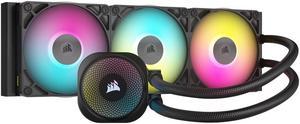
CORSAIR iCUE LINK TITAN 360 RX RGB Liquid CPU Cooler - RX120 RGB Fans - Fits Intel LGA 1851/1700, AMD AM5/AM4 - iCUE LINK System Hub Included
- Brand: Alphacool
- Part Number: CW-9061018-WW
- Type: AIO
- Block Compatibility: AMD Socket AM4 / AMD Socket AM5 / Intel LGA 1700 / Intel LGA 1851
- Model #: CW-9061018-WW
- Item #: 9SIC70SKYH0751
- Return Policy: View Return Policy
$144.99
$199.99
Free Shipping
Thing thing fit perfect and runs super quit temp are way way cooler
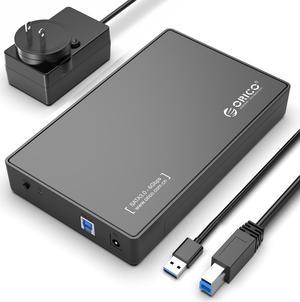
ORICO USB 3.0 External Hard Drive Enclosure for 3.5/2.5 Inch SATA Hard Drives/SSD Up to 20 TB, 3.5'' Tool-Free HDD Enclosure with 12V/2A Power Supply and UASP Acceleration (3588US3)
- Brand: ORICO
- Size: 3.5"
- Color: Black
- External Interface: USB 3.0
- Model #: 3588US3-V1-US-BK-BP
- Item #: 9SIA1DS14F8916
- Return Policy: View Return Policy
$22.99
$25.99
Free Shipping
Works Great - USB interface a plus
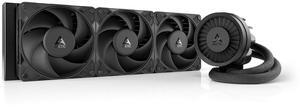
ARCTIC ACFRE00180A Liquid Freezer III Pro 360 AIO CPU Cooler, Water Cooling 38 mm Radiator, AMD AM5/AM4, Intel LGA1851/1700 (Black)
- Brand: Alphacool
- Series: ROG STRIX LC II 360
- Part Number: ACFRE00180A
- Block Dim.: 15.7 L x 4.7 W x 2.9 H inches
- Model #: ACFRE00180A
- Item #: 9SIA8N2KFJ1568
- Return Policy: View Return Policy
$165.99
Free Shipping
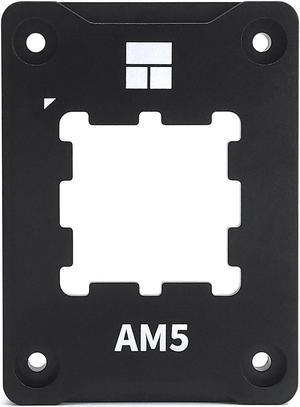
Thermalright AM5 CPU Contact Frame V2 for Secure Frame Kit Anti-Bending Buckle
- Model #: 814256017633
- Item #: 9SIBVHXK8B0266
- Return Policy: View Return Policy
$9.90
$12.90
Free Shipping
get it its great

Thermal Grizzly Duronaut - 2 Gram - Enhanced Durability & High Performance Thermal Paste - for Maximum Thermal Conductivity While Overclocking CPU/GPU/PS4/PS5/Xbox
- Model #: TG-D-002
- Item #: 9SIAB7GKF02145
- Return Policy: View Return Policy
$13.99
Free Shipping
Awesome Thermal Conductivity & lower temps, easy application
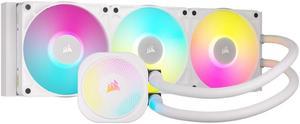
CORSAIR iCUE LINK TITAN 360 RX RGB Liquid CPU Cooler - White - RX120 RGB Fans - Fits Intel LGA 1851/1700, AMD AM5/AM4 - iCUE LINK System Hub Included
- Brand: Alphacool
- Part Number: CW-9061021-WW
- Type: AIO
- Block Compatibility: AMD Socket AM4 / AMD Socket AM5 / Intel LGA 1700 / Intel LGA 1851
- Model #: CW-9061021-WW
- Item #: 0EZ-00MD-00004
- Return Policy: 30-Day Return Policy
$199.99
Free Shipping
Very quite operation for a vertical install in an OC system.
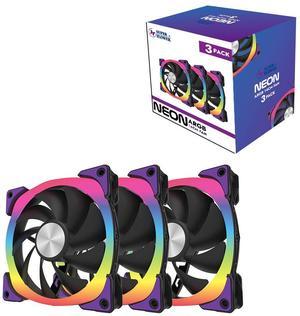
Super Flower NEON ARGB 140mm fan, Triple-Pack, Purple Anti-Vibration Mounting Pads, Computer Case Fan, Remote Control, SF-ARGB141-BK_3P
- Type: Case Fan
- Color: Black
- Model #: SF-ARGB141-BK_3P
- Item #: 9SIAMNPKDU6502
- Return Policy: View Return Policy
$19.99
$54.99
Free Shipping
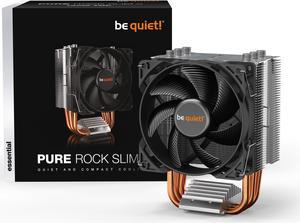
be quiet! Pure Rock Slim 2 CPU Air Cooler | Socket Support for Intel LGA 1851,1200,1150,1151,1155 - and AMD AM4,AM5 Support - Low Noise Cooler - Compact Air Cooler - Silver/Black (BK030)
- Brand: be quiet!
- Fan Size: 92mm
- Bearing Type: Rifle
- Type: Fan & Heatsinks
- Model #: BK030
- Item #: 13C-001F-00061
- Return Policy: 30-Day Return Policy
OUT OF STOCK
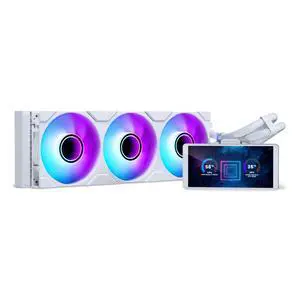
Phanteks Glacier One 360M25-LCD AIO Liquid CPU Cooler, 6" IPS LCD HD Display, 120mm M25 Gen2 D-RGB Fans, High-Performance Copper Cold Plate, Intel & AMD Compatible, White
- Model #: PH-GO360M25G2LCD_DWT01
- Item #: N82E16835709321
- Return Policy: 30-Day Return Policy
$139.99
$149.99
$129.99 after $10.00 rebate
Free Shipping
I like that the cooler once setup is clean and simple. It does take a little patience to setup everything but worth it. Its quiet and dropped my temps from 80-84 C to 55-60C on my 7700x (previous Corsair H60).
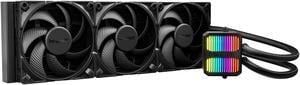
be quiet! SILENT LOOP 3 420mm All-in-One Water Cooling I Intel LGA 1851 / 1700 / 1200 / 1150 / 1151 / 1155 I AMD Socket AM5 / AM4 / TR5 / TR4 - BW026
- Part Number: BW026
- Type: Liquid Cooling System
- Block Compatibility: AMD Socket AM4 / AMD Socket AM5 / AMD Socket sTR4 / AMD Socket sTR5 / Intel LGA 1150 / Intel LGA 1151 / Intel LGA 1155 / Intel LGA 1200 / Intel LGA 1700 / Intel LGA 1851
- Block Dim.: 93.5 x 80 x 56 mm
- Model #: BW026
- Item #: N82E16835269032
- Return Policy: 30-Day Return Policy
$149.90
Free Shipping
You can pay more, you can pay less. But eventually you have to settle on one choice. I went with Be Quiet because I have experience with the brand and trust it. I also went with Be Quiet because it does NOT come with proprietary software, and so proprietary software is not required. I control pump and fan speeds with my mobo BIOS. Works fine. I would like to have a visible temperature display (my previous AIO was a Corsair and could control the front fan colors to show CPU temp, so I could always see my system temp health). But the simplicity of the Be Quiet won me over. The LED display on the pump body is simple, but elegant. Has a Knight Rider/Cylon vibe. It's supposedly software controllable but I don't want to throw software into an otherwise rock solid cooling system. So I just go with the pretty rolling rainbow color on the pump that is default. Note: The fans are not ARGB, nor RGB, nor lighted in any way. That didn't matter for me. I COMPUTE with my computer, not SHOW OFF. I'll save the blinking lights for my Christmas tree.
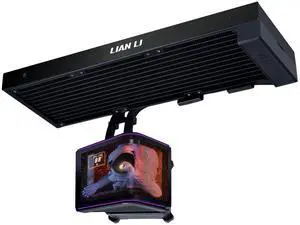
Lian Li Hydroshift II OLED Curved 360 Liquid CPU Cooler - Flexible Slide-Tube Clamp Coolant Pathway - Adjustable 6.67" OLED Screen - 3D Animation Effects - LGA 1851/1700, AMD AM5/4 -Black(HS2OLDC36NB)
- Brand: LIAN LI
- Series: Hydroshift II
- Model: HS2OLDC36NB
- Type: Liquid Cooling System
- Model #: HS2OLDC36NB
- Item #: 9SIAFSTKSB9304
- Return Policy: View Return Policy
$279.99
Free Shipping
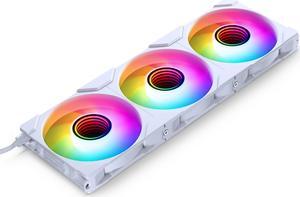
Phanteks M25-120 Gen2 Reversed Blade Triple Pack, 3x 120mm ARGB High Performance Cooling Fans, Daisy-chain Unified Fan Frame, Infinity Mirror hub, single cable connection, White
- Brand: Phanteks
- Fan Size: 120mm
- LED: DRGB
- Type: Case Fan
- Model #: PH-F120M25R_G2_DWT01_3P
- Item #: N82E16835709291
- Return Policy: 30-Day Return Policy
$36.99
$4.99 Shipping
🫶 just perfect love it
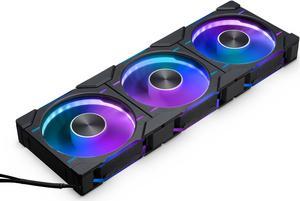
Phanteks D30-120 DRGB PWM FAN 3Pack, Reverse Airflow Model, Premium D-RGB Performance Fans, Halos lighting Effect, ARGB/DRGB lighting, Daisy-chain Fan Linking system, Black, 3Pack
- Brand: Phanteks
- Series: D30-120
- Fan Size: 120mm
- LED: DRGB
- Model #: PH-F120D30R_DRGB_PWM_BK01_3P
- Item #: 9SIC6C2KV37459
- Return Policy: View Return Policy
$92.99
$93.59
Free Shipping
Linked fans, less cables Daisy chained RGB connectors No finicky/suspect software
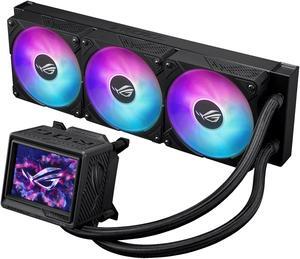
ASUS ROG RYUYJIN III 360 ARGB EXTREME all-in-one AIO CPU liquid cooler, AMD Ryzen 9000 & Intel® Core™ Ultra Ready, Asetek Gen8 V2 pump; high airflow & static pressure magnetic fans; customizable 3.5"
- Brand: ASUS
- Series: 90RC0131-M0AAY0
- Type: AIO
- Block Compatibility: AMD Socket AM4 / AMD Socket AM5 / Intel LGA 1200 / Intel LGA 1700 / Intel LGA 1851
- Model #: RYUJIN III 360 ARGB EXTREME
- Item #: 9SIC70SKYB6925
- Return Policy: View Return Policy
$362.72
$444.99
Free Shipping
Performance
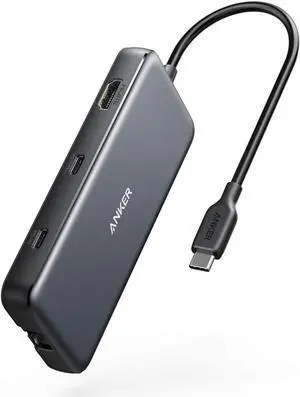
Anker USB C Hub, PowerExpand 8-in-1 USB C Adapter, with 100W Power Delivery, 4K 60Hz HDMI Port, 10Gbps USB C and 2 USB A Data Ports, Ethernet Port, microSD and SD Card Reader, for MacBook Pro and More
- Type: USB
- Standards: USB 3.1
- Dimensions: 4.76 x 2.17 x 0.6 inches
- Weight: 4.5 ounces
- Model #: A83830A2
- Item #: 9SIACCUEJA3787
- Return Policy: View Return Policy
$49.99
Free Shipping
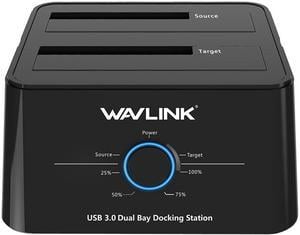
Wavlink USB 3.0 to SATA I/II/II Dual Bay External Hard Drive Docking Station for 2.5" 3.5" SATA HDD/SSD Enclosure 2x 16TB Hard Drive Enclosure With UASP, Support Offline Clone Duplicator, Auto Sleep
- Type: Docking Station
- AC Adapter: Yes
- Material: abs plastic
- HDD Count Supported: Dual SSD
- Model #: WL-ST334U
- Item #: 9SIA6PF3NA0586
- Return Policy: View Return Policy
$27.99
$34.99
Free Shipping
Well packaged Solid unit (doesn't feel cheap or lightweight) Slip proof feet so it stays where it belongs on my desk came with all the cable/adapters I need Works as external SATA for 2 drives at once for manipulating in windows, or wherever. no overheating
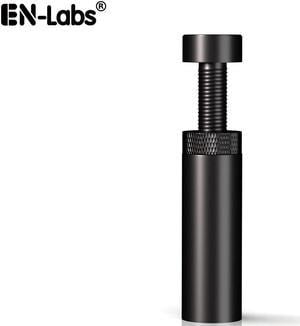
Graphics Card GPU Holder, Anti Sag Stand Bracket Video Card Anti-Bending Magnetic Mount Brace for ATX/M-ATX/Mini-ATX Iron Case ,1.9"-3.1" Height Adjustable, Black
- Color: Black
- Changer Type: Other
- Model #: 11-001-057x4
- Item #: 9SIACJF56J5878
- Return Policy: View Return Policy
$8.49
Free Shipping
she grips good
Versatile computer accessories are products that help you build laptops and computers to perform functions you need at optimal levels, whether it is for the home or office. Inside the computer case, you'll find the system unit, which organizes many of the accessories that are essential internal components. They provide access to sockets for connecting to internal parts and external peripherals. Accessories can assist in raising the performance of the system, introduce new elements to your computer, keep the operating system cooled down and make sure you have trouble-free installation. Some standard accessories are desktop cooling fans, plug connectors, and a HDD mounting kit.
Understanding How CPU Accessories Streamline Upgrading the Computer
The motherboard is the central component of the computer, and holds all the CPU accessories within the computer case so they can communicate and work together. The computer accessories can range from what powers the processors to the hard drive. In between, you have RAM, network cards, graphics processing units, patch panels and other hardware that help you connect all these components so they work as one unit. The motherboard includes distinct functionalities, and your computer must have a motherboard that is compatible with the processor. Upgrading your computer requires interchanging desktop accessories, and you need to make sure your upgrades are consistent with the rest of the computer components. For instance, upgrading your processor will give you faster processing, but take into account the power requirements of the other parts, like the graphics processing unit and motherboard.
The Difference Between HDD and SSD Is Speed
Storage devices are key for determining how much you can download onto your computer. A solid-state drive (SSD) and a hard disk drive (HDD) are computer accessories that simply store data. Think of the HDD as a mechanical platter that drives the computer as it reads information. The SSD is a newer and faster type of drive that stores bits of information like a flash drive for quick access. The HDD, which is like a vinyl album, has to search for the data. Whichever you choose, there are SSD and HDD accessories needed for the build. Both need mounting kits and brackets to install them in their empty bays. Some computers may require bay adapters for the drives if they are too small for the slot. Other desktop accessories you might also want to consider are disk storage cases that protect drives when you transport them.
Computer Accessories Include Wired Components Like Connectors and Jacks
Upgrading your computer may require different wired accessories. For instance, if you need to change your desktop cooling fan, you might need to consider wired accessories from DC connectors to rack mounts. Furthermore, understanding which adaptor to use to convert connections smoothly is essential. Some common wired accessories to consider for upgrading are power cables, shielded jacks and keystone jacks. Some of these desktop accessories come in different colors to help you organize and group or match them by color.